
Sales Ended at Otobiltek
Ancel X6 Device Information and Update
Review your X6 tablet's version, update status, and current device options.
The X6, used with a tablet and wireless VCI, offers reading fault codes, live data, and maintenance functions on supported vehicles. Orders for X6 hardware are no longer accepted.
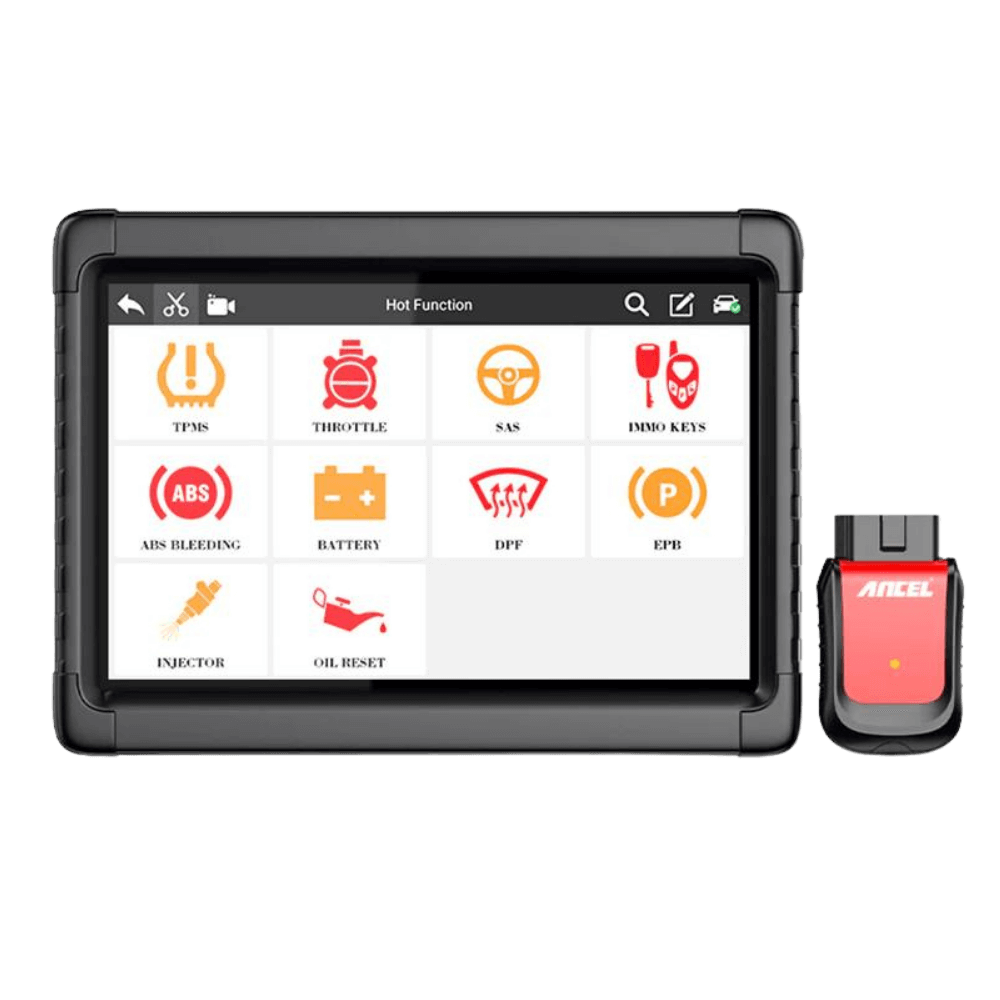
Your Existing Device
Check X6 Version First
X6 and X6 HD are different models. The manufacturer's old X6 technical record shows Android 7 and 16 GB storage; the current X6 product description shows Android 10. This information cannot be applied to every X6 device together.
Check the tablet label, the Android version in the Settings section, the ANCEL application version, and the VCI serial number. The casing photo alone does not indicate the hardware version or license rights.
Scanning and Maintenance
Fault code reading, live data, and maintenance menus depend on the control unit in the vehicle and the installed software. The menu icon does not indicate that the same operation can be performed on every vehicle.
Active Test and Coding
Varies by supported vehicle and control unit. Commanding a part to operate or changing a setting is not the ability to load software onto every ECU.
Key Operations
The manufacturer's current X6 description states that new key programming is not supported. Do not purchase a device or update based on old IMMO screens.
Software and license
Ancel X6 Software Update
First, check your device's update expiration date and current license. If your free period is still active, you may not need to purchase an additional renewal.
You can purchase a one-year update for your existing X6 device. The device's serial number is mandatory on the payment screen; each order is for a single device.
The update is digital. It does not include a new tablet, VCI, or physical shipping; it cannot be used on the X6 HD model.
Purchase the 1-Year UpdateFor those looking for a new device
Models to compare instead of X6
Base your decision on the tasks you perform most frequently in your workshop and the vehicles you work on. Check price, stock, and license information on each model's own page.
Ancel DS500BT
For workshops performing fault code reading, live data, and maintenance tasks with wireless connectivity. Check necessary active test and coding operations on a per-vehicle basis.
View DS500BT →Active Test and CodingAncel DS600
Compare control unit tests and vehicle-dependent coding operations. Review the adapter set and software renewal conditions together.
View DS600 →Wireless Connection and New ProtocolsAncel DS600BT
Review connectivity and function scope for vehicles requiring CAN-FD and DoIP. Vehicle year alone does not indicate support for all functions.
View DS600BT →Before buying a second-hand X6
- Check tablet and VCI serial numbers, invoice, and actual device photos.
- See the VCI connect to a real vehicle, outside of the application's demo mode.
- Verify account access and, if applicable, account transfer conditions with the manufacturer.
- Confirm the update expiration date and that a new license can be assigned to your device before payment.
- Test the battery, charging port, screen, and wireless communication; also check the vehicle and operation for which you are purchasing.
Frequently Asked Questions
Has the production of X6 completely stopped?
Hardware sales have ended at Otobiltek. Since there is no confirmed statement from the manufacturer that production has ceased worldwide, these two situations should not be considered the same.
What parts were in the old package?
The manufacturer's package description includes a tablet, VCI, charging adapter, USB cable, carrying case, and documentation. Regional plug and package variations may occur. For a second-hand device, verify the delivered parts with the seller's actual photos.
Does the update enable new features on every vehicle?
No. License renewal does not mean that a specific maintenance, coding, or active test function will be added for the vehicle you want. Support for the operation by the vehicle and control unit must be checked separately.