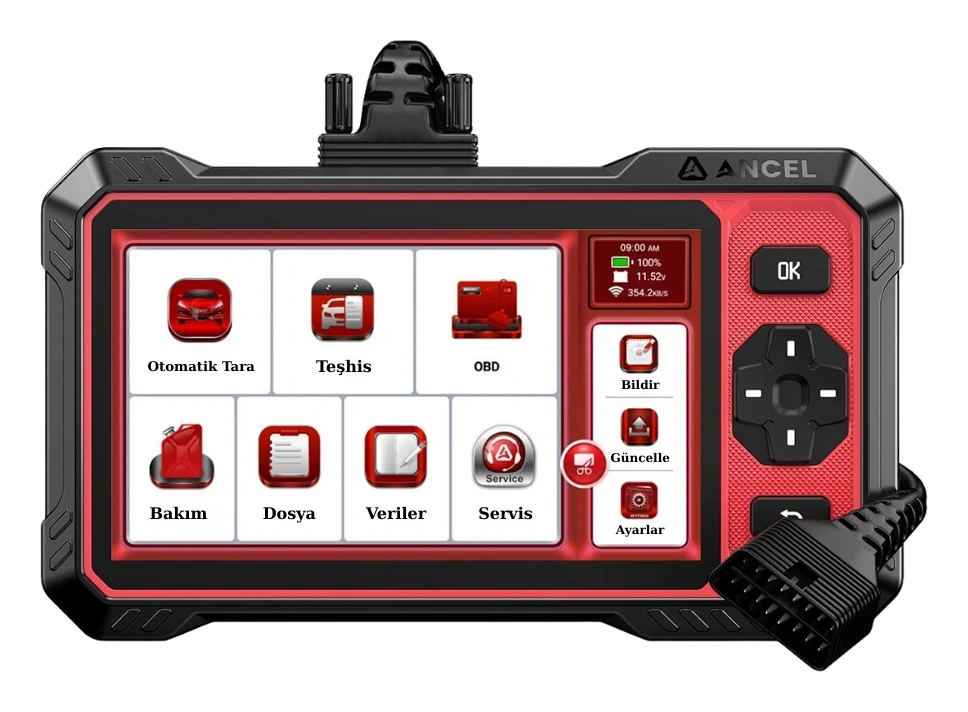
Main recommendationAncel DS410 Lite
Ancel DS410 Lite is a wired service device with full system diagnostics, active testing, and CAN FD support. The device includes lifetime free updates.
14.990 TLView


Launch X431 CRP919E BT highlighted tasks
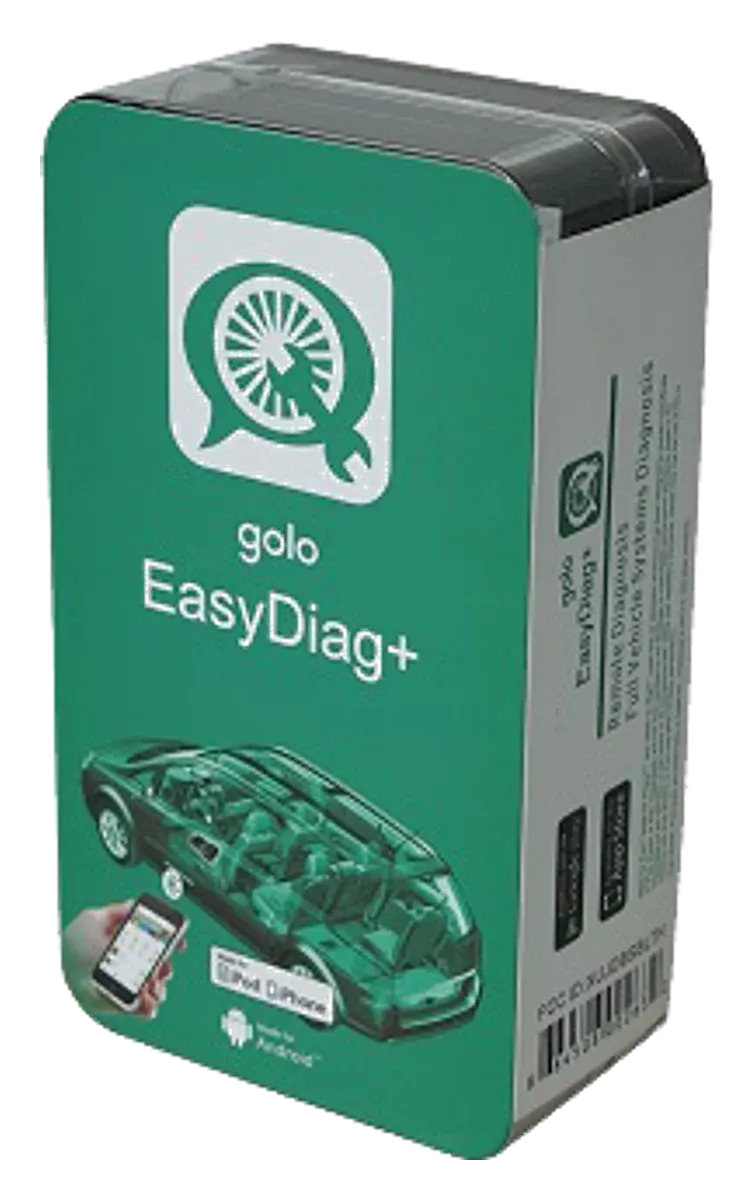
Launch Golo EasyDiag+ is an older generation Bluetooth OBD adapter used with software on a phone or tablet, and it has been discontinued. Golo CarCare II is a separate model; this page is maintained for identification, application, and license verification, not for new sales.
Ancel DS410 Lite is a wired service device with full system diagnostics, active testing, and CAN FD support. The device includes lifetime free updates.
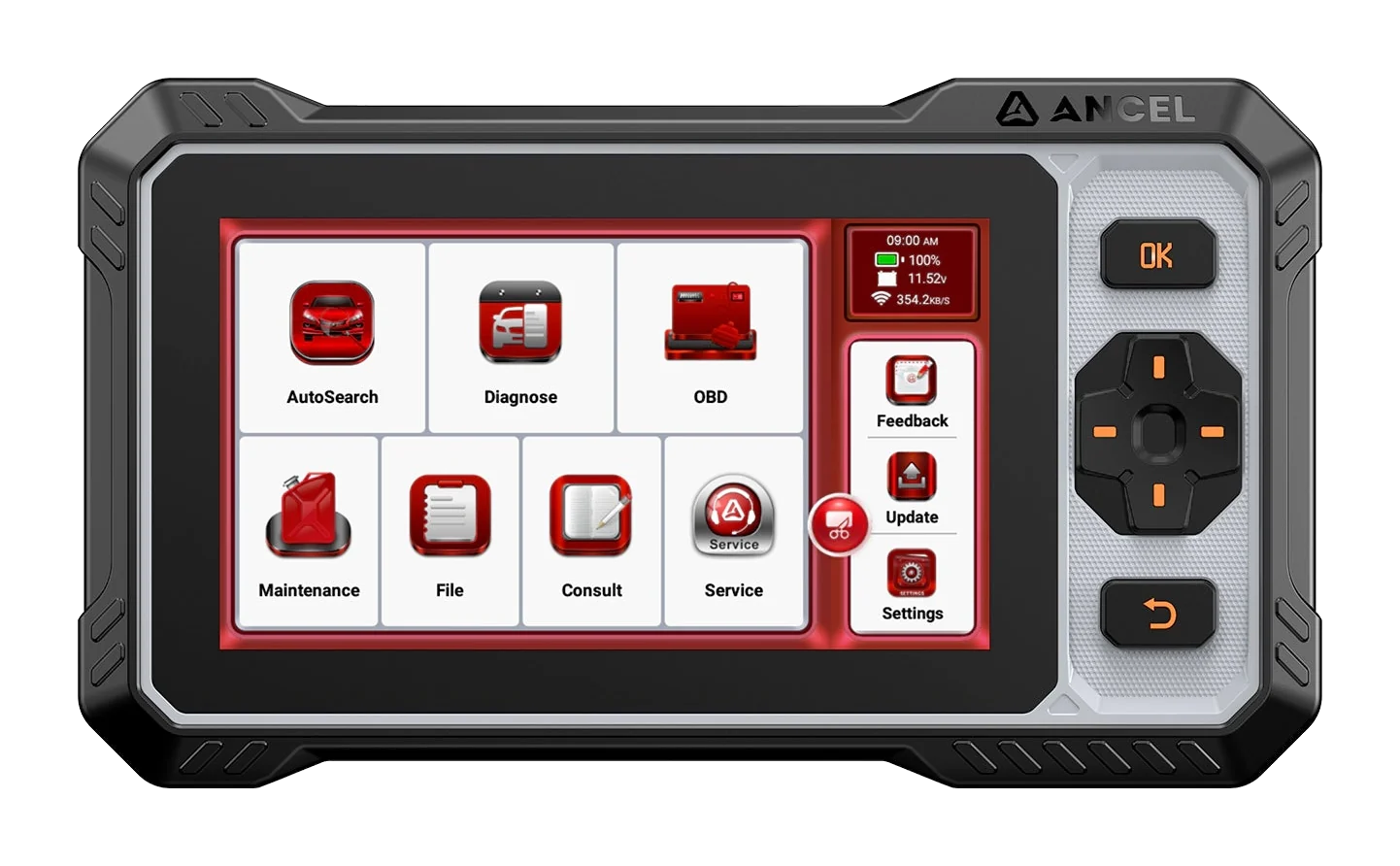
The Ancel FX6100 is a wired service tool offering full system diagnostics, active tests, CAN FD, and over 15 maintenance functions. It includes lifetime free software updates.
Product information
Launch Golo EasyDiag+ is an old-generation Bluetooth OBD adapter used with software on a phone or tablet and is listed as a discontinued model in the LAUNCH regional product archive.
Golo CarCare II is not the same device's second name or box revision; it is another model in the LAUNCH archive with a separate product page, separate hardware appearance, and separate usage description. Therefore, the EasyDiag+ box, CarCare II box, and the general name “Golo CarCare” should not be presented as a single product.
Users who have a working device should verify it only through the original account, app acquisition history, and official support channels. If you are looking for a new device, distinguish between a low-cost phone-based solution, a standard OBD interface, and a professional service tablet.
Vehicle Coverage
The make name alone does not guarantee compatibility. Within the same make, model year, engine, chassis, control unit, communication protocol, and intended operation can yield different support results.
Product details
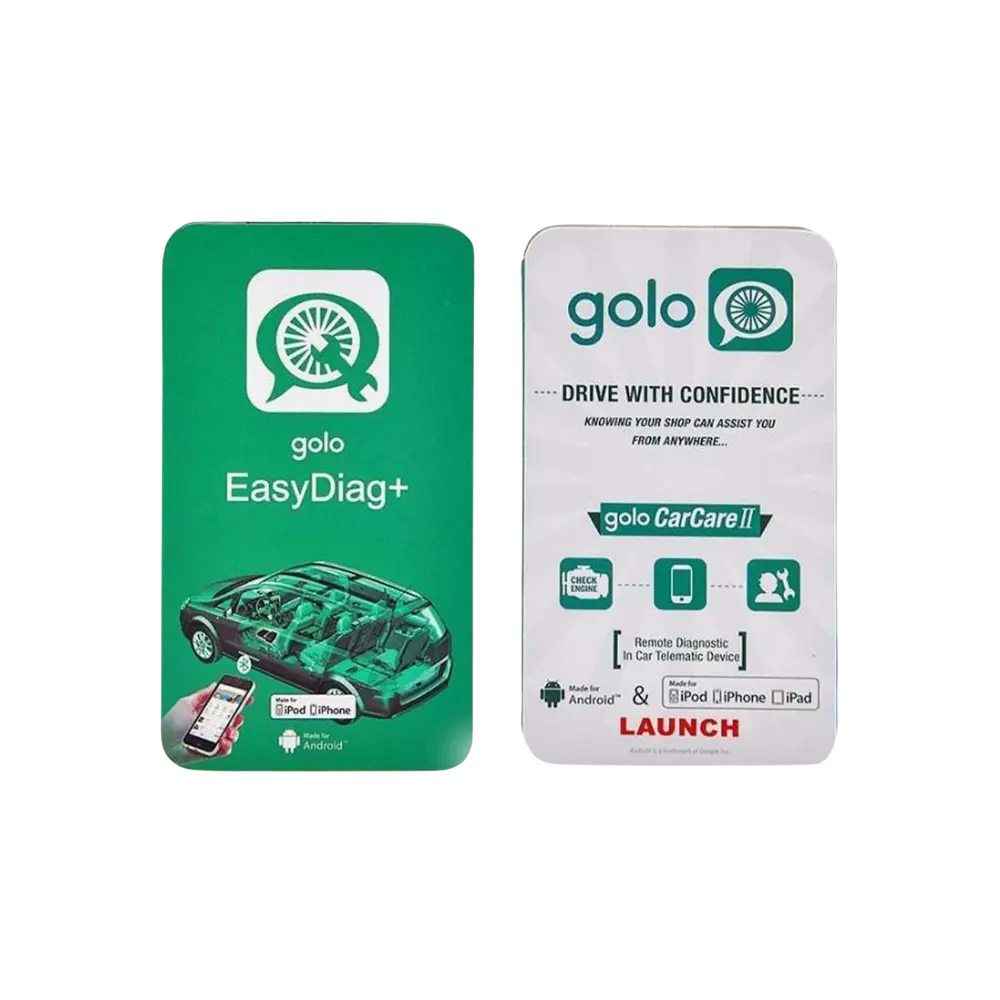
No. “Golo” was a broader product name used by LAUNCH in its remote diagnostics and mobile connectivity approach. EasyDiag+ was introduced within this family as a phone-based diagnostic adapter where the user could select brand software. CarCare II, on the other hand, is listed in the LAUNCH archive with a separate box, separate black adapter, and different product description.
The official archive directory lists the two names as separate links. LAUNCH's 2016 product announcement also refers to golo EasyDiag+ and golo CarCare as separate product names. These proofs do not support the interpretation that CarCare II is merely a new casing or marketing name for EasyDiag+.
In the comparison visual below, the EasyDiag+ box and transparent-green body adapter are on the left, and the CarCare II box and black adapter are on the right. The main gallery of the page therefore contains only EasyDiag+ visuals; the CarCare II photo is used here only to show the identity difference.
Product details
LAUNCH's regional EasyDiag+ page clearly shows the product as discontinued. In LAUNCH's current international product catalog and download center, no new product package or updated client connection is listed for Golo EasyDiag+.
The "golo carcare" app listing is still visible in the Turkey App Store; the developer is LAUNCH TECH CO., LTD., the last version is 5.3.1, and the last update date is June 6, 2017. Mentioning CarCare II box support in the version history does not mean the app considers EasyDiag+ and CarCare II the same hardware.
The visibility of the App Store page does not guarantee that the account server, device activation, brand packages, or connection on new phones will work smoothly today. As an up-to-date official app distribution record for Android could not be verified, this page does not provide an APK download link and does not promise it will work on a specific Android version.
Product details
During the EasyDiag+ era, the adapter, user account, serial number, and selected vehicle software formed an interconnected usage. The physical appearance of a second-hand adapter being intact does not mean it can be added to an account or that previously purchased software will transfer to a new user.
Similarly, finding the app working on an old phone does not indicate that the same packages can be downloaded on a new installation. The starting point for secure verification is the full model name and serial number on the device. Then, the email account used by the original owner, app acquisition history, and LAUNCH account, if any, are examined.
Before paying for activation, account transfer, or software packages, the serial number must be inquired with official LAUNCH or regional support channels. Otobiltek does not sell new licenses, brand packages, server accounts, or activation codes for this model.
Product details
Start not with the packaging, but with the adapter itself. EasyDiag+ visuals show a transparent top surface, with a green-black structure for the sides and bottom body; the name “golo EasyDiag+” is visible on the front of the box. The CarCare II kit includes a black adapter, a black-green box, and in some visuals, a short extension cable.
Other LAUNCH interfaces labeled yellow EasyDiag 3.0 or DBScar are not these two models. If the product name, body color, and model line on the label do not match, the box may have been changed later. Note the serial number, but do not publish its full form in ads, forums, or comments.
If the adapter has bent pins, a loose body, oxidation, or signs of overheating, stop physical use before searching for software. Since the device plugged into the OBD socket is directly connected to the vehicle's electrical system, it is not safe to continue attempting to use damaged hardware.
Product details
If the device previously belonged to you, identify the Apple or Google account used for the initial setup and the LAUNCH/golo user account. Check the app only from the acquisition history in the operating system's official distribution channel or from a still-verifiable official listing.
Installing random APKs on a new phone, installing old versions from modified packages, or giving the serial number to a third-party activation service can put the account and device at risk. If the app opens, first read only the account screen, registered device name, and downloadable packages; do not immediately delete the currently working phone, app, or local data.
If the app does not open, the login is rejected, or the download area appears empty, this does not solely indicate that the adapter is faulty. Old operating system compatibility, distribution record access, account registration, and server-side factors can all be effective individually.
Request written status information from LAUNCH support with the serial number, proof of purchase, old account email, and the displayed error message.
Product details
First, check the vehicle ignition and the power supply at the OBD socket; if the expected status light on the adapter does not illuminate at all, installing other software may not be the solution. The phone's Bluetooth permission, nearby device permission, and the local network/location permissions required for the app can vary depending on the operating system.
Some older diagnostic adapters are selected from within the app rather than paired from the phone's general Bluetooth menu; therefore, instead of trying random PINs or constantly deleting and re-adding the device, use the old app's own connection screen. Ensure that another phone is not connected to the adapter simultaneously.
If you are going to test on multiple vehicles, keep each test brief and remove the adapter when the ignition is off. Even if a connection is established, the absence of vehicle systems may be related to the license, downloaded brand package, vehicle selection, or protocol coverage.
Do not run write-affecting operations such as clearing fault codes, adaptation, or service resets solely to test the connection.
Product details
It is not correct to assume a single product that perfectly replicates the old Golo experience. Those who want to read codes and live data on seven basic systems without using a phone can consider the Thinktool Reader 7 model.
For full system scanning and active tests on supported vehicles, consider Ancel DS410 Lite or FX6100, which operates at the same level of functionality. Vehicle, system, and function coverage must be verified before ordering.
A higher-priced device is not automatically the correct choice; the vehicle fleet, intended operations, need for a standalone screen, and update model determine the selection.
Product details
Statements like “All vehicles unlocked,” “lifetime updates,” “one-click activation,” or “works on any phone” should not be considered verified without an official account screen and LAUNCH response. You can ask the seller for a front-rear photo of the adapter, the model line, a screenshot of the device appearing in its own account (with personal information obscured), and the app version.
However, a screenshot does not prove that the license can be transferred to a new user. The presence of the box does not mean the device is not linked to the original account. Consider the value of the sale based solely on the physical condition of the plastic adapter; do not price future software access as a definitive feature.
Installation files from unknown sources and remote activation promises carry risks of both malware and account hijacking. For new usage, opting for a product currently on sale with clear license terms would be more predictable for most users.
Product details
Because EasyDiag+ was sold years ago, users still search for model name, app, account, and Bluetooth issues today. Removing the page would facilitate confusion with different devices listed under the same name and create false expectations for second-hand purchases. Product offer data is not generated for EasyDiag+; the page serves informational and support purposes.
If a new official app, support announcement, or product status is published, the content will be reviewed again with its source date.
Related pages
Technical Resources
Technical information checked with official sources on October 10, 2026.
FAQ
No. In the LAUNCH regional archive, EasyDiag+ and CarCare II are listed with separate product pages. The box, adapter body, and product description are also different. CarCare II should not be presented solely as a new casing or a second name for EasyDiag+.
The LAUNCH regional archive lists the EasyDiag+ model as a discontinued product. Otobiltek does not offer new device, new license, or activation sales for this model.
A Turkey App Store listing may be visible, but the last version is dated 2017. The app listing being open does not guarantee server access, device activation, brand package downloads, or new phone compatibility. An up-to-date official distribution listing for Android could not be verified.
This cannot be assumed to be possible from device to device. The serial number, original account, purchase history, and current packages must be inquired with LAUNCH support. Do not pay for account transfer or activation services without receiving an official response.
Check the OBD feed, ignition status, phone permissions, connection from another phone, and the in-app device selection. Appearing in the general Bluetooth menu does not mean the app account and license are ready.
Not recommended. APKs from unknown sources and unauthorized activations carry risks of malware, account loss, serial number misuse, and faulty diagnostics. Use only official app acquisition history and LAUNCH support channels.
It varies by need. For a seven-system pre-check, consider Thinktool Reader 7; for full system scanning and supported active tests, consider Ancel DS410 Lite or FX6100. Verify the vehicle, system, and function coverage before ordering.
No. The Golo EasyDiag+ on this page is the old model with a transparent and green-black body. EasyDiag 3.0 is a different product listed with the yellow DS401 body.
Comparison
Compare products in the same class with information on usage level, service tasks, and price.
| Model | Level | Usage | Price | View |
|---|---|---|---|---|
| Launch Golo EasyDiag+ (Old Model)Launch | Getting started |
| Not in production | View |
| Ancel DS410 LiteAncel | Service |
| ≈ $30314,990 TL charged · VAT included · import duties excluded | View |
| Ancel FX6100Ancel | Service |
| ≈ $30314,990 TL charged · VAT included · import duties excluded | View |
Similar products

Ancel DS410 Lite is a wired service device with full system diagnostics, active testing, and CAN FD support. The device includes lifetime free updates.
The Ancel FX6100 is a wired service tool offering full system diagnostics, active tests, CAN FD, and over 15 maintenance functions. It includes lifetime free software updates.