Otobiltek October Selection

5 Automotive Diagnostic Tool Recommendations for October 2026

This selection is not a sales volume or technical superiority ranking; it contains our store's product recommendations for October 2026. You can find the selection rationale, actual photos, and pre-purchase checklist for models catering to diverse needs, from coding-focused workshops to users seeking compact wired devices.

Prepared by: Otobiltek Content TeamPublication: Content Update:
AI-generated representative service workshop for the October selection; real products are in the photos below

Evaluation Method

How was this guide prepared?

Otobiltek is the store selling these five products. The countdown from 5 to 1 follows our promotional priority for October; it does not indicate sales volume or the result of an independent test.

Technical information was verified with manufacturer pages on a model-by-model basis and the DS410 Lite manufacturer's manual. Comparative application testing on the same vehicle was not performed. Device photos are actual catalog images; the cover and three service context images were generated by artificial intelligence. These representative scenes are not a photo of an actual test or the delivered package.

  1. Workshop task
  2. Wired or Bluetooth connection preference
  3. Screen and physical operation
  4. Vehicle coverage and purchased package

This page is maintained as the October 2026 selection. If technical information changes, it will be corrected with the control date. Price, stock, installment, and delivery conditions are available on the linked product pages.

Actual product photo
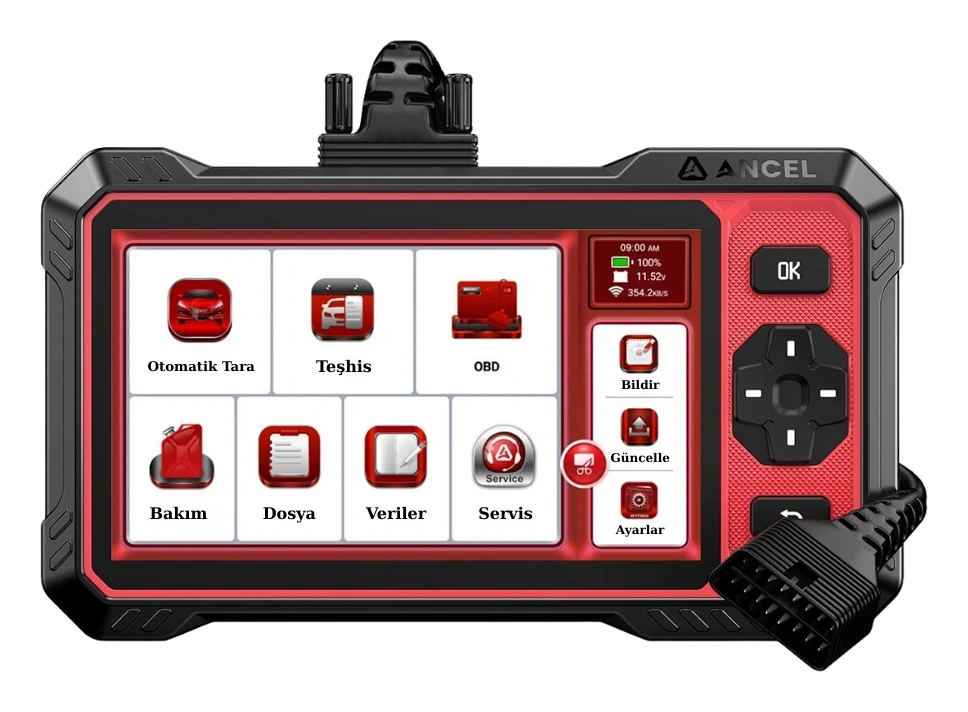
Ancel DS410 Lite real keypad device and OBD cable
5. Ancel DS410 LiteReview product

Decision guide

5. Ancel DS410 Lite: a wired option with physical buttons

The DS410 Lite combines a 6.2-inch touchscreen with physical navigation and confirmation buttons. The manufacturer's guide details full system diagnostics, live data, active tests, and CAN-FD information. It is our number 5 pick for users seeking a device with buttons that connects via cable, rather than a Bluetooth tablet.

Do not equate the 'Lite' designation with a simple OBD reader that only reads engine codes. The same manual separately specifies four-system diagnostics for the DS400 Lite and full control unit diagnostics for the DS410 Lite. Accessible units and service commands still depend on the vehicle's hardware and software support.

When choosing this model, examine the physical operation method as much as the on-screen menu. The button layout and cable can be seen in the product photo. Verify the desired function in the maintenance menu, the included cable, and the update conditions before ordering. Its fifth position does not indicate a quality or sales performance rating.
Actual product photo

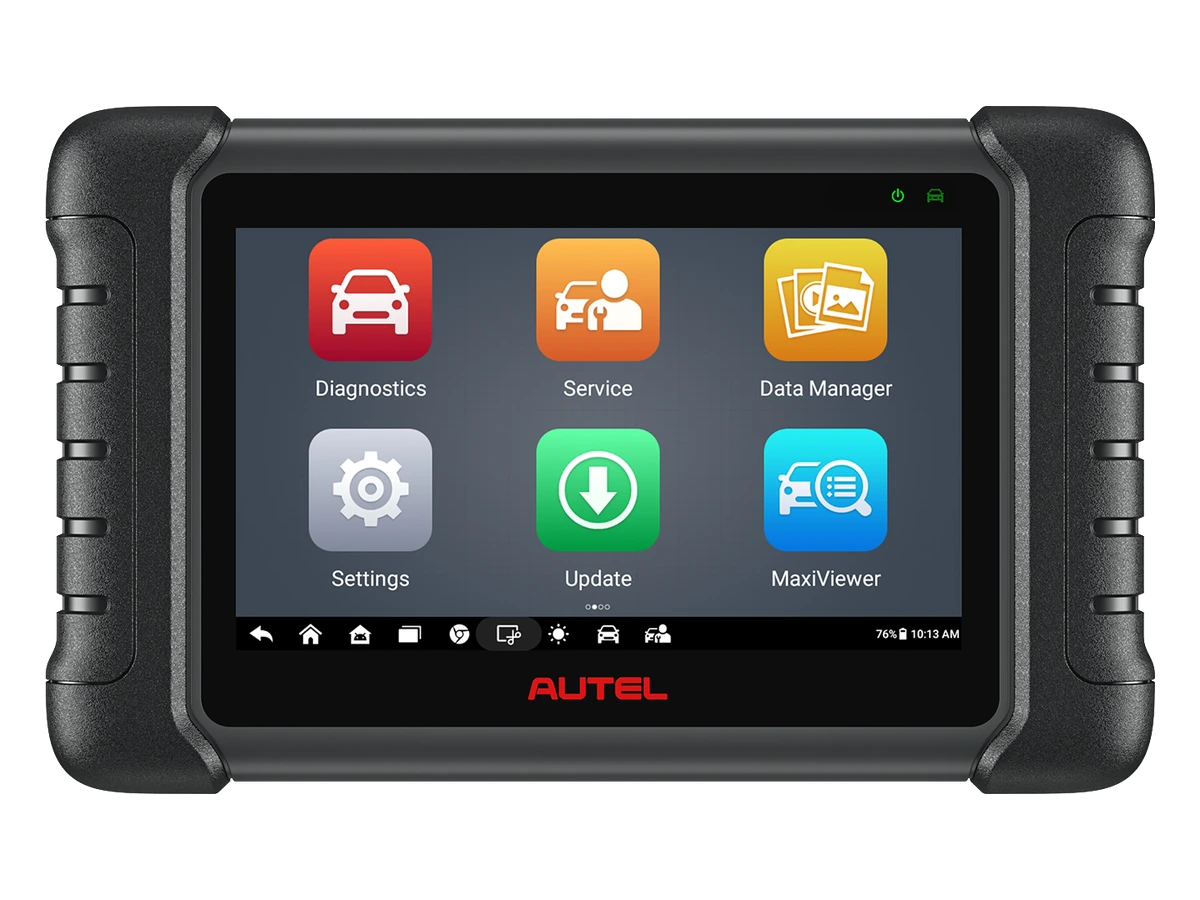
Autel MaxiCheck MX808S front view of the real device
4. Autel MX808SReview product

Decision guide

4. Autel MX808S: a 7-inch wired service tablet

The MX808S is one of Autel's wired options with a 7-inch screen. The manufacturer specifies code reading and clearing, live data, active tests, and service functions across all accessible systems. It is included in our selection for users who prefer working wired next to the vehicle and have verified the necessary vehicle functions for this model.

When deciding between the MX900 and MX808S, first check if your current vehicle list is covered. If both devices perform the required functions, proceed based on screen preference, portability, included package, and total cost. A higher model number is not necessarily a mandatory upgrade reason for every user.

MX808, MX808S, and MX808S-TS are not the same product. Official comparisons show differences in connectivity and additional hardware. The presence of the 'S' in the listing title is as important as matching the device label on delivery.

Actual product photo

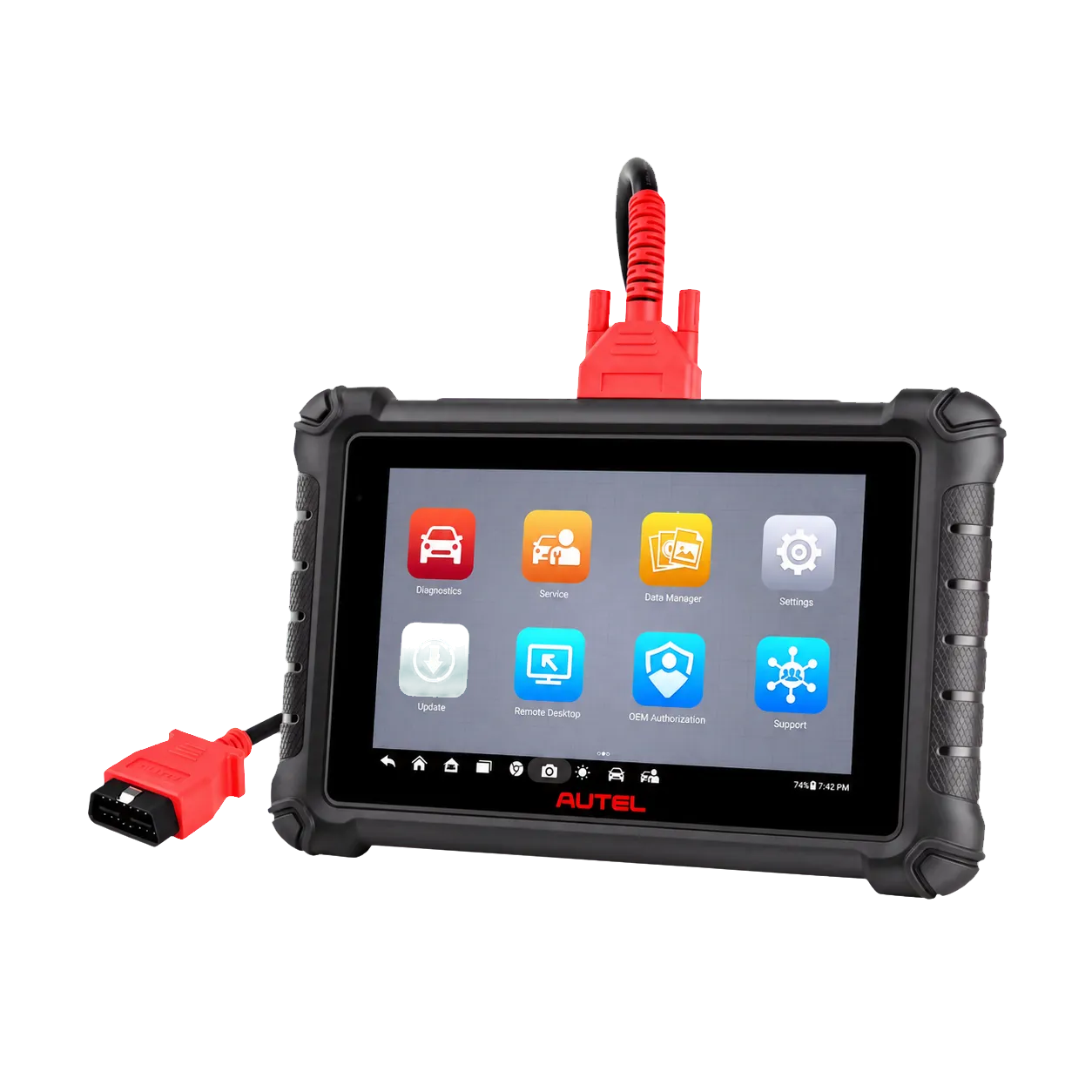
Autel MaxiCheck MX900 real tablet and diagnostic cable
3. Autel MX900Review product

Decision guide

3. Autel MX900: for those needing a larger screen and new protocols

The MX900 is one of our Autel options in the October selection for users who prefer wired operation with an 8-inch screen. Autel specifies full-system diagnostics, active tests, maintenance functions, CAN-FD, and DoIP support. If you work with vehicles requiring new protocols, these features are a starting point for investigating the device's technical capabilities.

Our selection recommendation: identify examples from vehicles that visit your service for which your current device lacks coverage due to protocol or function. Investigate the value the MX900 would bring you using these examples. A larger screen may influence your preference for viewing long data lists; it does not inherently promise more accurate diagnostic results.

DoIP support does not mean all operations will be free or unauthorized. Vehicle connection, software function, and, if necessary, secure access are separate checks. Do not transfer information about wireless connectivity or additional hardware from another model, such as the MX900TS, to the MX900.

Actual product photo

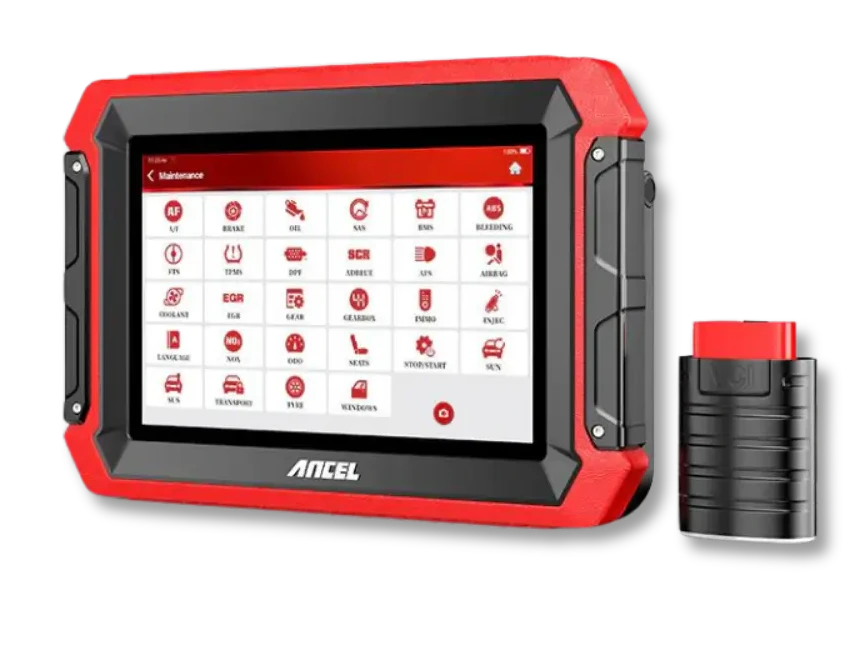
Ancel DS500BT real 7-inch tablet and Bluetooth VCI
2. Ancel DS500BTReview product

Decision guide

2. Ancel DS500BT: for those preferring a wireless and compact tablet

The product in this selection referred to as DS500 is the DS500BT. Its official technical specifications list a 7-inch screen, Bluetooth 5.0 connectivity, CAN-FD protocol, and Turkish language support. The separation of the tablet from the vehicle interface reduces the need to carry a screen tethered by a cable while working between the cabin and engine bay.

With this model, the shopping question becomes not 'do I need a bigger device?' but 'do I need a wireless operating setup?' For a user monitoring data from different points around the vehicle, the connection preference is important. The tablet's Wi-Fi connection and the VCI's Bluetooth connection serve different purposes; internet connectivity alone does not establish vehicle communication.

The hardware table does not explain which active tests are enabled on a specific vehicle. This silence does not imply the function is absent. If your reason for purchase is a specific service procedure, confirm that procedure separately. Look for the full model name on the box and invoice; do not consider a package labeled only with the abbreviation DS500 as equivalent.

Actual product photo

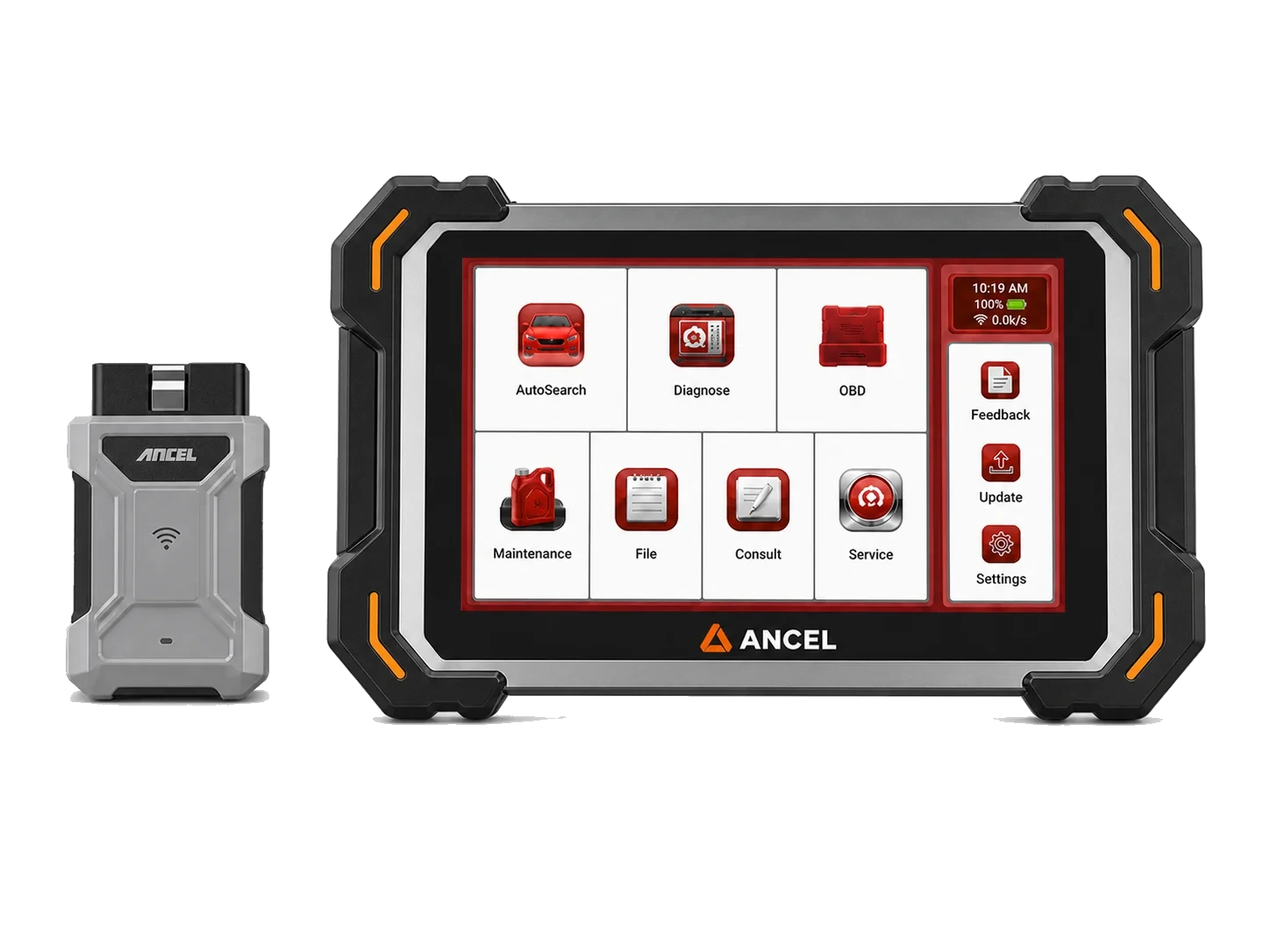
Ancel DS600 real tablet and vehicle interface
1. Ancel DS600Review product

Decision guide

1. Ancel DS600: for workshops requiring active testing and coding

Our reason for featuring the DS600 as our number 1 pick in the October selection is its focus on service needs that go beyond simply reading fault codes. The manufacturer describes bi-directional active tests, full system diagnostics, and coding functions for specific vehicles. Sending commands to a supported part or recording the necessary injector code after replacement, for example, are concrete reasons to investigate the device.

Our selection recommendation: first, list the three tasks you cannot afford to miss in your workshop. Named needs, such as fan command, injector programming, or coding a specific module, provide a more useful comparison than a general request for a 'professional device.' For the DS600, query each of these by vehicle, engine, and control unit.

Do not interpret the term 'coding' as the ability to install new software on all control units. The activation of the function depends on vehicle and software coverage. Furthermore, the DS600 and DS600BT are different models; the video or package list of one is not proof for the other. If injector work is your priority, our linked specialized guide distinguishes between code recording and physical injector testing.

AI-generated representative workshop showing the workspace between the vehicle cabin and the workbench.

Decision guide

Should you buy a wireless or wired device?

Your connection preference will be determined by where you use the screen in the workshop. If you need to carry the tablet while constantly moving around outside the cabin, a Bluetooth VCI might fit your workflow. If the screen mostly stays near the driver's seat, a wired model may also meet your needs. In both setups, secure placement of the cable or interface is necessary.

Do not confuse the term 'wireless' with broader vehicle support. The ability to move the screen independently of the vehicle is different from having an air bleeding menu for an ABS unit. Make your purchasing decision with two separate questions: connection type and verified vehicle function.

If you have multiple devices in your workshop, keep track of which VCI belongs to which tablet and its connection status. For wired devices, ensure the socket and cable are not pinched within the vehicle. We are not providing rankings for range or connection speed here; we have not performed measurements under the same conditions.

Calculator and blank quote papers illustrating the comparison of device and package costs; representative visual.

Decision guide

How should you compare automotive diagnostic tool prices?

When making a purchase in October, do not just look at the price of the primary device. Also factor in any necessary adapters, software access, and update conditions for the vehicles you will use. If the same model comes in different packages, compare the total cost with the same tax and delivery scope. An abundance of accessories you won't use may not offer a purchasing advantage for you.

Check the price and payment terms on the product page on the day you make your purchase. If you read the October selection later, you can verify the offer's validity from the order total. You can access the relevant product's sales page from each model's photo.

If the sales package includes update rights, obtain the duration, scope, and any additional access fees in writing. Update rights are not the same as physical warranty conditions. Do not assume a manufacturer's promotion in another country applies identically to the local sales package.

Blank checklist for preparing vehicle and process information; AI-generated representative service visual.

Decision guide

Prepare your vehicle and function list before ordering

The most useful preparation to simplify device purchasing is your service's actual work list. List the vehicles you have recently serviced, including their model year and engine. For each, add the specific task you want to perform, not just the system name. 'Enter ABS' and 'Perform ABS hydraulic unit bleeding' are not the same support request.

Do not consider a vehicle function supported until you have received an answer. If your current device already performs essential tasks, determine what specific need a new purchase will address. The correct choice from these five products in the selection is the model that meets your work list and suits your usage style.

  • Full device model: DS600, DS500BT, MX900, MX808S, or DS410 Lite.
  • Vehicle make, model, model year, engine, and relevant control unit.
  • Task name: read codes, live data, active test, maintenance, or coding.
  • Required cable, adapter, account, and software rights.
  • Delivery package, invoice, total payment, and after-sales support channel.

Frequently Asked Questions

Most frequently asked questions by customers

Does this list show the best-selling devices for October?

No. This is Otobiltek's October 2026 featured selection. The order is not based on sales volume, market share, or independent test scores.

Why does the countdown end at number 1 with the DS600?

Our featured priority this month is the DS600. We recommend it for workshops requiring active testing and coding; we do not claim it is superior to the other four models for every user.

Is the device I'm looking for, Ancel DS500, the DS500BT?

The full name of the product in this article is DS500BT. If you encounter an abbreviated listing, check the device label and sales package; just seeing DS500 does not confirm the exact model match.

What difference should I check first between the MX900 and MX808S?

First, check support for the vehicles and functions you need. The MX900's 8-inch screen and stated CAN-FD/DoIP support are differences to investigate compared to the MX808S's 7-inch wired operation.

Does the DS410 Lite only scan four systems?

The manufacturer's manual specifies a four-system limit for the DS400 Lite. The DS410 Lite is a full-system model; accessible units on a specific vehicle must be verified separately.

Do these devices perform all coding functions on every vehicle?

No. Functions vary by device model, vehicle, control unit, and software. The general term 'coding' does not guarantee a software reload for the ECU on every vehicle.

Where can I see the October pricing and installment information?

You can review pricing, availability, and payment terms on each product's linked sales page. The order in the selection article is not a price or discount ranking.

Related pages

Pages related to this topic

Technical Resources

Sources for technical information

Technical information checked with sources on October 25, 2026.

Related products

Related products

Ancel DS410 Lite product image

Ancel DS410 Lite

Ancel DS410 Lite is a wired service device with full system diagnostics, active testing, and CAN FD support. The device includes lifetime free updates.

  • Full system diagnostics
  • Bi-directional active test
  • CAN FD communication
≈ $30114,990 TL charged · VAT included · import duties excludedIn stock
Ancel DS500BT product image

Ancel DS500BT

Tablet device with Bluetooth VCI connection for fault codes, live data, and supported maintenance operations.

  • BT connection
  • Service functions
  • Live data
≈ $50224,990 TL charged · VAT included · import duties excludedIn stock
Ancel DS600 product image

Ancel DS600

Ancel model offering bidirectional active tests, coding functions, maintenance functions, and an extensive adapter set on a single tablet.

  • Bi-directional active test
  • Coding needs
  • Multi-system scanning
≈ $80339,990 TL charged · VAT included · import duties excludedIn stock
Autel MX900 product image

Autel MX900

An 8-inch wired full-system tablet for fault codes, live data, active tests, maintenance resets, and service reports.

  • Wired OBD connection
  • Full system fault diagnosis
  • Active test and service functions
≈ $70134,900 TL charged · VAT included · import duties excludedIn stock
Autel MX808S product image

Autel MX808S

A compact service tablet from Autel for basic fault diagnosis and routine service functions.

  • Fault diagnosis
  • Service functions
  • Live data
≈ $44222,000 TL charged · VAT included · import duties excludedIn stock
WhatsApp