Decision guide
Full EV device and upgrade kit do not sell the same thing
A full EV device may be offered with the tablet and EV access hardware as part of the product set. An upgrade kit, on the other hand, is added to an existing compatible tablet; the tablet, connection unit, and EV kit work together. Comparing the price of a new device solely with the kit price shows an incomplete total cost.
The Autel EV Diagnostics Upgrade Kit page lists the EVDiag Box and battery adapters for specific vehicles. The EVDiag Box is compatible with Ultra S2, Ultra, MS919, and MS909 tablets; it connects via MaxiFlash VCI or VCMI.
The Launch EV Diagnosis Add-On Kit is also purchased not as a standalone tablet but as a package added to a compatible Launch main device. The main device model and the delivered pin/adapter set must be verified on the product page.
If a service does not have a compatible tablet, the cost of the kit is additionally supplemented by the cost of the tablet and VCI/VCMI. If you have an existing tablet, do not purchase a new full set without checking the current status of the license and accessories.
Decision guide
Compare Autel's EV devices by function and set
Ultra S2 EV, MS919EV, and MS909 EV are separate Autel product packages; their model names alone do not indicate the delivered connector or the menu that will be opened on the vehicle. The product screen, VCI/VCMI, EVDiag Box, software, license, and battery adapter must be verified separately.
The MS909 EV product page uses a different EV product name than the standard MS909. Adding the EV Diagnostics Upgrade Kit to the standard MS909 tablet is a separate configuration.
MS919EV should not be confused with the standard MS919 and MS919S2. Similarly, the standard Ultra S2 and Ultra S2 EV with EV Upgrade Kit are not the same package.
A larger tablet screen or more advanced measurement hardware does not guarantee that EV battery functions will be more extensive on all vehicles. The official compatibility list for the vehicle and the desired operation is the determining factor.
Decision guide
Make the purchase calculation with the set to be delivered in Turkey
The price, license duration, and package contents in the US or another country's store do not prove the offer in Turkey. Compare the total cost based on the live product price on Otobiltek and the actual accessory set to be included in the order; do not add fixed prices to the guide.
The offer should separately list the tablet/main device, VCI or VCMI, EVDiag Box, main connection cable, battery adapters, software, and the update/license period.
Autel's EV kit page mentions specific battery adapters and lists set parts for BMW, Tesla, and VW. Do not use this list as the package contents for a Turkish order; request brand, part number, and quantity confirmation in the product offer.
Competitor pricing can only be compared if the same product type, same warranty/update period, and same adapter contents match. The statement "many adapters in the box" does not alone indicate that the required function is supported on the target vehicle.
Decision guide
Inquire about the difference between battery data and SOH report
EV kits can display data such as BMS code, SOC, SOH, voltage, current, or temperature on compatible vehicles. The appearance of one of these parameters on the screen does not mean that a separate battery health report or capacity test is offered under the same conditions for every product.
Autel SOH Blitz is a separate reporting function. Autel's official page lists Ultra S2 EV, MS909S2 EV, and MS919S2 EV among the models for which free reports are provided; it explains that other Autel tablets may have license or annual subscription requirements.
These names are not the same as the standard Ultra S2, MS909, or MS919. The product description should not promise "SOH test included" without specifying the report, license, region, and duration.
The battery report should explain the method by which it was generated, which BMS data was read, and under what conditions it was obtained. A single SOH percentage should not be used to infer remaining life or warranty.
Decision guide
Confirm vehicle compatibility by specifying model and operation
The answer "supports EV" is not sufficient for purchase. Specify the most frequent makes/models/years coming to your service and the operation you want to perform: general module scan, battery live data, cell/module view, charge or thermal system code, supported active test, and report. The coverage of the device and kit should be verified separately for each operation.
Access via OBD and access via a battery pack-specific connector or breakout adapter are different connection steps. Adapters should not be connected without observing the vehicle architecture and manufacturer's procedure.
The BMS menu found in a vehicle of one model year may not be offered with the same name in the next year or with a different battery pack. If full VIN coverage is required, obtain the manufacturer's current support output from the seller.
Verify the scan result with a physical test. Codes and live data are not orders for part replacement; the supported test, service document, and measurement conditions are examined together.
Decision guide
Calculate Launch and Thinktool kits along with the main device
The Launch EV Diagnosis Add-On Kit and Thinktool CE EVD operate within different manufacturer ecosystems. The presence of EV in the product name does not always mean that the tablet, VCI, software access, and battery connections are included in a single package. Inquire about which parts each offer includes and whether it can be used without a main device.
The Launch product description lists battery test cables, activation card, OBD connections, and brand-specific connectors within the EV Diagnosis Add-On Kit. The regional package and supported Launch main device must be verified separately in the seller's offer.
The Thinktool CE EVD is defined as an EV diagnostic solution in the product catalog. Match the tablet/VCI components, license duration, and vehicle adapters of the package to be purchased in Turkey with the current information on the Otobiltek product page.
If you do not have a main device, calculate the total as tablet + VCI/VCMI + EV box + adapters + software access. Comparing only the kit price with the full device price does not compare the same scope.
Decision guide
See package contents and license in the offer
The same product name in EV diagnostic sets may be sold with different accessory or license packages. Before interpreting the price, check the list of parts for the product to be delivered in Turkey, the software activated with the device serial number, and the update period on the offer. A campaign in the manufacturer's store in another country does not prove delivery in Turkey.
Box visuals do not substitute for technical scope; the manufacturer's visual may show different accessory variants together. Parts to be added to the order must match the text on the product page and the offer document.
Inquire from the manufacturer or seller about which functions of the device will remain active after the software access period expires and how new vehicle coverage will be loaded. Do not assume indefinite updates.
Compare the price including VAT, along with warranty and support conditions in Turkey. Note that two prices are not directly equivalent unless they have the same total accessory and license conditions.
- Tablet and main VCI/VCMI model
- EVDiag Box or related EV connection unit
- Number and part number of battery adapters
- Activation, update, and if applicable, SOH report license duration
Decision guide
More than a diagnostic device is needed for EV service safety
The scanner can display codes, compatible control units, and supported live data; it does not physically de-energize the high-voltage circuit and does not independently determine safety. Technician competence, vehicle manufacturer's work instructions, personal protective equipment, and insulated measurement tools should be budgeted separately from the device in service investment.
HELLA's e-mobility technical resource considers training and manufacturer procedures as fundamental for high-voltage systems. The vehicle appearing as "off" on the screen is not voltage absence verification.
On the service acceptance form, record the complaint, vehicle identification, SOC/temperature information at the time of scanning, and stored codes. The authorization and equipment required for battery pack opening or HV component measurement are evaluated separately.
Decision guide
How to convey battery scan results to the customer?
Battery scans should be reported along with vehicle identification, charge and temperature conditions at the time of testing, read BMS data, and the functions accessible by the device. A single percentage should not be conveyed as remaining life or warranty. If additional capacity testing is required, its method and limits should be explained separately.
Include the scan date, vehicle VIN information, SOC, battery temperature, device and software version used, observed fault codes, and test conditions in the report. This allows for comparison of similar data during re-checks.
Specify the source of the SOH parameter read from the BMS. Manufacturer algorithms, the device's reporting function, and independent capacity measurement are different methods; results should not be presented interchangeably.

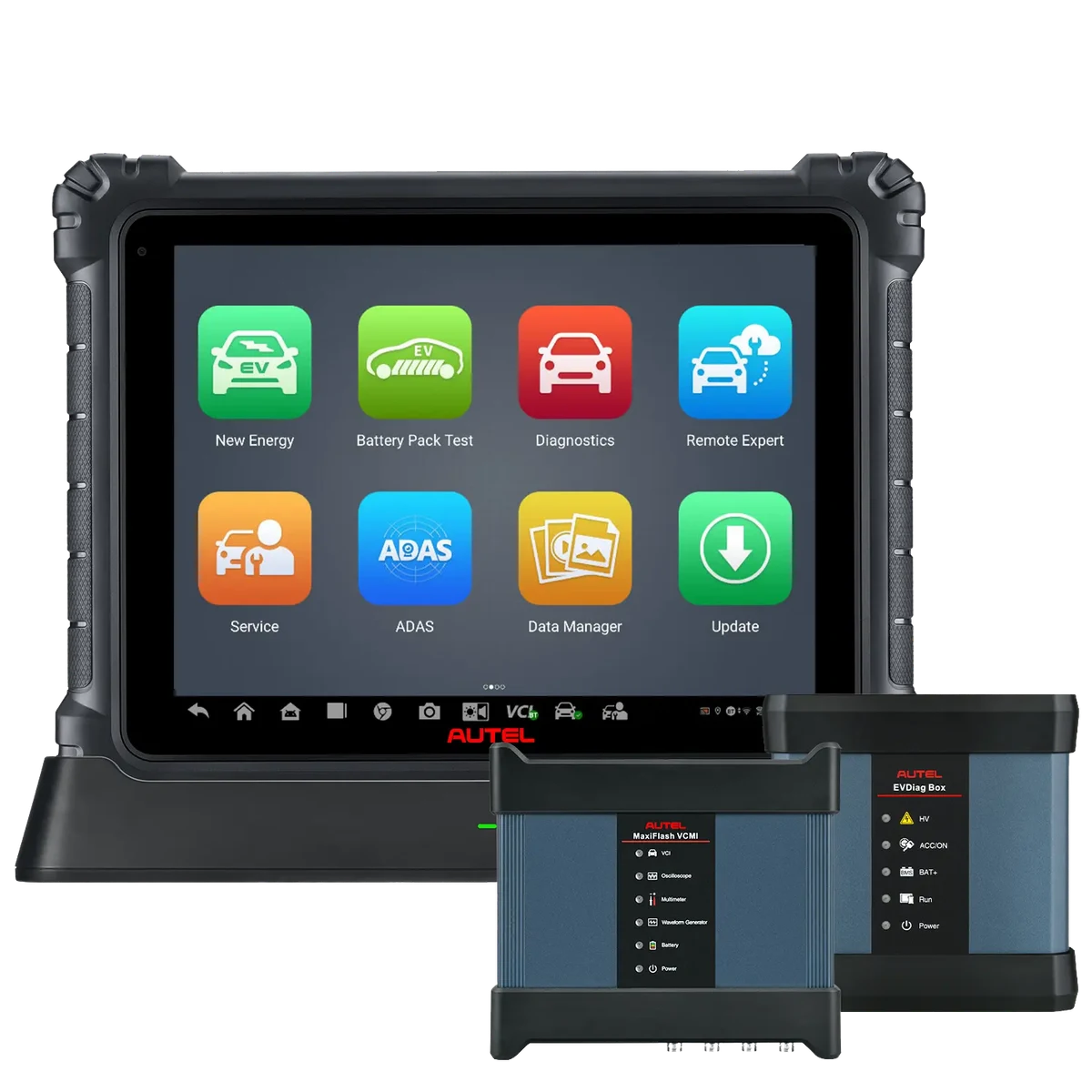 Autel MaxiSys Ultra EV
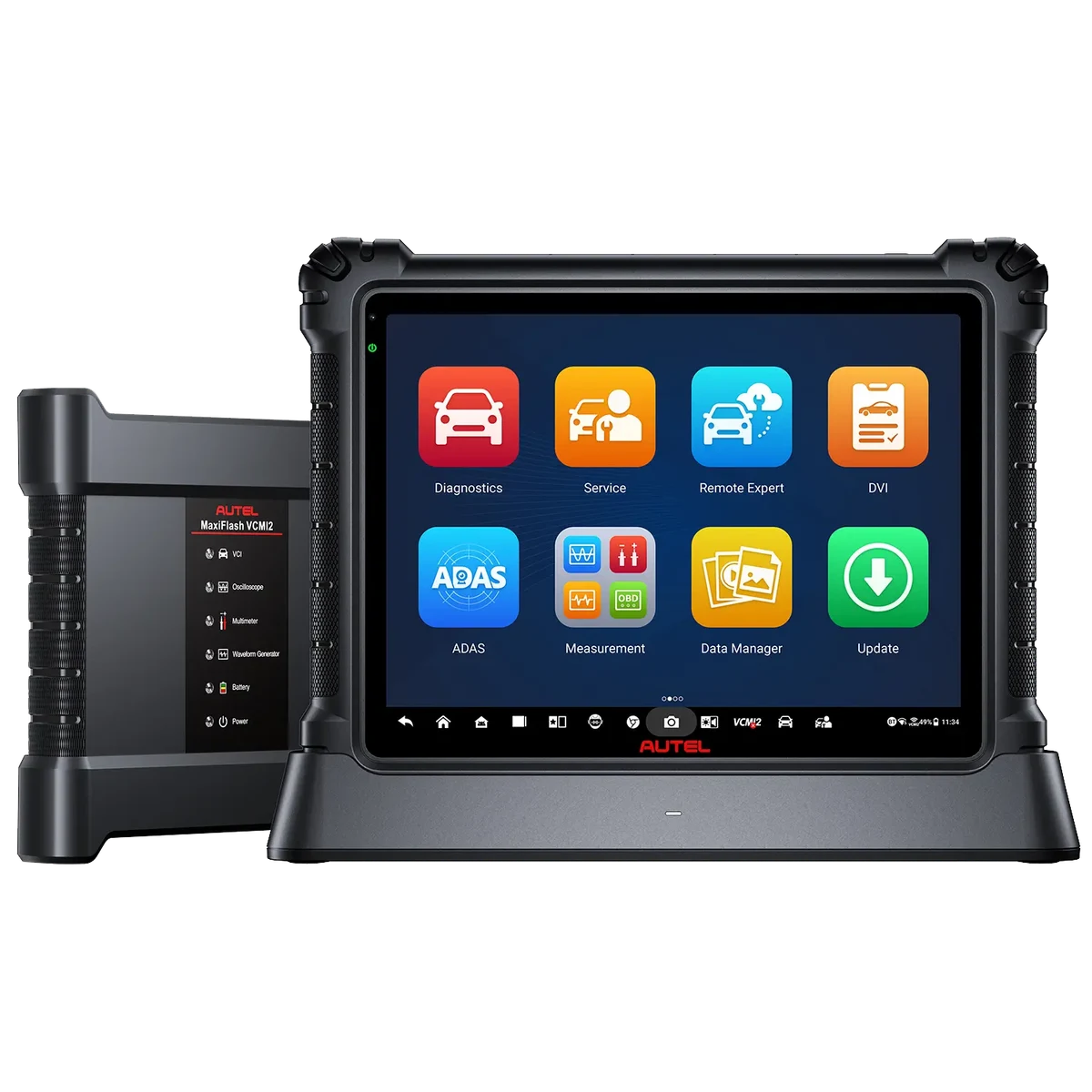 Autel MaxiSys Ultra S2 EV
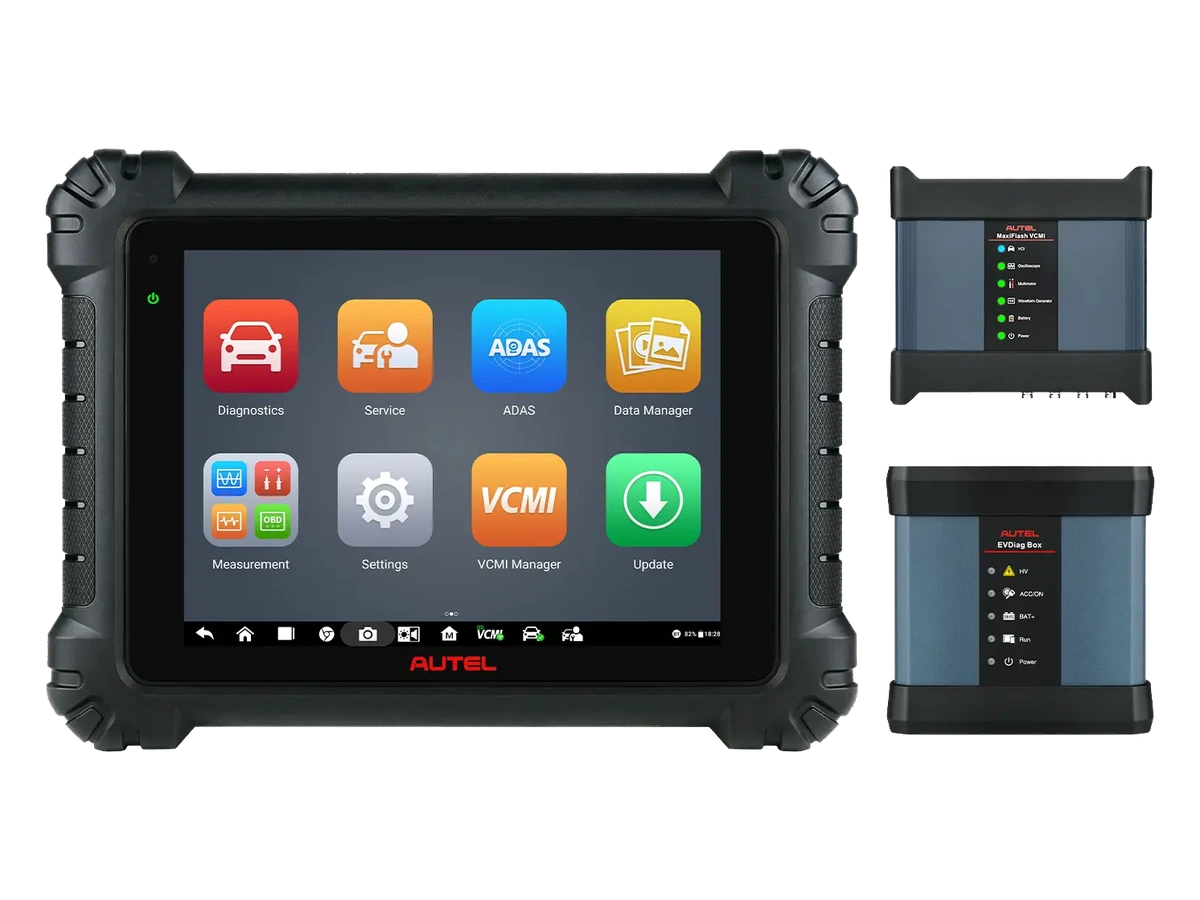 Autel MS919EV
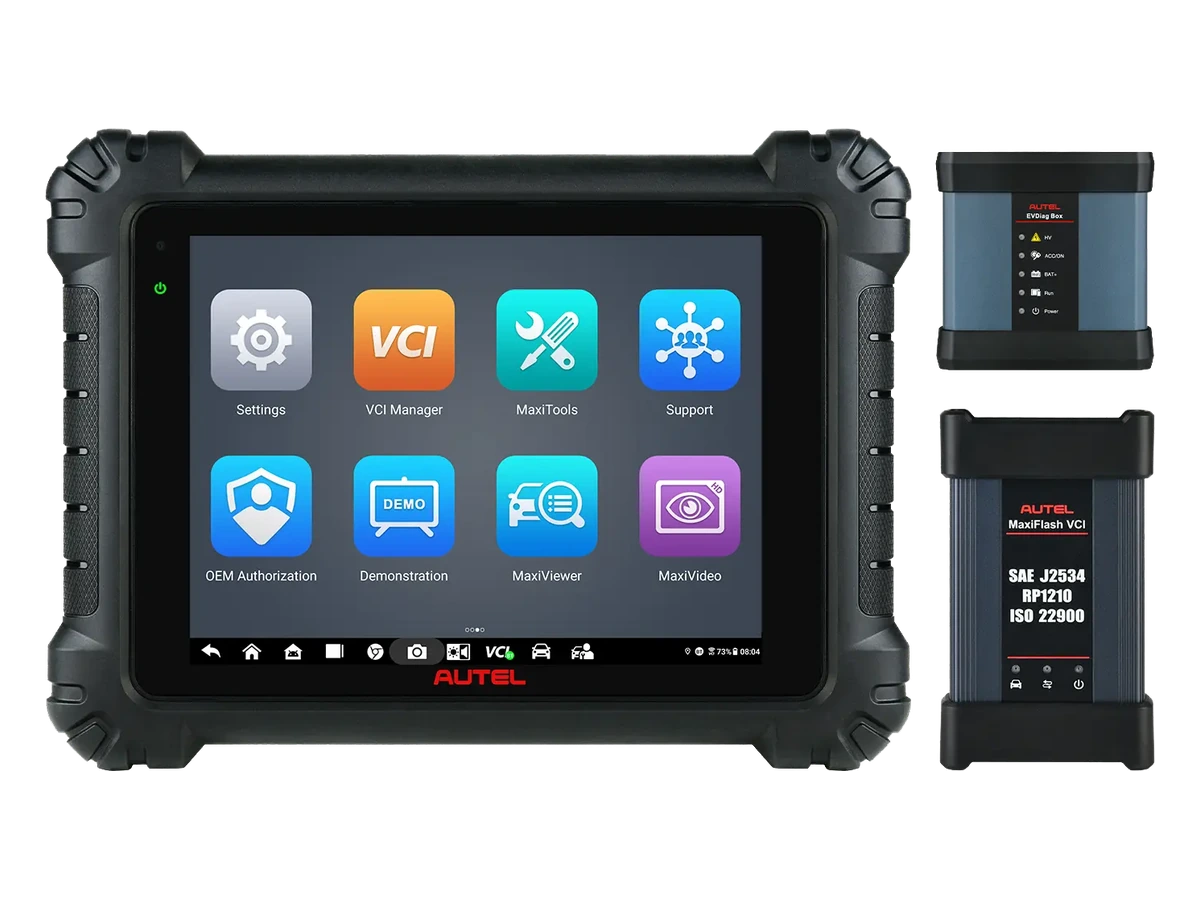 Autel MS909 EV
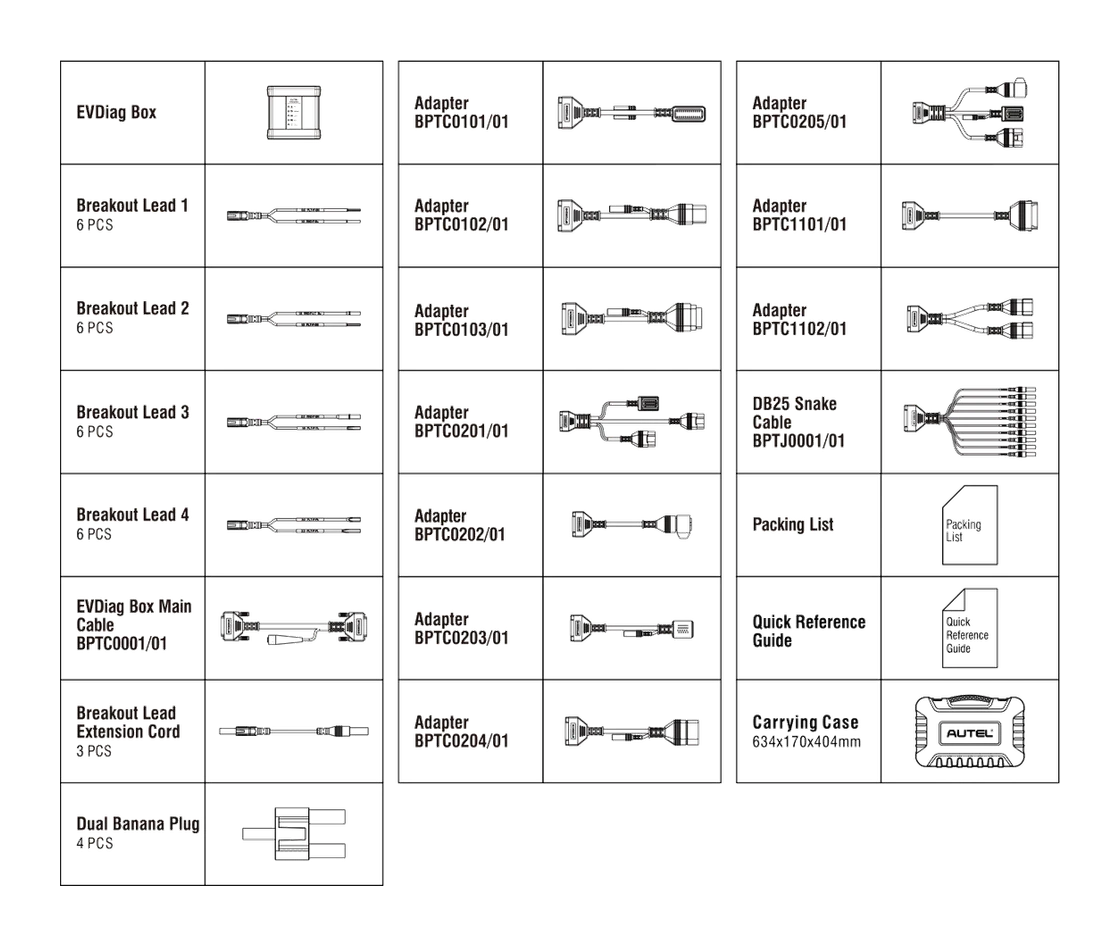 Autel EV Diagnostics Upgrade Kit
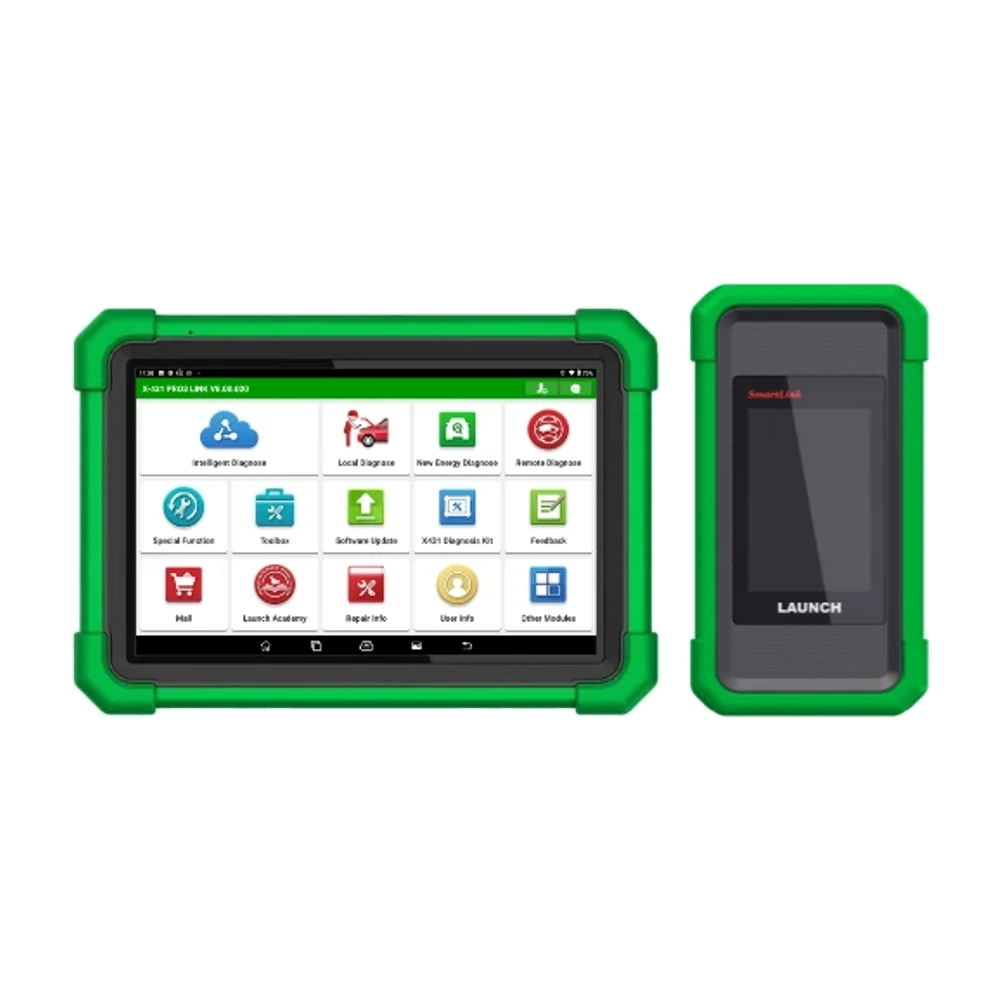 Launch EV Diagnosis Add-On Kit
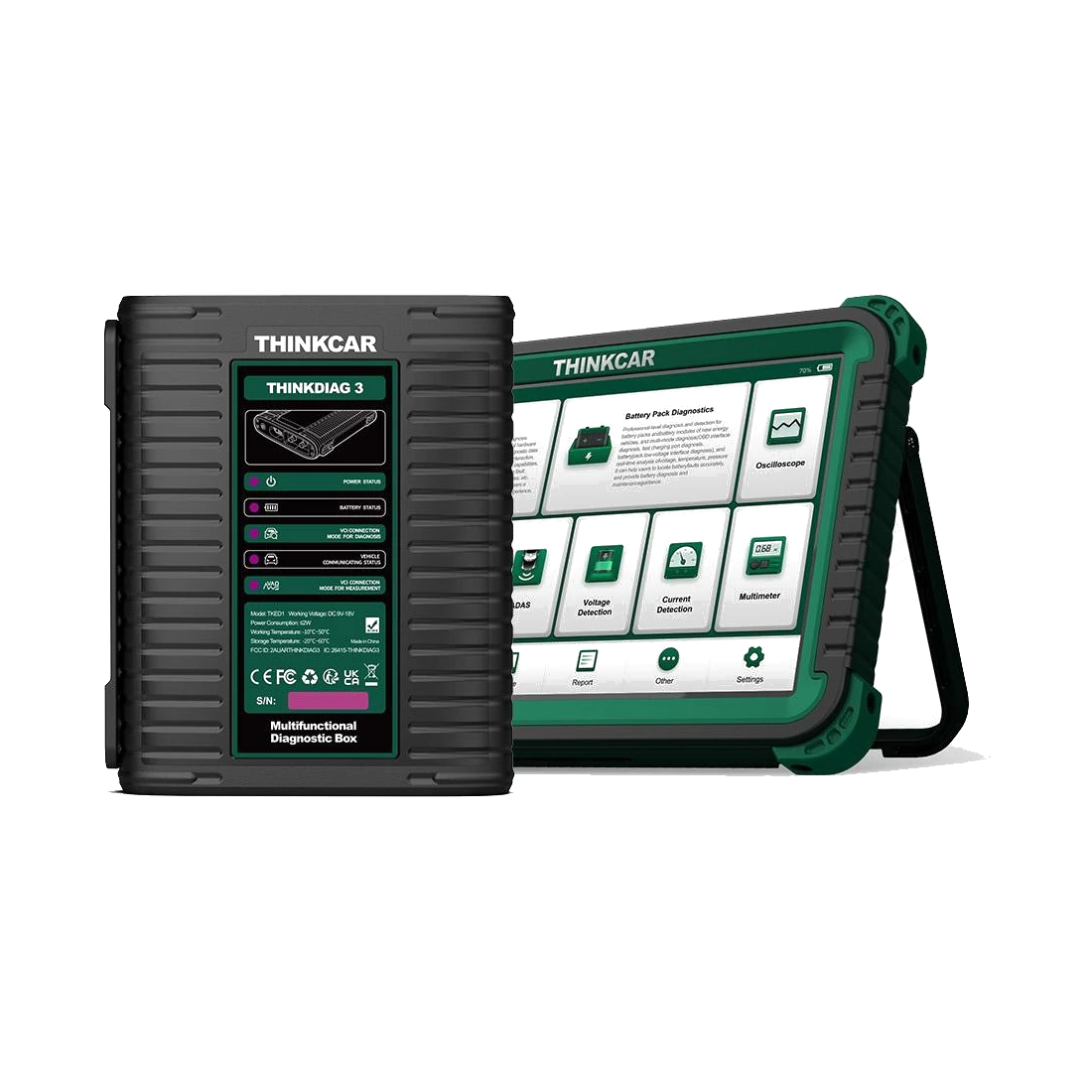 Thinktool CE EVD

