Evaluation Method
How was this guide prepared?
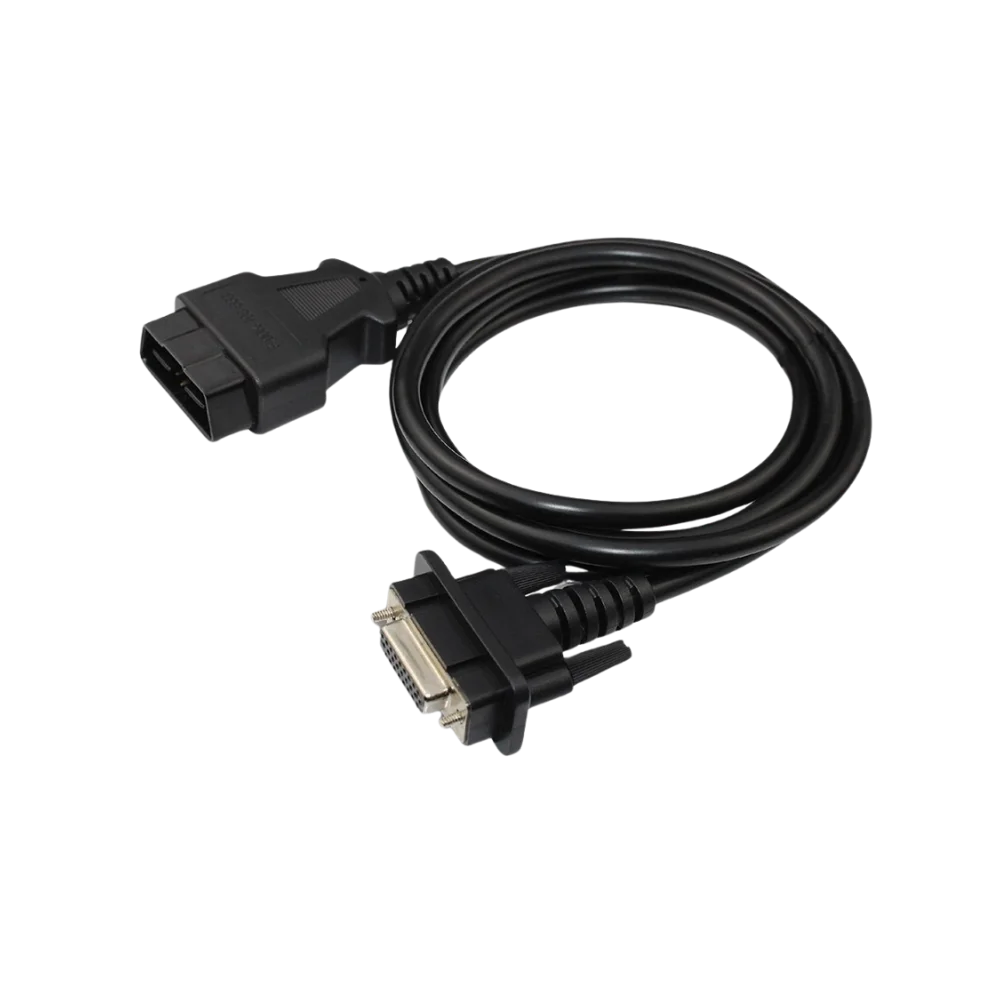
Otobiltek sells a physical replacement OBD cable for Ford VCM II interfaces. This commercial connection is explained; no Ford software, license, online account, or programming authorization is attributed to the cable.
The scope and license relationship of IDS, FJDS, and FDRS were checked against Ford Motorcraft Service's current official software description; hardware classes against Ford's official guide area; and software selection based on vehicle and service operation from Ford Service Content records.
- Vehicle Year and Ford's Software Scope
- Separating Diagnostics from Module Programming Needs
- VCI Model and Current Driver Support
- Official License, Account, and Online Access
Because Ford software scope, supported hardware, and license terms may change, the current support page of Motorcraft Service should be rechecked before installation or purchase.
Quick comparison
Separate Ford Software by Vehicle and Operation
Model year alone does not guarantee a definitive selection. Current Ford vehicle and operation coverage, along with the interface manufacturer's support, must be verified together.
Decision guide
IDS, FJDS, and FDRS Are Not the Same Program
Ford Motorcraft Service explains the three software programs for distinct purposes. IDS provides dealer-level diagnostic coverage for Ford, Lincoln, and Mercury vehicles from 1996 to selected 2018 model years. FJDS focuses on module reprogramming tasks for the same older vehicle group and dealer-level diagnostic operations for Ford and Lincoln vehicles from 2018 to the present. FDRS is the next-generation, cloud-connected Ford diagnostic system developed for some 2018 and later vehicles.
Definitive statements like 'All vehicles after 2018 use only FDRS' or 'IDS is no longer used on any vehicles' are incorrect. Ford's current service records contain examples where IDS, FDRS, or both are specified on a per-operation and per-vehicle basis. The selection should be made based on VIN, vehicle year, control unit, and the procedure to be performed.
Diagnostic coverage and module programming coverage are also not the same. A VCI's ability to read codes from a vehicle does not mean it can write all calibration files or enable operations requiring security authorization.
Decision guide
How FDRS Works and How to Obtain a License
FDRS operates with a client downloaded to the computer; according to Ford's current description, cloud connectivity allows the technician to access current software and diagnostic tools upon logging into the Ford network. While downloading the program file may be free, a valid software license or activation key is required for use.
Ford states that FDRS access is included when an IDS or FJDS software license is purchased. Since license durations, regional access, and current pricing may vary, fixed dollar amounts from old blog posts should not be considered current pricing.
License, user account, internet access, and VCI are distinct layers. Simply installing FDRS does not automatically enable online functions, calibration files, or security access.
- Compatible computer
- Valid Ford software license
- Supported VCI and driver
- Stable internet connection
- Vehicle operation-appropriate power support
Decision guide
Which VCI is Required for FDRS?
Ford's current FDRS description specifies VCM3, VCMM, and J2534-compatible vehicle communication interfaces. The term J2534 alone does not guarantee all functionality will work; the device manufacturer's current Ford software support, driver, protocol coverage, and the operation to be performed must be verified separately.
VCM3 and VCMM are explicitly listed in Ford's current support text. For third-party J2534 PassThru devices, the manufacturer's FDRS/FJDS compatibility statement and current driver should be sought. If programming is to be done, connection stability, computer power and sleep settings, and the programming power supply connected to the vehicle are also important.
The phrase 'Ford compatible' on a product title is not sufficient. The device's full model, hardware revision, serial ID, driver package, and vehicle/operation scope must be requested in writing.
Decision guide
Why FDRS Usage with VCM II Must Be Verified Separately
VCM II guides continue to be available in Ford's support area as archives and hardware documentation; however, the current FDRS software definition lists VCM3, VCMM, and J2534-compatible interfaces. Therefore, current FDRS coverage should not be assumed based solely on an older VCM II casing or seller listing.
For the existing VCM II in the workshop, the software version, hardware revision, driver, license region, and the vehicle to be operated on are tested together. Especially for operations sensitive to interruption, such as module programming, the result 'device seen by program' is not considered sufficient.
The Ford VCM II compatible OBD2 main cable available at Otobiltek is solely a physical replacement cable. The VCM device, USB cable, FDRS/IDS software, subscription, user account, and programming service are not included in the package.
Decision guide
What Checks Should Be Performed Before Installation?
First, Ford's current system requirements for computers are checked; then, the license account, VCI driver, and software are prepared solely from official sources. An old ISO, modified installation file, or a license copied from another computer is not considered a current and secure Ford working environment.
The VCI is first introduced to the computer with the correct driver. During vehicle connection, check the OBD socket, fuse, battery voltage, and cable pins. In the initial test, vehicle identification and network scan are verified; if the connection is unstable, the module writing operation is not initiated.
Before programming, Ford's current service procedure for the vehicle is read. The computer is connected to the adapter, sleep and automatic restart are disabled, a programming power supply with the capacity required by the vehicle manufacturer is used, and the connection cables are secured to prevent movement.
Decision guide
What Information Should Be Provided When Purchasing or Requesting Support?
For correct guidance, the vehicle VIN, model year, market/region, operation to be performed, control unit, and the exact model of the existing VCI must be provided. The phrase 'Ford device needed' does not distinguish between the need for older vehicle diagnostics with IDS, programming with FJDS, or next-generation diagnostics with FDRS.
It is requested that hardware, cables, software licenses, installation support, and online operation authorization be specified as separate lines in the offer. This prevents purchasing only a physical cable and expecting a full diagnostic package, or mistaking an invalid license for a hardware issue.
For a used device, the serial number, previous account association, regional software, update history, missing accessories, and invoice/warranty status must be checked separately.
- VIN and Model Year
- Market or Region
- Process to be Performed
- Control unit
- VCI Model and Hardware Revision
- Current License Status
Frequently Asked Questions
Most frequently asked questions by customers
Has FDRS completely replaced IDS?
No. Ford's current statement continues to define IDS for vehicles from 1996 to selected 2018 models; FDRS is for some 2018 and later vehicles. Current Ford coverage must be checked on a per-vehicle and per-operation basis.
Is the FDRS software free?
Although the installation file can be downloaded for free, an active Ford software license or activation key is required for use. Current duration and fees must be verified solely from the official sales screen.
Is VCM II sufficient for FDRS?
Not necessarily. Ford's current statement lists VCM3, VCMM, and J2534-compatible VCIs. The compatibility of an existing VCM II with the vehicle, software, and procedure to be performed must be tested separately.
Does every J2534 device work with FDRS?
No. The J2534 standard is a baseline criterion; the device manufacturer's current Ford/FDRS support, driver, and operation coverage must be verified separately.
Does the Ford VCM II OBD cable include an FDRS license?
No. The cable only establishes a physical connection between the vehicle's 16-pin OBD2 socket and the VCM II interface; it does not include the device, software, or license.
Is battery support required when programming with FDRS?
The programming procedure may require maintaining stable vehicle voltage. Ford's relevant vehicle procedure must be followed, and an appropriate programming power supply must be used; a standard battery charger is not automatically considered sufficient.