Quick comparison
KESS V2 and KTAG Remote Installation Service Comparison: Technical Comparison
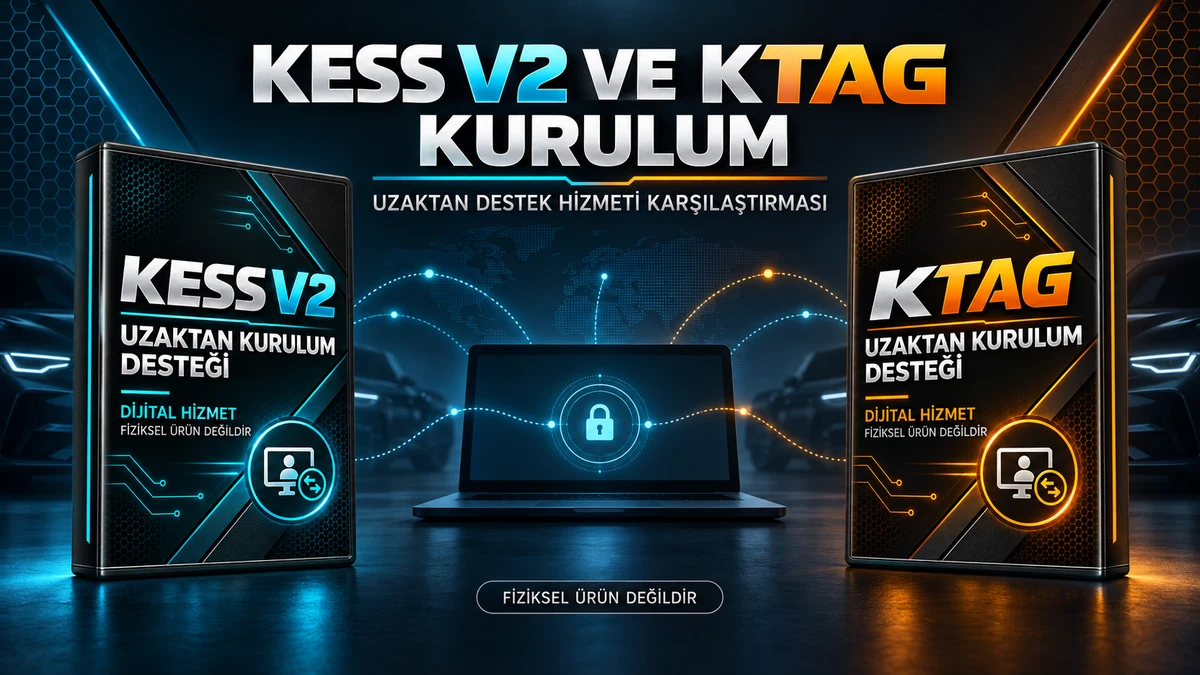
KESS V2 Installation and Remote Support Service and KTAG Installation and Remote Support Service are compared based on device and hardware version, Windows and USB pre-checks, driver and initial startup tests, and services not included. The service selected for installation on a new Windows computer must match the customer's device. These options are not physical products or software licenses, but scheduled remote technical support services.
Decision guide
What is the main difference between KESS V2 Installation and Remote Support Service and KTAG Installation and Remote Support Service?
When comparing KESS V2 Installation and Remote Support Service and KTAG Installation and Remote Support Service, criteria such as device and hardware version, Windows and USB pre-checks, driver and initial startup tests, and services not included are used. The service selected for installation on a new Windows computer must match the device. These options are not physical products or software licenses, but scheduled remote technical support services.
KESS V2 Installation and Remote Support Service is a scheduled remote technical support service. Basic service steps include: KESS V2 remote installation, USB driver and device recognition, initial startup check, and re-installation support. When selecting KESS V2 Installation and Remote Support Service, the device and hardware version, KESS V2 5.017 hardware version, and Windows version and administrator privileges are considered; no physical product or software license is delivered.
KTAG Installation and Remote Support Service is a scheduled remote technical support service. Basic service steps include: KTAG 7.020 remote installation, USB interface and driver check, KTAG software initial operation check, and re-installation upon computer change. When selecting KTAG Installation and Remote Support Service, the device and hardware version, KTAG 7.020 device label, and compatible Windows environment and administrator access are considered; no physical product or software license is delivered.
Decision guide
KESS V2 and KTAG Remote Installation Service Technical Specifications
In the technical comparison of KESS V2 Installation and Remote Support Service and KTAG Installation and Remote Support Service, the device's 5.017 or 7.020 hardware version, Windows version, USB detection status, and initial startup check are examined separately. For KESS V2 and KTAG remote installation service comparison, device and hardware version, and Windows and USB pre-checks are verified before remote connection; the service does not provide devices, licenses, activation codes, or ECU files.
Verified service information for KESS V2 Installation and Remote Support Service includes: KESS V2 5.017 hardware version, Windows version and administrator privileges, customer's legal installation package, and working USB connection. Before the appointment, KESS V2 5.017 hardware version, Windows version and administrator privileges, and device and hardware version are checked together. KESS V2 Installation and Remote Support Service does not provide devices, cables, licenses, activation codes, or ECU files.
Verified service information for KTAG Installation and Remote Support Service includes: KTAG 7.020 device label, compatible Windows environment and administrator access, customer's legal KTAG installation package, and stable USB connection. Before the appointment, KTAG 7.020 device label, compatible Windows environment and administrator access, and device and hardware version are checked together. KTAG Installation and Remote Support Service does not provide devices, cables, licenses, activation codes, or ECU files.
- Device and Hardware Version
- Windows and USB Pre-check
- Driver and Initial Startup Test
- Services Not Included
Decision guide
KESS V2 Installation and Remote Support Service and KTAG Installation and Remote Support Service Connection and Package Differences
KESS V2 Installation and Remote Support Service and KTAG Installation and Remote Support Service are technical support services provided via remote connection, not physical products. For KESS V2 and KTAG remote installation service comparison, device version, Windows and USB status, appointment connection, and initial startup test are checked. Devices, cables, CDs, licenses, activation codes, and ECU files are not delivered. Services not included are clearly confirmed before the service begins.
KESS V2 Installation and Remote Support Service is a digital service consisting of remote connection, computer pre-check, driver check, and initial startup test. The KESS V2 5.017 hardware version, Windows version and administrator privileges, customer's legal installation package, and working USB connection, along with device and hardware version, are verified before the appointment. Physical devices, cables, CDs, licenses, or activation codes are not shipped.
KTAG Installation and Remote Support Service is a digital service consisting of remote connection, computer pre-check, driver check, and initial startup test. The KTAG 7.020 device label, compatible Windows environment and administrator access, customer's legal KTAG installation package, and stable USB connection, along with device and hardware version, are verified before the appointment. Physical devices, cables, CDs, licenses, or activation codes are not shipped.
Decision guide
KESS V2 and KTAG Remote Installation Service: Appointment and Service Fee
The fee for KESS V2 Installation and Remote Support Service and KTAG Installation and Remote Support Service covers a single scheduled remote installation and check service. KESS V2 and KTAG remote installation service comparison does not include physical devices, software licenses, activation codes, ECU files, or operations on the ECU. If the device and hardware version cannot be verified, additional information will be requested before the service begins.
The fee for KESS V2 Installation and Remote Support Service covers a single scheduled remote support service. The KESS V2 5.017 hardware version, Windows version and administrator privileges, and device and hardware version are examined before the service begins. KESS V2 Installation and Remote Support Service does not provide hardware repair, software licenses, ECU files, or operations on the ECU.
The fee for KTAG Installation and Remote Support Service covers a single scheduled remote support service. The KTAG 7.020 device label, compatible Windows environment and administrator access, and device and hardware version are examined before the service begins. KTAG Installation and Remote Support Service does not provide hardware repair, software licenses, ECU files, or operations on the ECU.
Decision guide
What does each product do during installation on a new Windows computer?
For installation on a new Windows computer, the device and hardware version, device label, Windows version, and USB detection status are checked. KESS V2 Installation and Remote Support Service and KTAG Installation and Remote Support Service provide remote technical support only for the matching device during installation on a new Windows computer. Upon completion of installation on a new Windows computer, driver detection, initial startup, and in-scope connection steps are verified with the user.
KESS V2 Installation and Remote Support Service provides remote technical support for your matching device during installation on a new Windows computer; the KESS V2 5.017 hardware version and device and hardware version are checked before connection. Installation on a new Windows computer with KESS V2 Installation and Remote Support Service is verified through driver detection and initial startup tests; no operations are performed on the ECU.
KTAG Installation and Remote Support Service provides remote technical support for your matching device during installation on a new Windows computer; the KTAG 7.020 device label and device and hardware version are checked before connection. Installation on a new Windows computer with KTAG Installation and Remote Support Service is verified through driver detection and initial startup tests; no operations are performed on the ECU.
Decision guide
What does each product do during the 'connection not established' error troubleshooting?
For 'connection not established' error troubleshooting, the Windows and USB pre-check, device label, Windows version, and USB detection status are checked. KESS V2 Installation and Remote Support Service and KTAG Installation and Remote Support Service provide remote technical support only for the matching device during 'connection not established' error troubleshooting. Upon completion of 'connection not established' error troubleshooting, driver detection, initial startup, and in-scope connection steps are verified with the user.
KESS V2 Installation and Remote Support Service provides remote technical support for your matching device during 'connection not established' error troubleshooting; the Windows version and administrator privileges, along with the Windows and USB pre-check, are checked before connection. Troubleshooting the 'connection not established' error with KESS V2 Installation and Remote Support Service is verified through driver detection and initial startup tests; no operations are performed on the ECU.
KTAG Installation and Remote Support Service provides remote technical support for your matching device during 'connection not established' error troubleshooting; the compatible Windows environment and administrator access, along with the Windows and USB pre-check, are checked before connection. Troubleshooting the 'connection not established' error with KTAG Installation and Remote Support Service is verified through driver detection and initial startup tests; no operations are performed on the ECU.
Decision guide
What does each product do during driver checks when KESS V2 and KTAG are on the same computer?
For driver checks when KESS V2 and KTAG are on the same computer, the driver and initial startup test, device label, Windows version, and USB detection status are checked. KESS V2 Installation and Remote Support Service and KTAG Installation and Remote Support Service provide remote technical support only for the matching device during driver checks when KESS V2 and KTAG are on the same computer. Upon completion of driver checks when KESS V2 and KTAG are on the same computer, driver detection, initial startup, and in-scope connection steps are verified with the user.
KESS V2 Installation and Remote Support Service provides remote technical support for your matching device during driver checks when KESS V2 and KTAG are on the same computer; the customer's legal installation package and the driver and initial startup test are checked before connection. Driver checks when KESS V2 and KTAG are on the same computer with KESS V2 Installation and Remote Support Service are verified through driver detection and initial startup tests; no operations are performed on the ECU.
KTAG Installation and Remote Support Service provides remote technical support for your matching device during driver checks when KESS V2 and KTAG are on the same computer; the customer's legal KTAG installation package and the driver and initial startup test are checked before connection. Driver checks when KESS V2 and KTAG are on the same computer with KTAG Installation and Remote Support Service are verified through driver detection and initial startup tests; no operations are performed on the ECU.
Decision guide
KESS V2 and KTAG Remote Installation Service: Which product is suitable for which task?
Users who purchased a KESS V2 or KTAG device elsewhere, are changing computers, or need re-installation after Windows installation and require remote technical support. When comparing KESS V2 and KTAG remote installation services, the device label, hardware version, Windows version, and USB detection status are considered. KESS V2 and KTAG services are not interchangeable for driver checks when KESS V2 and KTAG are on the same computer. Initial installation is free for devices purchased from Otobiltek; this service is for subsequent installations and compatible devices acquired externally.
KESS V2 Installation and Remote Support Service is suitable for those who purchased a KESS V2 device from another seller and need installation support, those who will perform re-installation after a computer change or Windows installation, and those experiencing unrecognized USB drivers or 'connection not established' errors. KESS V2 Installation and Remote Support Service is not suitable for those expecting a physical KESS V2 device, cable set, or cargo, or those seeking license keys, cracked software, or downloads from unverified sources. When selecting KESS V2 Installation and Remote Support Service, the KESS V2 5.017 hardware version, Windows version and administrator privileges, device and hardware version, and service scope are considered.
KTAG Installation and Remote Support Service is suitable for those who purchased the KTAG device from another seller and want installation support, those who need reinstallation after a computer change or Windows installation, and those who encounter "connection not established" errors or unrecognized KTAG driver issues. KTAG Installation and Remote Support Service is not suitable for those expecting a physical KTAG device, probe, adapter, or shipping, nor for those requesting a license key, cracked software, or a download package with an unverified source. The selection of KTAG Installation and Remote Support Service is based on the KTAG 7.020 device label, a compatible Windows environment with administrator access, and the scope of service provided with the device and hardware version.
Decision guide
KESS V2 and KTAG Remote Installation Service Comparison: Selection Summary
The correct service between KESS V2 Installation and Remote Support Service and KTAG Installation and Remote Support Service is determined by whether the device is KESS V2 5.017 or KTAG 7.020. Within the scope of KESS V2 and KTAG remote installation service comparison, the device and hardware version, Windows and USB pre-checks, driver and initial startup test, and services not included are checked before the appointment. The current price and purchase status of both services are shown on their respective pages.

 KESS V2 Installation and Remote Support Service
 KTAG Installation and Remote Support Service