Product information
What is the KTAG Installation and Remote Support Service for?
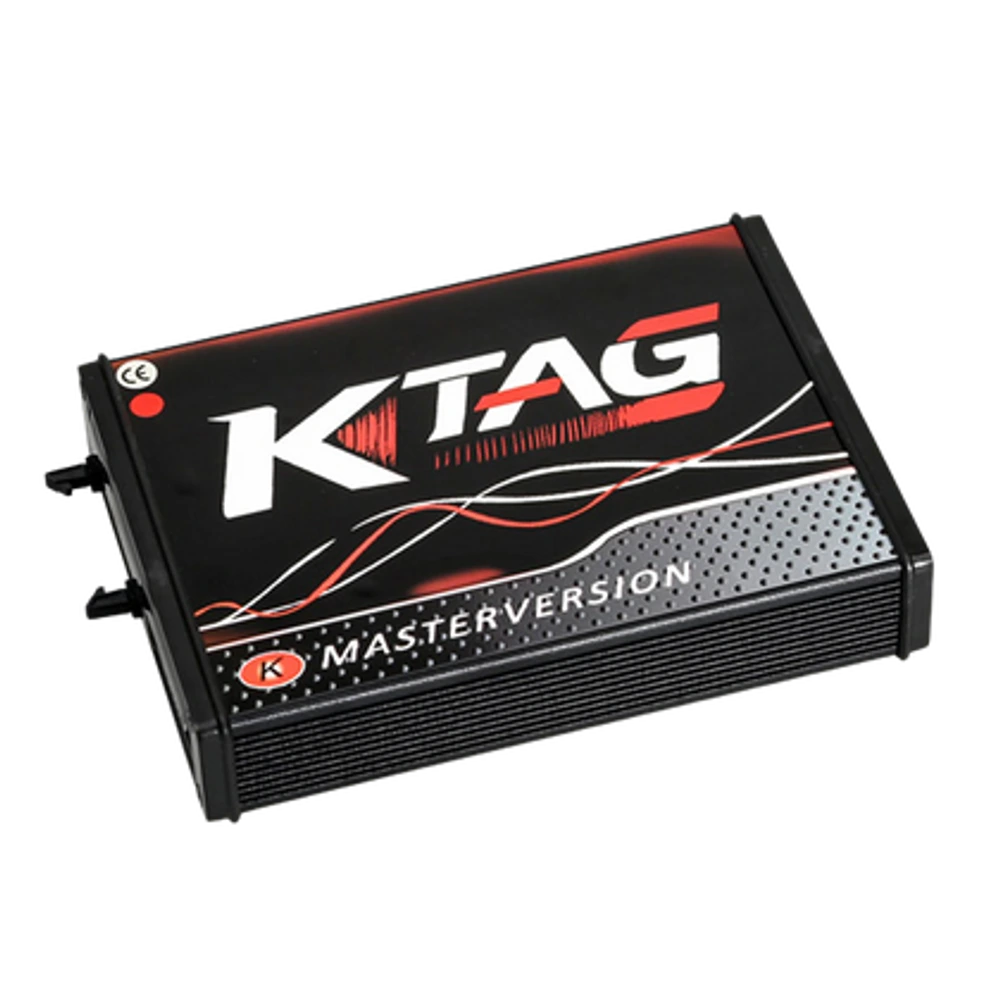
The KTAG Installation and Remote Support Service is offered to users who have a KTAG 7.020 compatible device to complete the driver, USB recognition, and initial application startup steps on their Windows computer with remote technical support. The service does not include the physical device, CD, license key, ECU connection adapter, or tuning file.
The first installation for customers who purchase KTAG from Otobiltek is free; this separate product is for re-installations and for users who obtained their device elsewhere and need technical support.
Device and vehicle coverage
What devices and vehicles is the KTAG Installation and Remote Support Service applicable to?
This product alone does not create new vehicle brand or model support. The scope of use is limited by the main device's hardware, existing vehicle software, account status, and license terms as defined.
- Compatible main device
- Device family and hardware version specified in the product name and official source
- Supported makes
- Brands in the main device's current official vehicle coverage
- Supported models
- Vehicles supported by model year and operation on the main device's coverage screen
- Information before ordering
- KTAG 7.020 device label, Compatible Windows environment and administrator access, Customer's legal KTAG installation package, Stable USB connection
- License or update period and vehicle support are not the same information.
- Activation is not promised without verifying the device serial number and current software status.
Open official sources and coverage connectionsProduct details
What does the KTAG installation service cover?
Before the installation appointment, the computer's Windows version, administrator privileges, available USB connection, and existing installation package are checked. Remote connection is opened with user consent.
Necessary drivers are installed from the package the customer has the right to use; after the KTAG Device Manager appears correctly, the application is opened and the device's connection status is checked. The desktop shortcut, working folder, and initial startup after reboot are also included in the service scope.
The test is performed without connecting to a test ECU; wiring and ECU operations are separate technical tasks.
- Windows and administrator privileges check
- KTAG USB driver installation
- Device recognition in Device Manager
- Application initial startup and connection test
Product details
Products and operations not included in installation
This product is solely a remote technical installation service. Physical KTAG device, cable, probe, adapter, power supply, computer, CD, or USB drive will not be shipped. Alientech account, official license, third-party activation, software archive with unverified source, and operations bypassing license protection are not provided.
The service does not open ECU covers, prepare pinouts, establish Bench, Boot, or BDM connections, read or write files. If the device board, USB socket, or power supply section is faulty, remote installation does not replace hardware repair.
- No physical product or shipping
- No software license or activation key
- No ECU connection and file operation
- No hardware repair
Product details
What are the most frequently asked installation problems on KTAG forums?
The most common questions for KTAG 7.020 in MHH Auto threads include: connection not established warning, FTDI or USB driver not appearing in Device Manager, Visual C++ component, USB cable, Windows core isolation, and incompatibility between the K-Suite version and the hardware.
These indicate the users' problem language; file links and security disabling suggestions on the forum are not considered official installation sources. During remote control, the hardware version, existing legal package, and Windows device registration are examined first. If secure installation cannot be achieved, the process is not marked as complete.
- Connection not established warning
- FTDI or USB driver recognition issue
- Missing system components
- Hardware and application version incompatibility
Product details
How is remote KTAG installation performed?
The user remains at the computer during the appointment and approves the remote connection themselves. Technical operations are performed only on the installation folder, driver, and device screens. Personal documents, saved passwords, and customer accounts are not accessed. The technician does not permanently disable Windows security features to recognize the KTAG.
At the end of the process, the remote access session is terminated; the user sees the device registration, the application's startup location, and the installed driver on their screen. The ECU or external power supply is not connected for this initial computer test.
- Connection with user consent
- User present during the operation
- No password or account transfer
- Initial test without connecting ECU
Product details
Scenario: Installing KTAG on a new computer
Simply copying the old K-Suite folder to a new Windows computer does not create the KTAG driver registration. First, the operating system and USB port are checked. The customer's existing legal installation package is opened, the necessary system components and KTAG driver are installed, and the computer is restarted if necessary.
When the device is connected, the Device Manager registration is verified, then the application is opened. This test confirms that the KTAG communicates with the computer; it does not mean it is correctly connected to the ECU with the right pin, power, and protocol.
- Record Windows version
- Prepare existing installation package
- Observe KTAG device registration
- Test initial startup without ECU
Product details
Scenario: Troubleshooting KTAG connection failure
If the application cannot connect to the KTAG, the USB cable, port, Device Manager registration, driver status, and application folder are examined sequentially. If the device is recognized on another computer, the possibility of local Windows or driver conflict increases. If the device is not recognized on any computer, the USB interface, cable, or board fault is investigated.
Remote support separates the software and driver side with a clean check sequence. If power LEDs, power irregularities, or physical board issues are observed, the bench hardware is not forced with remote installation.
- Isolate USB port and cable
- Check device entry
- Match driver with application folder
- Separate hardware indication from software
Product details
Difference between KTAG and KESS V2 installation support
KTAG is used for ECU operations with bench connection, while KESS V2 is primarily used for OBD operations on the vehicle. Even though they appear to be from the same software family, the device IDs and field issues of the two devices are different. The KTAG installation product focuses solely on the KTAG hardware being recognized in Windows and the initial application startup.
If the user has both KESS V2 and KTAG, each device is connected separately, its driver registration is seen separately, and the results are noted separately. The operation of one device does not prove the cable or hardware of the other device is intact.
- KTAG device ID
- KTAG driver check
- Initial startup of bench device
- Separate registration from KESS V2 service