Product information
What is the KESS V2 Installation and Remote Support Service used for?
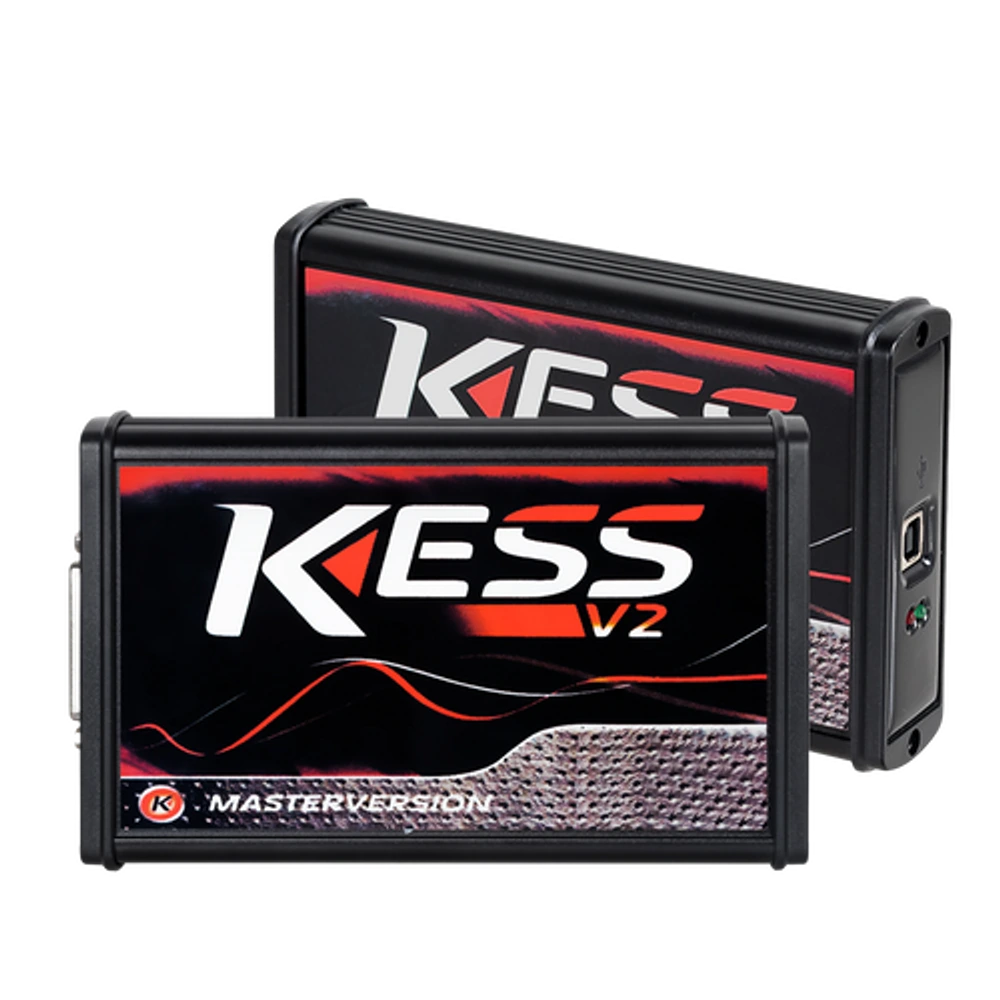
The KESS V2 Installation and Remote Support Service is offered to users who have a KESS V2 5.017 compatible device to complete the driver, USB recognition, and initial application startup steps on their Windows computer with remote technical support. The service does not include the physical device, CD, license key, or ECU files.
The initial installation for customers who purchase a KESS V2 device from Otobiltek is already free; this separate product is for subsequent re-installations and for users who obtained their device from elsewhere.
Device and vehicle coverage
For which devices and vehicles is the KESS V2 Installation and Remote Support Service valid?
This product alone does not create new vehicle brand or model support. The scope of use is limited by the main device's hardware, existing vehicle software, account status, and license terms as defined.
- Compatible main device
- Device family and hardware version specified in the product name and official source
- Supported makes
- Brands in the main device's current official vehicle coverage
- Supported models
- Vehicles supported by model year and operation on the main device's coverage screen
- Information before ordering
- KESS V2 5.017 hardware version, Windows version and administrator privileges, Customer's legal installation package, Working USB connection
- License or update period and vehicle support are not the same information.
- Activation is not promised without verifying the device serial number and current software status.
Open official sources and coverage connectionsProduct details
What does the KESS V2 installation service cover?
Before the installation appointment, the computer's Windows version, administrator privileges, available USB connection, and existing installation package are checked. Remote connection is opened with user consent.
Necessary drivers are installed from the package the customer has the right to use; after the device appears correctly in Device Manager, the application is opened, and the hardware's connection status is checked. The desktop shortcut, working folder, and initial startup after reboot are also included in the service.
At the end of the process, the user sees on their screen that the device is recognized, and the remote access session is closed.
- Windows and administrator privileges check
- USB driver installation
- Device recognition in Device Manager
- Application initial startup and connection test
Product details
Products and operations not included in installation
This product is a remote technical installation service only. Physical KESS V2 device, cables, adapters, computer, CD, or USB drive are not shipped. Alientech account, official license, third-party activation, software archive from unverified sources, and operations bypassing license protection are not provided.
The service does not edit ECU maps, prepare tuning files, perform read-write operations on vehicles, or guarantee compatibility for a specific vehicle or control unit. If the device's board, USB socket, or cable is faulty, remote installation does not replace hardware repair.
- No physical product or shipping
- No software license or activation key
- No ECU file or vehicle operation
- No hardware repair
Product details
What are the most frequently asked installation issues on KESS V2 forums?
The most common questions in MHH Auto and CarTechnology threads include the "connection not established" warning, the device not appearing in Device Manager, driver versions, Visual C++ components, USB cables, and files left by different K-Suite versions on the same computer.
These threads are research inputs to understand the problem's language; download links or security disabling recommendations found there are not considered official sources for the service. Remote control first examines the hardware ID and the existing installation package. Instead of permanently disabling Windows security layers, a compatible, legal, and reversible installation path is sought.
- Connection not established warning
- USB and Device Manager recognition issue
- Missing system components
- Driver conflict from previous installation
Product details
How and with what security limits is remote installation performed?
During the appointment, the user remains at the computer and approves the remote connection themselves. Installation is performed only on relevant folder, driver, and device screens. Personal files, browser passwords, and customer accounts are not accessed for installation purposes.
The technician does not permanently weaken Windows security to introduce the device; a package requiring system protection to be turned off is not considered a secure installation. When the operation is finished, the connection is closed, and the user is shown which driver was installed, where the application is opened from, and where the device is recognized.
- Connection with user consent
- User present during the operation
- No password or account transfer
- Connection closed at the end of the session
Product details
Scenario: Installing KESS V2 on a new computer
When a workshop switches to a new Windows computer, simply copying the folder from the old desktop may not transfer driver registrations. First, the new computer's Windows version and USB connection are checked. The customer's existing legal installation package is opened, and necessary system components and device drivers are loaded.
After KESS V2 is connected, the Device Manager entry is visible, and the application's initial startup is performed. The installation result only indicates that the device is ready to communicate with the computer; ECU and protocol support must be checked separately before connecting to the vehicle.
- Record Windows version
- Prepare existing installation package
- Observe driver recognition
- Record initial startup result
Product details
Scenario: Isolating the "Connection not established" error
If the warning appears while the application is open but no connection can be made, the problem is not solely loaded into the software. The USB port, cable, Device Manager entry, driver status, and the folder used by the application are examined sequentially.
If the same device works on another computer, the issue is likely with the local driver or Windows configuration; if it is not recognized on any computer, the cable or device hardware is more probable. Remote service tests the software and driver side. If signs of physical failure are found, the customer is directed to hardware service without being subjected to an unnecessary reinstallation cycle.
- Isolate USB port and cable
- Check device entry
- Match driver with application folder
- Separate hardware failure from installation
Product details
Why are KESS V2 and KTAG installation services separate?
Although the two devices are associated with the same software family, their hardware IDs, driver registrations, usage methods, and on-site error symptoms are not the same. KESS V2 is primarily used in the OBD workflow on the vehicle, while KTAG is for bench-connected ECU work.
Therefore, the KESS installation product focuses solely on the KESS V2 device being recognized by the computer and the application's initial startup. If the user has both devices, the hardware version and installation status are recorded separately for each device; recognition of one does not indicate the readiness of the other.
- KESS V2 device ID
- KESS-specific driver check
- OBD device initial startup
- Separate record from KTAG service