Evaluation Method
How was this guide prepared?
Otobiltek sells the compared Launch models. A more expensive device is not considered necessary for every user.
This guide is based on LAUNCH product documentation. It does not present performance tests, customer cases, or savings measurements conducted on the same vehicles.
- Task not completed with the current device
- Screen and connectivity needs
- Vehicle, ECU, and function support
- Additional hardware, software, and total investment
Information is reviewed when model documentation or package conditions change. The current product page is used for sale price and stock.
Quick comparison
What difference can be a reason for upgrading?
Common features alone are not a reason to upgrade to a higher model. Coverage and additional hardware must be verified based on the task to be performed.
Decision guide
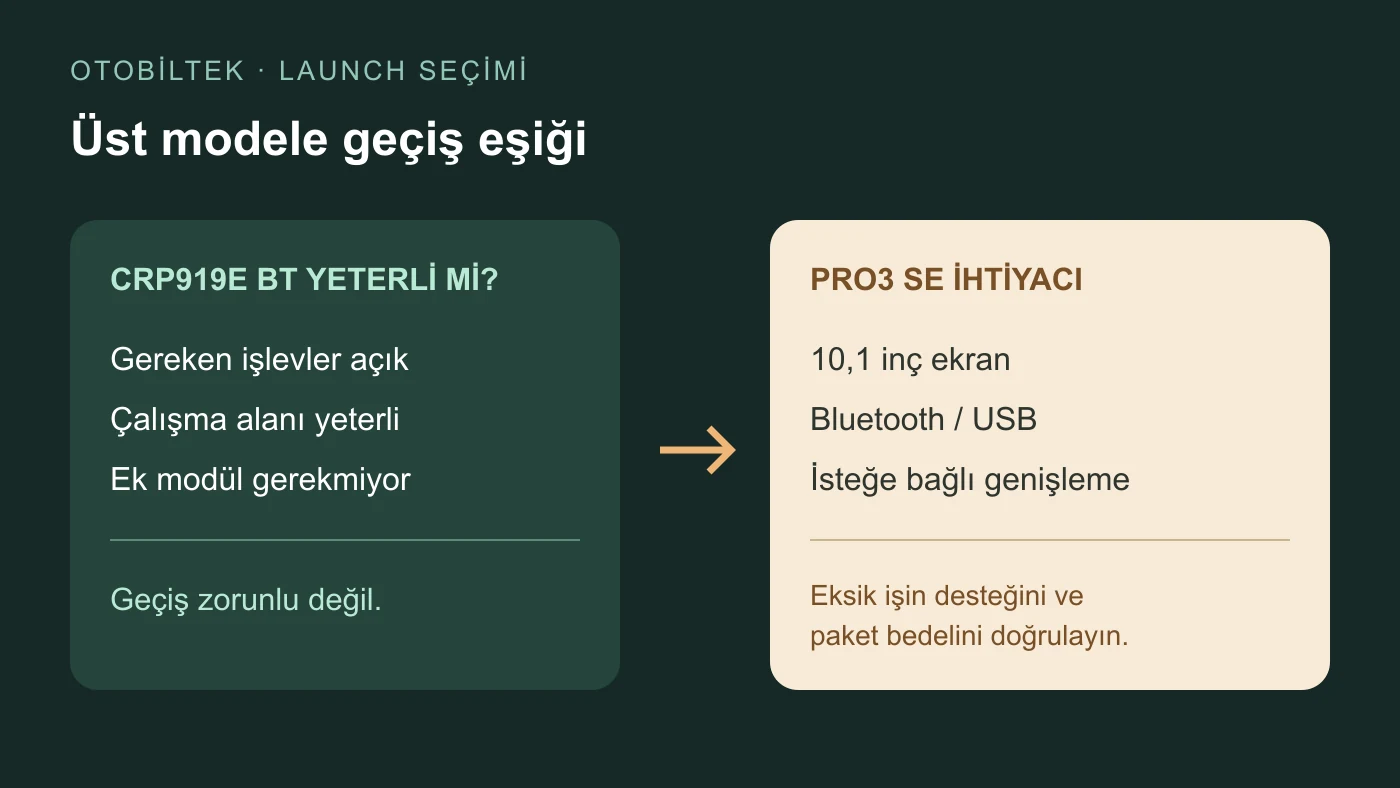
If the CRP919E BT suffices for your work, what should you preserve?
First, record the tasks your current device can handle. If tasks on engine, ABS, or body modules are completed without issues, the higher model name alone is not a reason for replacement. If your need is for new vehicle coverage, also investigate whether a software update or the necessary adapter for your current model is a solution.
From your recent work orders, identify tasks that could not be completed due to the device. Connection errors, incorrect vehicle selection, missing subscriptions, and genuinely unsupported functions are not the same problem. Device replacement should only be considered if it resolves the latter, and support on the new model must be verified.
The presence of actuator test and coding headings on both tablets does not mean the menus are identical for the same vehicle. Conversely, considering these common headings as exclusive to the PRO3 SE leads to unnecessary expenditure.
Decision guide
In what operating scenario does the 10.1-inch screen make a difference?
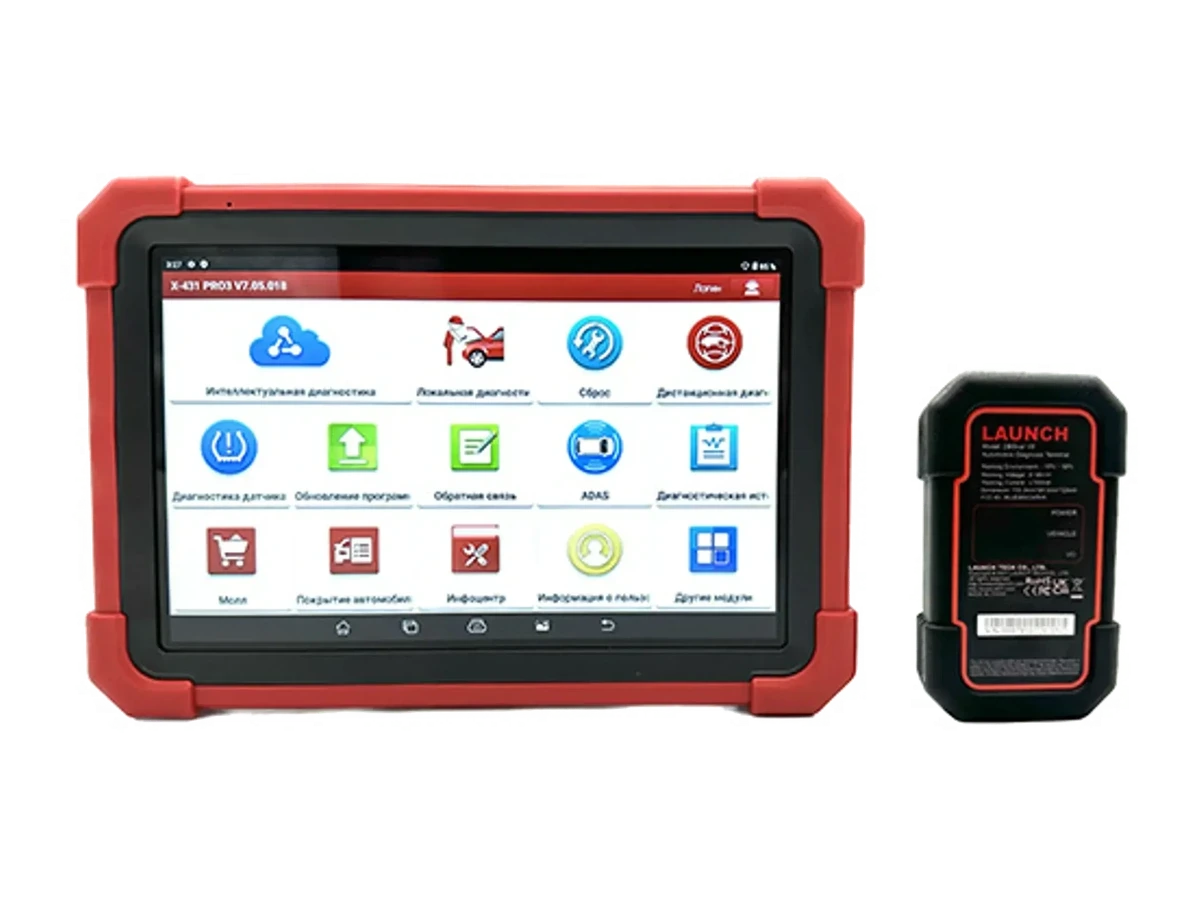
The PRO3 SE product documentation lists a 10.1-inch, 1280x800 screen. A larger viewing area can be significant for technicians who navigate long module trees, examine live data graphs, or use the device at a workstation. This ergonomic gain is distinct from vehicle coverage; a larger screen does not add a new command to the ECU.
Note areas with data that are difficult to read on your current tablet. If you frequently zoom, switch between screens, or need to show the same result to a second person, try a larger screen with the actual interface.
Service reception and mobile field use are not the same usage patterns. Before choosing a larger device, consider portability, grip, charging, and workspace together. This guide does not provide field results measured for weight or battery life of the two devices.
Decision guide
What does the Bluetooth and USB option change?
Launch explains Bluetooth and USB wired VCI connectivity for the PRO3 SE, describing wired connectivity as a stable option for advanced tasks like coding. The CRP919E BT page specifies Bluetooth communication via DBSCar VII. The comparison should not be based solely on whether the tablet has a USB port: the supported operating mode of the VCI connection is important.
If you require wired operation, check that the necessary cable and software path are covered in the delivery package. Not every USB cable or charging port provides diagnostic connectivity.
For connection stability, the cable arrangement, vehicle power supply, and device software are checked individually. The availability of a wired option is not a guarantee that the operation will be completed without interruption.
Decision guide
For CAN-FD and DoIP, compare the connection chain, not just the device.
The CRP919E BT manufacturer page includes CAN-FD and expandable DoIP support. The PRO3 SE page describes CAN-FD and DoIP support, specifically stating that an additional cable is required for DoIP. Therefore, a DoIP requirement does not solely justify purchasing the PRO3 SE.
Vehicle protocol, VCI, cable, and model software are parts of the same chain. Instead of replacing the entire device when a part is missing from the quote, a supported solution for the current model can be investigated.
SGW account or other secure access requirements are checked separately from this chain. A device establishing a CAN-FD connection does not mean it has authorization for protected coding.
Decision guide
Purchase limits for ADAS and additional modules
The PRO3 SE product page lists optional ADAS calibration functionality and the expansion of diagnostic functions via MALL. The term 'optional' does not imply that the required function or equipment is included in the standard package. The same expansion cannot be inferred from the reviewed product page for the CRP919E BT.
If you plan to offer ADAS services, consider the vehicle manufacturer's procedures, appropriate calibration equipment, software rights, workspace, and training alongside the tablet. Simply purchasing the tablet does not establish a complete calibration station.
A purchase decision for a new module must be based on confirmation of compatibility with the full PRO3 SE model, region, and serial number. Accessory support for different models within the same X-431 family is not automatically transferred.
Decision guide
Do not confuse PRO3 SE and PRO3 LINK names.
The DBSCar VII mentioned in the PRO3 SE manufacturer document is not the same vehicle interface as the SmartLink in the PRO3 LINK package. The presence of 'PRO3' in a listing does not mean it includes the connectivity and expansion features of both variants. When ordering, also check the exact name of the VCI shipped with the tablet.
This page addresses the upgrade from CRP919E BT to PRO3 SE. Separate family comparisons exist for other models like PRO3 LINK and PAD9 LINK. Claims of remote diagnostics or programming from another package are not transferable to the model discussed here.
General coding support and ECU software installation are not the same operations. If your goal is to program a control unit, verify the required vehicle, software license, interface, and authorizations as a separate work plan.
Decision guide
Derive the investment calculation from uncompleted tasks.
Compare the new device cost with verified tasks that your current tablet cannot resolve and the new model supports. A vehicle group that never comes to the workshop or a module that will not be used, even if highlighted in the feature list, may not be a justification for investment. The benefit of a larger screen and the return from accepting new work should be calculated separately.
Add the cost of the device, mandatory accessories, additional software, renewals, and training to the account. Do not consider the resale value of the current device as income unless there is a confirmed offer. Profit per job and demand should come from the business's own records.
How many times per month did tasks unsupported by the current device arrive, how many times was external service used, and does the new model truly support this task? These three answers make the investment decision more reliable than estimated success rates.
Decision guide
What should you compare on the same vehicle before upgrading?
If possible, compare module access, live data view, the presence of the desired function in the menu, and report output under the same software conditions on the required vehicle. Simply seeing more icons in the main menu does not mean new service work has been acquired. Manufacturer procedures must be followed for writing or calibration operations on the vehicle.
- Full vehicle, engine, and control unit
- Specific task missing on the old tablet
- Verified support for the same task on PRO3 SE
- Required VCI, cable, account, and additional license
- Ability to add the report to the work order
- Total price, delivery package, and support conditions
Decision guide
In what situation is it logical to postpone the upgrade?
If the problem is solely outdated software, an incorrectly paired VCI, or a missing connection accessory, this issue should be resolved first. If the current device meets mandatory requirements and a larger screen or expansion does not significantly change daily workflow, continuing with the CRP919E BT may be reasonable. Upgrading to the PRO3 SE is a meaningful investment when it addresses a verified deficiency.
The same principle applies to users purchasing a new device for the first time. Instead of buying all modules initially because they might be needed later, a package that covers regularly performed tasks can be selected.
Current prices for both products and delivery status are available at the links below. This guide does not assume fixed pricing, identical update periods, or superiority across all vehicles.
Frequently Asked Questions
Most frequently asked questions by customers
Is it necessary to buy PRO3 SE for active tests?
No. Launch also explains actuator tests for the CRP919E BT. The desired test must be supported on your vehicle; an active test label alone is not a reason to upgrade to a higher model.
Is the DoIP cable standard on the PRO3 SE?
The manufacturer states that an additional cable is required for DoIP. Check separately whether this cable is included in the seller's delivery package.
Can the CRP919E BT perform coding?
The manufacturer lists ECU coding support. The operation depends on the vehicle and control unit; the general term 'coding' does not imply the right to program every ECU software.
What is the distinct screen difference on the PRO3 SE?
The official documentation lists a 10.1-inch 1280x800 screen. A larger viewing area can be beneficial for daily use; it does not solely guarantee more vehicle support.
Is ADAS calibration immediately possible upon purchasing the PRO3 SE?
No. ADAS functionality is optional; the required software, calibration equipment, vehicle procedures, and operating conditions must be provided separately.
Are the PRO3 SE and PRO3 LINK the same device?
They are separate variants. The tablet, VCI, and software package are examined based on the full model name; the features of the LINK package are not transferred to the SE model.
Is the price difference worth upgrading to a higher-end Launch model?
It can be considered if a function missing on your current tablet is confirmed on the new model and the frequency of use justifies the total investment. There is no need to pay the price difference solely for a larger model name or a common function.

 Launch CRP919E BT
 Launch X-431 PRO3 SE