Launch with Renault/Dacia SGW: token is present, but why is the function not activating?
If you can read Renault or Dacia vehicles but clearing faults, adaptation, or other service commands are rejected, first determine which stage has failed. Purchasing a token, assigning it to the correct account, and the vehicle supporting the desired function are separate conditions. This guide explains the information a Launch user should gather and the sequence for separating access issues before purchasing a new license.
Otobiltek is a seller of the Launch devices and licenses whose links are provided.
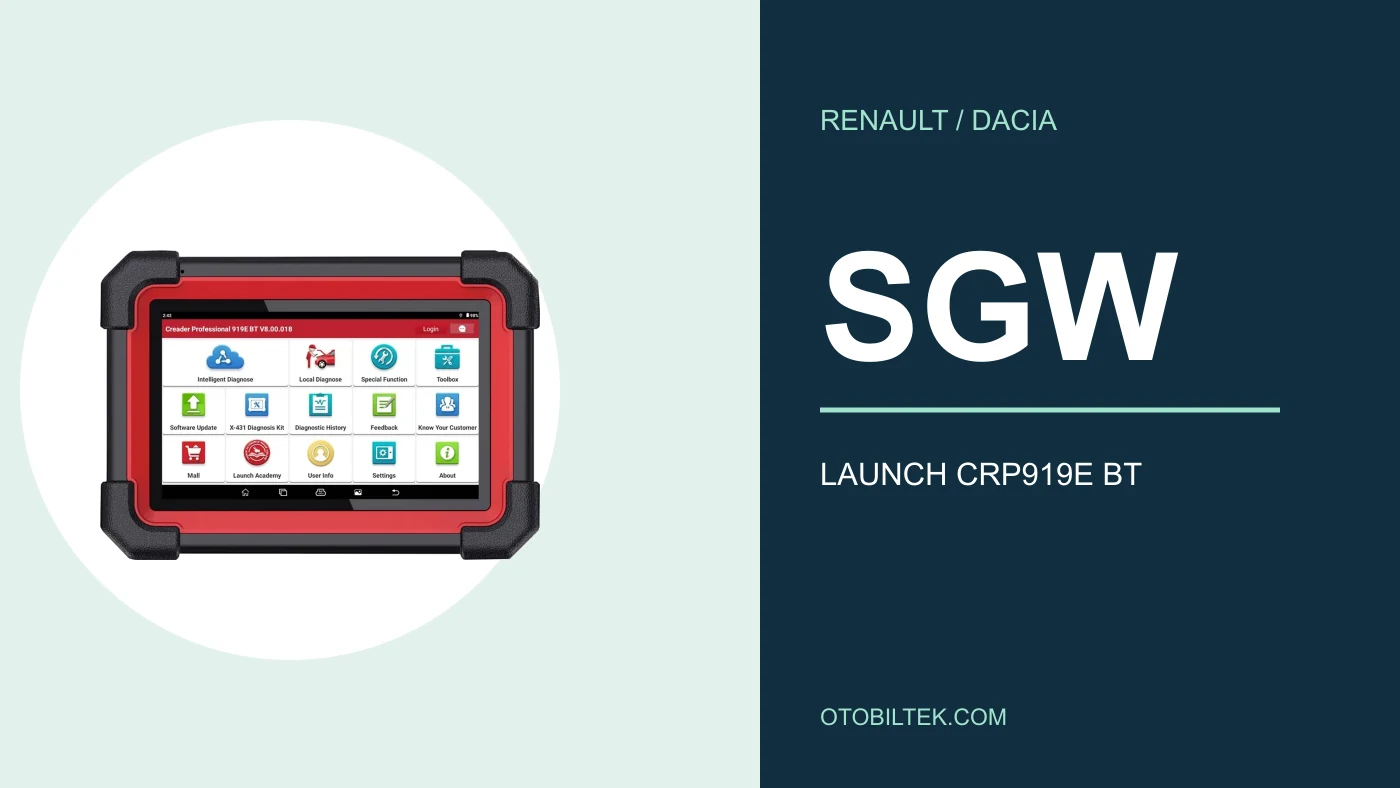
LAUNCH Europe access description and Renault startup document reviewed. The photo shows the actual device; it does not present a test record performed on a Renault.
Account and device to which authorization is assigned
Type of Renault/Dacia access right
Vehicle-specific support for the requested function
Access conditions are re-checked when the region, package, or device software changes.
Quick comparison
Find the stage where the error occurred
Observation
Information to be checked
Next step
Vehicle not read at all
Tablet–VCI–vehicle communication
First, the connection guide
Vehicle read, access rejected
Account, serial number, package, and access message
Verify that the authorization is linked to the correct device
Access granted, function not appearing
Engine/ECU and function support
Inquire about vehicle coverage with the function name
Function starts, but does not complete
Prerequisites and function result
Refer to the relevant vehicle procedure
Decision guide
First, distinguish between connection error and authorization rejection
If a control unit's name and fault records can be read, at least communication has been established with that unit. However, this does not indicate write authorization. Conversely, if not even the vehicle identification can be read and all modules are unresponsive, the first check should not be the token balance. Treating the same complaint as two separate problems reduces unnecessary license purchases and random re-installations.
In your support request, state the failed step instead of 'not working': vehicle selection, unit entry, authorization verification, or execution of a service command. Record the message as is, without altering it with your own interpretation. Mask personal information before sharing.
Decision guide
Token, subscription, and vehicle session are different things
The official activation document from LAUNCH Europe describes a token-based access system. The document mentions cards containing 20 and 50 activation rights. This does not mean that all Renault packages sold in every country have the same structure. The duration, usage count, and the device to which the activation is linked must be explained separately at the time of order.
Do not consider the Renault product labeled '1 year' in the Otobiltek catalog as a direct equivalent to the European token card. Before purchasing, get written confirmation of which package will be assigned to your device's serial number, the usage limit, and the sales region where it will operate. Do not create expectations of unlimited functions based solely on the product title.
Decision guide
Check the correct account and registered device
For verification, first note the tablet's full model, serial number, and the user account logged in. Access rights obtained for a different device or seen in another account are not considered usable on your tablet. Comparing the order document with the license record within the device helps understand whether the problem lies in the purchase or the vehicle session stage.
Do not include your password or activation PIN code in a publicly visible photo. When providing necessary information such as serial number and order number to the support team, use the business's trusted communication channel. Deleting the account or creating a new user is not the first step before verifying the record.
Confirm the scope before adapting the official activation document to your device
The Renault startup PDF describes activation via a card PIN from the Renault SGW section within the user information on the X-431 device. This menu path belongs to the European solution covered by the document. The absence of the screen on a different Launch family does not solely mean the license is faulty. The model and distribution channel may not support this activation method.
The actual CRP919E BT photo below allows the device to be recognized. The main menu in the photo does not prove that Renault SGW access is enabled. For this model or any other Launch device, first verify Renault/Dacia authorization with the full serial number; do not infer support from a video of another device named X-431.
Decision guide
Add software version and internet status to the record
When investigating errors, record the versions of the tablet application, the Renault/Dacia package, and the VCI software separately. A problem that starts after an update has a different history for support than a problem that occurs during initial activation. Follow the manufacturer's update procedure for your device; do not use installation files from another model.
During an online access attempt, check if the tablet can connect to the internet. The presence of the Wi-Fi icon may not indicate that the login screen on a hotel or business network has been completed. If the request times out, note the time and the message displayed. Do not disconnect the connection while a vehicle command is in progress.
Decision guide
Do not confuse remaining rights with new vehicle access
The token usage described in the Renault document is linked to the vehicle identification. The same document explains the conditions for re-activation within a specific time frame for the same vehicle. Without verifying these rules with your package, it cannot be said that every connection will consume a new token or that re-activations will always be free.
Before attempting again, it is useful to record the visible balance and license information with the date and time. If you believe your rights have decreased without the activation completing, request support with the transaction log instead of trying repeatedly. The goal here is not to predict token consumption but to make what is in your account trackable.
Decision guide
Function support is still required after authorization is granted
Authorization approval does not create an adaptation that the tablet does not offer for the relevant ECU. Service reset, coding, and actuator commands are not the same functions. The vehicle year, engine, control unit, and the operation to be performed must be verified together. Simply writing 'Does Renault do it?' in a support query does not cover these details.
If the function is available but not completing, review the on-screen prerequisites and the vehicle manufacturer's procedure. Do not attempt to resolve an operation that fails despite successful authorization by purchasing another SGW package. Separate diagnostics are required for an ongoing fault in the vehicle or unmet test conditions.
Decision guide
Prepare the support request clearly in one go
The following information facilitates the evaluation of the same event by the team granting access and the technician performing vehicle diagnostics. This is a recommended recording format; it is not an actual customer case or test result. Protect the vehicle owner's information and account security, sharing only necessary details.
Vehicle: Renault/Dacia model, model year, engine, and relevant control unit.
Device: full model, serial number, and brand software version.
Right: purchased package, activation date, and visible usage balance.
Function: full name of code clearing, adaptation, or other service command.
Result: error message, stage where it occurred, and date/time.
Comparison: whether reading worked and if access was previously granted for the same vehicle.
Frequently Asked Questions
Most frequently asked questions by customers
Does Launch Renault SGW token enable all functions?
No. In addition to the token or access right, the device must support the relevant vehicle and function. Rejection of authorization and unsupported functions are investigated separately.
Are Renault SGW 1-year and 20-token the same product?
This cannot be concluded from the titles. Region, serial number, duration, and usage count must be verified before ordering.
Does CRP919E BT support Renault SGW?
This guide does not guarantee support for all CRP919E BT serial numbers. Verification is required based on the model, sales channel, and current software.
If the vehicle is not read at all, should I buy a token?
First, check the connection and vehicle selection. Complete lack of communication is not solely proof of missing SGW license.
Should I show the activation PIN in the support screenshot?
No. PINs and passwords are not shared openly; necessary account verification is done through a trusted support channel.