Evaluation Method
How was this guide prepared?
The guide provides links to aftermarket VAG interfaces sold by Otobiltek. Commercial products are not presented as official VAS devices manufactured or approved by Volkswagen.
ODIS system requirements and supported interfaces were checked from Volkswagen Group erWin pages; VAS 6154 connection methods from Volkswagen service documents; physical scope of devices on sale from our own product records.
- Official support or manufacturer verification
- Vehicle protocol and DoIP requirement
- USB, network, and driver stability
- ODIS license and online authorization distinction
ODIS version, Windows requirements, and supported interface list may change, so the current erWin page should be re-checked before purchase and installation.
Quick comparison
Do not evaluate ODIS device classes under the same name
The table below shows the class differences that must be verified before the product name; exact compatibility must be tested on the physical device and current ODIS environment.
Decision guide
First, define the intended operation when selecting an ODIS device
Reading fault codes, performing guided tests, performing adaptations, requesting security access, and loading software onto a control unit are not the same needs. An interface that works for basic diagnostics may not be sufficient for online parameterization or module programming. Before ordering, the vehicle brand-model-year and the control unit and operation to be performed must be specified.
ODIS Service is used for vehicle recognition, control unit scanning, measurement values, and manufacturer-provided service flows. However, online operations may require a valid user account, country and business conditions, security verification, and transaction rights separately. The VCI is only the communication layer between the vehicle and the computer.
ODIS Engineering is engineering software with separate usage and access conditions. Recognition of a device with ODIS Service does not mean that Engineering access or all programming tasks are enabled.
- Vehicle and model year
- Control unit to be operated on
- Process to be Performed
- Need for online authorization
- Programming power support
Decision guide
Which interfaces are supported in the official erWin list?
The Volkswagen Group erWin system requirements page, checked on October 13, 2026, lists VAS 6154, VAS 6154A, and VAS 6154B interfaces among the supported VAS devices. The same page states that other SAE J2534 compatible PassThru interfaces can also be used, but the device manufacturer must be asked for the validation status for ODIS communication.
J2534 compatibility alone does not mean verified support for ODIS. Volkswagen's erWin page explains that ODIS Service support cannot be guaranteed for unverified PassThru devices. Therefore, instead of the general 'J2534 compatible' statement from the product seller, the device manufacturer's current ODIS statement and driver package should be sought.
An aftermarket casing imitating the model name in the official VAS list does not automatically turn it into an official VAS device. Claims of 'original VAS' should not be used without seeing the part number, manufacturer label, serial ID, and supply certificate.
Decision guide
Why should USB connection be the first choice?
erWin system requirements recommend USB connection for ODIS. Volkswagen's VAS 6154 installation document describes USB connection as plug-and-play class, while wireless connection is described as an option requiring network knowledge and additional configuration. Especially during programming, a stable wired connection reduces the risk of wireless network conflicts and disconnections.
Wireless use provides ease of movement in the workshop; however, the local network address, firewall, coverage, and the device's WLAN module must be correctly configured. Being connected to the internet and being connected to the vehicle network are different connections.
If writing to the control unit, the computer must be connected to the adapter, sleep and automatic restart must be prevented, and a programming power supply with the capacity required by the vehicle manufacturer must be used. The USB cable and OBD plug must be secured so they do not move.
Decision guide
How to verify DoIP, CAN FD, and new generation vehicle support?
DoIP and CAN FD support cannot be determined from the device's appearance. Different electronic boards, network components, and firmware can be found within the same casing. When purchasing a device for new generation Volkswagen, Audi, SEAT/Cupra, or Skoda vehicles, it must be checked which protocol the relevant vehicle uses and whether the physical unit to be shipped actually supports it.
DoIP and network connection are described in the official VAS 6154 family documents. In an aftermarket VAS 6154 type product, this reference is not an automatic feature guarantee. Device information, firmware, driver, and if possible, a suitable vehicle connection must be recorded before ordering.
Having CAN FD or DoIP communication does not provide SFD, GeKo, immobilizer, or component protection authorization. Protocol support refers to physical communication; security access refers to account, identity, and manufacturer procedures.
Decision guide
Difference between VAS 6154 type, VNCI 6154A, and VAG-COM
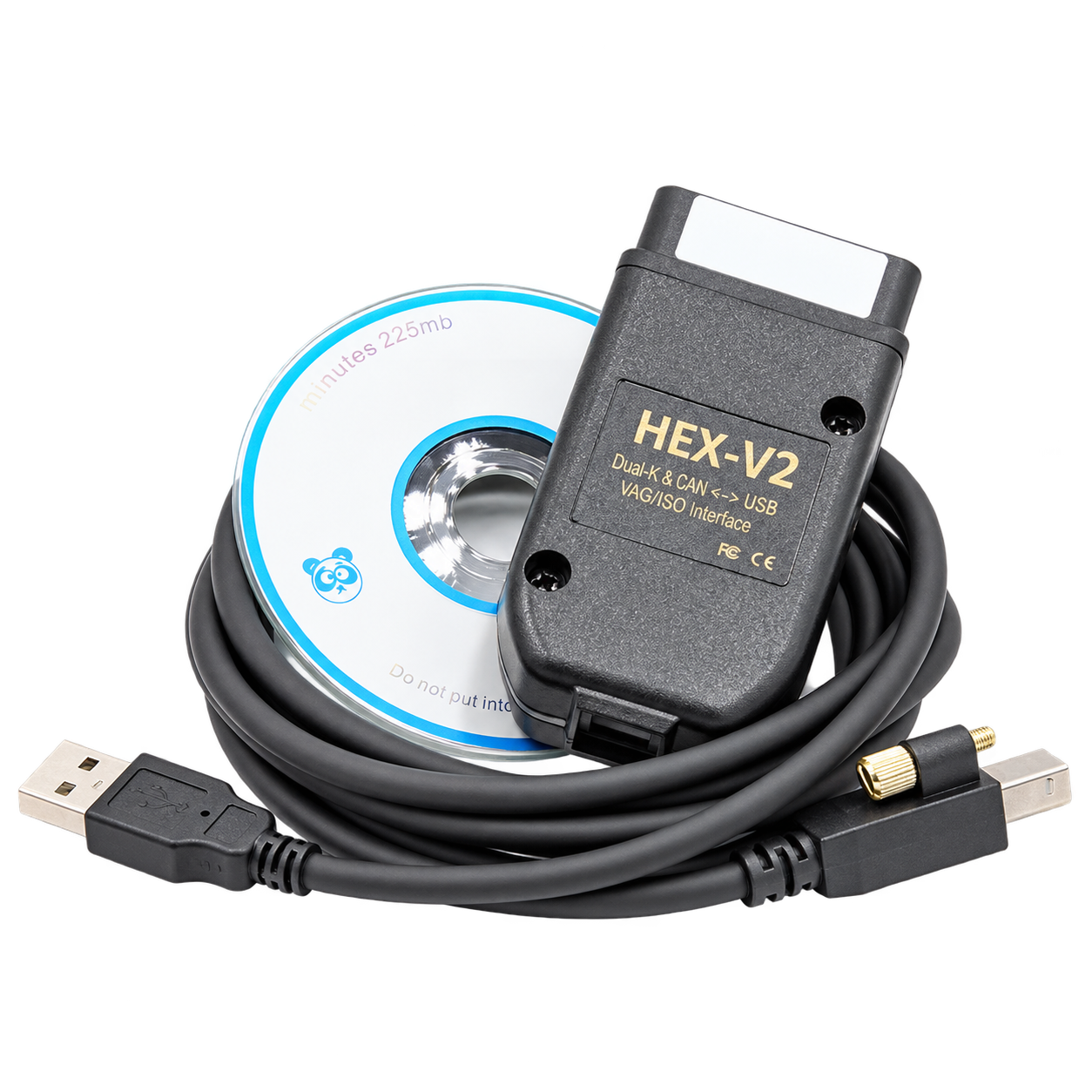
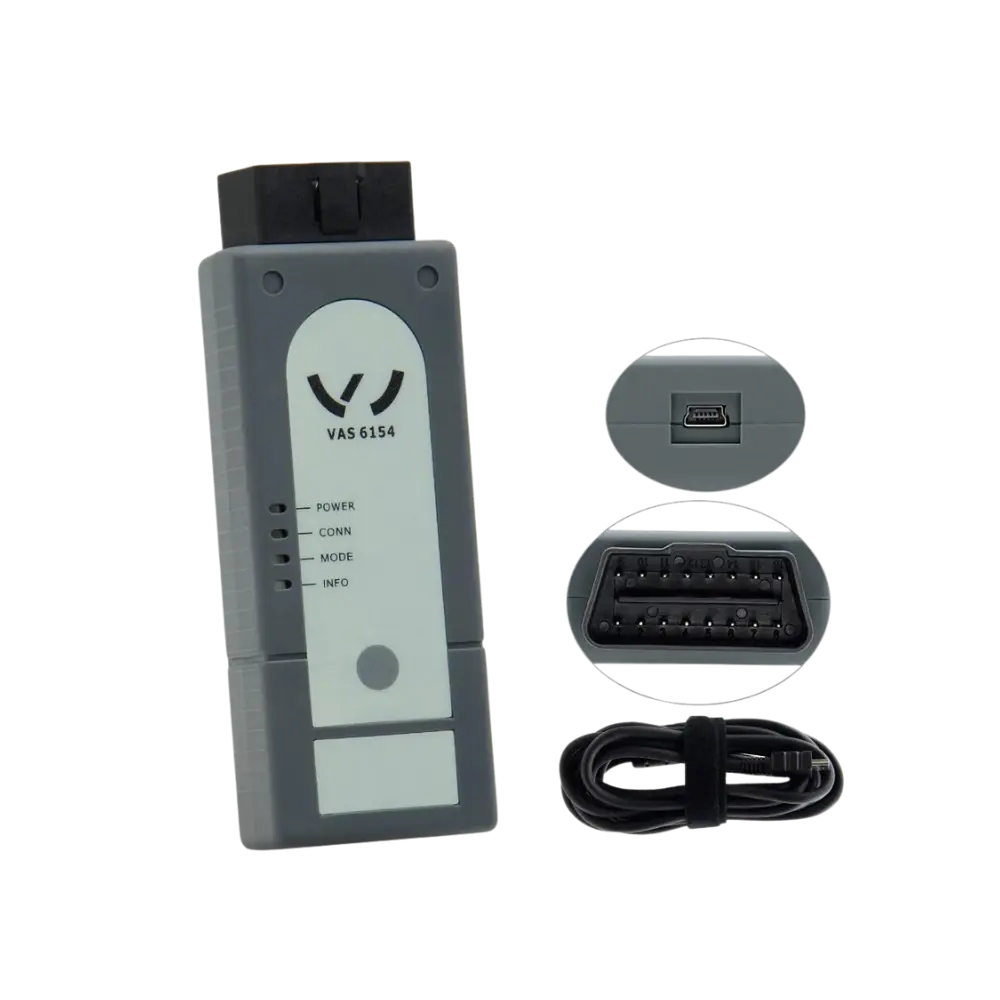
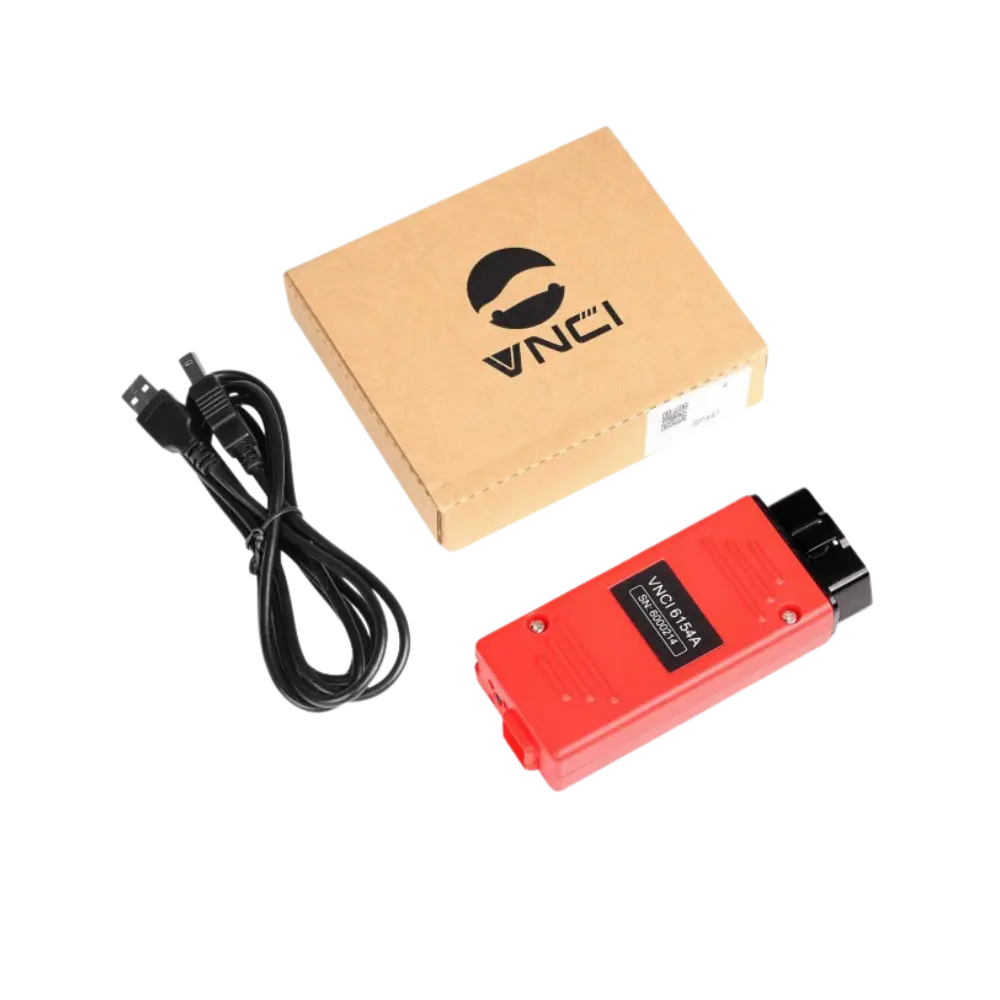
The gray VAS 6154 type product at Otobiltek is defined as an aftermarket interface, not an official Volkswagen part. VNCI 6154A is a different third-party device with its own brand and manufacturer documentation. Generic VAG-COM HEX V2 is also not an ODIS interface; it is a separate USB cable class used for VAG diagnostics and coding with its own compatible Windows software.
If ODIS is to be used, a generic VAG-COM cable is not considered a suitable alternative. Between the VAS 6154 type and VNCI 6154A, the revision of the unit to be shipped, driver, firmware, DoIP/CAN FD statement, and actual vehicle test should be compared, as well as the price.
If ODIS software, license, erWin subscription, or online account are not included in the product package, they are required separately. The statement 'full ODIS with device' should not be considered reliable without a valid license and current account document.
Decision guide
Check the ODIS computer, driver, and license chain together
ODIS system requirements can change over time. The Windows version, processor, memory, disk space, USB port, and internet requirements specified on Volkswagen's erWin page must be checked before installation. Factors such as ARM-based computers, virtual machines, or old drivers can affect interface recognition and connection stability.
The Windows device recognizing the device does not solely prove that ODIS will connect to the vehicle through the interface. After installing the correct driver, the device must be selected in ODIS, a communication test must be performed on the vehicle, and the interface ID must be recorded.
Modified ODIS packages downloaded from the internet do not provide official licenses, current vehicle data, or online authorization. The installation source, user account, and subscription conditions must be verified from the current erWin channel of the Volkswagen Group.
Decision guide
Short ODIS checklist before ordering
The correct device is not the listing that claims the most features, but the interface that can be verified for the relevant vehicle and operation. The seller must be asked for the complete device identity, physical photograph, ports, revision to be shipped, and included parts. If software and online accounts are sold separately from the hardware, it must be clearly stated.
- Vehicle, model year, chassis, and control unit to be operated on
- Purpose of diagnostics, adaptation, coding, or programming
- ODIS version and current erWin system requirements
- Actual manufacturer, revision, and serial information of the device
- USB, DoIP, CAN FD, and wireless connection test
- License, account, security access, and power supply
- Invoice, warranty, and after-sales support
Frequently Asked Questions
Most frequently asked questions by customers
Does ODIS work with every J2534 device?
No. Volkswagen's erWin page states that other SAE J2534 PassThru devices can be used; however, the device must be verified by the manufacturer for ODIS communication, and support is not guaranteed for unverified devices.
Does the VAG-COM cable work with ODIS?
Generic VAG-COM HEX V2 is not classified as an ODIS VCI. It is evaluated for VAG diagnostics and coding with its own compatible Windows software; it should not be purchased as an ODIS device replacement.
Does the name VAS 6154 indicate the device is original?
No. The casing and model name are not proof of an original product. The official part number, manufacturer label, serial ID, and supply certificate must be verified.
Should Wi-Fi or USB be used for ODIS?
The current erWin page recommends USB connection. Wi-Fi provides ease of movement, but network configuration and connection stability must be managed separately; a wired connection is preferred for programming tasks.
Does purchasing an ODIS device enable online programming?
No. The VCI is only the communication interface. A valid ODIS environment, account, subscription, security authorization, internet, and appropriate power conditions are additionally required for online operations.
How is DoIP support understood?
Appearance is not sufficient. The hardware and firmware information of the physical device to be shipped, the ODIS recognition status, and if possible, a test with a suitable DoIP vehicle connection must be checked.