Product information
What is the VNCI 6154A Volkswagen ODIS Diagnostic and Programming Device used for?
The VNCI 6154A is a VCI device that communicates between Volkswagen Group vehicles' control units and compatible diagnostic software running on a Windows computer.
It can be used in Volkswagen, Audi, SEAT/Cupra, and Skoda focused services for ODIS Service workflow, including vehicle recognition, control unit scanning, fault codes, measurement values, guided tests, and supported service operations.
The manufacturer's user manual specifies CAN FD and DoIP communication and connection to the computer via USB, direct Wi-Fi AP, or workshop WLAN network. However, the interface alone does not provide software license, online programming rights, SFD/GeKo authorization, or unlimited vehicle coverage.
The device is an aftermarket 6154A alternative produced by VNCI; it is not marketed as an original VAS 6154A because it does not bear a Volkswagen part number or official VAS supply documentation. The purchasing decision should be made by considering the vehicle model, production year, target control unit, intended operation, current ODIS requirements, and account authorizations together.
Vehicle Coverage
What vehicles does the VNCI 6154A Volkswagen ODIS Diagnostic and Programming Device support?
The make name alone does not guarantee compatibility. Within the same make, model year, engine, chassis, control unit, communication protocol, and intended operation can yield different support results.
- Vehicle Group
- Passenger cars and light commercial vehicles included in the product software
- Supported makes
- Multi-brand coverage; the current make list is obtained from the manufacturer's official vehicle or protocol database.
- Supported models
- Verified from the official coverage screen based on make, model, model year, engine or chassis, and control unit.
- Scope of service
- Code reading, live data, active test, service function, coding, and programming may be supported separately.
- Connection conditions
- Distinction between aftermarket VNCI and original VAS 6154A, Vehicle, control unit, and ODIS version, Legal software, GRP account, and security authorizations, USB or Wi-Fi connection method, Programming power supply and uninterrupted data connection
- The make and model examples on the page do not guarantee all production years and all functions.
- Before any definitive operation, the manufacturer's current coverage record must be verified with the VIN or full vehicle information.
Open official sources and coverage connectionsProduct details
What is the VNCI 6154A used for?
The VNCI 6154A is a vehicle communication interface. It transmits data between the vehicle's 16-pin OBD socket and compatible diagnostic application running on a Windows computer.
It provides the physical communication layer for reading vehicle identification, listing control units, examining fault memory, viewing measurement values, and executing guided test plans within ODIS Service.
It is not a standalone handheld device that diagnoses faults; the functions displayed on the screen are determined by ODIS, the vehicle's control unit, user authorization, and the manufacturer's operational plan for that vehicle. Deleting codes does not repair mechanical or electrical faults.
Technicians should examine fault records, live data, circuit diagrams, measurement results, and physical checks within the same diagnostic plan. Control unit coding or programming operations are also not unlocked solely by connecting the device to the vehicle; correct software, online access, power supply, and a rollback plan are required.
- VCI communication between vehicle and Windows computer
- Supported diagnostics and test plans via ODIS Service
- Fault code, measurement value, and control unit scanning
- Connection to coding/programming workflow if vehicle and authorization permit
Product details
Is the VNCI 6154A the same product as the original VAS 6154A?
No. VAS 6154A is the model name of the VAS interface family used in Volkswagen Group's service infrastructure. VNCI 6154A is an aftermarket alternative from the VNCI brand, aiming to work with this connection setup.
The device body displays the VNCI logo and the label "VNCI 6154A"; it does not have a Volkswagen part number or documentation indicating the official VAS supply chain. Therefore, phrases like "original", "1:1 OEM", "authorized service device", or "official VAS 6154A" are not used on the page.
The VNCI user manual's statement of compatibility with the ODIS driver does not mean the hardware is manufactured by Volkswagen. As VAS 6154A, VNCI 6154A, SVCI 6154A, and unbranded 6154A bodies can be listed under the same heading in the market, the actual device label, casing, ports, firmware, and sold box contents should be checked separately.
- Product sold
- VNCI 6154AAftermarket VAG vehicle communication interface from the VNCI brand.
- Official VAS identity
- Not verifiedVolkswagen part number or official VAS supply documentation is not shown.
- Primary role
- VCIEstablishes communication between the vehicle and the compatible diagnostic application on the computer.
Product details
Difference between ODIS Service and ODIS Engineering
ODIS Service is the manufacturer application used for Volkswagen Group service diagnostics. Vehicle recognition, control unit scanning, fault records, measurement values, test plans, and authorized service operations are performed in this environment.
ODIS Engineering, on the other hand, is a separate application and access area for development and engineering tasks; it is not a natural part of a standard service license. The mention of "ODIS-S + ODIS-E full" with the device on the internet does not prove that the software package is legal, up-to-date, unmodified, or authorized for online services.
Software media, installation, license, or account are not included in this sale. Current application and system requirements should be checked through the official erWin channel in the user's market. As version numbers change rapidly, a permanent version guarantee such as "latest ODIS" is not provided on the page.
- ODIS Service: service diagnostics and guided operations provided by the manufacturer
- ODIS Engineering: separate engineering/development application and authorization
- Software, license, and account are separate items from the physical interface
- Current version and computer requirements are verified from the official erWin source
Product details
How to differentiate between USB, Wi-Fi AP, and WLAN connection?
The VNCI 6154A user manual defines three computer connection methods. In USB connection, the device is connected directly to the computer with the cable included in the box. In AP mode, the device creates its own Wi-Fi network, and the computer connects to this network. In WLAN or station mode, the device and computer join the same workshop network.
Wi-Fi is the transport method between the device and the computer; it is not the same concept as the CAN FD or DoIP protocol used by the vehicle. Wireless connection can ease the workspace during daily fault scanning.
For riskier operations involving writing data to the control unit, a USB cable, a computer connected to the adapter, and a stable network should be preferred to reduce the possibility of connection loss. When a computer with a single Wi-Fi card connects to the device in AP mode, it may lose internet access; if online operation is required, a second network connection or an appropriate WLAN setup should be prepared.
- USB: direct wired connection to the computer
- AP: direct connection to the Wi-Fi network created by the VNCI device
- WLAN: device and computer connecting to the same workshop network
- Stable cable, power, and network setup for programming
Product details
What does CAN FD and DoIP support mean?
CAN FD is a vehicle network technology that can provide longer data frames and higher data transfer rates compared to classic CAN. DoIP, on the other hand, transmits diagnostic data over IP/Ethernet-based communication. The VNCI 6154A manual states support for both protocols.
These features are important for communicating with relevant control units in new generation VAG platforms; however, the statement "CAN FD and DoIP present" does not mean all operations are enabled on all new vehicles. The protocol used by the control unit, ODIS version, VCI firmware, and manufacturer security policy must be compatible simultaneously.
Examples like Golf 8, new Octavia, or the electric ID family are frequently mentioned in the market, but warranty for specific model years and operations can only be provided after a current scope check using the vehicle identification.
- CAN FD and DoIP are hardware communication capabilities
- Not every control unit in the vehicle uses the same protocol
- Protocol support does not replace online security authorization
- Scope is checked based on chassis and target module, not model year
Product details
Is the device sufficient for SFD, GeKo, and online operations?
No. The VNCI 6154A is solely a communication interface. Operations such as SFD protection, immobilizer, key programming, component protection, control unit replacement, or online parameterization in new generation Volkswagen Group vehicles may require manufacturer accounts and operation-based authorization.
SEAT erWin descriptions indicate the need for an operating/GRP account and two-factor authentication for ODIS usage, and additional GeKo or SERMI conditions depending on the market and operation for security-related tasks.
The device being online does not grant these authorizations and does not automatically remove protection. The statement "supports online programming" may mean that the interface can be used for communication only when the correct account and manufacturer-offered operation are available. Promises of removing SFD, key coding, or component protection without an account are not made.
- GRP/erWin account and two-factor authentication must be prepared separately
- SFD and security operations depend on manufacturer authorization
- GeKo/SERMI conditions may vary by country and operation
- VCI hardware does not provide account or security authorization
Product details
Volkswagen, Audi, SEAT/Cupra, and Skoda compatibility
The primary application area of the product is Volkswagen Group passenger cars and light commercial vehicles. The target is the ODIS-based service workflow for Volkswagen, Audi, SEAT/Cupra, and Skoda brands.
The VNCI manual also lists other group brands such as Bentley and Lamborghini; however, sales scope is not guaranteed for these brands without vehicle, license, data package, and operation proof. Fixed date ranges like "all models from 1995 to present" are common in the market, but they do not replace the current official model/operation matrix.
Before ordering, the brand, model, production year, chassis, engine, target control unit, and intended operation must be specified in writing. The ability to read a module's error code does not imply authorization to code or program the same module.
- Primary target: Volkswagen, Audi, SEAT/Cupra, and Skoda
- Target control unit is as important as brand-model-year
- Diagnostics, adaptation, coding, and programming are verified separately
- Bentley/Lamborghini scope not guaranteed without proof
Product details
Is the computer and software package included?
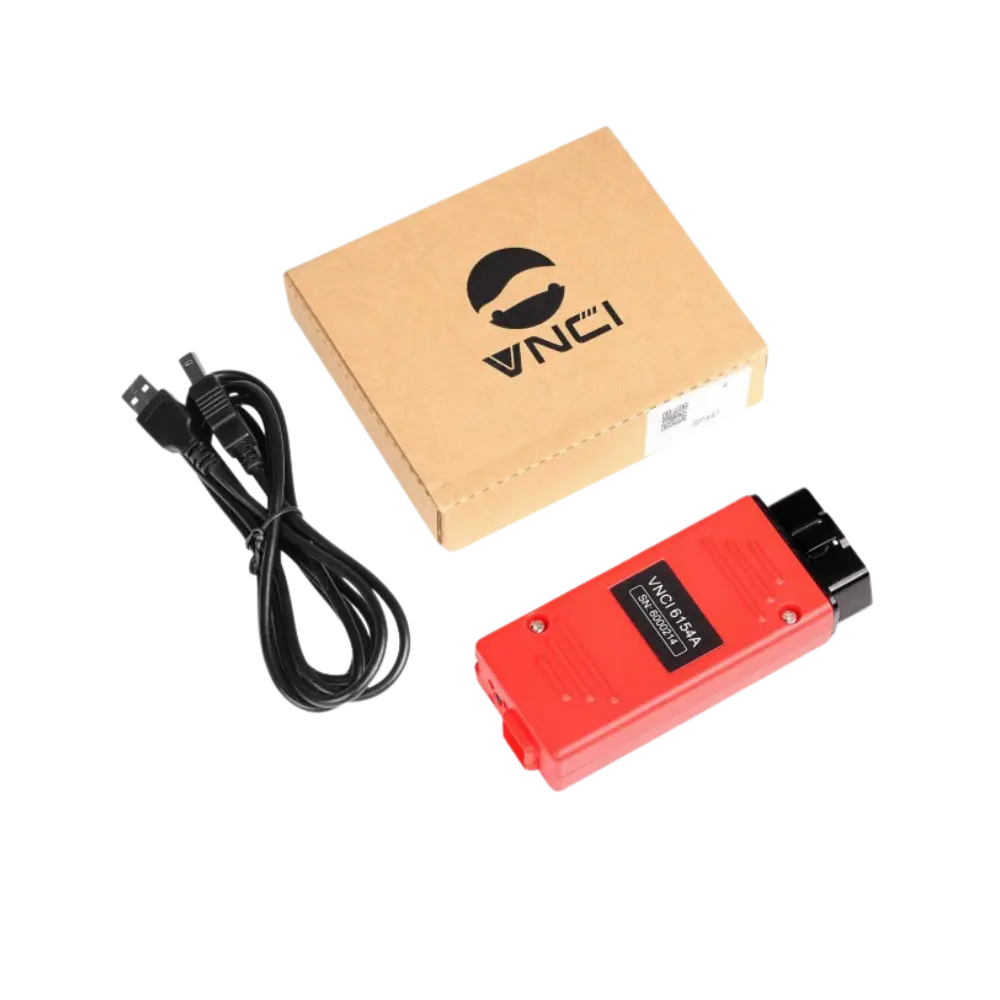
No. The visuals show the VNCI 6154A device, USB connection cable, and VNCI box. A Windows computer, USB drive, ODIS Service or Engineering installation, license key, erWin subscription, GRP account, and remote installation service are not shown; therefore, they are not considered included in the sales package.
The computer's operating system, processor, memory, free disk space, internet connection, and administrator privileges must be prepared according to the official requirements of the current ODIS version to be used. Modified installations downloaded from the internet carry risks of malware, outdated data packages, corrupted drivers, and license violations.
Operating the device with a specific modified software does not create a secure and sustainable service infrastructure.
- Included: VNCI 6154A interface, USB cable, and product box
- Not included: computer, ODIS, license, and online account
- PC requirements are checked according to the current ODIS version used
- Software is obtained only from legal and verifiable sources
Product details
Power and connection stability during programming
Updating control unit software can be interrupted if vehicle voltage drops, the computer goes to sleep, the USB cable is disconnected, or the network connection is lost. This may require reprogramming or electronic repair of the control unit.
Before the operation, the vehicle battery status is measured, and an external programming power supply suitable for the manufacturer's procedure is connected. The laptop is plugged in; sleep mode, USB power saving, and automatic restart are turned off. If possible, use a USB connection, and place the device and cable so they do not move.
Vehicle identification, current software level, and initial scan are recorded. After the operation, the vehicle test is run again, and the fault memory is checked.
- Stable external vehicle programming power supply
- Computer connected to adapter with sleep mode off
- Preference for USB connection in risky writing operations
- Recording before operation and full vehicle test after operation
Product details
VNCI 6154A box contents shown in the images
The main photo shows the red VNCI 6154A interface, a USB-A connection cable, and a cardboard box with the VNCI logo. Other photos show the front and rear of the body, the 16-pin OBD plug, and the computer connection port.
All images belong to the same red VNCI 6154A product family and have true alpha transparency; a white background was not used. A carrying case, laptop, software USB, additional adapter, or license code not shown in the photo are not included in the box contents.
Upon delivery, the device label, body, OBD pins, USB port, and cable should be physically checked; the product serial number should be matched with the invoice and warranty record.
- 1 VNCI 6154A VAG interface
- 1 x USB computer connection cable
- VNCI product box
- Computer, software, license, and additional adapter not included
Product details
Difference between VNCI 6154A, VAS5054A, VAGCOM, and service tablet
The VNCI 6154A is a next-generation VAG VCI aimed at connecting to the ODIS-based manufacturer workflow. The VAS5054A is an older generation interface and is not included in the current erWin ODIS support list.
Generic VAGCOM HEX V2 is a wired interface used for diagnostics and coding with a different Windows software setup on specific VAG vehicles; it is not an ODIS VCI.
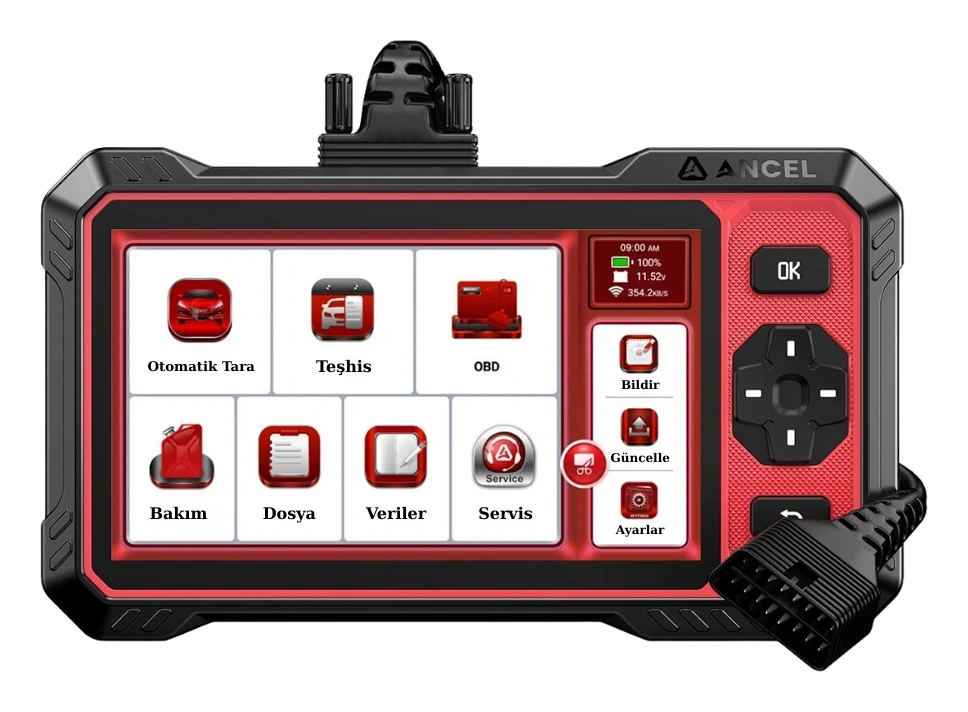
Ancel, Autel, Launch, or Thinkcar service tablets offer convenience for daily scanning, live data, and service operations with their own screens and multi-brand software; they do not replace Volkswagen's ODIS/erWin account setup.
The choice should be made based on whether the workshop exclusively services VAG vehicles or a multi-brand fleet, and whether online manufacturer operations are truly needed.
- VNCI 6154A: current VAG protocols and ODIS-focused PC interface
- VAS5054A: older generation, outside current ODIS support list
- Generic VAGCOM: different VAG diagnostic/coding setup, not ODIS
- Service tablet: multi-brand daily diagnostics and service operations
Product details
What to consider when comparing VNCI 6154A prices?
Listings titled 6154A in Turkey may not sell the same hardware. One listing may show a red interface from the VNCI brand, another an unbranded VAS 6154A clone, and another a set with a carrying case or a computer with ODIS installed. If the license source and update rights are not documented under the "ODIS included" statement, the software should not be assumed to have value.
Consider that a cheaper listing may be a generic clone or an incomplete package, while a more expensive listing may be a computer-equipped/installed package.
- Distinction between VNCI branded product and unbranded 6154A clone
- Device, USB cable, box, and any additional parts
- Separate verification of ODIS license and update source
Product details
How was this product description verified?
The product's model identity and connection methods were compared with the VNCI 6154A user manual. Current ODIS interface class and computer requirements were checked from the Audi erWin system page; account, two-factor authentication, and security access conditions were verified from SEAT erWin descriptions.
Competitor stores were examined solely to view names used in Turkey, package differences, price ranges, and frequently asked questions; competitor claims of "original", "authorized service", "all models", or "unlimited online" were not accepted as proof.
No additional package parts were included beyond the device, cable, and box shown in the photos; no ports, logos, or accessories were generated with artificial intelligence. As ODIS versions and manufacturer access conditions can change, links to official current resources were provided instead of permanent version numbers.
- Product source: VNCI 6154A user manual
- Official software source: Audi and SEAT erWin pages
- Competitors were used only for market language and price research
- No claims of original VAS or unlimited online operation were generated