Quick comparison
How to read the terms in the product name?
Products in the same class may be listed with different keywords in marketplaces. The decision should be determined by the verified scope, not by the words in the title.
Decision guide
What does the Universal OEM name mean, and what does it not prove?
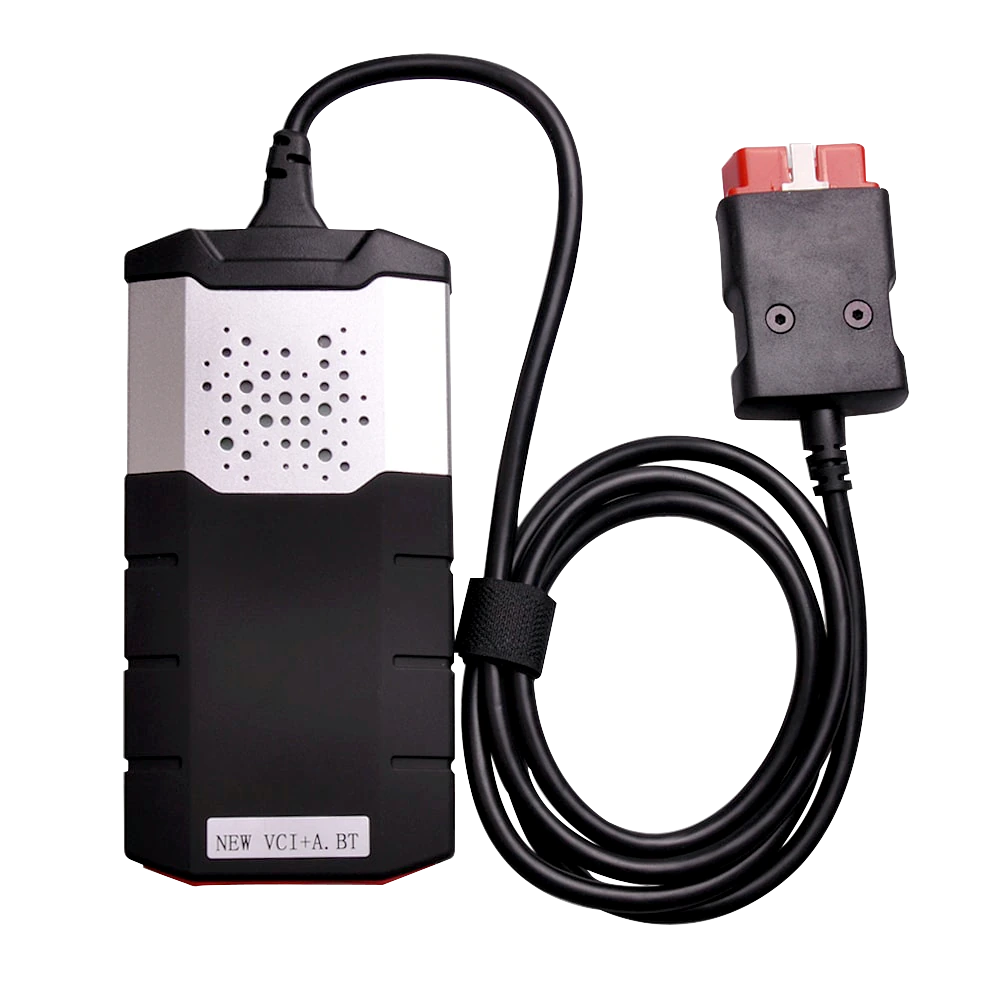
Universal OEM is the commercial classification used for this product. This term alone does not prove a relationship with a specific third-party manufacturer, its license, quality level, or permission for brand usage. When selling a logo-less device, the product's own commercial name, manufacturer/importer, model, serial number, conformity certificates, warranty, and software rights should be evaluated separately.
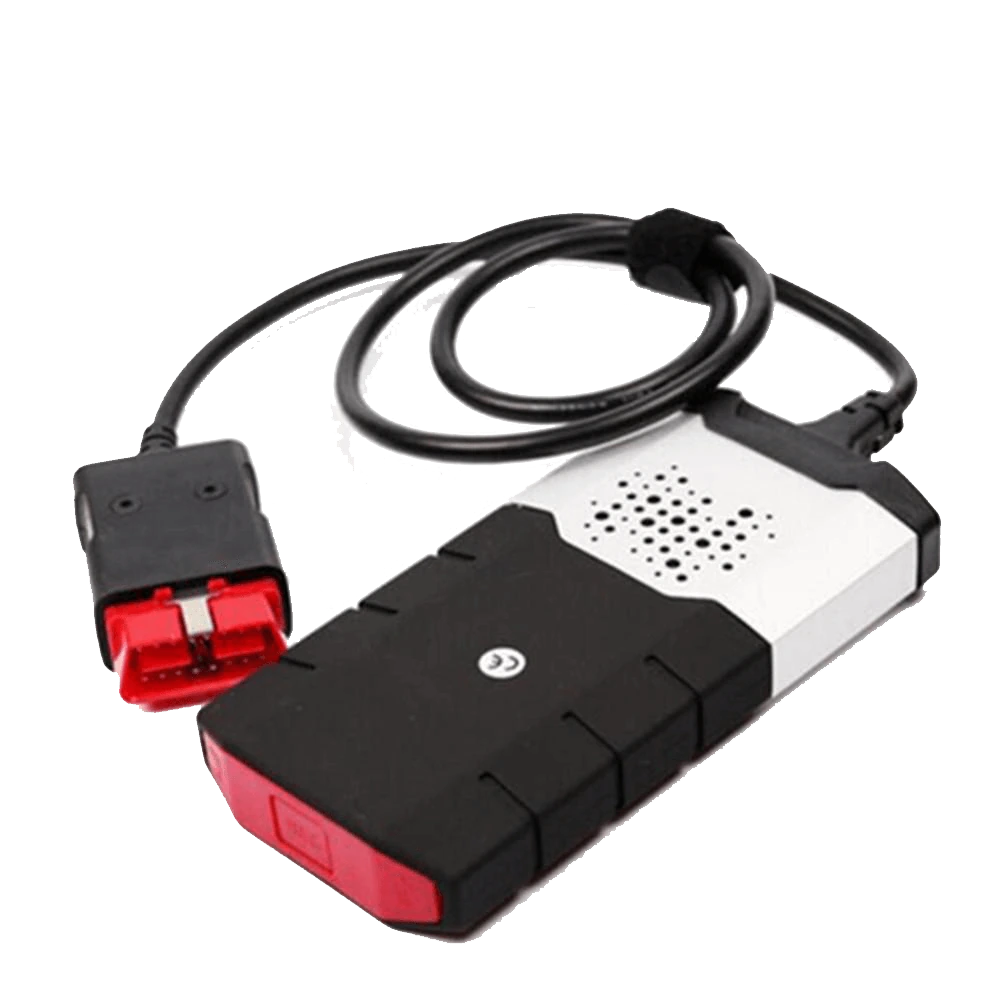
The absence of a third-party logo on the device helps maintain its own Universal product identity; however, it does not explain which software and technical scope the same casing operates with. The listing text should not confuse the product's own commercial name, actual manufacturer/importer information, and verified software rights.
Delphi points to signs like low-quality casing, missing Bluetooth, missing flight recorder, and unofficial software requiring activation in unofficial DS150E products. Autocom states that its CLASSIC product is used with CARS software and requires license activation. Therefore, it is incorrect to consider hardware and software as a single product.
- Product brand and manufacturer
- Serial number and model
- Software source and license
- Warranty and technical support
Decision guide
What does the search for Delphi DS150E, Autocom CDP Plus, and Delphi Autocom indicate?
In listings in Turkey, these terms are mostly used to find multi-brand VCI devices that connect to a computer. However, single-board, double-board, Bluetooth-enabled, different relay, and different software packages can be found under the same heading. The search term does not determine the technical configuration of the product.
Delphi's current product pages position the DS150E within diagnostic software and VCI options. Autocom's technical page refers to the old CDP+ name as CLASSIC and states that the device is used with CARS software. This official information does not mean that every logo-less device in the marketplace is a licensed version of these products.
On Otobiltek product pages, brand names should be used in comparative content explaining the search terms used by the market, rather than as the product's brand. The product title should highlight its own product name, device type, connection method, and verified usage area.
- Separate search terms from product brands
- Verify hardware variants
- Examine software and license separately
- Check vehicle coverage on a model-by-model basis
Decision guide
What jobs can a universal fault diagnosis device perform?
A multi-brand VCI class device; it can provide access to fault code reading, code clearing, live data, and some service functions on supported vehicles. Which operations can be performed varies by vehicle make, model, year, engine, control unit, protocol, and the software used.
Standard OBD2 access often targets basic codes in the engine and emissions area. Scanning ABS, airbag, transmission, body electronics, electronic parking brake, and manufacturer-specific modules requires relevant software coverage. The term 'universal' in the product name does not mean that all vehicle systems will be accessible.
Active tests, adaptations, coding, and programming are not at the same authorization level. Only tested functions should be listed on the product page; no definitive results or promises of operation on all vehicles should be made for unsupported functions.
- Fault code reading and clearing
- Supported live data
- Vehicle-specific service functions
- Limited or variable system coverage
Decision guide
What does the 2026 announcement mean?
The term '2026' alone does not imply new hardware, current vehicle coverage, or an official license. In some listings, it may be used as the software year, in others as the sales year, and in some as a marketing title. Before purchasing, the actual version number, update date, and license conditions should be inquired about.
The software appearing up-to-date does not guarantee that every function will work on new vehicles. Newer generation vehicles may require CAN FD, DoIP, secure gateway, manufacturer accounts, or online authorization. Therefore, the list of vehicles tested with the device is more valuable than the 2026 label.
If installation support is to be provided, the customer should be clearly informed about which operating system, driver, Bluetooth pairing, and software license will be installed. Installation service does not expand the device's vehicle coverage; it only makes the verified software and connection package functional.
- Version number
- Update date
- License duration
- Operating system and connection requirements
Decision guide
How should the correct product be described at Otobiltek?
The product page should explain the terms the customer is looking for without presenting the logo-less device as another brand's product. At Otobiltek, passenger car and passenger car + heavy-duty options are offered with separate SKUs. Current prices and stock come from the live store system; fixed prices are not written in the guide text. Delphi DS150E, Autocom CDP Plus, and Delphi Autocom terms are used only to explain the search terms used by the market.
Third-party brands should not be used in the sales title, cart line item, order document, and product name for the invoice. Avoiding terms that imply 'original' or brand license allows the customer to set correct expectations and separates product identity from comparison terms.
Passenger car packages and heavy-duty packages should not share the same photo; each gallery should use unique actual product photos for the relevant SKU. Heavy-duty adapters, 24V operation, or installation services should only be considered package features if written documentation exists for that SKU.
- Live price and stock from a single source
- Separate SKUs for passenger cars and heavy-duty vehicles
- Product and service as separate items
- Vehicle coverage is checked on a make-model-year and job basis
Decision guide
What questions do competitor pages and forums repeat?
In competitor listings in Turkey, terms like 'dual board', 'Bluetooth', '2021 coverage', '24 V', and 'free installation' are frequently seen. In user forums, questions about Bluetooth pairing issues, the software not recognizing the device, inability to connect to some control units, incorrect or missing relays and board configurations, license activation, and phone usage are frequently asked. These repetitions do not prove that a feature is correct; they indicate what proof should be shown on the purchase page.
For Bluetooth issues, the device simply appearing in the list is not enough; hardware testing within the software and stable vehicle communication are required. If the number of boards is used as a quality metric, a PCB record and component list of the sold variant are needed, not a closed-case photo.
For heavy-duty inquiries, 24V voltage, physical adapters, commercial vehicle software, and target control units are verified separately. It is not assumed that the same VCI that works on passenger cars will also enable the same systems on heavy-duty vehicles.
- Bluetooth pairing and connection
- Driver and firmware compatibility
- Single-board/dual-board proof
- Vehicle and control unit coverage
- 24 V and adapter safety
Decision guide
Decision between passenger car and heavy-duty package
Users working with passenger cars should only examine the passenger car option. Services working with trucks, tractors, or buses should not consider the higher-priced package name sufficient and should request the VCI voltage range, commercial vehicle software license, and delivered adapters. Both product pages should clearly state that the manufacturer and official model code are not present.
In passenger car packages, the basic decision is whether the target car and control unit are present in the software used. For heavy-duty packages, socket, adapter, external power, and 12/24V safety are added to this.
Code reading, live data, active tests, adaptation, and programming are not the same authorization. The seller should not group all functions under the same 'compatible' statement; separate results should be provided for the vehicle and the job to be performed.
- Passenger Cars: vehicle and job list
- Heavy Duty: vehicle + adapter + voltage + software
- License source for both packages
- Live price and stock on the product page
Frequently Asked Questions
Most frequently asked questions by customers
Is this product a Delphi DS150E?
It is not correct to call a device without a logo a Delphi DS150E. This name can describe a product family searched for in the market; the actual product name, manufacturer information, software source, and license must be verified separately.
Is it the same as Autocom CDP Plus?
Mere case similarity does not mean it is the same product. Equivalence cannot be claimed without examining the hardware board, Bluetooth, firmware, software, and license conditions.
Does the 2026 software work on all vehicles?
No. Vehicle coverage varies by make, model, year, engine, control unit, protocol, and software license. The 2026 label alone does not guarantee operation on all vehicles.
What does the installation service cover?
The installation service is not specified in live product registrations. If a separate service is offered, the operating system, driver, software source, license, connection test, and reinstallation conditions must be in writing.
How can I tell if it is single-board or double-board?
The case appearance does not prove the number of boards. The number of boards should not be stated as a technical specification without an opened-case photo of the sold variant, PCB revision, and part record.
What cables are included in the heavy-duty package?
The cable collage is not a delivery list on its own. The name, quantity, vehicle-side socket, VCI-side connection, and any external power requirement of each adapter must be specified in the order record.
If Bluetooth does not connect, is the device faulty?
It cannot be said for sure. The computer's Bluetooth driver, pairing, the VCI selected in the software, the device firmware, and the power supply on the vehicle side must all be checked separately.