Best automotive diagnostic tools: selection by intended use
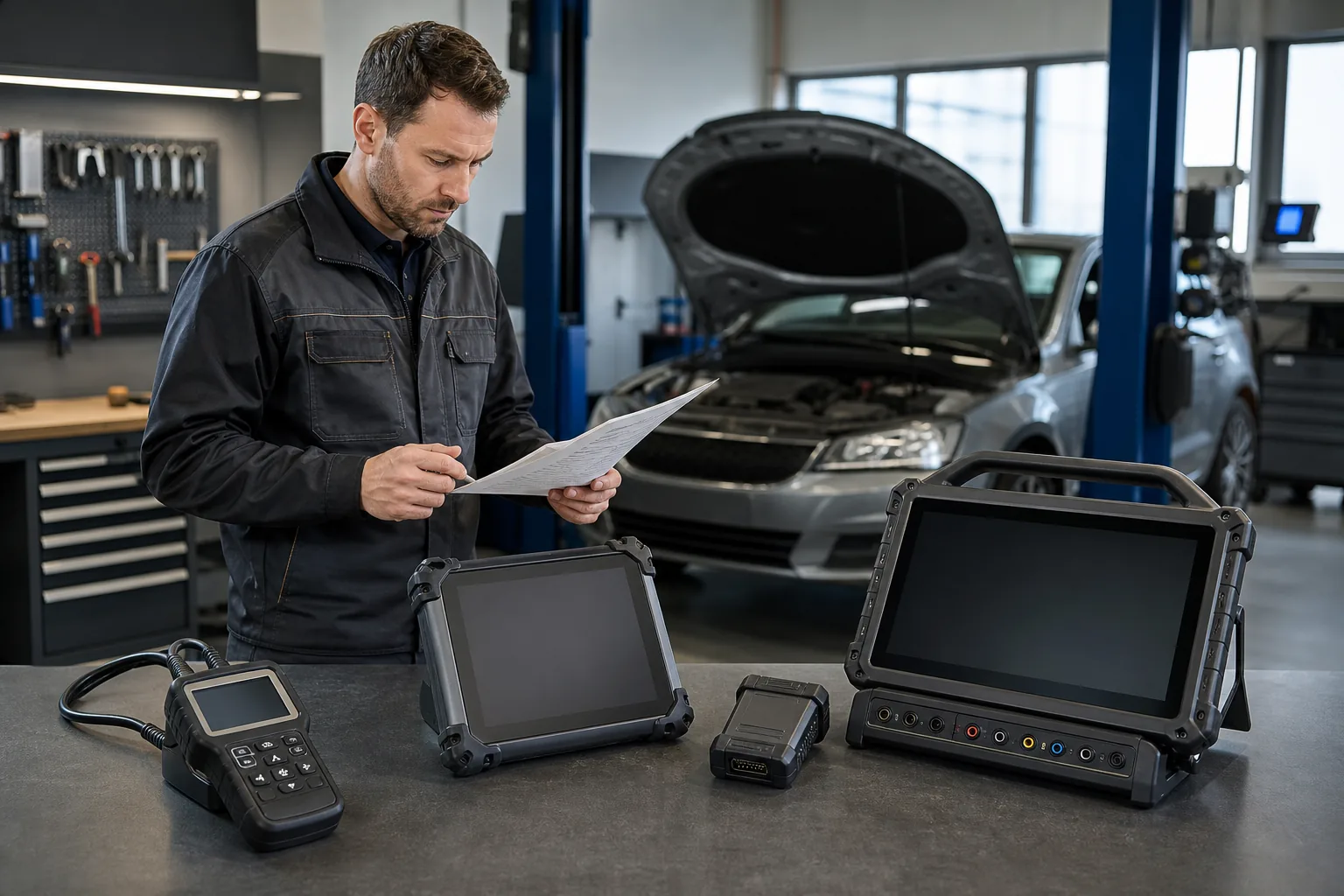
The best automotive diagnostic scan tool is the one that supports the operations you will perform on your vehicle. A basic OBD2 reader is needed for reading engine codes; a service tablet with verified scope is required for scanning different control units and performing service functions. Bluetooth connectivity alone does not provide access to more vehicles or functions. This guide separates individual user and workshop needs; it compares model examples with manufacturer descriptions and vehicle-specific limitations.
Otobiltek is a multi-brand store that sells the devices featured in this guide. It earns revenue from product sales. The selection does not represent the entire market; a model being sold in the store does not make it the best for everyone.
This comparison is based on the examination of manufacturer documentation. It is not an independent laboratory or field test performed on the same vehicles. We do not provide measured results for scanning speed, success rate, and durability.
First, the vehicle group, brand, model, year, engine, and desired control unit are determined.
Reading, live data, active test, coding, and programming are evaluated separately.
The complete model and VCI variant are matched with manufacturer resources; unspecified features are not assumed.
License, accounts, adapters, and subsequent renewals are added to the initial purchase cost.
Model selection is made after vehicle and work scope are verified; scores or sales quantity rankings are not used.
Resources and product links are checked monthly; they are re-verified when model, software, or license conditions change. Prices and stock are taken from the store's current sales source on the product pages. If data cannot be refreshed, check the status on the product page before ordering.
Model examples with manufacturer resources
Compare features, benefits, and limitations
This selection is not a success ranking. Do not infer that an unmentioned feature is absent; verify with the complete model and vehicle scope.
The lines are not success rankings. Determine your budget to include the device along with application, license, adapter, and renewal costs.
Usage
Device class to consider
Who is it not for?
Initial Check
Individual engine diagnostics
Basic OBD2 handheld device
Users wanting ABS, airbag, or coding
Vehicle's OBD2 scope and data to be read
Usage with a phone
Bluetooth OBD adapter
Individuals who do not want to use a phone or app
Android/iOS, full adapter model, and app license
Entry-level workshop
Full-system service tablet
Users who will only read the engine light
Maintenance functions on vehicles arriving at the workshop
Multi-brand daily workshop
Tablet with wireless VCI
Individuals looking for a device the size of a phone dongle
Scanning and active tests on a per-ECU basis
Coding and ECU operations
Device with verified scope of work
Individuals expecting universal and unconditional programming
Coding/programming distinction, accounts, and power supply
Motorcycle
Device with motorcycle software and correct adapter
Individuals assuming a passenger car device will work with the same socket
Brand, year, socket, and engine control unit
Heavy-duty vehicles
Heavy-duty vehicle software and appropriate VCI
Workshops that will only scan trucks with a passenger car package
12/24 V, cable, and vehicle group scope
Limited budget / single brand
Smallest package that meets the required function
Workshops seeking broad scope on multiple brands or advanced ECU operations
Initial price + license + adapter + renewal
Decision guide
What is the criterion for determining the 'best' device?
The best device is the one that reliably and repeatably completes the tasks the workshop regularly performs. A long list of features is useless if it doesn't access the required control unit on vehicles arriving at the workshop. A simpler tablet that offers fast scanning, readable live data, reliable connectivity, and necessary maintenance functions on frequently encountered brands and models will suit the workshop's task list. The comparison should start not with the product name, but with the actual task list.
The first list is the vehicle portfolio. Extract the brands, models, manufacturing years, engine types, and fuel types that have arrived at the workshop in the last six or twelve months. Passenger cars, light commercial vehicles, hybrids, electric vehicles, motorcycles, and heavy-duty vehicles are not considered under the same scope heading. For example, a successful tablet for passenger cars may not include heavy-duty vehicle sockets, 24-volt hardware, or J1939-based brand software. The EV logo also does not mean access to all data in the high-voltage battery pack.
The second list is the operations performed. Reading codes, full system scanning, live data logging, active tests, EPB service mode, BMS registration, DPF regeneration, SAS calibration, coding, and ECU programming are different levels. Instead of total numbers like 'over thirty maintenance functions,' list the five or ten core operations that generate revenue for the workshop. Each operation is searched for in the manufacturer's current list with examples of frequently encountered brands and models at the workshop.
The third criterion is the workflow. Portability might be important for a user performing single-vehicle diagnostics on a small screen; an intensive reception area workshop will look at report generation, automatic vehicle recognition, fast ECU scanning, screen brightness, battery life, and VCI connection stability. Therefore, device selection is not just a technical function but a decision on daily usage time and recording quality.
Vehicle portfolio
Actual task list
Daily usage intensity
Total cost of ownership
Visual summaryFour criteria that determine the best device
01
Vehicle portfolioBrand, model, year, and powertrain type
02
Scope of serviceScanning, live data, active test, and service functions
03
WorkflowWired or wireless use, reports, and speed
04
Total costHardware, license, updates, and accessories
There is no single model that is best for everyone; the right device is determined by the vehicles the workshop sees and the tasks it performs.
Decision guide
Basic requirements for 2026: Moving beyond OBD2
Standard OBD2 provides a common starting point for engine and powertrain data related to emissions. However, full system access is required for ABS, airbag, electronic parking brake, body control, climate control, or manufacturer-specific service functions. In 2026, a user looking for a workshop device should not confuse the phrase 'supports OBD2' with full system diagnostics. Even if the same 16-pin socket is used, the software depth varies significantly.
Full system scanning should be able to query all installed control units in the vehicle collectively and save the initial scan report. This report is not a list of faulty parts; it is a baseline record showing which modules communicated, which codes might be related, and what changed after repairs. For workshops, the ability to obtain the report in PDF or a shareable format strengthens customer communication and work order discipline.
Live data should not just show numbers. The ability to select relevant parameters, graph them, record them, and, if possible, compare different values on the same timeline is sought. When related values like engine speed, commanded pressure, and actual pressure are not viewed together, the technician constantly switches screens. The software's ability to manage data selection and recording is as important as hardware speed.
Active test sends a supported temporary command to an actuator; it is not the same as a service reset. Functions like fan, pump, valve, lock, or lighting tests can help differentiate faults based on circuit and mechanical results. However, active test support varies by vehicle and ECU. The general term 'bi-directional' on the product page does not prove that every command will be activated in every module of the vehicle.
Decision guide
The right class for individual users and basic diagnostics
A professional service tablet may not be necessary for a user who wants to read engine fault lights on their own vehicle, log codes, and monitor basic parameters. Differentiate between a reader with a standalone screen and a phone adapter based on your daily usage habits. The decision starts with whether you want only engine OBD2 data or access to other systems like ABS, airbag, and transmission.
When purchasing a basic reader, it should be known that the code description does not definitively state the faulty part. For example, a mixture or sensor circuit code can be caused by wiring, leaks, power supply, mechanical issues, or the effect of another system. The device provides data to start understanding the fault. Clearing codes is not a repair; the freeze-frame and initial scan record should be saved before clearing.
There is a difference in usage between a small dongle with a phone app and a standalone screen handheld device. While a phone solution can be portable, the app license, operating system permissions, phone battery, and connection stability are taken into account. A standalone device may offer a simpler workflow. Bluetooth writing does not increase diagnostic scope; it only describes the connection method between the device and the screen.
If ABS, airbag, transmission, or electronic parking brake warnings are to be evaluated regularly, you need to go beyond standard engine OBD2 limits. The user must clearly identify the system to be read on their vehicle before purchasing. Instead of asking 'Will it work on a 2017 model vehicle?', the correct product list can be examined by providing the brand, model, year, engine, and the ECU to be read.
Engine codes or full system?
Standalone screen or phone app?
Single vehicle or multiple vehicles?
Visual summaryDevice class ladder
01
Basic ReaderEngine emission codes and limited live data
02
Full system deviceABS, airbag, transmission, and body modules
03
Service tabletMaintenance functions, reports, and supported active tests
04
Professional platformBroad protocols, measurements, and advanced workflows
Moving to a more advanced device class should mean broader system and function access in real workshop tasks, not just more menus.
Decision guide
Balanced devices for small workshops
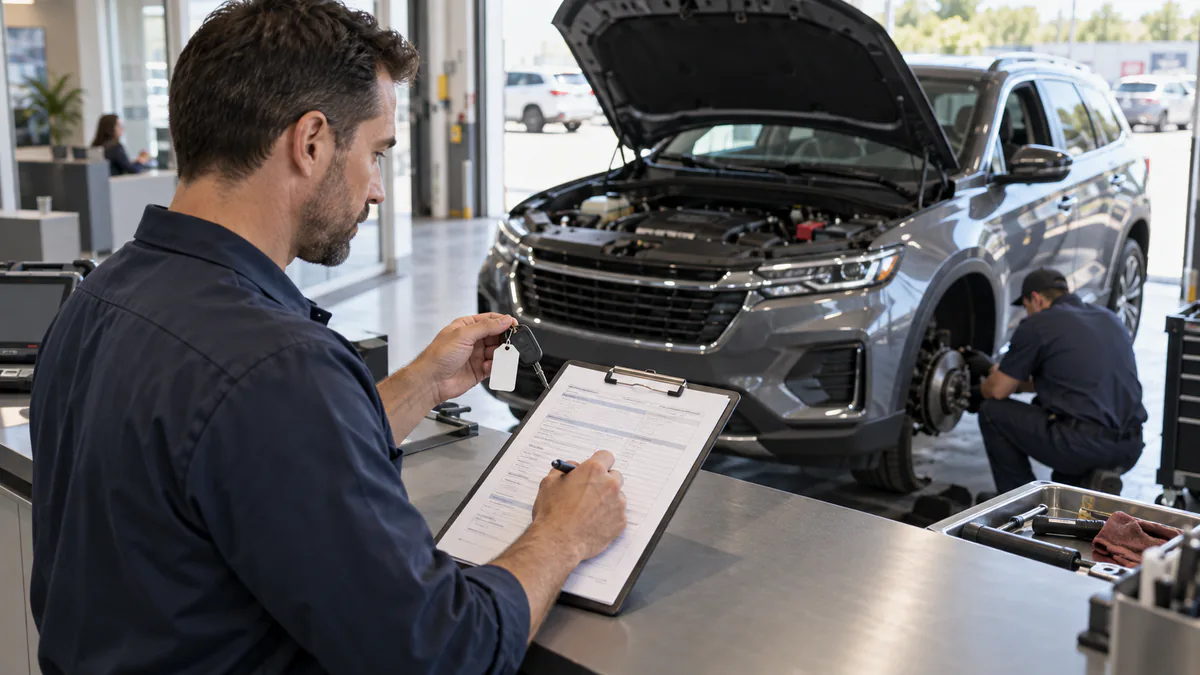
A small workshop or mobile technician can perform full system scans, live data, and routine maintenance on different brands of vehicles in a day. The initial investment is determined by the operations that need to be completed on the most frequently encountered vehicles. An expensive tablet purchased for occasional programming needs will not automatically speed up daily scanning and reporting tasks. Workload and staff training needs are also included in the budget.
Speed is important in a small workshop. VIN recognition or quick vehicle selection, ECU scan time, saving fault code reports, and presenting them to the customer are daily values of the device. A regular workflow that saves two minutes per job can be more decisive than hardware features on hundreds of vehicles per year. Clear menu translation and easy access to frequently used functions are also real efficiency metrics.
A needs list is created for workshop functions: oil maintenance reset, EPB brake pad mode, battery registration, SAS calibration, DPF operations, and throttle learning can be examples. Not all of these menus are available on every vehicle. Instead of the total number of functions, the scope record of the desired functions for three or five frequently encountered vehicle examples at the workshop is examined.
Wired connection provides simplicity and continuous physical connection for some users. A wireless VCI, on the other hand, can help the technician move more freely between the engine bay, wheels, and inside the vehicle. However, with a wireless selection, VCI charging, connection distance, device pairing, and the risk of loss must also be managed. If the connection type does not suit the workshop's actual working routine, the expected convenience will not be achieved in daily use.
Decision guide
Featured comparison group for wireless daily service
Separately evaluate connectivity convenience and scope of work on a wireless service tablet. The Autel DS900BT and Launch CRP919E BT are included in the source model examples below. The connection of these two devices to the same vehicle does not mean they open the same ECU operations. Check the scope information of each manufacturer for the vehicles your workshop accepts and the operations it frequently performs.
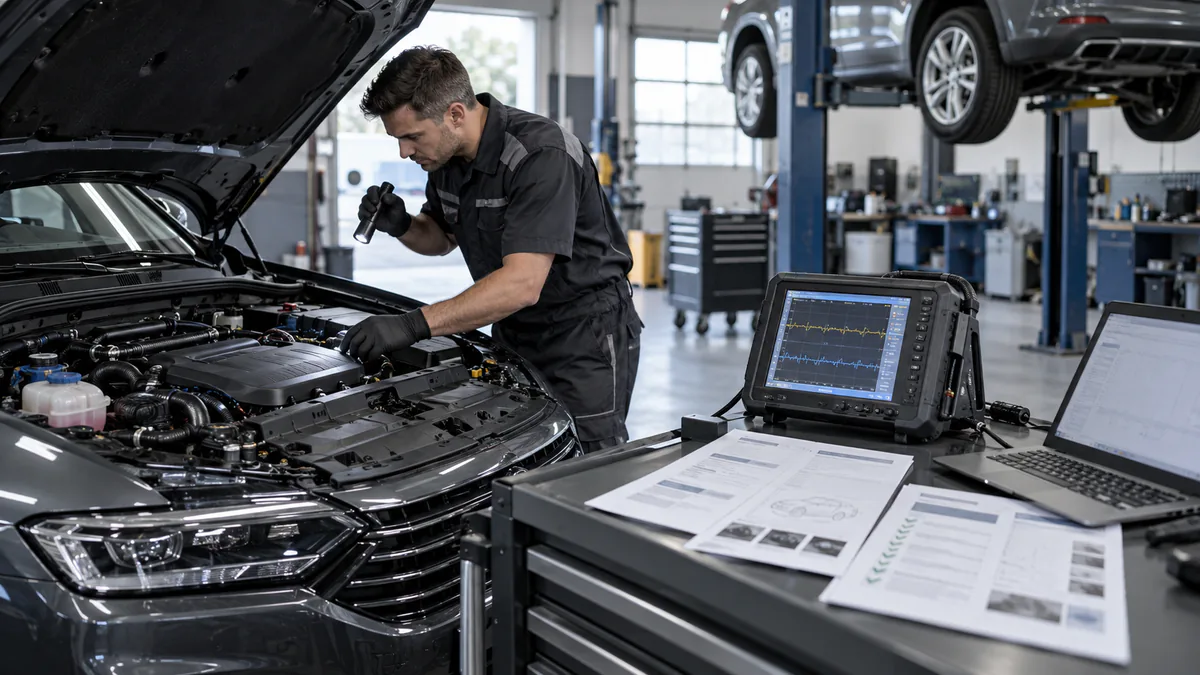
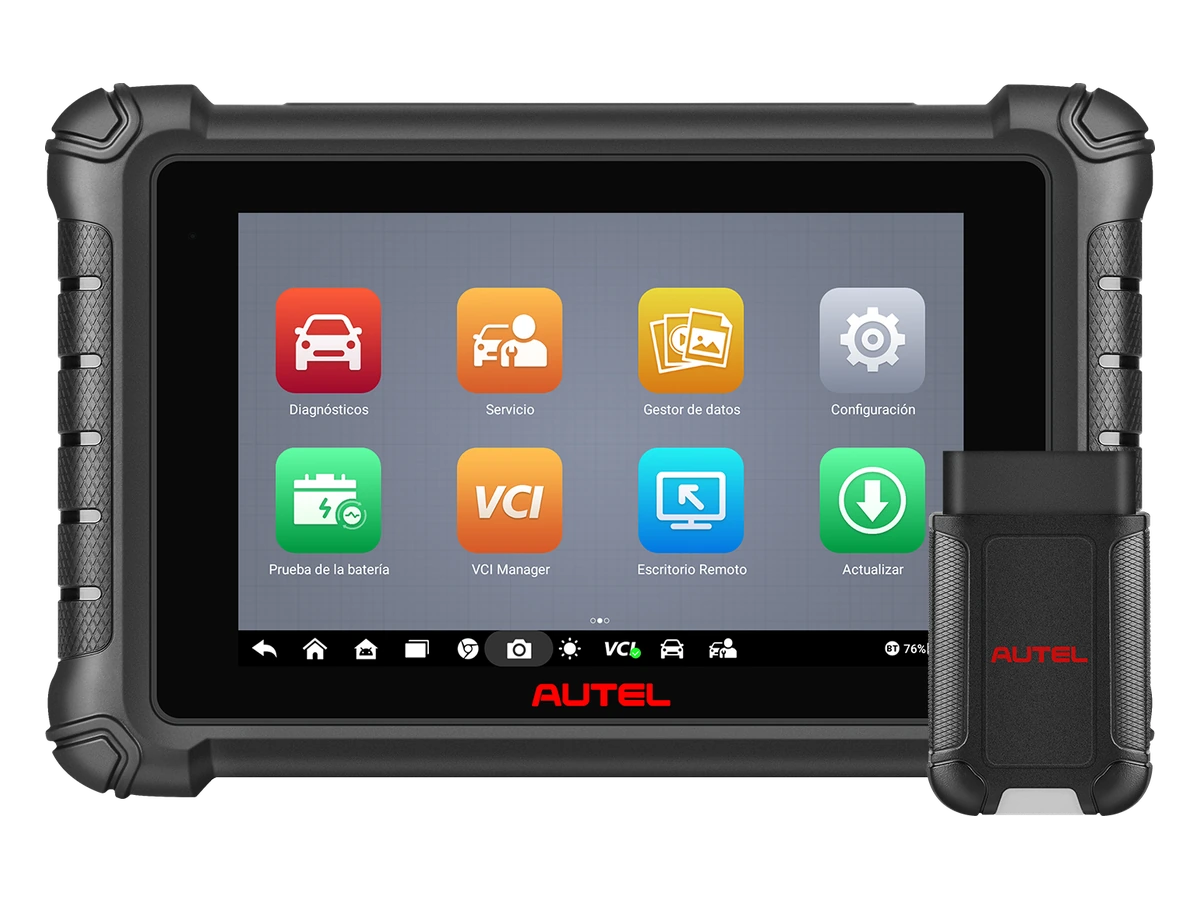
Autel DS900BT's official product page lists an eight-inch tablet, wireless VCI, live data, full system coding operations, and protocol support like CAN FD/DoIP. These hardware and connectivity features are geared towards the workflow of daily workshops that accept next-generation vehicles. However, secure gateway access may depend on region, subscription, and the vehicle brand's method. Protocol support is not the same as online authorization or coding rights.
The Launch CRP919E BT option is compared by device class, wireless VCI usage, and service function scope. Since model names and regional packages can vary within the Launch product family, the device's exact model code, serial number, software version, and box contents should be reviewed before ordering. Keep in mind that different hardware and subscription structures may exist under the same X431 name.
Ease of movement around the vehicle
VCI charging and connection stability
Scope verification on a per-vehicle and per-operation basis
Decision guide
Professional class for active tests and intensive workshops
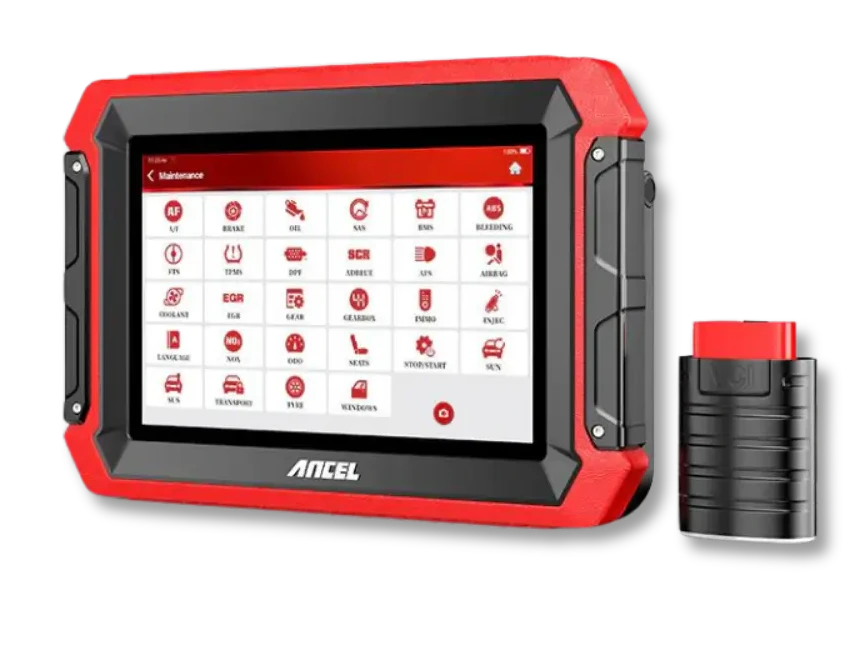
When the daily vehicle count increases or the technician regularly uses active tests and advanced live data, the workflow of a professional device becomes important. The Ancel DS600 manufacturer page describes it with bi-directional test and coding features. These features do not mean that the same menu will open on every vehicle or that all ECU software can be installed. The purchasing decision is made based on the tasks the workshop frequently repeats.
For active tests, first, access to the relevant control unit and command scope are verified. A supported fan or pump command alone does not prove the part's integrity. The technician evaluates the power supply, control signal, and mechanical response along with the command. Test conditions, vehicle service procedures, and manufacturer safety warnings are followed.
Oscilloscopes, battery testers, and pass-thru interfaces perform separate tasks. The presence of menus for these tools on a tablet screen does not prove the accessory is in the box. A workshop that performs regular measurements should list its probe, channel count, recording, and connectivity needs separately. A workshop that only reads fault codes does not need to include measurement hardware it will not use in its initial investment.
If online programming is expected, the supported brands and ECUs, accounts, file sources, and licenses are verified together. Brand family or higher model features cannot be transferred to other variants. A stable power supply, uninterrupted connection during the process, and the manufacturer's recovery method for failed operations must be prepared in advance. These are not automatically provided when the device is purchased.
Decision guide
Why are CAN FD, DoIP, and SGW important for 2026 selection?
New vehicle platforms may use faster and different diagnostic communication methods. CAN FD provides a longer data field in the CAN family and flexible speed usage in data transmission. DoIP transports diagnostic traffic over IP and Ethernet. Secure gateways like SGW, on the other hand, link certain writing and control operations to authorized sessions. These are not the same features, and the three logos on the product box alone do not provide full access to all new vehicles.
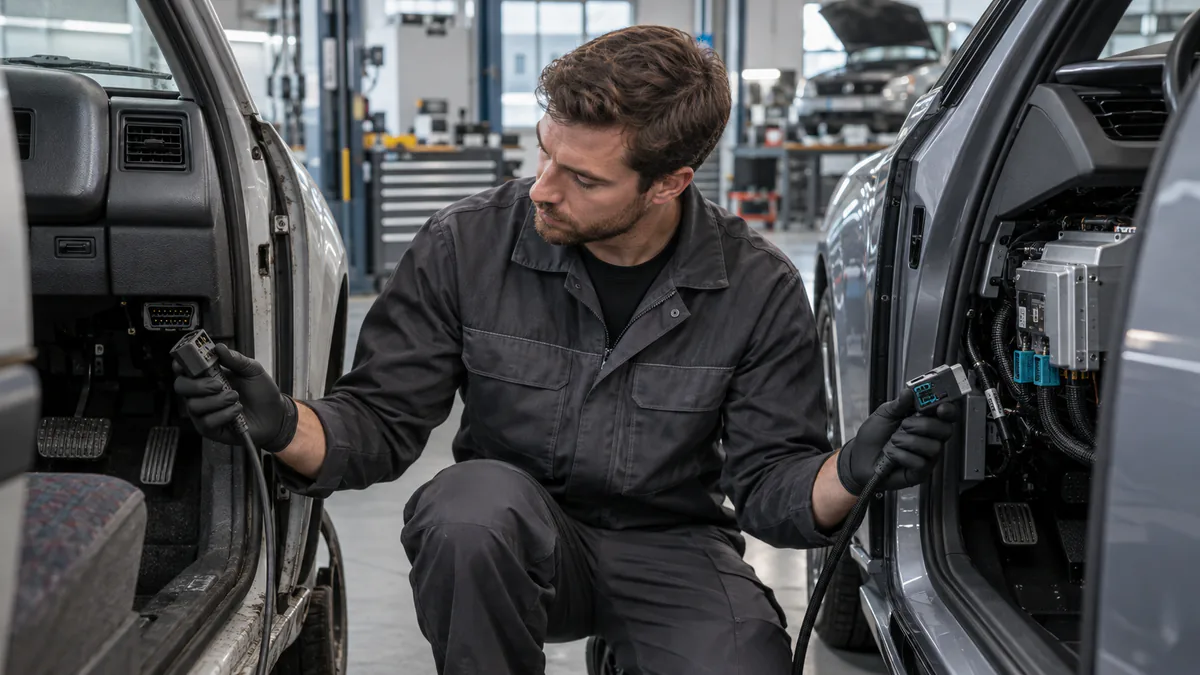
The device's CAN FD support may be integrated into the hardware VCI or may require an adapter on some platforms. For DoIP, the VCI, cable, and software layer must also be compatible. When purchasing, instead of just looking at the tablet name, check the VCI model code and the required cable set in the box. It is not assumed that an old VCI will open all protocols with new tablet software.
On a vehicle with a secure gateway, the device may be able to read VIN and fault codes but may give an access denied error during code clearing, active tests, or adaptations. This may not indicate the device is faulty. The supported solution is a valid service account, internet connection, device subscription, and authorization path permitted by the vehicle brand. Methods that rely on permanently disabling the security layer are not preferred.
If the workshop's vehicle fleet consists mostly of older models, new protocol support alone may not be the highest priority. Conversely, if late-model European, Asian, or American vehicles arrive regularly, it affects the device's economic lifespan. Future compatibility should be evaluated not by marketing slogans but by the distribution of manufacturing years of vehicles arriving at the workshop and the manufacturer's current scope record.
CAN FD: Vehicle Network Communication
DoIP: Ethernet/IP-based Diagnostics
SGW: Authorized Service Session
Visual summaryCritical Components of the 2026 Access Chain
Technical signals
01
CAN FDSupported Next-Generation CAN Communication
02
DoIPEthernet and IP-Based Diagnostic Access
03
SGWManufacturer-Dependent Account and Secure Session Requirement
04
VCI and SoftwareThe Chain Forming Actual Function Scope with the Vehicle
A protocol logo alone is not sufficient; the VCI, software scope, and, if necessary, secure network authorization must work together.
Decision guide
Do not confuse coding, programming, and key operations
One of the most common mistakes in device selection is evaluating active tests, adaptations, coding, ECU programming, and immobilizer functions as a single 'professional feature.' Active tests send temporary commands; adaptations adjust reference or learned values; coding changes vehicle configuration; programming installs ECU software. Key operations may also require security, licenses, and hardware.
Coding support varies by brand and ECU. Some devices offer offline variant coding on specific vehicles, while others may offer online coding or guided functions on supported brands. The phrase 'ECU coding' in general product text is not a guarantee of enabling features on every control unit of the vehicle or matching second-hand modules. The desired operation should be asked for by its exact name.
J2534 pass-thru hardware is a layer that can provide vehicle programming communication with compatible manufacturer software; it does not automatically provide the programming file, manufacturer account, or technical expertise. A stable power supply, reliable computer and network, correct software package, and a recovery plan are required during the operation. Users who do not perform this task should not upgrade to a more expensive device class solely for the J2534 designation.
Key and immobilizer operations may be limited by secure access, authorization, regional regulations, and special accessories. The presence of an IMMO menu on a general diagnostic tablet does not cover all key functions. If the workshop will perform key operations, the vehicle list, system to be read, required programmer or adapter, and token/license model should be checked as separate investment items.
Decision guide
Update, license, and total cost of ownership
In 2026, the actual price of a device is not limited to the box label. The initial license period, subsequent software renewal, brand or function packages, secure access accounts, cloud services, backup VCI, cables, and adapters are included in the total cost of ownership. Whether the device completely stops working after the update period ends or continues to operate with existing software should be learned from the manufacturer's current conditions.
Read the duration and scope of 'free updates.' Some product families may include specific years, some devices may use the term 'lifetime' to describe a limited software group, and some advanced functions may require a separate subscription. Country or authorized dealer promotions are not considered global standards. Keep the invoice, device serial number, and license start date.
After-sales support is not just about answering the phone. The path to follow for device registration, software activation, incorrect region or serial number issues, update errors, VCI pairing, and warranty process should be clear. Especially if a professional service tablet is central to the operation, the cost of days the device is out of service can exceed a small price difference.
Hardware lifespan is also calculated. Tablet battery, charging port, screen protector, VCI connection, and durability in a workshop environment are important for regular use. A device that is cheap but slows down, cannot store reports, or struggles with new software may need to be replaced sooner. An overly advanced device, on the other hand, represents capital tied up in unused functions.
Initial license period
Renewal cost
Additional accounts and packages
Cable/VCI and support
Visual summaryTotal cost of ownership before purchase
01
License periodDuration and scope of the initial package
02
RenewalStatus of functions and updates after the period ends
03
AccountsPotential separate memberships for SGW or brand services
04
Hardware supportCable, VCI, battery, and after-sales service
The price tag is just the beginning; the sustainable cost of the device in the workshop is calculated with all items.
Decision guide
Short test to apply before purchasing
When making the final decision between two or three models, a standard test form is used. The same vehicle example, the same ECU, and the same operation are queried for all candidates. The product page, current manufacturer scope, box contents, and license terms are collected on the same form. This way, the workshop's actual needs are compared instead of different brand counts or total maintenance functions.
The first line of the form contains the vehicle identity: brand, model, manufacturing year, engine, fuel, and, if possible, non-sensitive scope information of the VIN. The second line clearly states the desired operation: ABS live data, EPB service mode, DPF regeneration, BMS registration, specific active test, or coding. The question 'Does it do everything?' is not measurable and creates false expectations.
The third line is hardware and connectivity. VCI model code, wired or Bluetooth usage, required adapter for CAN FD/DoIP, box contents, tablet storage, and power support requirements are recorded. The fourth line is software cost: initial license, renewal, SGW or online function accounts, and regional package are recorded.
Make the final selection by eliminating models that do not meet at least one of the mandatory operations. Use separate acceptance criteria for engine code reading, maintenance, active tests, and programming. If there is no manufacturer scope record for the same vehicle and operation for two devices, do not determine a definitive winner. If a live demonstration is performed, the vehicle, software version, test conditions, and results should be recorded together.
Decision guide
Selection focused on motorcycles, heavy-duty vehicles, and specific brands
Motorcycle and heavy-duty vehicle device selection starts separately from passenger car comparisons. Physically plugging in the socket is not enough. Electrical connection, cable, VCI, and software appropriate for the vehicle group are required. Do not use a brand name from a passenger car package as proof of truck or motorcycle scope.
For motorcycles, check the brand, model, manufacturing year, and the required adapter for the diagnostic socket together. The socket or accessed control unit may change in different years of the same brand. Reading engine codes is a different requirement than ABS operations or service resets. The product's box photo and the manufacturer's adapter list should therefore be included in the purchase file.
For heavy-duty vehicles, vehicle type, supply voltage, cable set, and manufacturer software are the initial elimination criteria. Trucks, buses, construction machinery, and agricultural vehicles should not be presented as a single scope. Even if the tablet used can open passenger car and heavy-duty vehicle packages, an additional VCI or license may be required. The company should verify the systems of the vehicles in its own fleet individually.
Do not use Launch, Autel, Ancel, or Thinkcar names as the sole reason for selection. Different models from the same brand are produced for different users. A workshop that works with a single brand should compare the coding and adaptations it regularly performs on that brand; a multi-brand workshop should compare the scanning and maintenance operations on the vehicles it accepts. The result of brand comparison is limited to model, region, and software version.
Decision guide
Turkish menu, Turkish package, and global ranking
In the search for the best automotive diagnostic scan tool in Turkish, do not look only at the menu language. The Turkish interface should be examined along with vehicle scope, update region, technical support, license, and box contents. The package sold in Turkey may not have the same accessories or software rights as the same model sold abroad.
A Turkish menu can make using the device easier; however, Turkish translation does not mean full system scanning, active test, coding, or programming support. Before purchasing, check if the desired control unit and operation for the selected vehicle are listed in the manufacturer's current function list.
There is no single global ranking verified as the 'world's best automotive diagnostic scan tool' that fits every user. Manufacturer awards, store sales lists, or personal preferences in a video are not sufficient proof for the Turkish package, warranty, and vehicle compatibility.
When comparing companies selling the best automotive diagnostic scan tools in Turkey, list the invoice, serial number, license, update, delivery, and support conditions for the same model and package side-by-side. Instead of listing the company name first, compare verifiable purchase conditions. For seller selection, proceed to the guide on where to buy automotive diagnostic scan tools in Turkey.
Frequently Asked Questions
Most frequently asked questions by customers
What is the best automotive diagnostic scan tool of 2026?
There isn't a single model for everyone. A compact reader for basic engine diagnostics, a full-system tablet for daily multi-brand service, and a professional device for active tests and intensive workflows should be used. Vehicle information and the intended task must match the manufacturer's current function list.
A single device is not best for everyone; basic diagnostics, full-system service, and intensive active tests require different device classes.What is the best automotive diagnostic scan tool in Turkish?
A single model cannot be declared. While a Turkish menu and support are important, the device must meet the required control units, service functions, and update conditions for the selected vehicle. Selection should not be based solely on language without written verification of the Turkish package, license, and technical support.
A Turkish menu makes usage easier; for the right choice, vehicle scope, support, license, and intended operations should also be verified together.What is the best automotive diagnostic scan tool in the world?
There is no single world-leading device valid for every vehicle, service, and country package. The most accurate approach is to compare models under the same conditions based on vehicle portfolio, scope of work, VCI/protocol, license, and total cost.
Since vehicle fleets, regional packages, and workshop tasks vary, a world-leading device cannot be declared without verified common criteria.What should be looked at first when recommending an automotive diagnostic scan tool?
First, determine the vehicles the device will be used on and the tasks to be performed. Then, verify the necessary modules, live data or active test scope, connectivity, and update cost with vehicle information.
Recommendation starts with the vehicle: brand, model, year, engine, control unit to be read, and operation to be performed are defined in the same record.What is the most used automotive diagnostic scan tool in Turkey?
It is not accurate to declare a single model as the most used without verified usage data or net sales figures nationwide. A store's own sales list is not a nationwide ranking; select the device based on its usage scenario.
It is not accurate to rank a single model as 'most used' without verified nationwide sales or usage data.What are the minimum features required for an automotive workshop?
Full system scanning, clear fault code logging, live data, and reporting are basic needs. Depending on the workshop's services, EPB, BMS, DPF, SAS, active tests, CAN FD, DoIP, or SGW access are added.
Full system scanning, fault logging, live data, and reporting are the basic core; advanced functions are added based on the workshop's actual task list.Is a Bluetooth diagnostic scan tool better?
A Bluetooth VCI offers ease of movement; it does not increase diagnostic scope on its own. The software scope, connection stability, VCI charging, and service workflow should be checked together at the same decision level.
Bluetooth provides ease of movement within the workshop; it does not independently expand the readable vehicle and control unit scope.Can a device without CAN FD and DoIP be purchased in 2026?
If the workshop's vehicle fleet consists of older models, other functions might be more important. If new model vehicles arrive regularly, CAN FD and DoIP are important criteria affecting the device's lifespan.
The need for CAN FD and DoIP depends on the workshop's vehicle fleet; as the density of new vehicles increases, the importance of protocol support rises.Does a device with active test work on every vehicle?
No. Active test support varies by brand, model, year, engine, control unit, and software version. The desired test must be verified with the current vehicle scope.
Active test is not a general device label; the command must exist on the relevant vehicle, model year, and control unit.Are coding and ECU programming the same thing?
No. Coding changes vehicle configuration; programming installs or rewrites control unit software. The required hardware, accounts, power support, and risk level differ.
Coding changes vehicle configuration; programming writes control unit software and requires different hardware, accounts, and risk management.What should be considered when comparing device prices?
In addition to the initial price, the license duration, update renewal, secure access accounts, VCI/cable contents, additional modules, warranty, and device downtime cost are also taken into account.
Initial purchase price includes license, updates, accounts, adapters, warranty, and the period the device is out of service.