Product information
What is the Jaltest Link V9 CV Heavy Duty Vehicle Diagnostic Package used for?
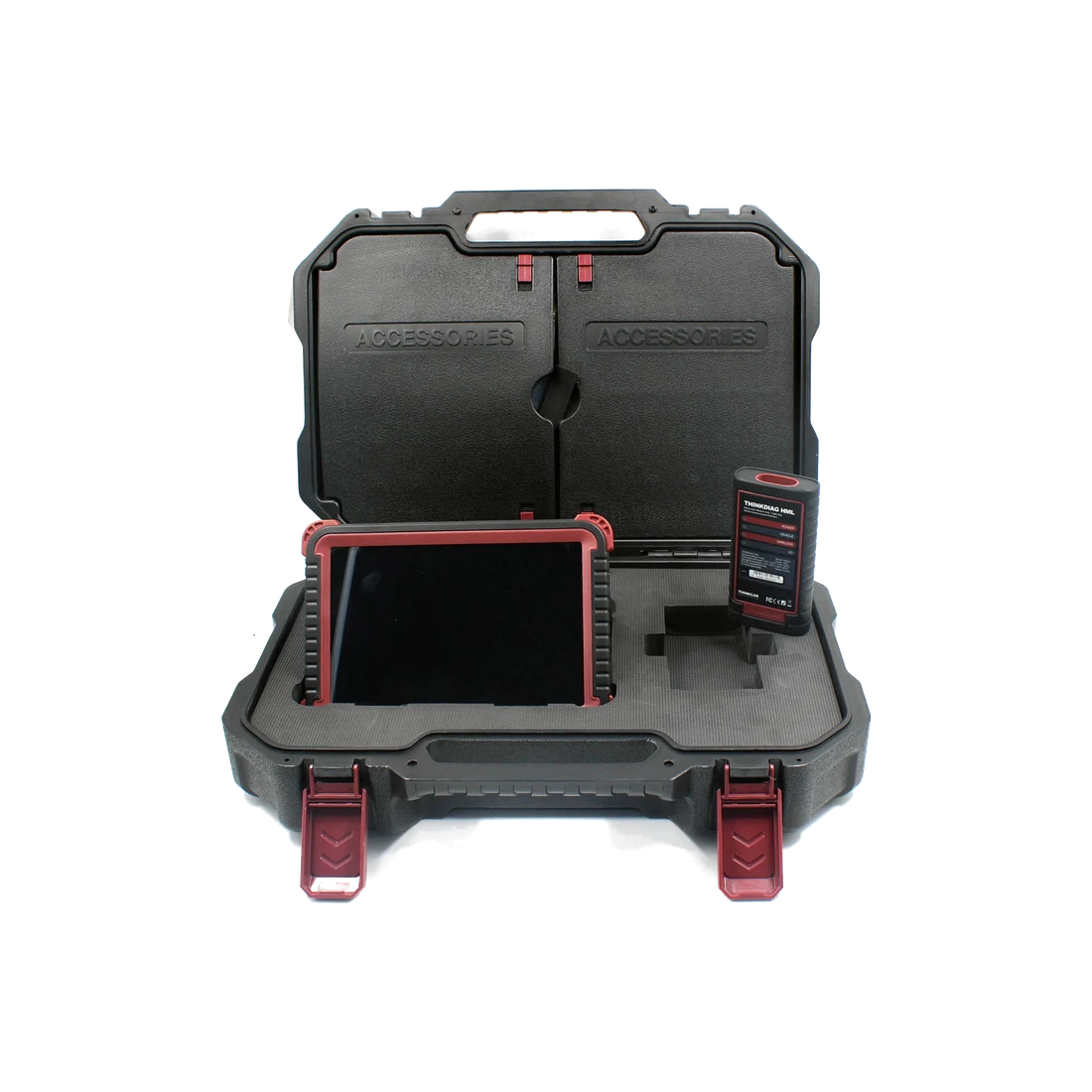
The Jaltest Link V9 CV package combines the Link V9 interface with the CV software domain for services performing multi-brand professional diagnostics on trucks, buses, trailers, and light commercial vehicles. The purchase decision should not be made solely based on the name "full". The Link V9 hardware, CV license, and direct connection cables are separate items.
Even if the software covers a vehicle, the correct ECU may not be accessible without the correct physical cable or adapter. The basic package on this page is based on the interface with reference 70001015 and the CV license; the 29362 truck and bus cable set or individual JDC/MDC cables are selected separately based on the vehicle fleet.
CV does not include AGV agricultural, OHW construction machinery, MHE forklift, and Marine licenses. The last official check was performed on October 15, 2026, and the current published version for Jaltest Diagnostics CV was verified as 26.2.
Scope and advanced functions should be checked from the manufacturer's live scope list record based on make, model, system, ECU, and license status.
Vehicle Coverage
Which vehicles does the Jaltest Link V9 CV Heavy Duty Vehicle Diagnostic Package support?
The make name alone does not guarantee compatibility. Within the same make, model year, engine, chassis, control unit, communication protocol, and intended operation can yield different support results.
- Vehicle Group
- Light, medium, or heavy commercial vehicle classes included in the product software
- Supported makes
- Multi-brand coverage; the current make list is obtained from the manufacturer's official vehicle or protocol database.
- Supported models
- Verified from the official coverage screen based on make, model, model year, engine or chassis, and control unit.
- Scope of service
- Code reading, live data, active test, service function, coding, and programming may be supported separately.
- Connection conditions
- Link V9 ref. 70001015, CV license duration and region, Vehicle and system scope list, Required JDC/MDC cable references
- The make and model examples on the page do not guarantee all production years and all functions.
- Before any definitive operation, the manufacturer's current coverage record must be verified with the VIN or full vehicle information.
Open official sources and coverage connectionsProduct details
Why are Link V9, CV license, and cable set separate?
In the Jaltest system, Link V9 is the communication interface between the vehicle and the computer. The CV license determines the software authorization for supported commercial vehicle makes, models, and systems. Cables, on the other hand, carry the SUBD-26 connection on the Link to the physical socket of the relevant vehicle or subsystem. These three layers do not perform the same function.
Purchasing Link V9 with reference 70001015 does not imply that the CV license is active or that the 29362 kit is included. The presence of the CV license also does not mean that all cables required for Volvo, Scania, MAN, DAF, Mercedes-Benz/MTU, Iveco, Renault, WABCO, or Knorr-Bremse are in the box.
Otobiltek's basic package is based on the Link V9 and CV license line item. Cable needs are determined separately based on the customer's vehicle fleet and system list. This separation prevents payment for unnecessary cables while reducing the risk of purchasing a software package that cannot physically connect.
- Link V9: communication hardware between vehicle and computer
- CV license: commercial vehicle software and scope list domain
- JDC/MDC cables: brand and system-specific physical connection
- Each item is listed separately with reference, quantity, and duration in the quote
Product details
What does the Jaltest Link V9 ref. 70001015 provide?
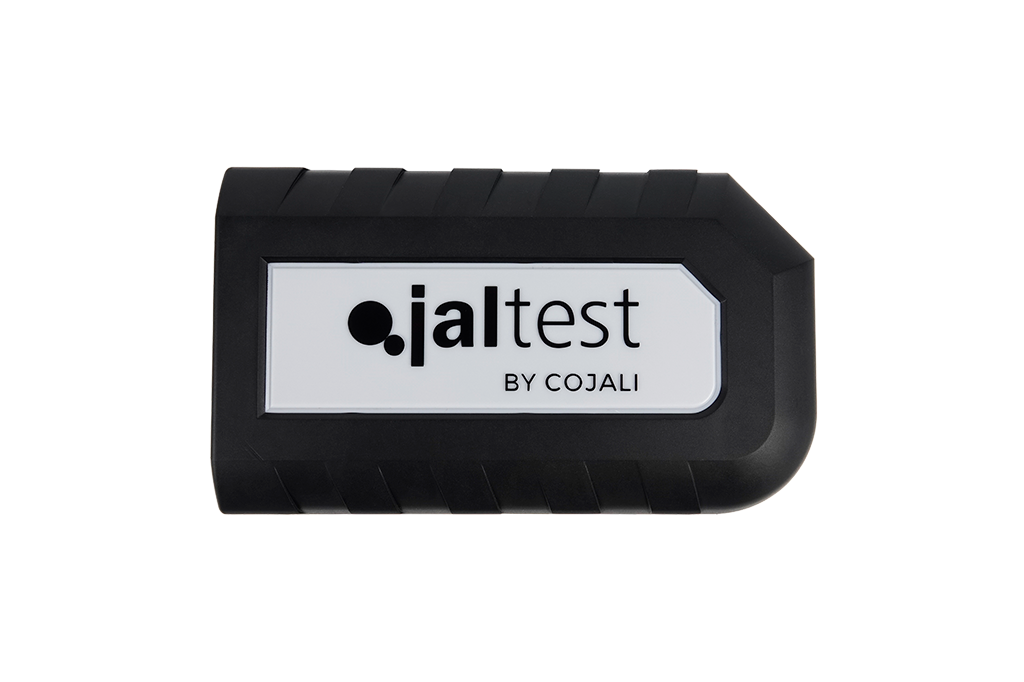
Cojali's official product page lists 70001015 as the reference for Link V9. The manufacturer explains that the device targets maximum connection speed, features poka-yoke protection on USB and SUBD-26 connectors to reduce incorrect insertion, uses reinforced electronics and advanced communication features, has an impact-absorbing body, and is designed to be compact and lightweight.
These specifications confirm the physical identity of the interface; no additional conclusions such as numerical IP class, drop height, or that every protocol works on all vehicles are drawn. The four views in the gallery are official images of the same 70001015 product from the front, side, rear, and angled perspectives.
The device is not a standalone tablet; it requires a compatible computer running Jaltest Diagnostics software, an active license, and the correct cable. The USB type and the main connection cable used must match the delivered hardware.
- Manufacturer reference 70001015
- USB and SUBD-26 connection surface
- Impact-absorbing, compact interface body
- Requirement for compatible computer, license, and correct cable to operate
Product details
Which vehicle groups does Jaltest CV cover?
Jaltest CV is the manufacturer's commercial vehicle solution and covers truck, bus, trailer, and light commercial/pickup vehicle groups. The coverage is not limited to engine fault codes.
In supported vehicles and systems, automatic vehicle/system recognition, DTC reading/clearing, live data, activation, calibration, parameterization, maintenance information, and fault code-driven technical guidance may be offered. Advanced functions such as DPF regeneration, injector coding, clutch, or brake calibration are not available on all vehicles.
Operations requiring Expert Mode are subject to additional security and authorization conditions. The scope list record should be read based on make, model, production range, engine, system, control unit, and the function to be performed. Different engines or brake systems in the same truck model may result in different cables and function lists.
The CV heading does not cover AGV agricultural, OHW construction machinery, MHE material handling, or Marine maritime licenses; these are separate Jaltest domains.
- Truck, bus, trailer, and light commercial/pickup vehicle domain
- Engine, transmission, brakes, suspension, and other supported systems
- Advanced functions depend on scope list and Expert Mode conditions
- AGV, OHW, MHE, and Marine are separate license domains
Product details
Jaltest 26.2 update and license structure
On Jaltest's official download page, CV Innovations 26.2 is listed as the most current published CV version dated July 13, 2026. The manufacturer states that three main software updates are released annually. Users with an active license can download the new version from the special customer area or via the notification within Jaltest Diagnostics.
When the license expires, the behavior depends on the license type. The manufacturer's current product information explains that most licenses last for 365 days after activation, and while the expired system may continue to operate with the current version, it will lose updates and support; an active Jaltest Info license may be additionally required for CV technical information access.
Therefore, the initial license duration, region, renewal scope, Jaltest Info, and ATS should be clearly stated in the sales line item. 26.2 is not a fixed lifetime coverage promise; the page is re-checked when new versions are released.
- Last verified CV version: 26.2, July 13, 2026
- Manufacturer states three main updates annually
- Active license and internet connection required for new versions
- Updates, Jaltest Info, and ATS are separate service conditions
Product details
Scenario 1: Initial package selection for a mixed truck fleet
If a logistics fleet includes Volvo, Scania, MAN, and Mercedes-Benz trucks, the selection does not start by counting brand logos. Vehicles serviced in the last twelve months are listed by chassis, model year, engine, and relevant system. For each vehicle, the engine, transmission, ABS/EBS, retarder, and body system are searched in the scope list record.
Then, the direct connection requirement, such as JDC201A Volvo, JDC204A Scania, JDC207A MAN, or JDC203A Mercedes-Benz/MTU, is confirmed. These needs are compared with the current content list of the 29362 truck-bus kit; a "full package" is not automatically purchased for cables that will not be used.
If most vehicles are accessible via standard Deutsch or OBD lines, a smaller starter kit may suffice. Orders are not placed based solely on the product title without listing the cable and license requirements on the same quote document.
- Determine the vehicle and system work list for the last twelve months
- Check model, engine, and ECU/system in the scope list record
- Add required JDC references to the quote line
- Compare the 29362 kit with actual needs
Product details
Scenario 2: EBS fault and calibration on a bus
When an EBS warning appears on an urban bus, the technician first identifies the vehicle's make, model, system manufacturer, and diagnostic socket. Knowing the name JDC204A for a Scania vehicle is not sufficient on its own; whether the EBS is WABCO, Knorr-Bremse, or another system can change the direct connection requirement.
After establishing a connection with the correct cable, DTC, freeze frame data, and live pressure/sensor values are recorded. Actuator tests or calibration are performed only if supported for the relevant system in the scope list record and if safety conditions are met. Clearing the fault code is not repair; the cause must be verified with electrical, air pressure, sensor, and mechanical findings.
Existing parameters before the operation and results after the operation are added to the report.
- Determine the brake system manufacturer as well as the vehicle
- Verify the correct JDC/MDC cable and socket
- Compare DTC, live data, and physical measurement results
- Perform calibration only with support and safety conditions
Product details
Scenario 3: Trailer ABS/EBS and direct system connection
In trailer service, a general diagnostic connection via the tractor is not always sufficient. Specific cables may be required for Haldex, WABCO, and Knorr-Bremse modules. The service first photographs the module label and physical connector, then matches the exact system in the Jaltest scope list and cable catalog.
The universal nature of the Link V9 interface does not make the cable universal. Once the correct connection is established, fault codes, supply, wheel speed sensors, modulator values, and supported activations can be examined. Generic cables with unknown pinouts are not used.
A service with intensive trailer and brake work should prioritize the required EBS subsystem cables in the initial quote instead of only truck brand cables.
- Exact match with module label and connector photograph
- Plan Haldex, WABCO, and Knorr-Bremse cables separately
- Do not use the general OBD line instead of a direct system cable
- Record supply, sensor, and modulator data
Product details
Scenario 4: Light commercial and pickup coverage
The CV license may also cover light commercial and pickup vehicles; however, the same function list as a passenger car device is not assumed. The service verifies the vehicle's commercial variant, engine, model year, and relevant system in the CV scope list domain.
If a standard 16-pin OBD-II socket is present, a connection like JDC213.9 may be used; older or special variants may require a different cable. DPF, AdBlue/SCR, injector, transmission, or body operations are not the same on all models.
If the vehicle fleet consists mainly of light commercial vehicles, a more tailored package can be built with relevant brand and standard connections instead of the entire truck-bus cable kit. This way, the initial budget is not tied up in unused heavy-duty cables.
- Search for light commercial variant in CV scope list domain
- Verify the need for 16-pin OBD or special connection
- Check DPF, SCR, and coding functions on a model-by-model basis
- Build cable budget based on actual vehicle fleet
Product details
Practical checklist for cable selection
Before ordering, the vehicle brand, model, model year, engine, system to be diagnosed, ECU or module manufacturer, physical socket, and desired operation are kept in a single table. The Jaltest scope list determines the required software license; the cable catalog determines the physical connection.
J1939 backbone JDC216A9, Deutsch 9-pin JDC217.9, 16-pin OBD-II JDC213.9, and brand-based JDC references are not for the same function. The name of the 29362 kit is not sufficient proof; the current shipping list, part number, and quantity are requested.
The Link V9's USB cable, power cable, extension, carrying case, and whether a computer is included are also listed separately. Later, when a new brand is added to the fleet, the required cable and scope list can be expanded separately instead of replacing the entire system.
- Keep vehicle, system, module manufacturer, and socket in the same record
- Determine license with scope list, connection with cable catalog
- Request manufacturer reference and quantity for each cable
- Separate computer, case, USB/power, and training scope
Product details
Under what conditions is the Jaltest CV price compared?
Jaltest pricing can only be compared with the same Link generation, same CV license region and duration, same cable list, same tax status, and same support scope. Therefore, Otobiltek's price is not directly equated to the competitor's headline price. Cables are selected separately, so the 29362 set is not included in the price.
A computer, installation, training, Jaltest Info, and ATS are not included in the total package unless explicitly stated. Buyers should evaluate offers by comparing these items side-by-side.
- Link V9 generation and 70001015 reference
- CV license region, initial duration, and renewal conditions
- Reference and quantity list of included cables
Product details
Source of information and update check
Hardware identity verified with Cojali/Jaltest's 70001015 product page, vehicle domain with the official Jaltest CV page, and license and update behavior with the manufacturer's official FAQ records. Version 26.2 was seen as the CV Innovations record dated July 13, 2026, in the Jaltest download center.
The four transparent WebP images in the gallery were losslessly converted from the manufacturer's original alpha PNG sources for the same Link V9 product; the body, logo, port, or label were not redrawn. Since software scope can change, the last check date is shown, and sources are re-examined when new versions are released.
- Hardware: Jaltest ref. 70001015 product page
- Vehicle domain and functions: official Jaltest CV page
- License and updates: official Jaltest FAQ
- Current version: 26.2 record in the official download center
Product details
First connection with the vehicle group-appropriate socket using the Link V9 CV Heavy Duty Vehicle Diagnostic Package model
Before connecting the Link V9 CV Heavy Duty Vehicle Diagnostic Package model to a heavy-duty vehicle, the vehicle type, 12/24 V power supply, and chassis socket are determined. The Link V9 CV Heavy Duty Vehicle Diagnostic Package model connectors and cable set are physically checked.
The vehicle group, supply voltage, connector, and heavy-duty vehicle software are matched. When the Link V9 CV Heavy Duty Vehicle Diagnostic Package model is turned on, the vehicle identity and the first communicating control unit are recorded.
If the Link V9 CV Heavy Duty Vehicle Diagnostic Package model cannot establish communication, the power, socket, cable, and software selection are tested individually.
- Determine vehicle type and voltage
- Select the correct chassis socket
- Physically inspect the cable set
- Record the initial communication result
Product details
Scanning engine and emission control units with the Link V9 CV Heavy Duty Vehicle Diagnostic Package model
When scanning engine and emission control units with the Link V9 CV Heavy Duty Vehicle Diagnostic Package model, the correct software for the vehicle group is opened. The Link V9 CV Heavy Duty Vehicle Diagnostic Package model's initial report includes engine, exhaust aftertreatment, and related powertrain codes.
Vehicle identity, connection set, and software version are added to the initial service report. The Link V9 CV Heavy Duty Vehicle Diagnostic Package model stores operating hours and event data accompanying the codes.
Clearing or service commands are applied after the fault investigation on the Link V9 CV Heavy Duty Vehicle Diagnostic Package model is completed.
- Scan engine and emission systems
- Store fault codes with event data
- Verify vehicle group and software package
- Inspect fault before deletion
Product details
Recording live data under operating conditions with the Link V9 CV Heavy Duty Vehicle Diagnostic Package model
Live data recording with the Link V9 CV Heavy Duty Vehicle Diagnostic Package model begins by noting the engine's operating status and load information. The Link V9 CV Heavy Duty Vehicle Diagnostic Package model collects fuel, pressure, temperature, and emission-related values under the relevant system.
Vehicle identity, control unit, and software version are included in the data record. The Link V9 CV Heavy Duty Vehicle Diagnostic Package model stores values with their units and measurement time. After repair, the Link V9 CV Heavy Duty Vehicle Diagnostic Package model takes a second recording under the same operating conditions and compares the differences.
- Record engine operating conditions
- Select relevant live data
- Store values with their units
- Compare after repair
Product details
Rescanning after service operation with the Link V9 CV Heavy Duty Vehicle Diagnostic Package model
After the service operation, the Link V9 CV Heavy Duty Vehicle Diagnostic Package model reconnects to the same vehicle and control units. The Link V9 CV Heavy Duty Vehicle Diagnostic Package model displays the codes from the initial report, the completed operation, and the final scan side-by-side.
A second scan is taken using the same connector set and software version. The Link V9 CV Heavy Duty Vehicle Diagnostic Package model performs the necessary function check according to the vehicle manufacturer's procedure.
The Link V9 CV Heavy Duty Vehicle Diagnostic Package model clearly indicates any ongoing codes and new findings in the customer report.
- Reopen the initial report
- Scan the same systems one last time
- Complete the function check
- Report ongoing codes separately
Product details
How is the vehicle scope of the Link V9 CV Heavy Duty Vehicle Diagnostic Package model verified?
For the Link V9 CV Heavy Duty Vehicle Diagnostic Package model, definitive compatibility cannot be stated without selecting the truck, tractor, or bus group, engine, 12/24 V connection, and connector together.
The valid scope for the Link V9 CV Heavy Duty Vehicle Diagnostic Package is checked through the exact ECU identity and connection method in the delivered device's protocol list.
When evaluating the Link V9 CV Heavy Duty Vehicle Diagnostic Package, the mere appearance of the vehicle brand or model in the list does not prove that reading, writing, cloning, or any other operation is supported.
Before ordering, prepare the VIN or full model information, model year, engine/chassis distinction, and the operation to be performed for the Link V9 CV Heavy Duty Vehicle Diagnostic Package; also check the software version, license duration, VCI, adapter, and regional package.
- Link V9 CV Heavy Duty Diagnostic Package model: prepare make, model, model year, and engine/chassis information
- Link V9 CV Heavy Duty Diagnostic Package model: select desired system and function separately; read, live data, active test, coding, or programming
- Link V9 CV Heavy Duty Diagnostic Package model: verify ECU and function line on official coverage vehicle
- Link V9 CV Heavy Duty Diagnostic Package model: check VCI, cable, adapter, license, and regional package conditions
- Link V9 CV Heavy Duty Diagnostic Package model: perform final check with VIN and manufacturer procedure before definitive action