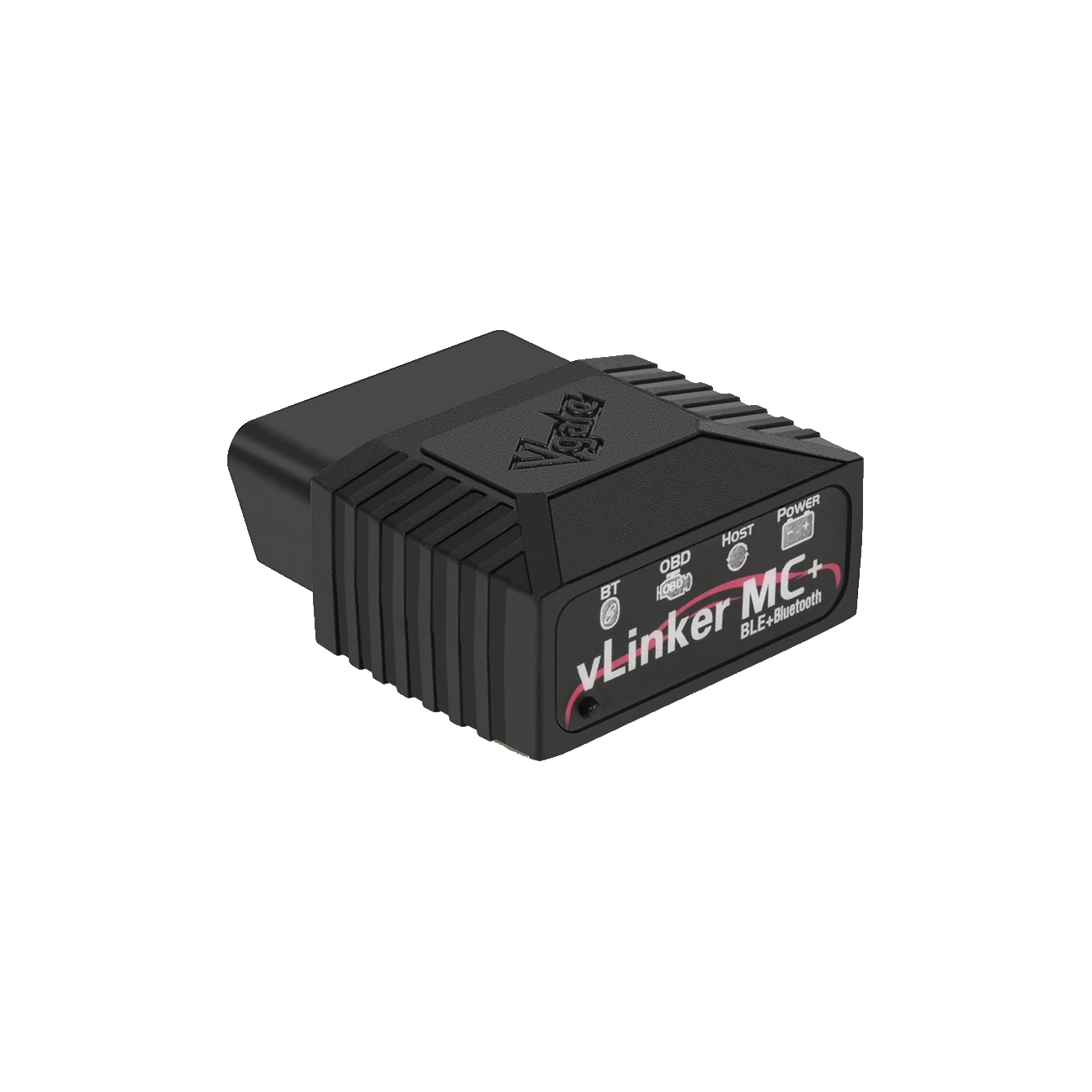
Front view and status indicators of the actual Vgate vLinker MC+ hardware.
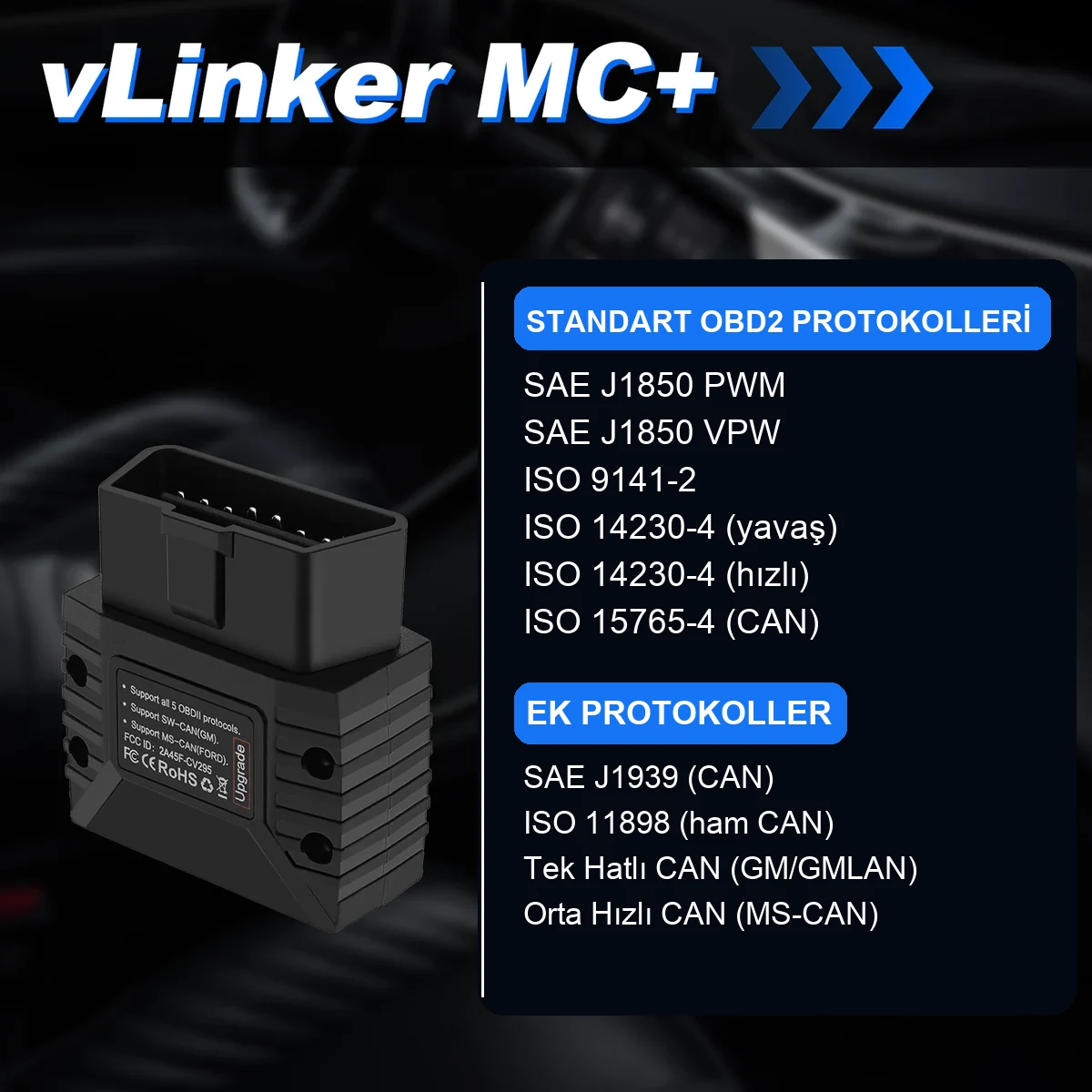
Front view and status indicators of the actual Vgate vLinker MC+ hardware.Rear label; shows standard OBD-II, SW-CAN, and MS-CAN information.Device and quick start guide in the official product image.
Vgate · Vehicle diagnostic devices
Vgate vLinker MC+ Bluetooth OBD2 Diagnostic Tool
Vgate vLinker MC+ is a Bluetooth OBD2 adapter used with compatible applications on iOS, Android, and Windows devices; it can access brand-specific functions if supported by the application and vehicle, in addition to basic OBD-II diagnostics.
Bluetooth OBD2 connection for iPhone, Android, and Windows
Support for SW-CAN and MS-CAN with standard OBD-II protocols
Listed on BimmerCode's official supported adapters list
The vLinker MC+ is an ekranless vehicle communication adapter; it requires a compatible phone or Windows application to function. The application, license, subscription, and in-app purchases are not included in the device package. Before ordering, the vehicle make-model-year, phone operating system, intended application, and operation must be verified together.
What is the Vgate vLinker MC+ Bluetooth OBD2 Diagnostic Tool used for?
The Vgate vLinker MC+ is aimed at users who want to perform basic OBD2 checks from their phone and access brand-specific features offered by compatible third-party applications. The hardware alone does not unlock all ECUs; the visible systems and possible coding depend on the application's license and the vehicle's ECU.
BimmerCode's official adapter page lists the vLinker MC+ model, but the same page also states that not every adapter works with every vehicle generation. Therefore, the term 'BMW coding device' should not be used unconditionally but after verifying application and vehicle compatibility.
What would you buy this for?
Vehicle owners who want to use a compatible OBD2 application on their phone
BMW users who have verified BimmerCode adapter compatibility for their vehicle
Those seeking mobile or Windows connection on Ford vehicles supported by FORScan
Those who want a compact, continuously portable, and firmware-updatable adapter
Featured diagnostic features
Phone operating system and adapter support of the application to be used
Vehicle make, model, model year, and scope of the intended operation
The possibility that application, license, subscription, or credit fees may be required separately
Not confusing coding with ECU programming operations
Written verification of 24 V heavy-duty vehicle use
Vehicle Coverage
Which vehicles does the Vgate vLinker MC+ Bluetooth OBD2 Diagnostic Tool support?
The make name alone does not guarantee compatibility. Within the same make, model year, engine, chassis, control unit, communication protocol, and intended operation can yield different support results.
Vehicle Group
Passenger cars and light commercial vehicles included in the product software
Supported makes
Multi-brand coverage; the current make list is obtained from the manufacturer's official vehicle or protocol database.
Supported models
Verified from the official coverage screen based on make, model, model year, engine or chassis, and control unit.
Scope of service
Code reading, live data, active test, service function, coding, and programming may be supported separately.
Connection conditions
Phone operating system and adapter support of the application to be used, Vehicle make, model, model year, and scope of the intended operation, The possibility that application, license, subscription, or credit fees may be required separately, Not confusing coding with ECU programming operations, Written verification of 24 V heavy-duty vehicle use
The make and model examples on the page do not guarantee all production years and all functions.
Before any definitive operation, the manufacturer's current coverage record must be verified with the VIN or full vehicle information.
The vLinker MC+ establishes a Bluetooth connection between the vehicle's OBD socket and compatible applications running on a phone or Windows computer. Within the standard OBD-II scope, engine and emission fault codes, readiness monitors, and supported live data can be read.
Access to brand-specific ECUs such as ABS, airbag, transmission, body modules, service functions, or coding depends on the selected application, license, vehicle, and ECU support. The adapter does not diagnose faults on its own; codes and live data must be interpreted with physical measurements.
Basic OBD-II fault code and live data communication
Access to brand-specific ECUs if supported by the application
Use with iOS, Android, and Windows devices
No screen; compatible application is mandatory
Product details
What does OBD2, SW-CAN, and MS-CAN support mean?
Supported communication protocols in Vgate's official product material.
The manufacturer specifies support for SW-CAN/GMLAN on the GM side and MS-CAN on the Ford side, in addition to standard OBD-II protocols for the vLinker MC+. This hardware support does not mean that all modules in the vehicle will automatically appear in every application. The application must support the relevant protocol and vehicle profile.
While general OBD2 applications mostly focus on engine-emission data, brand-specific applications like FORScan may show different modules in supported vehicles.
Standard OBD-II protocols
Hardware support for SW-CAN/GMLAN for GM
Hardware support for MS-CAN for Ford
Actual functional scope varies by application and vehicle
Product details
Which applications can be used with it?
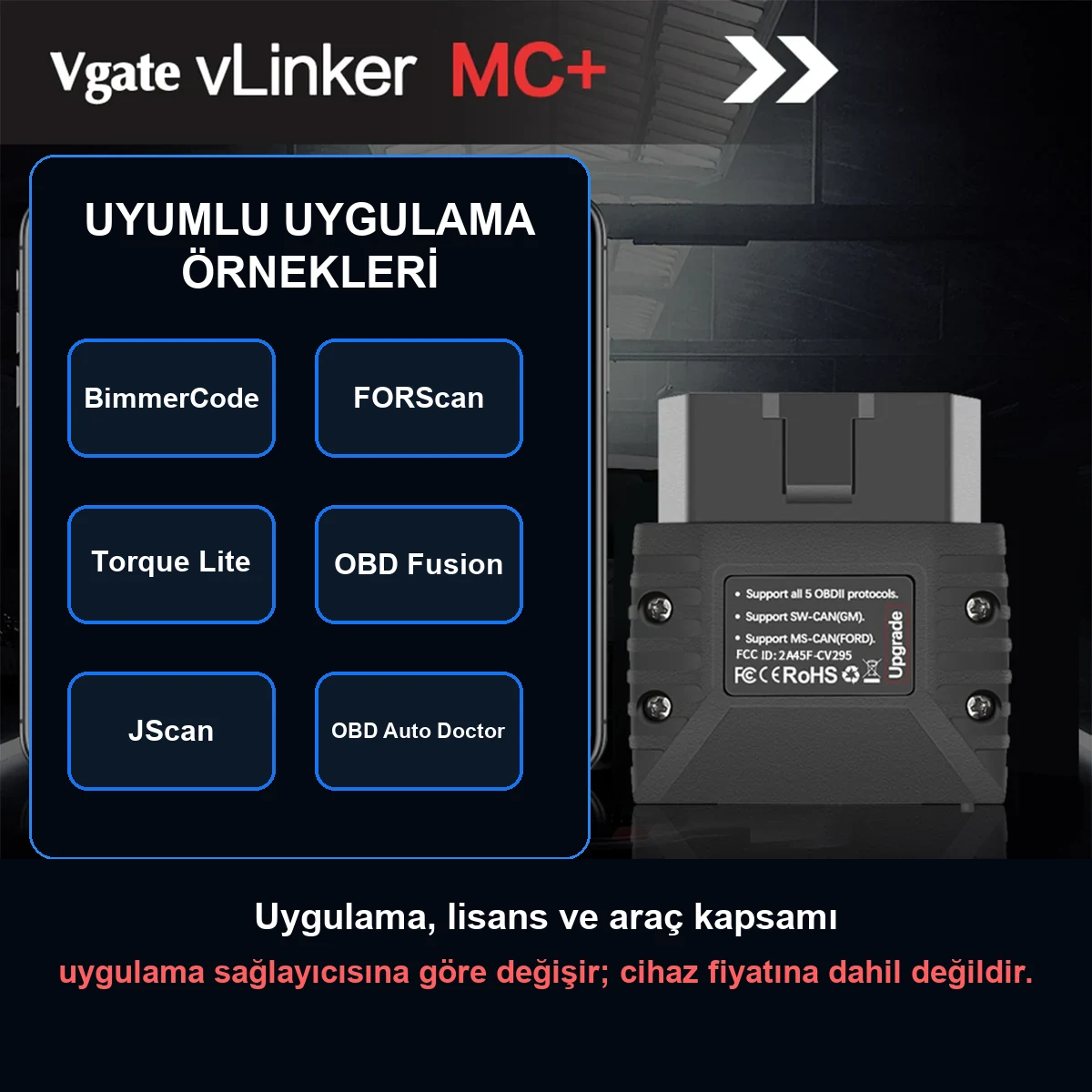
Application names are examples of compatibility; license and vehicle scope belong to the application provider.
Vgate's official product page provides application examples such as BimmerCode, FORScan, OBD Fusion, Car Scanner, JScan, Torque, and OBD Auto Doctor. This list does not mean that the applications are included in the device package or are free.
Some applications may require a one-time fee, subscription, brand package, or in-app purchase. Before purchasing an application, its operating system, vehicle list, intended operation, and vLinker MC+ adapter support must be checked on the application's own official page.
Application and license are not included in the device price
The same adapter may show different functionality in different applications
Fee and subscription conditions are checked in the app store
First, choose the task, then the application
Product details
Does the vLinker MC+ work with BimmerCode?
Yes, BimmerCode's official supported adapters page lists the 'vLinker MC+ Bluetooth' model. However, the supported vehicle generations and connection method are not the same; definitive compatibility cannot be promised without selecting the vehicle on the BimmerCode page. The options that can be coded also depend on the vehicle's year of manufacture, existing ECUs, and hardware.
Adapter support does not add hardware not present in the vehicle and does not equate to ECU firmware programming.
Listed on BimmerCode's official adapter list
Vehicle generation filter must be checked separately
Coding options vary by vehicle hardware
Coding and ECU programming are not the same process
Product details
How to make iPhone and Android connections?
On iPhone, BLE connection is usually not paired from the phone's Bluetooth settings; after turning the ignition on and plugging the adapter into the OBD socket, select vLinker from the in-app connection menu. On Android, the manufacturer specifies pressing the connection button on the device, selecting 'vLinker MC-Android' from the Bluetooth list, and using 1234 if necessary. Menu names may vary by application.
Bluetooth and location/nearby device permissions must be enabled.
iPhone: initiate connection from within the compatible app
Android: connection button, vLinker MC-Android, and 1234 if necessary
Check Bluetooth and nearby device permissions
Limit phone battery saving during vehicle operations
Product details
Can it be left plugged into the vehicle?
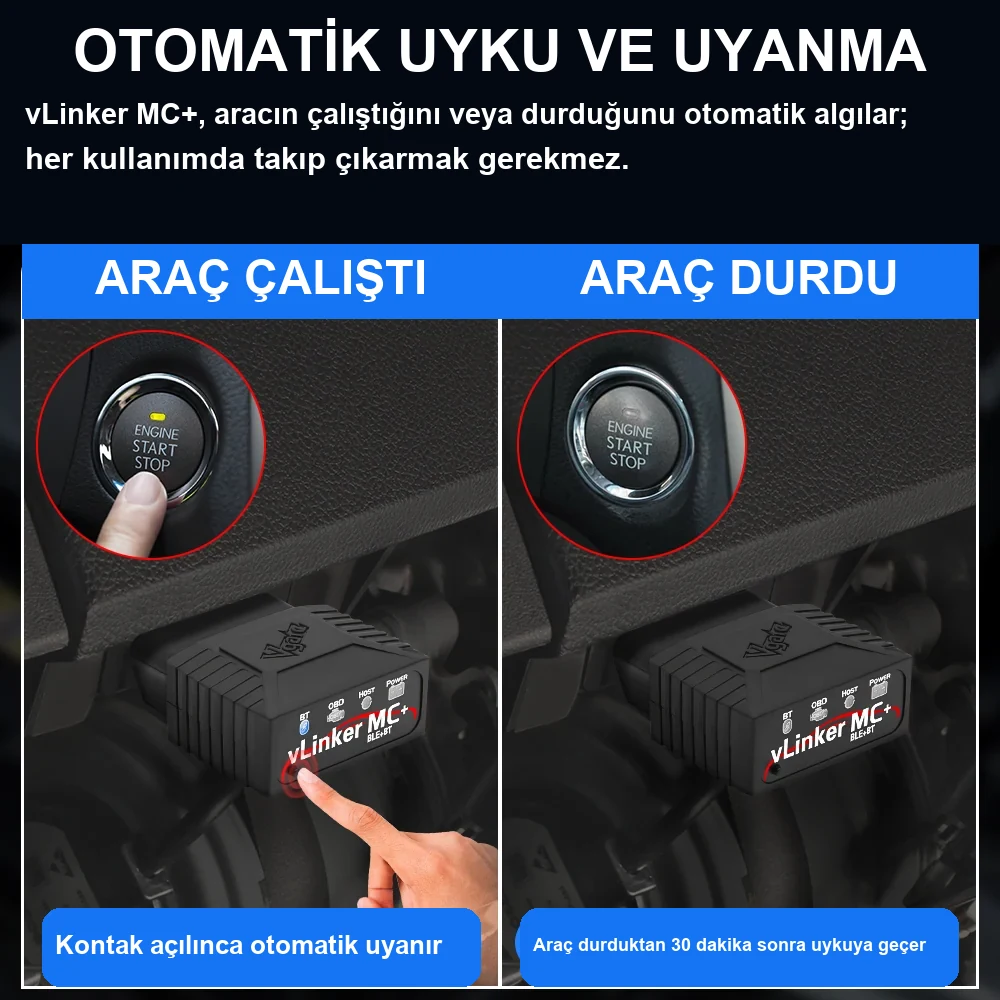
Manufacturer's description of automatic sleep/wake and low consumption.
The manufacturer specifies protection features against overvoltage, overcurrent, overtemperature, and battery drain with automatic sleep/wake. This design provides convenience for daily use; however, it is more controlled to remove the adapter in vehicles that will be parked for a long time, have weak batteries, or have modified electrical systems.
The decision to leave an accessory connected to the vehicle should be made considering the vehicle manufacturer's recommendation and the battery's condition.
Automatic sleep and wake with the vehicle
Voltage, current, and temperature protection
Remove the device before long parking periods with a weak battery
Product details
Checklist if not connecting or connection drops
The most common confusion for users is that the phone's pairing screen and the in-app BLE connection are not the same process. First, check the ignition, OBD socket power, and device indicators. Then, verify the correct vLinker connection name, the adapter type within the application, and Bluetooth permissions.
Android battery optimization may stop the application in the background. The adapter should not be removed and the phone connection should not be disconnected during firmware updates. If problems persist, cross-test with a different compatible application or phone.
Check ignition, OBD power, and LED status
Connect from within the app on iOS, with the correct connection name on Android
Check battery optimization and Bluetooth permissions
Do not remove the device during firmware updates
Product details
How to perform the first OBD2 check on a used vehicle?
When checking a used vehicle, before plugging in the adapter, observe the warning lights on the dashboard, battery voltage, and the physical condition of the OBD socket. In the compatible application, first select the vehicle profile and general OBD2 connection; existing fault codes are saved without deletion. The active, pending, or permanent status of the code and readiness monitors are read together.
Readiness monitors showing 'not ready' may indicate that the code was recently cleared or the battery was disconnected; it is not proof of a fault on its own. The record obtained with the Vgate vLinker MC+ does not replace expert measurements and mechanical checks. If the scan time, mileage, and application name are added to the report, comparison with subsequent checks can be made.
Save the initial screen without deleting codes
Distinguish between active, pending, and permanent code status
Check readiness monitors together
Verify the result with physical and mechanical checks
Product details
Safe preparation before coding with BimmerCode
For BMW coding operations, first check the vehicle generation and vLinker MC+ match on BimmerCode's official adapter page. Keep the phone sufficiently charged, assess the vehicle battery condition, and turn off unnecessary electrical consumers. When the application connects to the vehicle, the original settings of the ECU to be changed and the backup created by the application are preserved.
Only the planned option is changed in one session; if the phone is put into airplane mode during the operation, ensure Bluetooth remains on. Avoid interruptions such as starting the engine, turning off the ignition, removing the adapter, or closing the application. After the operation, perform a fault scan and a physical test of the changed function. Hardware not present in the vehicle cannot be added solely through a menu option.
Check vehicle generation and adapter compatibility from the official list
Preserve original settings and application backup
Apply a single planned change in the same session
Perform fault scan and function test after coding
Product details
Ford live data check with FORScan
If FORScan is to be used on a supported Ford vehicle, the operating system, FORScan license, and vehicle model are first verified from the application's official sources. Vgate specifies FORScan compatibility and MS-CAN hardware support for the MC+; however, FORScan's current official recommendation page lists the vLinker FS family for critical operations.
Therefore, the MC+ is not definitively accepted for reading and live data connection without testing on the vehicle; it is not assumed to be suitable for ECU or module programming. After establishing the connection, the vehicle profile is read, and the initial module scan is recorded.
Selecting a few parameters directly related to the complaint on the live data screen provides more readable results than opening many data points simultaneously. Conditions such as ignition on-engine off, idle, and controlled road tests are kept separate in the report. MS-CAN hardware support does not mean that every service function is available on every module.
Verify FORScan version, license, and vehicle support
Save the initial full scan without modification
Select parameters related to the complaint in live data
Create a power and rollback plan before writing operations
Product details
Correct recording and re-checking on engine fault light
When the engine fault light is on, simply deleting the code does not eliminate the cause of the fault. First, the fault code, description, status, freeze frame data, and related live values are recorded. The engine speed, temperature, load, and speed conditions under which the code occurred are examined. Then, the control sequence, wiring, and sensor measurements in the service document are applied.
After the repair is completed, the code is deleted if the procedure allows; suitable driving conditions are waited for readiness monitors to complete again. If the same code reappears, the first and second records are compared.
The Vgate vLinker MC+ transfers this data to the application; it does not prove the part is faulty on its own and should not be used for random part replacement.
Record code, status, and freeze frame data together
Compare live data under the same operating conditions
Save pre- and post-repair scans separately
Do not consider fault codes as direct part diagnosis
Product details
Vgate vLinker MC+ technical specifications
Vgate specifies Bluetooth 4.0-based connection, up to 2K data buffer, up to 500 Kbps communication speed, ELM327/ELM329 AT command, and ST command set support for the MC+ model. These values are the adapter's communication capabilities; the application's data refresh rate on the screen may vary depending on the phone, application, number of selected PIDs, and vehicle network.
Connection
Bluetooth 4.0Compatible application required for iOS, Android, and Windows.
Buffer
Up to 2KHardware information on the manufacturer's product page.
Communication speed
Up to 500 KbpsVehicle protocol and application flow are determinative.
Command support
ELM327 / ELM329 / STThe application side must support the relevant commands.
Update
Firmware updatableUpdates are performed using the manufacturer's tool and the correct connection method.
Product details
What's in the box?
Vgate's official package information includes one vLinker MC+ Bluetooth adapter and one user manual. Phones, tablets, Windows computers, carrying cases, and paid application licenses are not included in the standard package. The model label and physical condition of the received device should be checked before purchasing an application license.
1 x Vgate vLinker MC+ Bluetooth OBD2 adapter
1 x User / Quick Start Guide
Phone, computer, and application license not included
Product details
vLinker MC+ or OBDeleven or service tablet?
The vLinker MC+ is preferred for its open application ecosystem and compact adapter design. OBDeleven focuses on specifically supported VAG operations within its own official application and packages. Mobile devices like MUCAR BT200 and Thinkdiag have different application, brand package, and service function models.
For services performing full system scans on multiple vehicles throughout the day, active tests, and reporting, an independent diagnostic tablet is more suitable. The choice should be based not on the brand name but on the intended task, vehicle coverage, and total application cost.
Personal use and application flexibility: vLinker MC+
VAG focus within its own ecosystem: OBDeleven
Mobile multi-brand packages: Thinkdiag or MUCAR class
Intensive service, active testing, and reporting: service tablet
Product details
When to choose BM+, FS, or MS instead of MC+?
The MC+ is a balanced model for general-purpose mobile OBD2 use; however, it is not the most suitable option for the entire vLinker family. For BMW and BimmerCode/BimmerLink focus, the BM+ is a more targeted candidate. Users prioritizing FORScan's current official recommendations and specific Ford network conditions should consider the FS USB or FS Bluetooth models.
For users seeking five CAN channels and 12/24 V vehicle support, the MS Bluetooth is in a separate class. The choice should not be based solely on price or connection name but by verifying the phone/computer, vehicle, application, and intended operation together.
General mobile OBD2 and various applications: MC+
BMW and BimmerCode/BimmerLink focus: BM+
FORScan-focused wired or wireless connection: FS family
Five CAN channels and 12/24 V support: MS Bluetooth
Related pages
Related content for Vgate vLinker MC+ Bluetooth OBD2 Diagnostic Tool
Frequently asked questions about Vgate vLinker MC+ Bluetooth OBD2 Diagnostic Tool
Does the Vgate vLinker MC+ iPhone work?
Yes. BLE connection is supported on iOS; pairing is usually done not from the phone's Bluetooth settings, but from the connection menu of the application to be used.
What is the vLinker MC+ Android pairing code?
The manufacturer specifies pressing the connection button in the Android step, selecting the 'vLinker MC-Android' device, and entering the code 1234 if requested.
Does the vLinker MC+ work with BimmerCode?
BimmerCode's official adapter page lists the vLinker MC+ Bluetooth model. For exact compatibility, the vehicle generation on the same page should be selected; the feature to be coded must be verified with the vehicle's ECU and hardware.
Can BMW hidden features be activated with the vLinker MC+?
Some coding options may be available with a compatible application like BimmerCode and a supported vehicle. It is not guaranteed that the same menus will be activated on every BMW or that hardware not present in the vehicle will be enabled.
Does the vLinker MC+ work with FORScan?
Vgate lists FORScan among compatible application examples and specifies Ford MS-CAN support on MC+ hardware. Vehicle model, operating system, and FORScan license must be checked separately.
Can DSG transmission data be read with the vLinker MC+?
DSG is brand-specific data; it may not appear in a standard OBD2 application. The application used must support the relevant VAG transmission module and the vehicle's model year; some applications may require a paid package.
Are applications and coding licenses included in the price?
No. The device package includes hardware and a manual. Third-party applications, subscriptions, licenses, and in-app purchases must be obtained separately.
Does the vLinker MC+ perform ECU programming or key coding?
This product is a general-purpose Bluetooth OBD communication adapter. It is not offered as an ECU flash programming, immobilizer, or key programming device.
Can the vLinker MC+ be left plugged into the vehicle continuously?
The manufacturer specifies automatic sleep/wake and protection features. However, it is more controlled to remove the adapter in vehicles with weak batteries or during long parking periods.
Can the vLinker MC+ be used in trucks and 24 V vehicles?
This product page is intended for passenger car OBD-II use. 24 V heavy-duty vehicle use should not be attempted without written manufacturer compatibility for the vehicle and adapter.
What comes in the vLinker MC+ package?
The official package information includes one vLinker MC+ Bluetooth adapter and one user manual. Phones, computers, and paid applications are not included.
Comparison
Similar models to Vgate vLinker MC+ Bluetooth OBD2 Diagnostic Tool
Compare products in the same class with information on usage level, service tasks, and price.
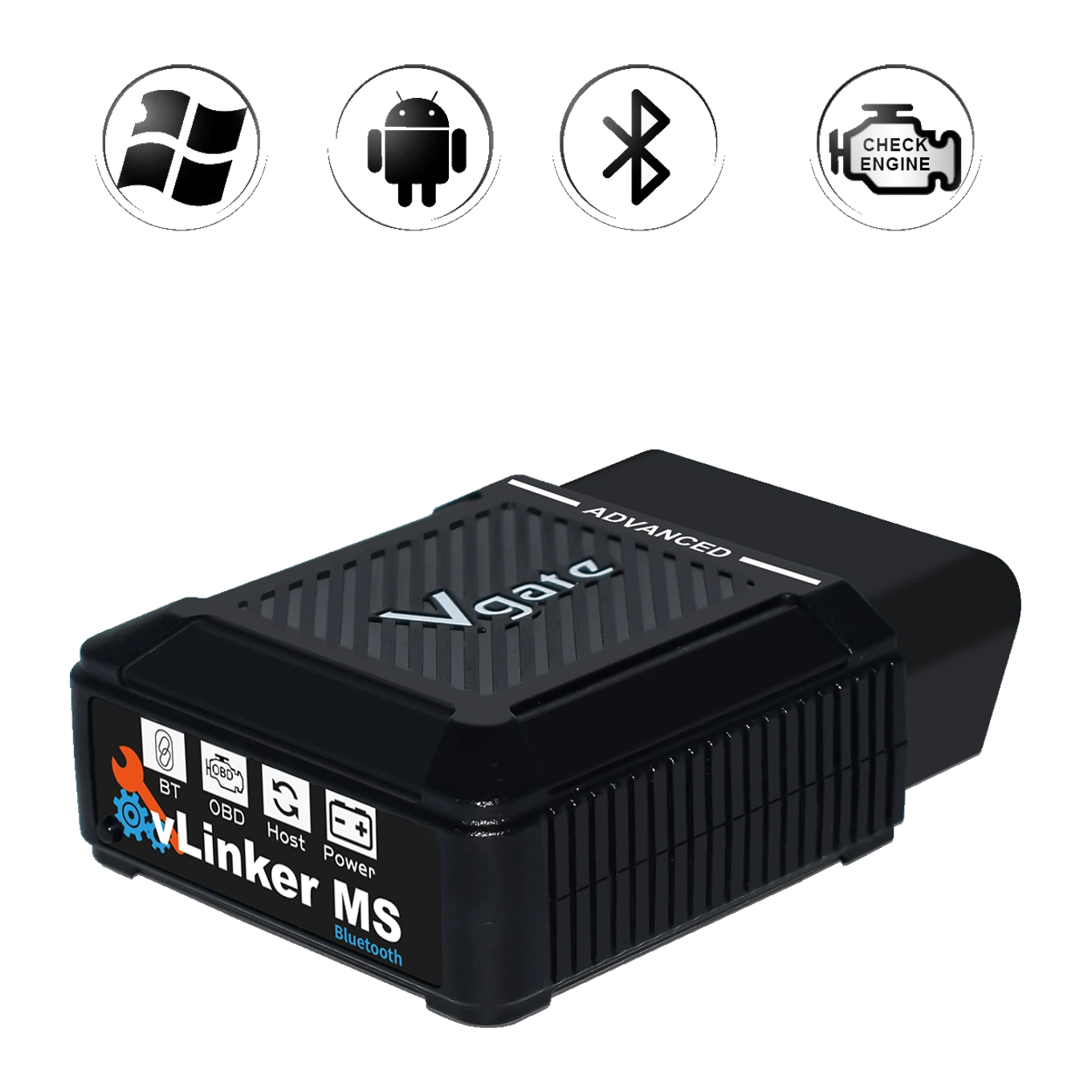
vLinker MS Bluetooth is a compact OBD2 communication adapter using Bluetooth and Apple MFi connection. Compatible platforms: iOS, Android, and Windows. Actual function scope depends on the selected application and vehicle.
Compatible platforms: iOS, Android, and Windows
Users requiring access to multiple CAN channels
Standard OBD-II protocols in addition to HS-CAN, MS-CAN, SW-CAN, CH-CAN, and LS-CAN five CAN channels
≈ $1366,700 TL charged · VAT included · import duties excludedOut of stock
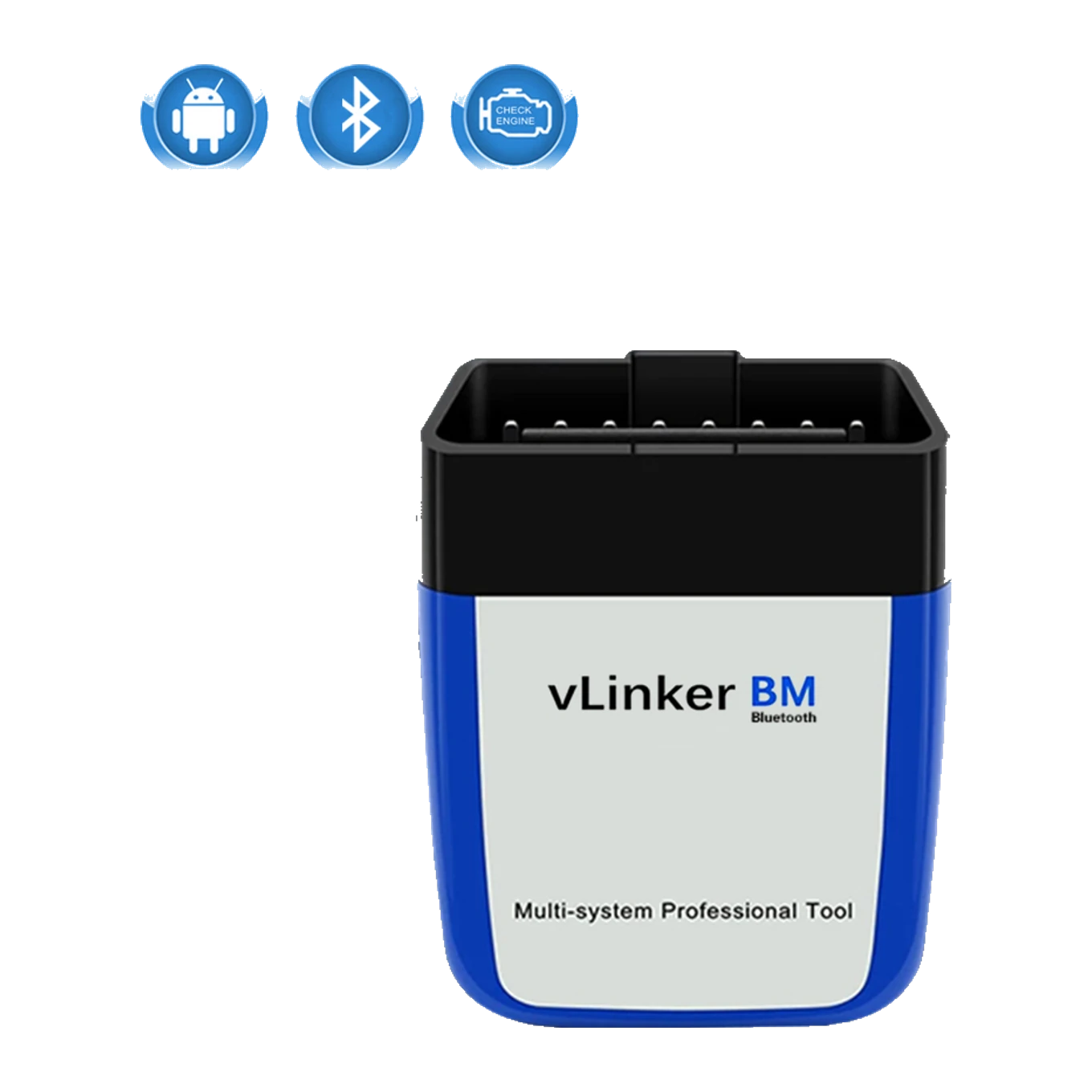
vLinker BM is a compact OBD2 communication adapter using Bluetooth 3.0 connection. Compatible platforms: Android and Windows; iPhone support is not available. Actual function scope depends on the selected application and vehicle.
Compatible platforms: Android and Windows; iPhone support is not available
Individuals who will use BMW applications with an Android phone or Windows computer
Data transfer used in standard OBD-II protocols and BMW-focused applications
≈ $793,900 TL charged · VAT included · import duties excludedOut of stock
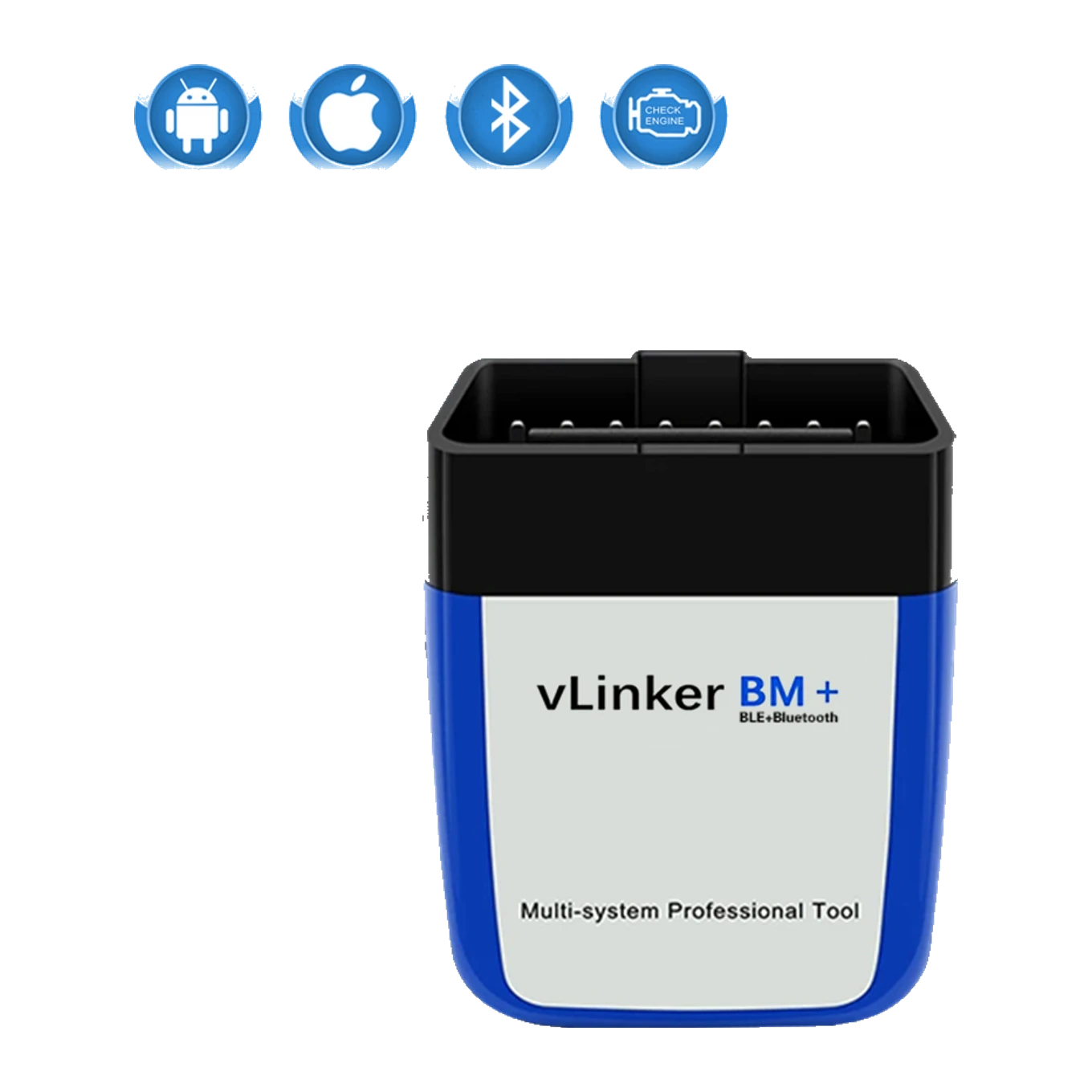
vLinker BM Plus is a compact OBD2 communication adapter using Bluetooth LE and classic Bluetooth connection. Compatible platforms: iOS, Android, and Windows. Actual function scope depends on the selected application and vehicle.
Compatible platforms: iOS, Android, and Windows
Individuals who will use supported BMW and MINI operations with iPhone or Android
Data transfer focused on BimmerCode and BimmerLink with standard OBD-II protocols
≈ $874,300 TL charged · VAT included · import duties excludedOut of stock
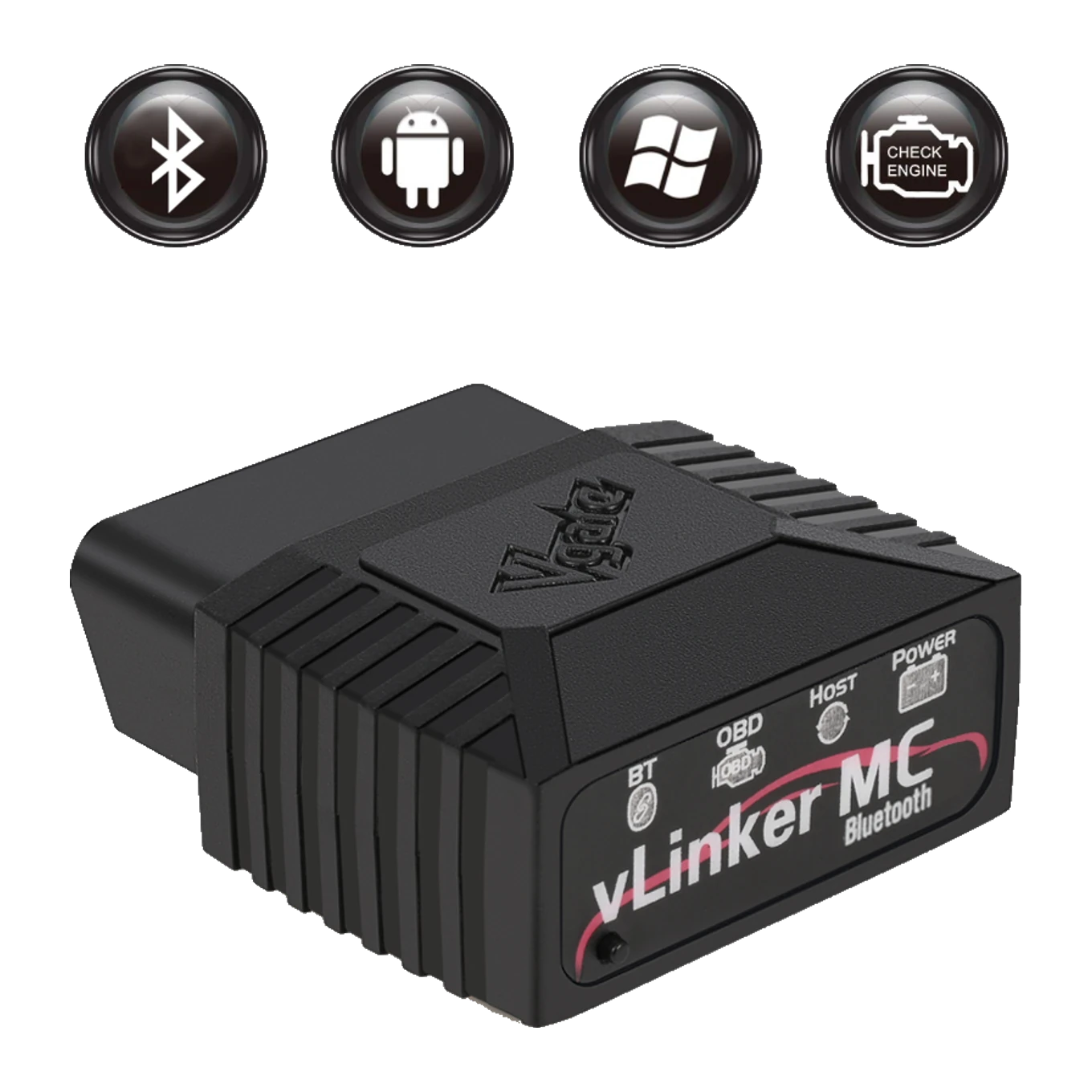
vLinker MC is a compact OBD2 communication adapter using Bluetooth 3.0 connection. Compatible platforms: Android and Windows; iPhone support is not available. Actual function scope depends on the selected application and vehicle.
Compatible platforms: Android and Windows; iPhone support is not available
Users seeking SW-CAN and MS-CAN access on Android or Windows
SW-CAN for GM and MS-CAN for Ford in addition to standard OBD-II protocols
≈ $954,700 TL charged · VAT included · import duties excludedOut of stock