Professional ECU and TCU programming

AutoTuner professional chip tuning products: Master and Slave packages

Compare file authorization, OBD–Bench–Boot working methods, every part included in the box, and accessories that grow your business on a single page. Main package prices are shown including VAT from Otobiltek's central store record.

OBD · Bench · BootNo subscriptionFree update

Live sales price including VAT

Master and Slave packages

Prices come from the same central commerce record as the product page and cart, not static text.

SKU ATUN-MASTER

AutoTuner Master

Unencrypted files; freedom to work with your own editor or a chosen file provider.

  • Workshops that edit their own files
  • Freedom to work with different file providers
347,900 TLIncluding VATOut of stock
View package and purchase status
SKU ATUN-SLAVE

AutoTuner Slave

Encrypted files; work through the Master defined at the time of purchase and its file service.

  • Workshops that receive file service from a specific Master
  • Lower initial device investment
207,900 TRYIncluding VATOut of stock
View package and purchase status
Stock quantity is not fabricated. Variants showing 'Out of stock' cannot be paid for; they remain visible for price comparison and new stock tracking.

The most important purchasing decision

Master or Slave?

Both options use the same basic hardware. The difference is who can open and edit the read file.

Decision criteriaMasterSlave
File formatUnencryptedEncrypted for connected Master
Who edits the file?You or your chosen service providerConnected Master / file provider
Multiple file providersPossibleNot directly possible
OBD, Bench, or Boot hardwareSame basic setSame basic set
Who is it for?Workshops seeking calibration and supplier freedomWorkshops receiving file service from a single Master
Price including live VAT347,900 TL207,900 TRY

When purchasing a Slave, the Master Tool ID it will connect to must be finalized before ordering. Incorrect connection can lead to paid transfers and loss of access to old files.

Connection methods

OBD, Bench, and Boot are not the same

A vehicle being listed does not mean all three methods can be used. The vehicle, ECU/TCU, and operation line are checked separately on the live list.

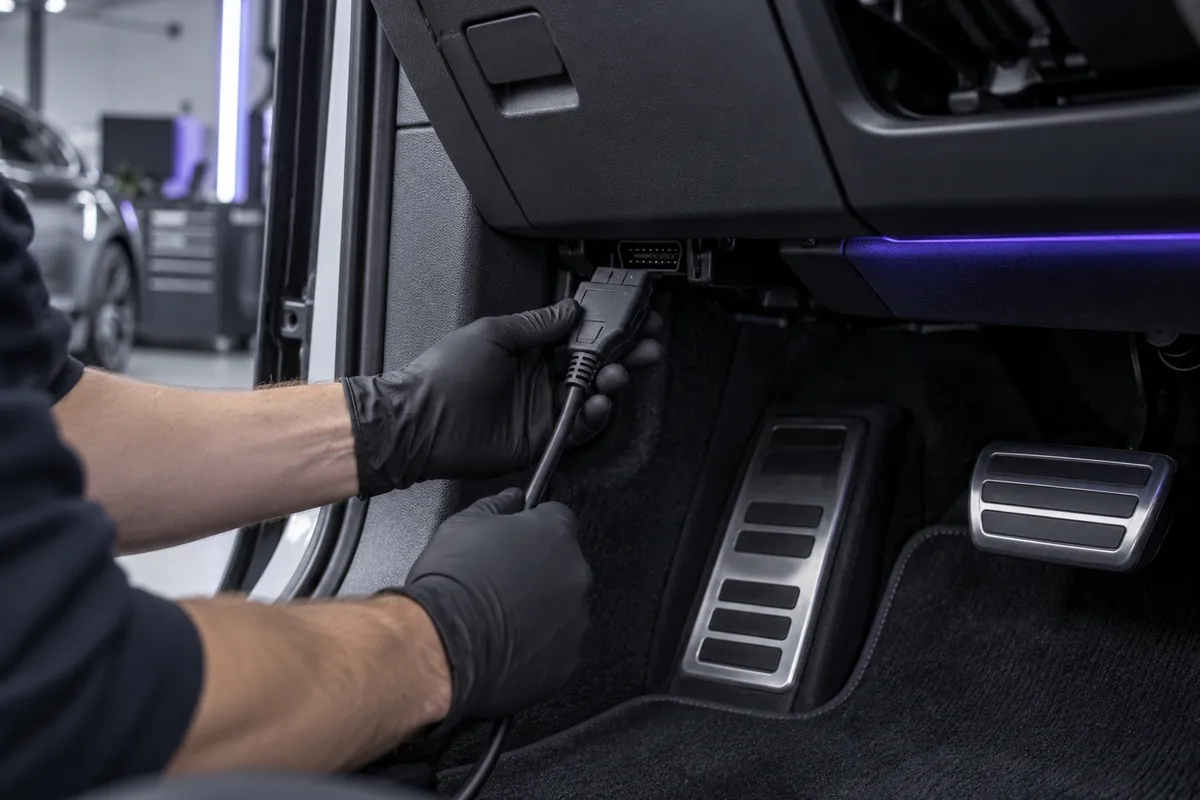
Representative work scene showing a technician plugging a cable into the vehicle's OBD-II port
Representative scene · Vehicle, ECU, and OBD support are verified from the live compatibility record.
Via the vehicle

OBD

On supported vehicles, reading and writing are performed via the OBD-II port without removing the control unit.

Not all ECUs/TCUs support the OBD method; the method is checked in the live compatibility record.
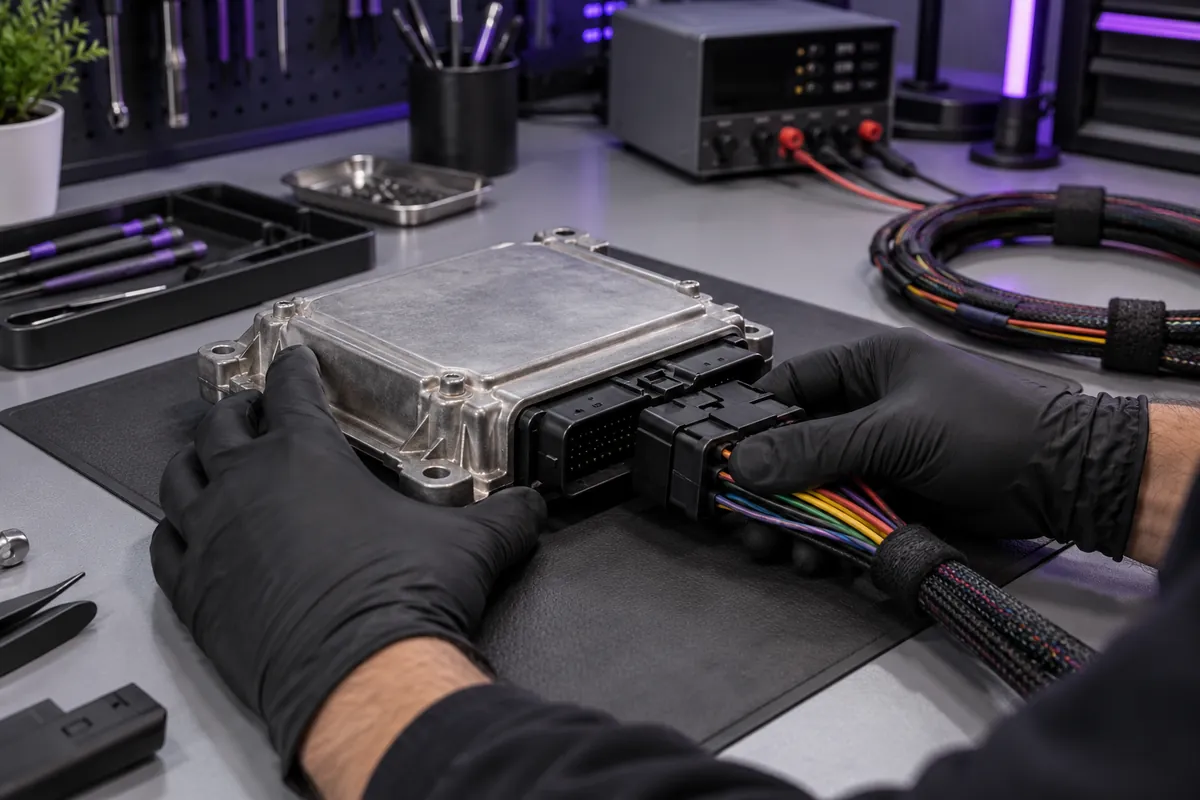
Representative Bench scene showing a technician connecting a bench cable to the external connector of a closed ECU housing
Representative scene · The ECU remains closed; the cable and pinout are followed from the software's help screen.
On the bench without opening the housing

Bench

The control unit is removed from the vehicle and read or written via its external connector using a universal cable.

The unit is removed; however, the ECU/TCU casing is not opened in the standard Bench procedure. The pinout is followed from the software.
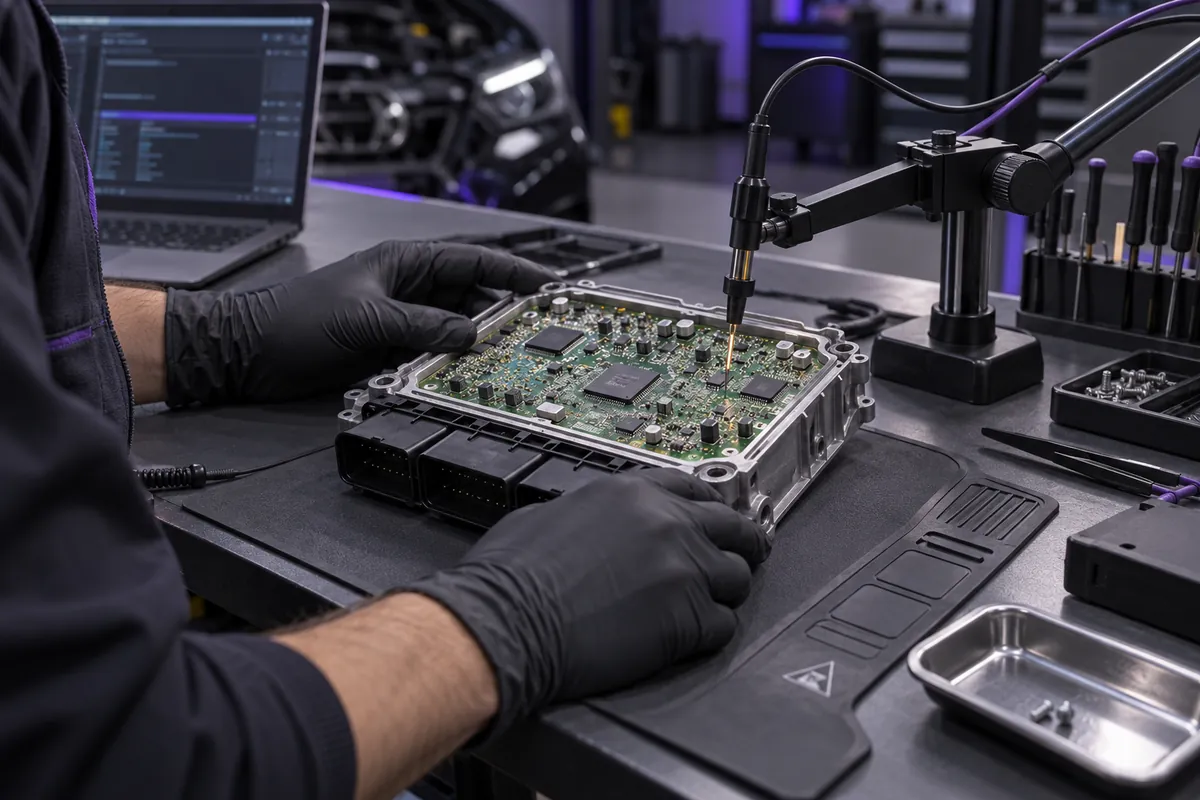
Representative Boot access scene showing a technician working with a probe fixed to an opened ECU board
Representative scene · The contact point and probe arrangement are obtained from the manufacturer's help for each ECU.
Access at the board level

Boot

The control unit is opened, and access is made to the manufacturer-indicated connection points on the printed circuit board.

Requires physical opening, ESD protection, and correct pin connection; the procedure is not the same for every unit.

Standard package contents

Identify the equipment included in the box

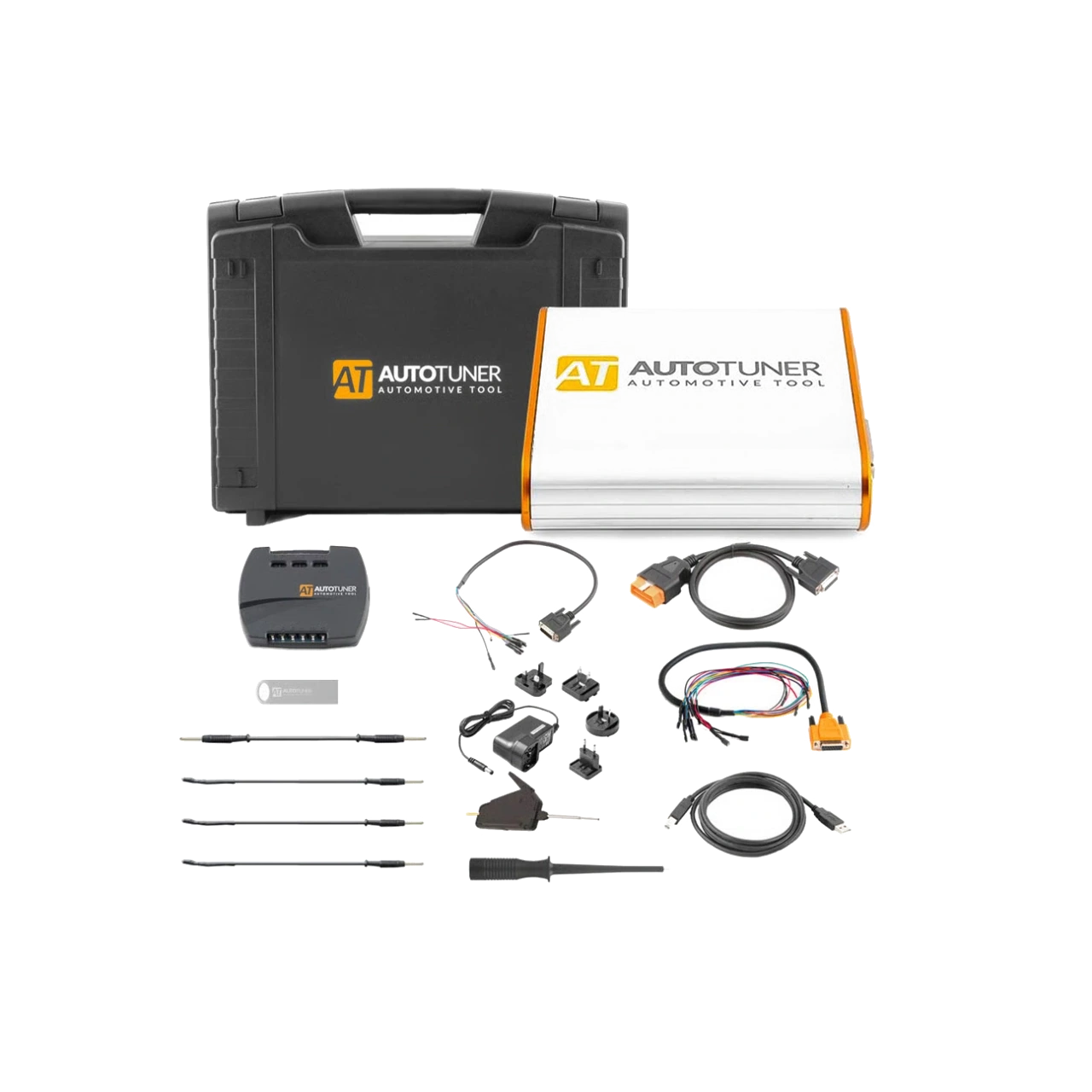
Master and Slave use the same basic hardware set. The cards below show the function of the part, the manufacturer code, and the European list price published as a separate spare part.

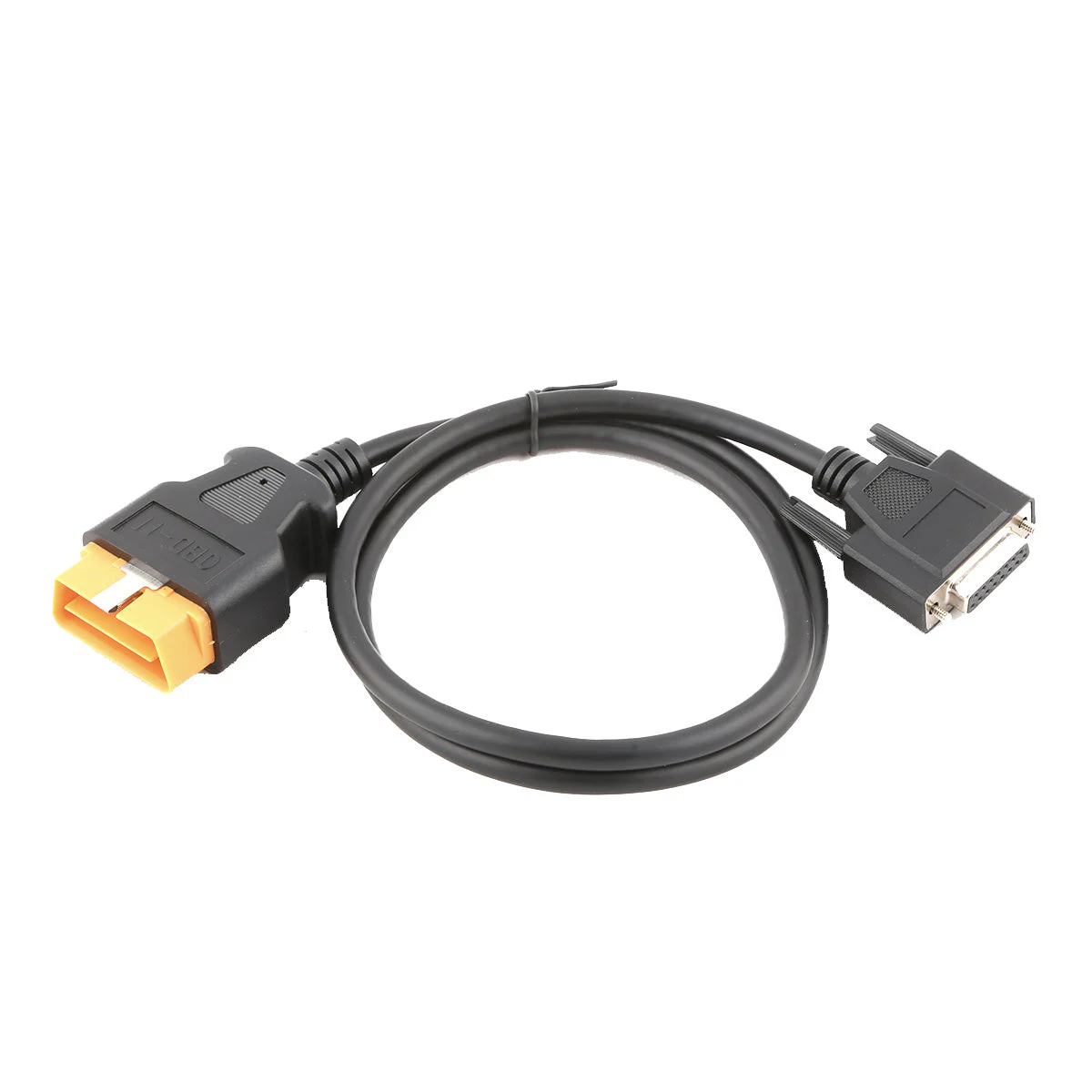
AutoTuner ATOBD001 OBD-II vehicle connection cableIn the standard set
SKU ATOBD001

OBD cable

Establishes the connection between the AutoTuner Tool and the vehicle's OBD-II socket. Used only for operations where the OBD method is listed in the live compatibility record.

49 € + taxManufacturer spare part list price
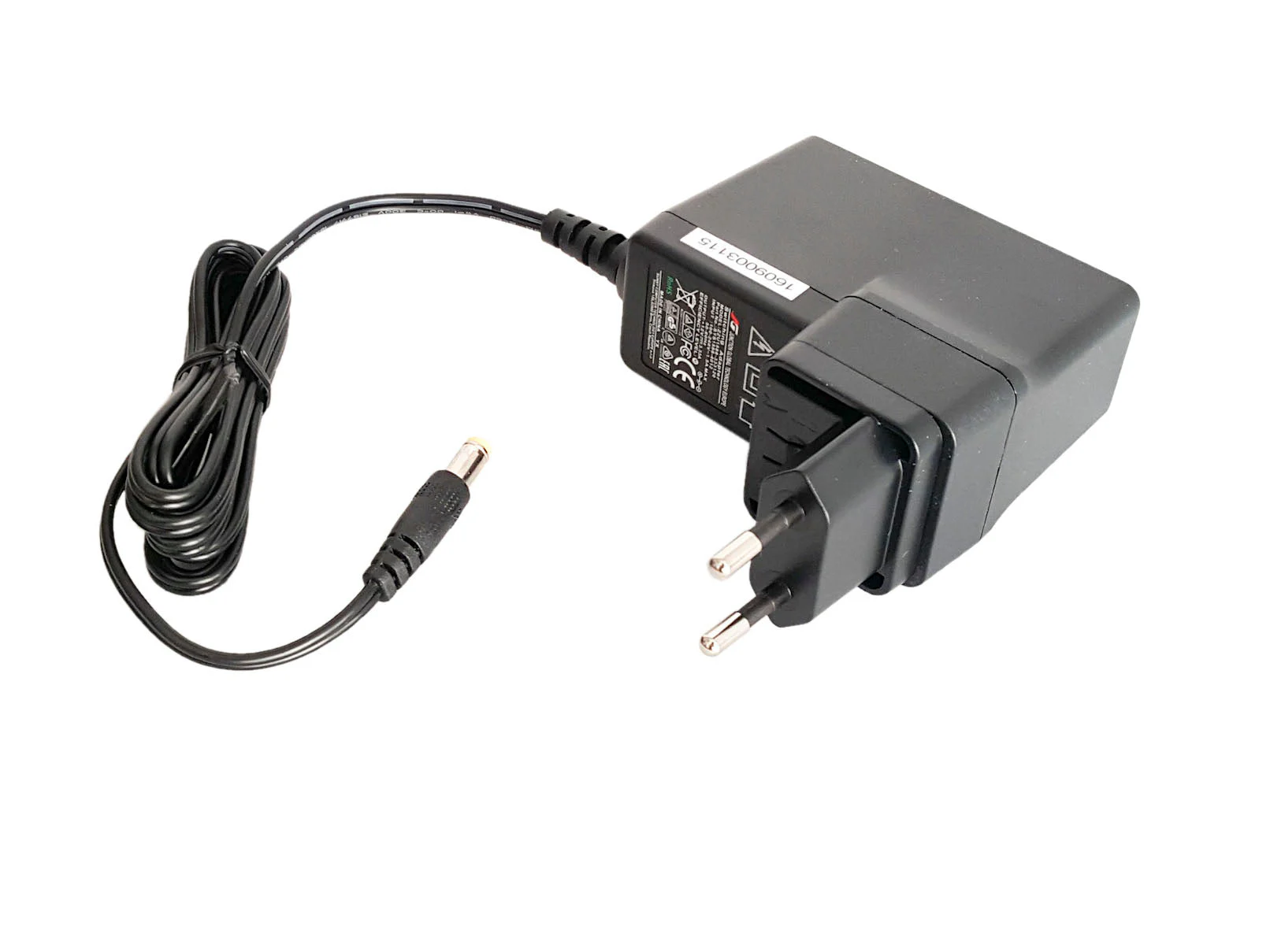
AutoTuner ATPS001 Power Adapter with European PlugIn the standard set
SKU ATPS001

Tool power supply

Assists in powering the control unit via the Tool during Bench and Boot operations. Does not replace a vehicle battery support device.

49 € + taxManufacturer spare part list price
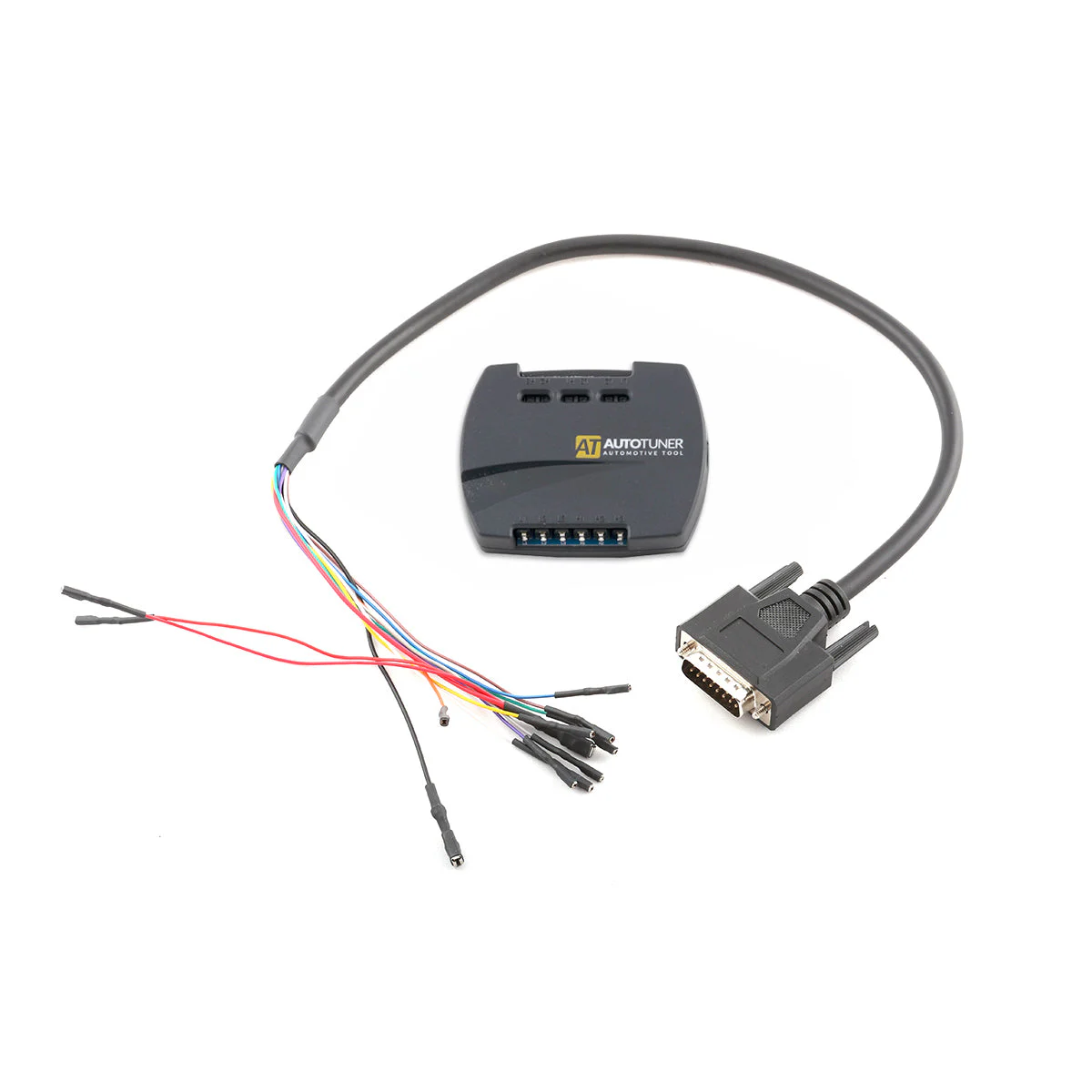
AutoTuner Universal Cable and ATUB050 Universal BoxIn the standard set
SKU ATUC051 + ATUB050

Universal cable + Universal Box

Provides access to ECU/TCU pins in Bench mode and probe connections in Boot mode. Cable colors and connection points are followed from the software's pinout screen.

89 € + taxManufacturer spare part list price
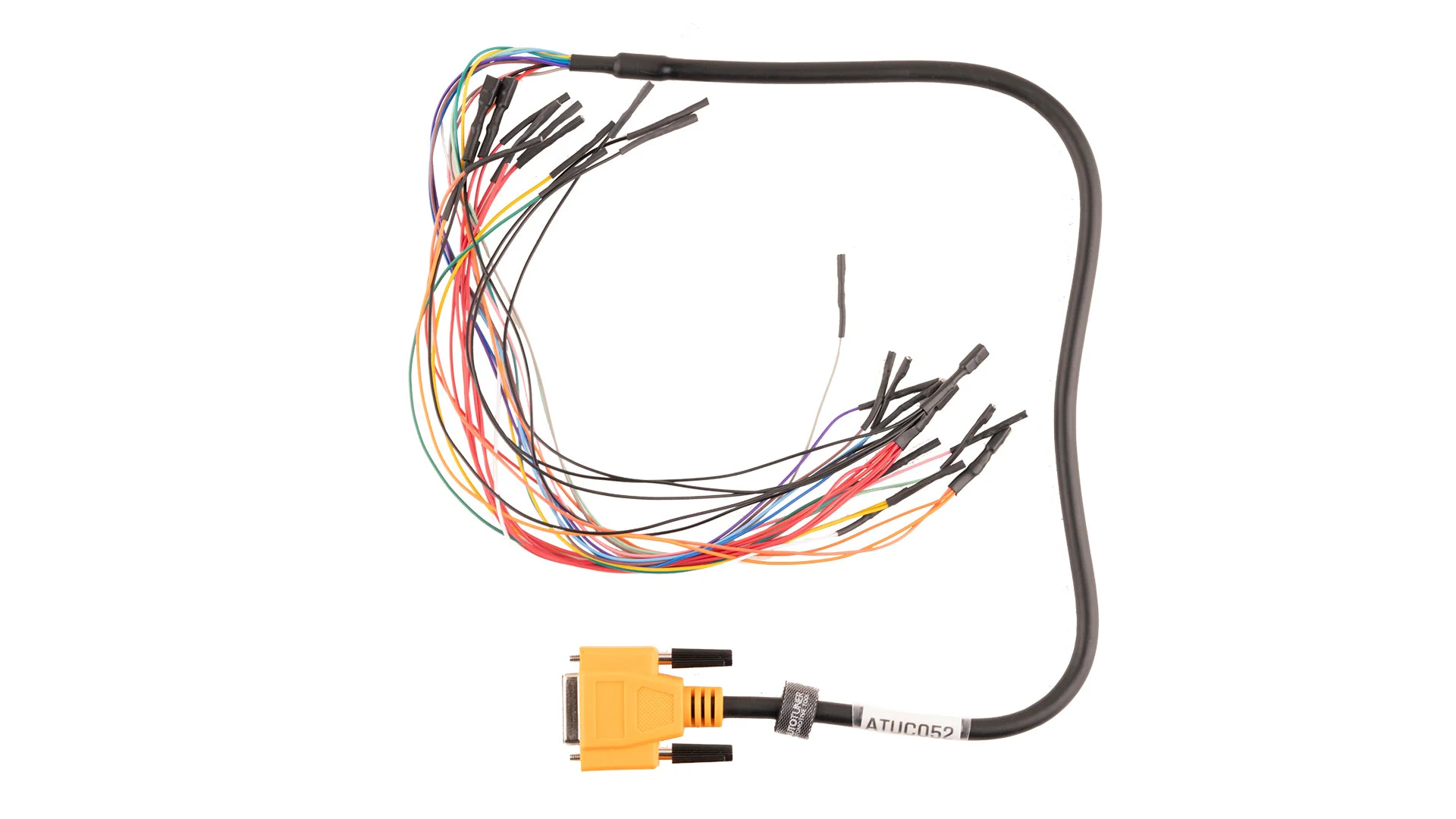
AutoTuner ATUC052 Orange EDC16 and MED9 Universal CableIn the standard set
SKU ATUC052

EDC16 + ME(D)9 universal cable

An orange universal cable used for Bench connection via the external connector on specific Bosch EDC16, ME(D)9, MSE6, US6, and Denso Gen2 units.

49 € + taxManufacturer spare part list price
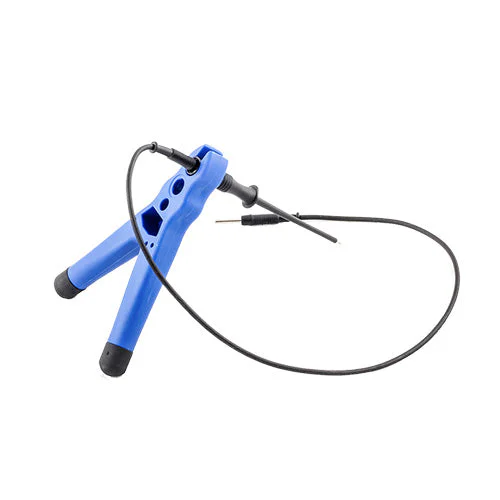
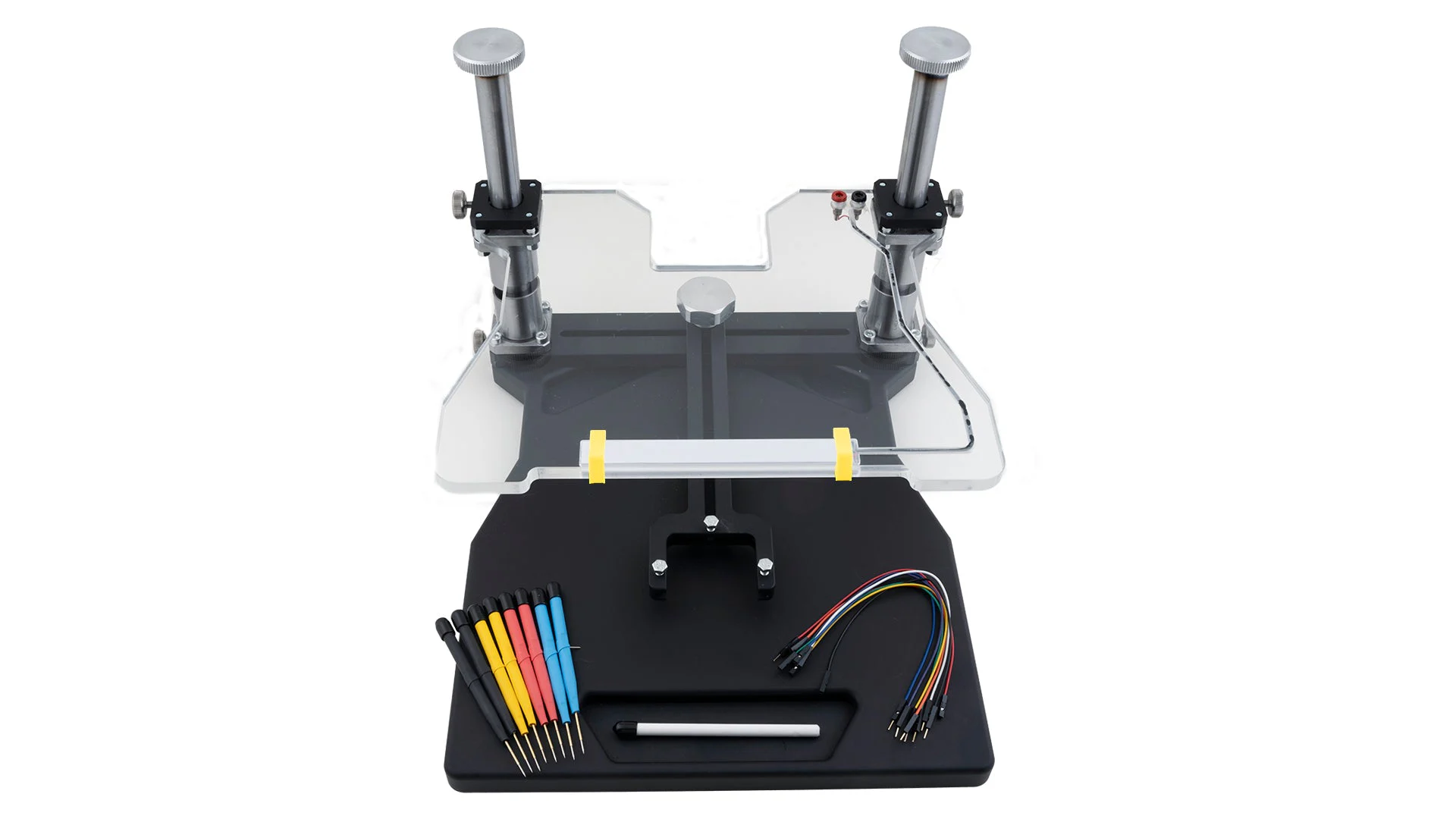
AutoTuner ATPPK050 Boot Probe Positioning KitIn the standard set
SKU ATPPK050

Probe positioning kit

Used in Boot operations to position the probe stably and precisely onto the contact point on the board. The heavy base and movable holder reduce slippage.

29 € + taxManufacturer spare part list price
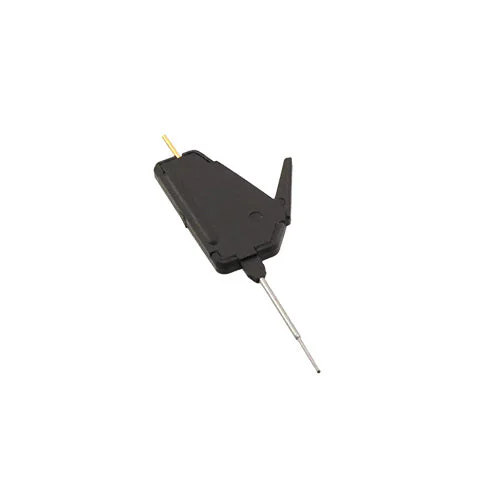
AutoTuner BGA MCU Hook Microprocessor Contact ToolIn the standard set
SKU EZ-X2015BLK

BGA MCU Hook

Used when precise contact with microprocessor pins under the BGA package is required. The contact point must be verified in the software pinout for each ECU.

49 € + taxManufacturer spare part list price

Pricing note: Euro amounts are the manufacturer's separate spare part list excluding tax; they are not added to the standard package. VAT-inclusive TRY prices and stock for separate sales at Otobiltek are opened after supply confirmation.

Request spare part quote

Optional AutoTuner Accessories

Additional equipment to complete the workshop workflow

These are not included in the standard package. Selection depends on the ECU families worked on and the frequency of operations.

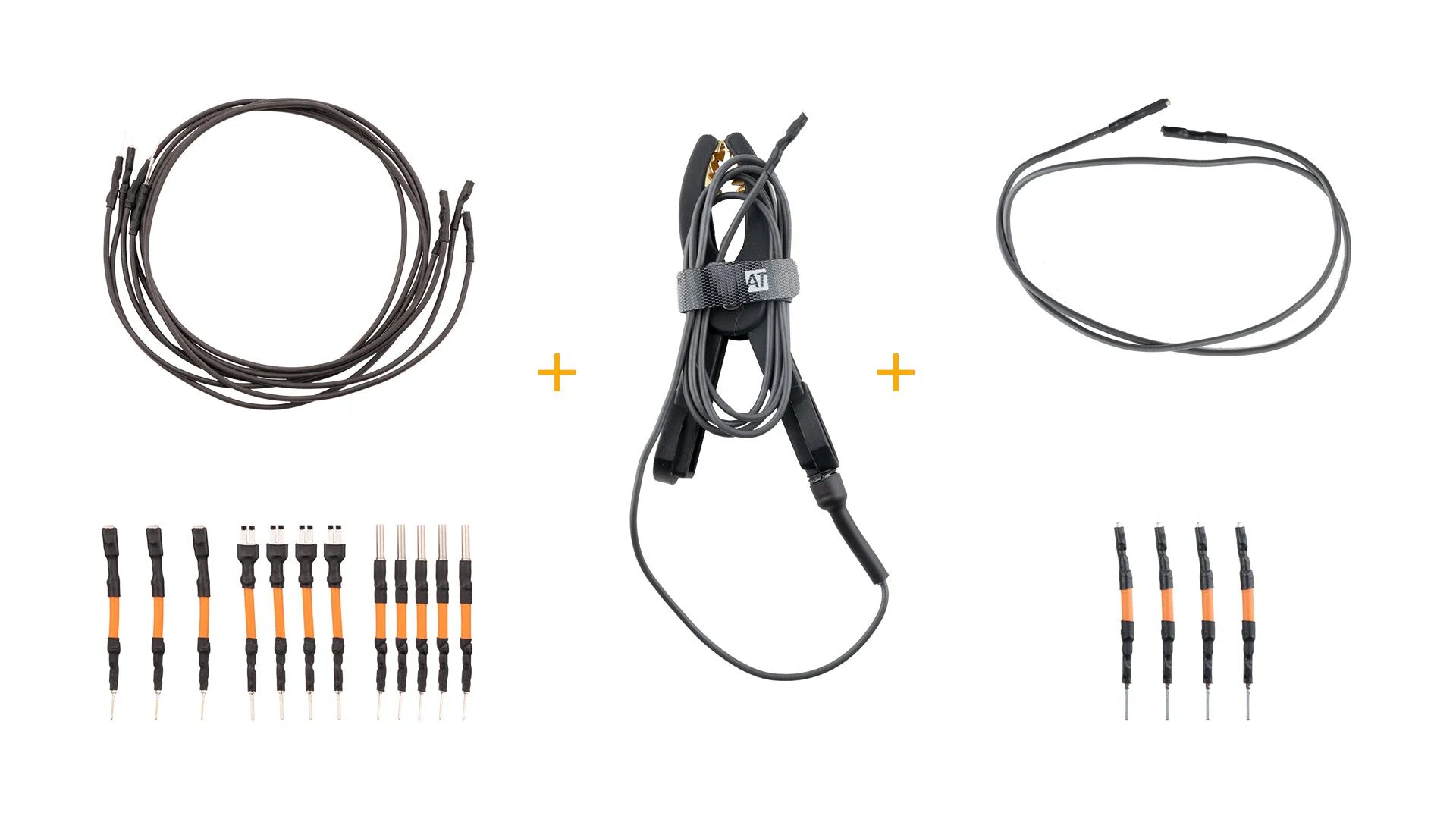
AutoTuner ATUC053 Universal Terminal and Cable KitOptional
SKU ATUC053

Universal terminal and cable kit

Complements the ATUC051 universal cable, providing necessary tips and intermediate connections for Bench connections of specific ECUs and TCUs.

69 € + taxManufacturer list price · excluding tax
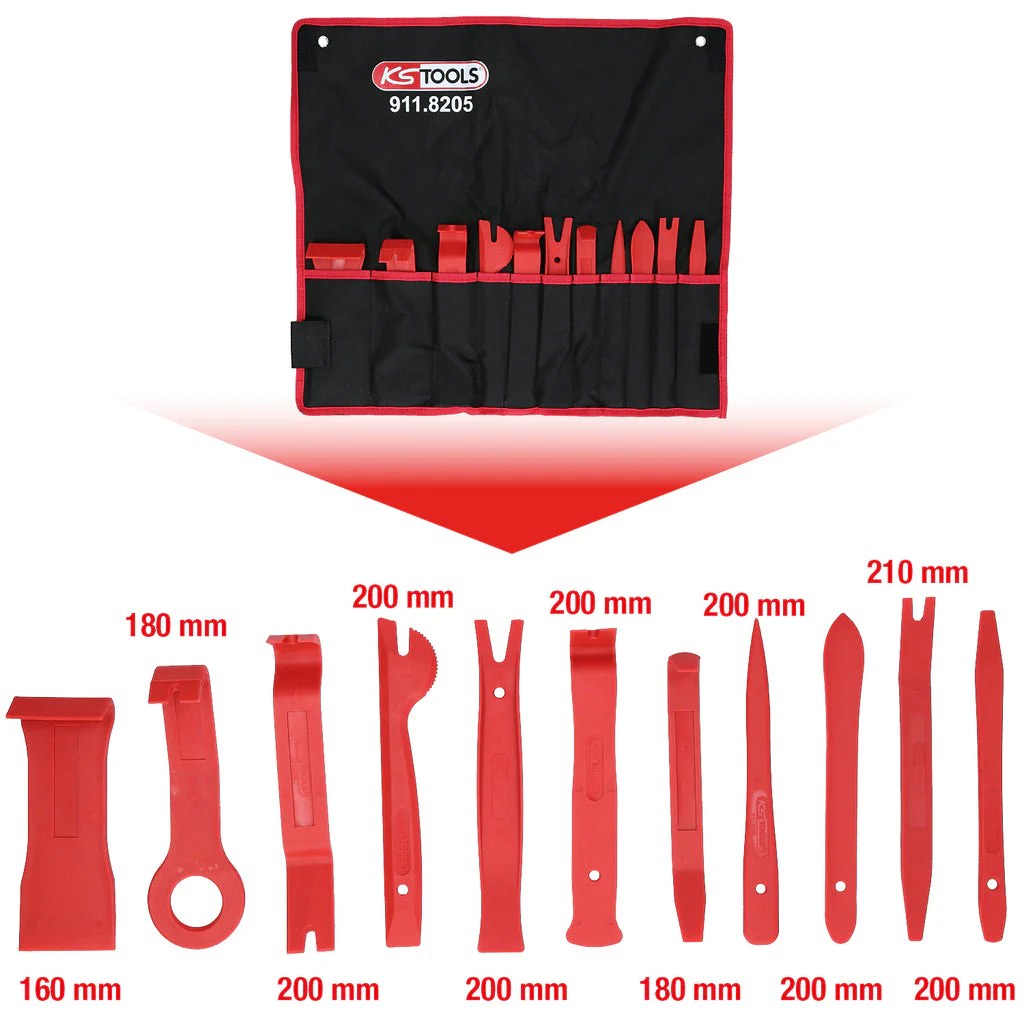
ECU Opening Tool Set listed in the AutoTuner storeOptional
SKU 7889118120

ECU opening tool set

A set of plastic hand tools that help to carefully separate the ECU cover before Boot access. Casing and sealing require expertise.

29 € + taxManufacturer list price · excluding tax
AutoTuner ATFRM050 Professional Boot Positioning FrameOptional
SKU ATFRM050

Professional positioning frame

A workbench frame developed for workshops performing frequent Boot operations to stabilize the ECU and multiple probe contacts; supplied with eight probes and connection parts.

499 € + taxManufacturer list price · excluding tax
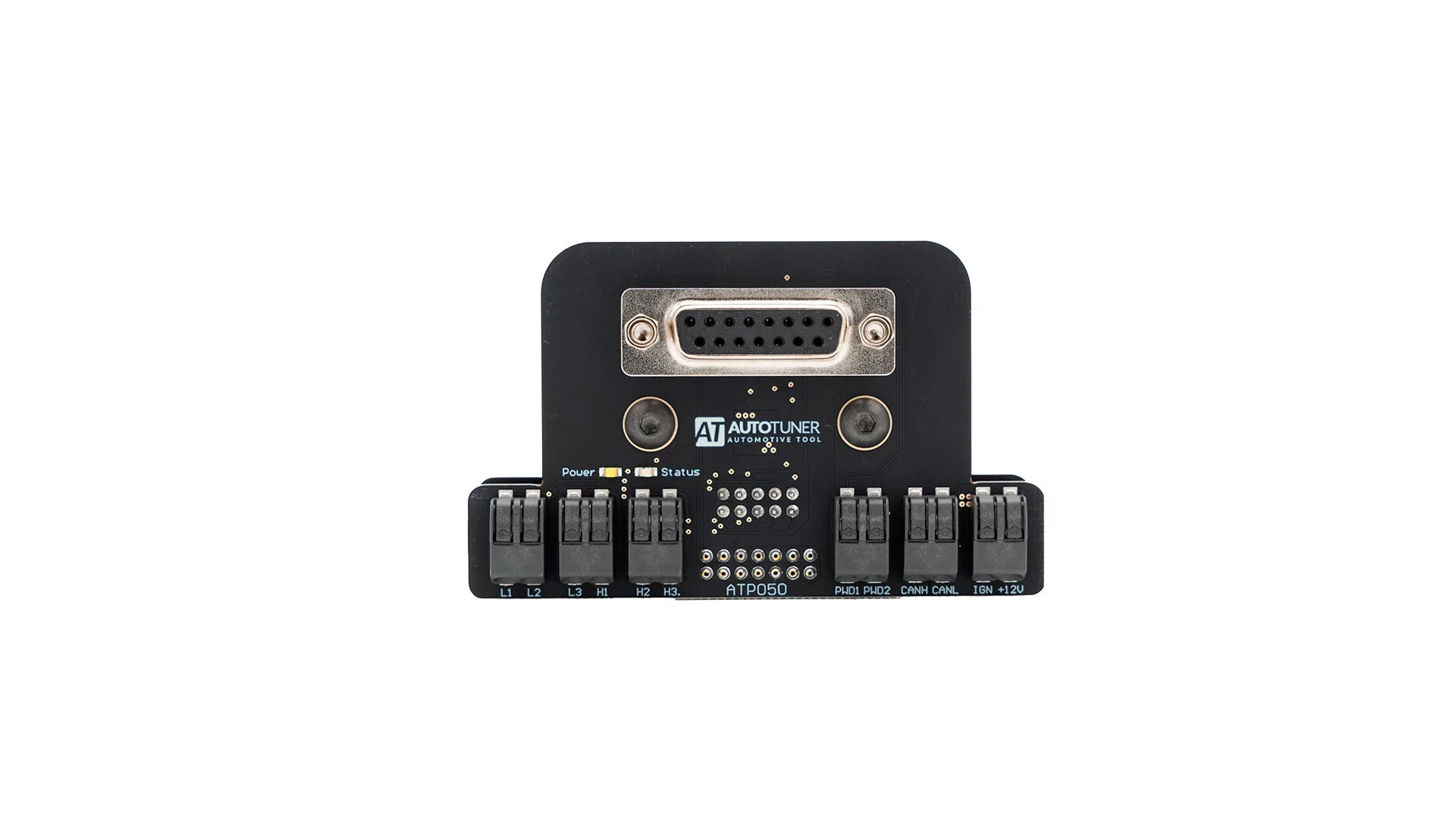
AutoTuner ATP050 Bosch EDC17 Boot Probe AdapterOptional
SKU ATP050

Bosch EDC17 Boot probe

A specialized probe adapter that makes Boot connections orderly and repeatable on compatible Bosch EDC17 units. Not a universal adapter for other ECU families.

290 € + taxManufacturer list price · excluding tax

To be planned outside the device

What else is needed for a complete workflow

AutoTuner is a powerful read-write platform; calibration knowledge, vehicle power supply, and computer infrastructure must be planned separately.

Calibration editor

AutoTuner is a read-write tool. A compatible editor license and calibration knowledge are required separately for map editing.

File service

Slave files are processed by the connected Master. The Master user can also work with an independent file provider if desired.

Stable vehicle power supply

A suitable battery support device is required during writing on the vehicle. The Tool power supply included in the box does not replace a vehicle battery support device.

Windows computer

A physical Windows computer meeting the manufacturer's current system requirements is necessary; virtual machines are not supported.

Update and operating model

No subscription; operating expenses must still be planned separately

01

No annual subscription

The manufacturer states that there is no annual subscription for the AutoTuner Tool and that protocol/software updates are provided free of charge.

02

File service is separate

Free updates; does not include free Slave file service, calibration editor, training, or independent tuning files.

03

Accessories and consumables are separate

Optional probes, frames, special cables, and spare parts are not included in the main device price; they are selected separately based on the work to be performed.

Manufacturer services

Transfer and upgrade fees

The amounts below are based on AutoTuner's European list conditions as of October 15, 2026; Otobiltek does not sell this product in TRY.

Transferring a Slave to another Master

350 € + tax

The existing Master's approval is required. Previously read files and backups cannot be used with the new Master connection.

Upgrade from Slave to Master

2,000 € + tax

The existing Master's approval is required. Old encrypted files and backups are not guaranteed to work after the upgrade.

Second-hand account, warranty, and support transfer

499 € + tax

The original invoice and written transfer from the previous owner are required. If the Slave is to be connected to a new Master, the transfer fee will also apply.

Euro amounts are exclusive of tax. The exchange rate, VAT, payment costs, and the manufacturer's current price may change on the transaction day; this field is not the cart price.

Before purchasing

Prevent the wrong package with three checks

  1. Create a work list.Determine the vehicle, ECU/TCU, and the read-write method to be used; let's confirm compatibility together before the quote.
  2. Select the file model.If you will perform your own calibration, consider the Master; if you will work with a specific file provider, consider the Slave workflow.
  3. List the total needs.Note that the editor, file service, Windows computer, vehicle battery support, and training are separate from the device cost.

Alternatives

Devices that can be considered for the same task decision

Comparison is not just by device cost, but also by file authorization, license structure, protocol coverage, and required additional software.

Frequently Asked Questions

Clear answers about AutoTuner

What is the main difference between AutoTuner Master and Slave?

Master produces files without encryption; you can edit the file yourself or send it to a different file provider. Slave works with encrypted files and can only open and re-encrypt files from the Master it is connected to at the time of purchase.

Is the box content different for Master and Slave devices?

The manufacturer shows the same basic Tool and standard accessory set for both authorization types. The main difference in the purchase decision is not the hardware photo, but the file authorization and workflow.

Does AutoTuner perform OBD, Bench, and Boot on all ECUs and TCUs?

No. The applicable method varies depending on the vehicle, control unit, operation, and software version. The exact method must be checked in the manufacturer's live compatibility record.

How to install AutoTuner software?

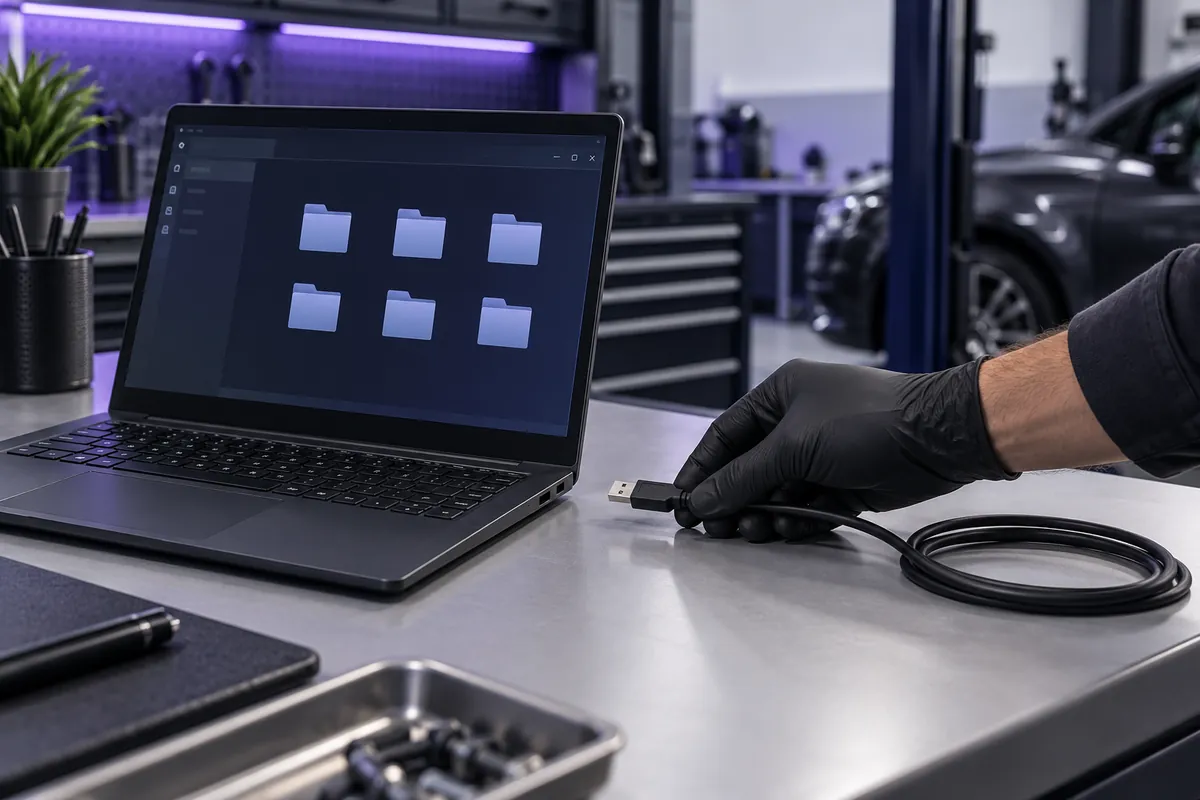
According to the manufacturer's current installation guide, the USB drive from the box is inserted into a physical Windows 11 computer, AutoTuner software is installed, and the device is connected to the computer with the provided USB cable. Drivers are included in the installation file; Windows updates must be completed. The USB drive does not need to remain in the computer after installation.

Where are the read files obtained from and who edits them?

AutoTuner is not a ready-made tuning file archive; it reads the original file from the supported ECU or TCU using the selected OBD, Bench, or Boot method. Master produces files without encryption; you can edit the file yourself with a compatible editor or send it to your chosen file provider. Slave produces encrypted files, and the file can only be processed by the Master the device is connected to. Calibration editor and file service are not included in the device package.

Is there an annual subscription or update fee for AutoTuner?

According to the manufacturer's current statement, there is no annual subscription, and protocol/software updates are free. This condition does not cover independent file services, calibration editors, training, or any future different products.

Can a Slave be moved to another Master later?

Yes; however, the consent of the current Master and the manufacturer's paid transfer process are required. Previously read encrypted files and backups may not be compatible with the new connection.

Can a Slave be upgraded to a Master later?

The manufacturer offers a paid upgrade option and requires the consent of the current Master. Before upgrading, the status of old files and account ownership must be verified with manufacturer support.

Can the power supply included in the box be used to support the vehicle battery?

No. The power supply included in the box is for Tool and bench connection. A separate, job-appropriate battery support device must be used to maintain voltage during in-vehicle programming.

Representative AutoTuner setup and file workspace shown with physical computer, USB connection, and file folders
Representative setup view · The software is installed on a physical Windows computer; whether the file is open or encrypted depends on the Master–Slave selection.
Technical information and price references
WhatsApp