
This product is currently out of stock. You can review available alternatives in the product list.
Dimsport · ECU Programming Devices
Dimsport TheGenius OBD, Bench, and Open Programming Tool
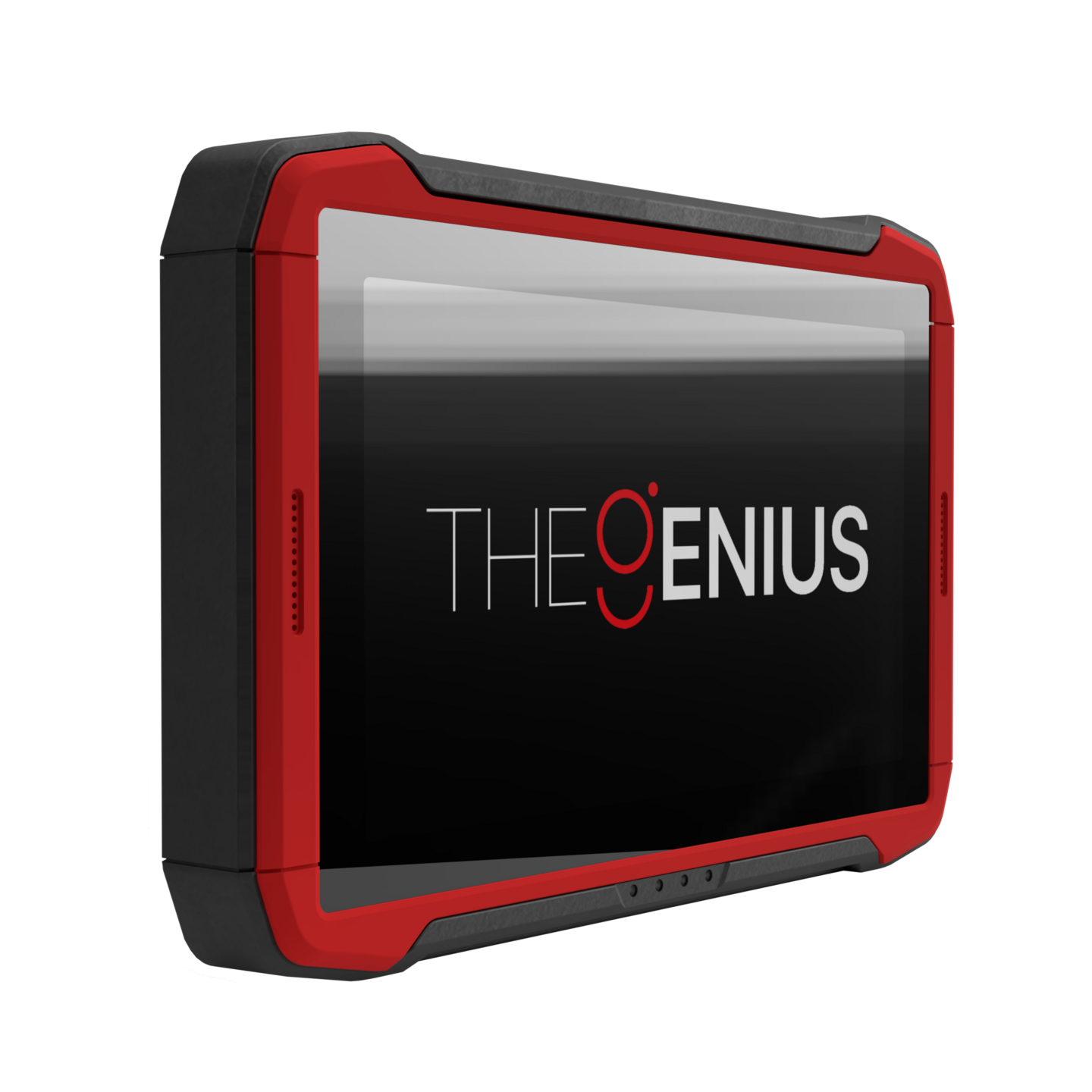
Dimsport TheGenius is a professional programming tool that combines New Genius and New Trasdata functions on a 10.1-inch touch, standalone platform, offering OBD, BENCH, and OPEN operating modes for supported control units. The sales package and active protocols must be confirmed based on the offer.
- Platform combining New Genius and New Trasdata functionalities in a single device
- OBD, BENCH, and OPEN operating modes on supported protocols
- 10.1-inch touchscreen and PC-independent use in basic operations
- Wi‑Fi 5 Dual Band, Bluetooth 5.2, built-in battery, and connectivity sensors
Alternatives available for saleRecommended models instead of Dimsport TheGenius OBD, Bench, and Open Programming Device
Main recommendationAutoTuner Tool Master and Slave ECU Programming Device
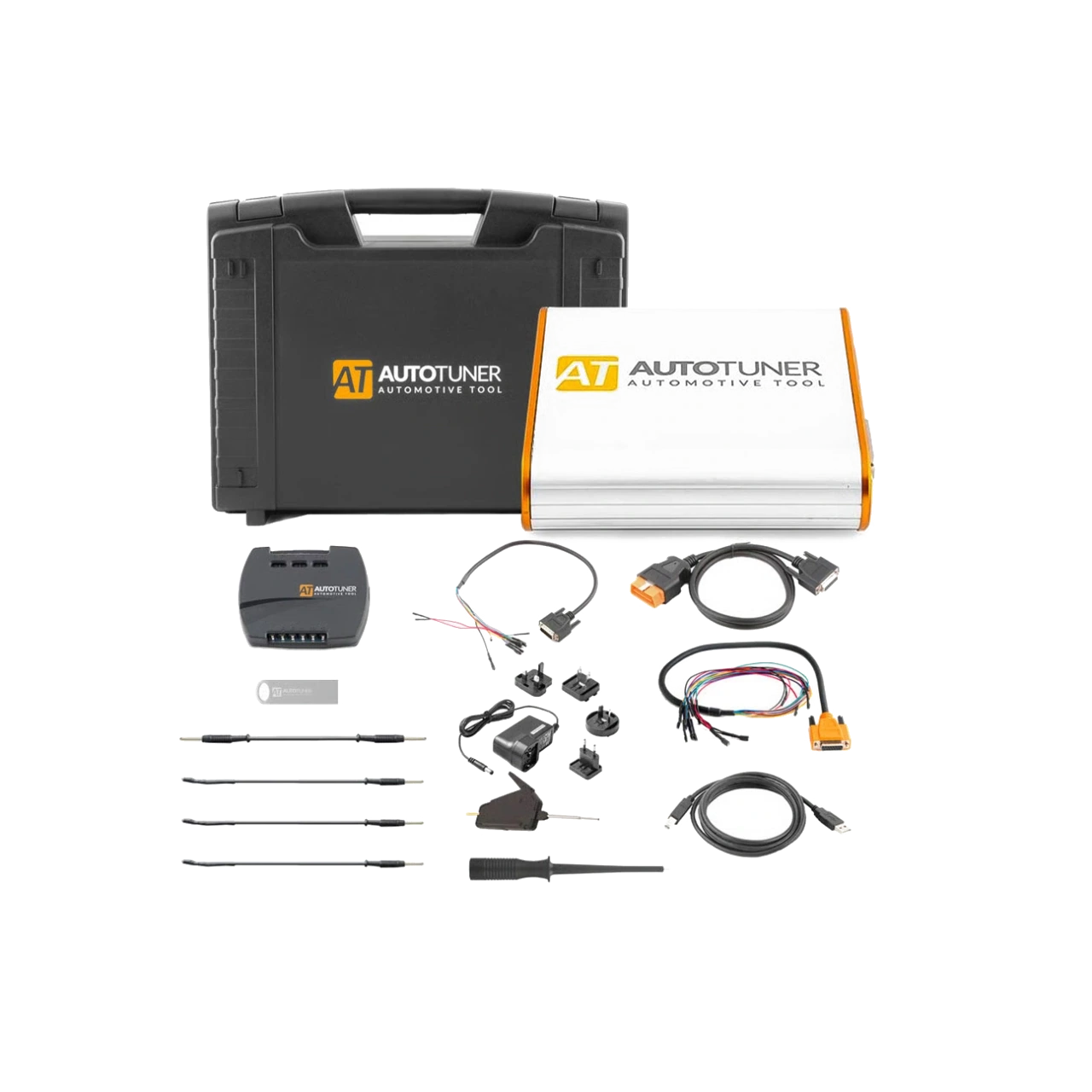
AutoTuner Tool is a professional ECU programming device that performs read-write operations on supported engine and transmission control units via OBD, Bench, and Boot, with the option of open file Master or linked file service Slave.
Strong alternativeKESS V2 Master ECU Programming and Chip Tuning Device
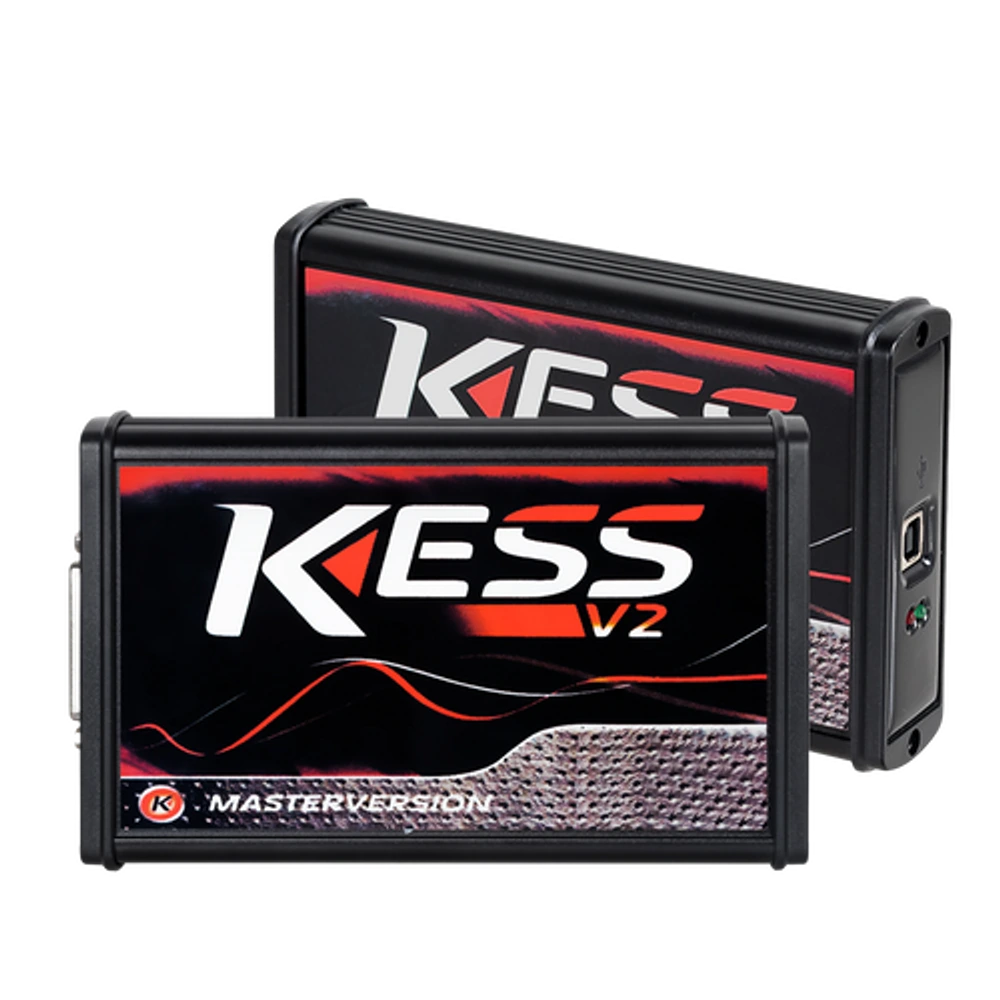
KESS V2 Master 5.017 is an OEM production Euro Clone, Red Board ECU programming device used for reading and writing via OBD on supported ECU protocols. It is not the current official Alientech KESS3.
Product information
What does Dimsport TheGenius do?
Dimsport TheGenius is a powerful platform candidate for professional workshops that want to combine the direct control unit access of New Genius on the OBD side with the New Trasdata approach in a single 10.1-inch touchscreen device. The official product source confirms OBD, BENCH, and OPEN methods, independent operation, wireless connectivity, and on-device guidance.
However, publicly available sources do not specify whether a particular sales SKU is Master or Slave, which vehicle groups and protocols it unlocks, all cables included in the box, or the update duration.
Therefore, the decision for an "all-inclusive package" is made not by the hardware name but by the part-numbered shipping list and activation scope of the written offer.
What would you buy this for?
- ECU programming workshops wanting to manage OBD, Bench, and open unit access on a single portable platform
- Professionals wanting a guided on-vehicle and desktop workflow without carrying a PC
- Users wanting to leverage their existing Dimsport cable ecosystem with a compatible adapter included in the offer
- Businesses establishing a Master or connected Slave operating model with written protocol and contract scope
ECU programming features
- Master or Slave Configuration
- Vehicle group, ECU, and protocol activation
- Complete cable and adapter shipping list
- Contract, update, and file service conditions
Vehicle Coverage
Which vehicles does Dimsport TheGenius OBD, Bench, and Open Programming Device support?
The make name alone does not guarantee compatibility. Within the same make, model year, engine, chassis, control unit, communication protocol, and intended operation can yield different support results.
- Vehicle Group
- ECU, TCU, MCU, or EEPROM families found on the manufacturer's current protocol list
- Supported makes
- Multi-brand coverage; the current make list is obtained from the manufacturer's official vehicle or protocol database.
- Supported models
- Verified from the official coverage screen based on make, model, model year, engine or chassis, and control unit.
- Scope of service
- Code reading, live data, active test, service function, coding, and programming may be supported separately.
- Connection conditions
- Master or Slave configuration, Vehicle group, ECU and protocol activation, Complete cable and adapter shipping list, Contract, update, and file service conditions
- The make and model examples on the page do not guarantee all production years and all functions.
- Before any definitive operation, the manufacturer's current coverage record must be verified with the VIN or full vehicle information.
Product details
What is Dimsport TheGenius used for?
TheGenius is a professional programming platform developed to access the software and memory areas of supported vehicle electronic control units. Dimsport defines the device as a product that combines the capabilities of New Genius and New Trasdata in a single body.
The practical equivalent of this is three distinct connection approaches: OBD via the vehicle's diagnostic socket, BENCH via the control unit connector without opening the casing, and OPEN, which establishes a direct electronic connection by opening the unit.
The device's 10.1-inch touchscreen provides guidance from vehicle, control unit, and protocol selection to operation steps. This product is not a multi-brand fault diagnostic tablet; it does not provide access to unsupported ECUs, coding menus, or service functions.
The operation to be performed is verified each time in the current Dimsport application list along with the vehicle, ECU, connection method, and active license.
- Programming via OBD connection on the vehicle
- BENCH connection on a disassembled unit
- OPEN access on required protocols
- Guided workflow from the touchscreen
Product details
Verified hardware and connection features
The official product page clearly states the 10.1-inch touchscreen, Wi‑Fi 5 Dual Band connectivity, Bluetooth 5.2, and built-in lithium battery. Temperature, current, and voltage sensors are included in the device's hardware to monitor operating conditions. The Dimsport catalog mentions automatic connection testing for DB44 and DB25 connections.
These features do not eliminate all risks of incorrect pin selection or inadequate power conditions; the manufacturer's on-device diagram and vehicle procedure must still be followed. Numerical estimates are not published as battery capacity, single charge operating time, IP protection class, and overall physical dimensions are not provided on the public page.
The three gallery images are exact-model official manufacturer renders; they are not presented as physical product photos or proof of box contents.
- Device label
- F36THEGENIUSVisible on the official rear body render; not a Master/Slave or activation SKU.
- Screen
- 10.1-inch touchscreenFor on-device guidance and operation steps.
- Operating modes
- OBD, BENCH, OPENOnly on active and supported protocols.
- Wireless connection
- Wi-Fi 5 Dual Band and Bluetooth 5.2For updates, support, and connected features.
- Power
- Built-in lithium batteryCapacity and operating time not public.
- Monitoring
- Temperature, current, and voltage sensorsMonitors operating conditions at the device level.
Product details
On-vehicle programming scenario via OBD
In the OBD flow, the vehicle's full model, engine, and control unit information are first matched with the current Dimsport application list. A driver's license alone is not sufficient, as different ECU hardware or software versions may exist within the same vehicle family. The device ID reading and protocol screen are used to confirm the read-write operation offered.
Stable power is provided in accordance with the vehicle manufacturer's programming voltage procedure; the existing error status and original file are recorded before the operation begins. Although TheGenius operates independently, it does not automatically eliminate the risk of incorrect files, low voltage, or unsupported procedures. The ignition, connection, and power are not changed during writing.
After the operation, control unit communication, ID information, and the vehicle's basic operation are verified. OBD is a connection method that facilitates access; it does not mean that physical read, virtual read, write, and recovery options are the same for every protocol.
- Verify vehicle, ECU, and active protocol together
- Stable programming voltage according to manufacturer procedure
- Archive original file and ECU ID separately
- Post-write communication and operation check
Product details
Desktop operation scenario with Bench connection
In the BENCH operation, the control unit is connected via its external connector without opening the casing; whether the unit remains on the vehicle may vary depending on the exact protocol. The current connection diagram on TheGenius, the correct cable, and the adapter shipped within the offer must be used together.
Power, ground, and communication lines are verified by pin number; relying solely on cable color or general diagrams found online is not advised. A stable, current-controlled power supply and a suitable working environment are required for initial energization.
Options such as FLASH, EEPROM, full backup, or calibration area only may vary by protocol; the public general product page does not document the area available for each operation.
The exact scope must be verified before the operation begins using the current official protocol record on the device and, if necessary, Dimsport support. The phrase "Bench supported" does not mean that every memory will be read or every unit will be cloned. The first read is saved as an unalterable backup; the file to be written is re-compared with the ECU ID.
A post-operation verification read and on-vehicle communication check are performed.
- Match socket and pin with official diagram
- Current-controlled and stable bench power supply
- Separate memory areas offered by the protocol
- Preserve backup, write, and verification records
Product details
Open access required control unit scenario
Dimsport's term "OPEN" refers to establishing a direct connection to the electronic board by opening the control unit for supported operations. This term should not automatically be considered the same commercial scope as the "Boot" package name used by other brands.
Before opening the unit, the exact ECU and OPEN method must be verified in the application list; the contact points in the official diagram, the required probe or adapter, and the active protocol are checked together. Opening the cover may entail risks of sealing, physical damage, and warranty responsibility, thus requiring a trained technician, an ESD-protected workspace, and a controlled disassembly-reassembly procedure.
Read areas and recovery methods may vary by protocol. TheGenius's OPEN feature does not mean it opens all processor families or every control unit in a standard package. Protocol activation and special connection accessories must be clearly stated in the offer.
- Verify OPEN method with exact ECU record
- Check required probe and adapter in the shipping list
- ESD, sealing, and physical opening responsibility
- Determine recovery method before operation
Product details
How are Standard and Advanced usage modes differentiated?
The Standard and Advanced names in TheGenius interface indicate two usage approaches. The Standard flow proceeds with guided steps by selecting the vehicle and the task to be performed. The Advanced flow is intended for experienced users who want more direct access to the protocol. These are not defined as two separate paid hardware packages or license levels in public sources.
The Advanced option does not automatically unlock a broader license; active vehicle group and protocol rights remain tied to the account contract. The Standard flow also does not eliminate the need for compatibility checks and safe power procedures.
Workshops may prefer the guided flow for daily job acceptance; and experienced technicians may prefer Advanced access for specific ECU research and verified procedures. In both cases, original file, work order, and return records are maintained with the same discipline.
Product details
Why is the Master and Slave selection central to the package decision?
The Dimsport RACE page states that vehicles are offered with Master and Slave configurations. This verification indicates that options exist for TheGenius; however, the public page does not provide the exact SKU, transfer fee, or full details of file rights.
Master selection is generally considered for businesses that manage the file operation in-house, taking responsibility for calibration and verification. Slave operation, on the other hand, executes the file flow with the network it is connected to. It is not assumed that the same rules apply unchanged to the TheGenius contract, as details from Dimsport's Flash Point page name New Genius and New Trasdata.
Connected Master, file return time, revision policy, active CPU/protocols, and disconnection conditions must be in writing. A Master device also does not automatically include a calibration editor, training, checksum verification, or file service in the package.
- Master or Slave statement in the offer
- If Slave, connected Master and file service conditions
- If Master, file tool, training, and verification responsibility
- Written confirmation of transfer, handover, and support rights
Product details
How is vehicle, ECU, and protocol compatibility verified?
Dimsport's unified application list covers vehicle make, model, engine, control unit, and connection method, and is updated with new applications. General statements like "automotive," "motorcycle," or "all vehicles" in sales listings are not sufficient for purchase decisions.
The business must first list the vehicle groups and ECU families it will work with; the supplier must show the OBD, BENCH, or OPEN method and the required activation for each line. The scope of operation may change due to hardware-software revisions within the same ECU family.
The fact that TheGenius combines the functionalities of New Genius and New Trasdata does not mean that every protocol seen on older devices is free and active in the new account. A sample vehicle list should be added to the written offer before ordering; it should be compared with the account screen linked to the serial number after delivery.
Each new vehicle operation must be re-checked against the current list.
Product details
Box contents, cable, and adapter limitations
The official TheGenius page states that an included adapter helps use existing Dimsport cable harnesses. The Spanish official page relates this backward compatibility to New Genius and New Trasdata connectors and cables.
This information does not prove that all OBD, BENCH, and OPEN cables are included in every TheGenius package purchased from scratch. Although the corporate catalog shows a regular carrying case and necessary accessories, it does not provide a part-numbered material list.
A proper offer should show the main device, power supply, adapter, standard connections, special ECU cables, probes, and carrying case in separate lines. If existing Dimsport equipment is to be used, the part number and adapter compatibility of each cable must be verified by the supplier. Accessories not visible in gallery renders are not considered part of the shipment.
Product details
License, update, and contract management
The TheGenius device can track contract renewal and end dates from its screen. This function does not explain how many months of updates are provided with the purchase or the renewal fee. As the public product page does not provide the initial subscription period, free protocol period, and country-specific support fees, these values are not published without a written offer.
The Dimsport RACE license description states that software transfer, registration, private area, and support rights may not automatically transfer with physical device ownership alone. For a second-hand or transferred device, the serial number, registered account, license transfer, outstanding debts, and support access must be verified with the manufacturer.
Configuration files, original file banks, RaceEVO, or similar services are not automatically included with the device; the required contract and fee must be a separate line item.
Product details
What does independent operation cover, and what does it not cover?
Dimsport states that TheGenius can operate without being connected to a computer or internet connection for its basic programming flow. The 10.1-inch screen, built-in battery, and on-device guides facilitate field use. The term "independent" does not mean that online services are never needed.
Software and protocol updates, support tickets, the knowledge base, contract management, and remote assistance may require a network connection. Mirroring the device screen to a computer for remote support is also a separate support flow.
Workshops can perform daily programming on the device; however, they must plan for reliable internet and registered user information for account management, updates, and technical support. As there is no publicly available TheGenius user manual, detailed menu steps are not fabricated; the official instructions on the device's current screen are used as a basis.
Product details
How is the claim of an "all-inclusive package" proven?
TheGenius offers integrated use on a single platform thanks to its independent touchscreen device, OBD/BENCH/OPEN methods, and adapter approach for older Dimsport cables. However, this hardware difference does not automatically mean the commercial package is all-inclusive.
Alternatives like AutoTuner, Alientech KESS3, and Magicmotorsport FLEX package connection methods, Master/Slave structure, PC requirements, licenses, and accessories differently. None of the listings examined in Turkey clearly provided all these items at a single price.
Therefore, a low hardware price is not proof of the "cheapest complete package," nor is the name TheGenius proof of the "best complete package." Otobiltek can only use this positioning measurably when all items are confirmed in writing and under the same SKU.
Product details
Sources and editorial verification method
Technical claims were taken from Dimsport's TheGenius product page, RACE product family description, 2025 corporate catalog, application list, and license terms. The three gallery assets are derived from converting the official product page's 1440x1440 transparent PNG renders to WebP while preserving their source; the product body was not drawn or modified with generative AI.
Listings from Turkish sellers were examined solely to understand pricing and package presentation; contradictory or incomplete technical claims were not escalated to the manufacturer's source.
Product details
How is the vehicle scope of the Dimsport TheGenius OBD, Bench, and Open Programming Device model verified?
Definitive compatibility cannot be stated for the Dimsport TheGenius OBD, Bench, and Open Programming Device model without selecting the vehicle make, model, year, engine, control unit, and the operation to be performed together.
The valid scope for the Dimsport TheGenius OBD, Bench, and Open Programming Device is checked via the full ECU ID and connection method in the protocol list of the delivered device.
When evaluating the Dimsport TheGenius OBD, Bench, and Open Programming Device, the mere presence of the vehicle make or model in the list does not prove that reading, writing, cloning, or any other operation is supported.
Before ordering, prepare the VIN or full model information, model year, engine/chassis distinction, and the operation to be performed for the Dimsport TheGenius OBD, Bench, and Open Programming Device; software version, license duration, VCI, adapter, and regional package should also be checked.
- Dimsport TheGenius OBD, Bench, and Open Programming Device model: Prepare make, model, model year, and engine/chassis information
- Dimsport TheGenius OBD, Bench, and Open Programming Device model: Select the desired system and operation separately; reading, live data, active test, coding, or programming
- Dimsport TheGenius OBD, Bench, and Open Programming Device model: Verify ECU and function line in the official scope vehicle
- Dimsport TheGenius OBD, Bench, and Open Programming Device model: Check VCI, cable, adapter, license, and regional package conditions
- Dimsport TheGenius OBD, Bench, and Open Programming Device model: Final check with VIN and manufacturer procedure before definitive operation
Related pages
Related content for Dimsport TheGenius OBD, Bench, and Open Programming Device
ECU programming devicesReview OBD, Bench, and open unit connection programming options by usage area.Dimsport ProductsEvaluate Dimsport devices based on configuration, protocol, and license scope.TheGenius and ECU programming optionsCompare TheGenius, AutoTuner, FLEX, FC200, and Multi-Prog options based on connectivity, file authorization, and package limitations.AutoTuner Tool Master and Slave ECU Programming DeviceCompare the TheGenius OBD, Bench, and Open Programming Device model with the AutoTuner Tool Master and Slave ECU Programming Device model in terms of ECU and TCU OBD read-write, Bench connection without opening the cover, and package structure.Magicmotorsport FLEX ECU OBD/Bench Master PackageCompare the TheGenius OBD, Bench, and Open Programming Device model with the Magicmotorsport FLEX ECU OBD/Bench Master Package model in terms of ECU OBD read and write, Bench programming without opening the cover, and package structure.Magicmotorsport FLEX ECU OBD/Bench Slave PackageCompare the TheGenius OBD, Bench, and Open Programming Device model with the Magicmotorsport FLEX ECU OBD/Bench Slave Package model in terms of ECU OBD read and write, Bench programming without opening the cover, and package structure.CGDI FC200 ECU Programming and Chip Tuning DeviceCompare the TheGenius OBD, Bench, and Open Programming Device model with the CGDI FC200 ECU Programming and Chip Tuning Device model in terms of ECU and EGS read-write-clone, OBD, Bench, and Boot connection, and package structure.Coding and programming operationsExamine the different effects of coding, adaptation, and programming on the vehicle.ECU Programming Device SelectionCompare OBD, Bench, and Boot methods with ECU ID, protocol, power, and backup conditions.
Technical Resources
Technical resources for Dimsport TheGenius OBD, Bench, and Open Programming Device
Technical information checked against official sources on October 15, 2026, 18:51–19:02 (Europe/Istanbul).
FAQ
Frequently asked questions about Dimsport TheGenius OBD, Bench, and Open Programming Device
Does Dimsport TheGenius work without a computer?
Yes. Dimsport states that the basic programming flow can be performed independently of a PC and the internet. A network or computer may be required for features such as updates, online support, contract management, and screen mirroring.
Does TheGenius support OBD, Bench, and Boot?
The official terminology is OBD, BENCH, and OPEN. The term "Boot" used by some vendors should not be considered the same package or protocol scope as OPEN; the exact ECU and active method must be verified in the Dimsport list.
Is TheGenius Master or Slave?
Dimsport states that its RACE vehicles have Master and Slave configurations. Which configuration the purchased device has, the connected Master conditions, and file rights must be written on the exact offer and SKU.
Are all cables included in TheGenius package?
Publicly available sources do not confirm this. The official page mentions an included adapter that enables working with existing Dimsport cables; the complete cable, probe, and accessory list must be verified from the offer with part numbers.
How many years are updates and support included?
There is no definitive duration or renewal fee on the publicly available TheGenius page. The device tracks contract end and renewal information; the first term, subsequent fees, and support scope must be specified separately in the purchase offer.
Does TheGenius work on all vehicles?
No. The scope varies by vehicle, engine, ECU, protocol, connection method, and active license. The current Dimsport application list must be checked before each operation and purchase.
Does TheGenius replace a fault diagnostic device?
It should not be considered a general multi-brand service tablet. Its primary function is the programming workflow on supported control units; a separate diagnostic device may be required for live data, active tests, and service functions.
What specific tasks is the Dimsport TheGenius OBD, Bench, and Open Programming Device model used for?
The TheGenius OBD, Bench, and Open Programming Device model is an ECU programming device used for OBD read and write on vehicles, Bench connection on supported units, Open operation on supported units, and guided programming flow independent of a computer, using supported protocols on supported control units.
The Master or Slave configuration, vehicle group, ECU and protocol activation, complete cable and adapter shipping list, and contract, update, and file service conditions indicate which ECU, connection, and operation flow will be used. Full system fault scanning and ECU file operations are distinct tasks.
Comparison
Similar models to Dimsport TheGenius OBD, Bench, and Open Programming Device
Compare products in the same class with information on usage level, service tasks, and price.
| Model | Level | Usage | Price | View |
|---|---|---|---|---|
| Dimsport TheGenius OBD, Bench, and Open Programming ToolDimsport | Professional |
| Out of stock | View |
| AutoTuner Tool Master and Slave ECU Programming DeviceAutoTuner | Professional |
| Out of stock | View |
| KESS V2 Master ECU Programming and Chip Tuning DeviceOEM | Professional |
| ≈ $2029,990 TL charged · VAT included · import duties excluded | View |
| KTAG Master ECU Programming and Chip Tuning DeviceOEM | Professional |
| ≈ $2029,990 TL charged · VAT included · import duties excluded | View |
Similar products
Similar devices
AutoTuner Tool Master and Slave ECU Programming Device
AutoTuner Tool is a professional ECU programming device that performs read-write operations on supported engine and transmission control units via OBD, Bench, and Boot, with the option of open file Master or linked file service Slave.
- ECU and TCU OBD read-write
- Bench connection without opening the cover
- Boot access at board level
Out of stockOut of stock
ViewKESS V2 Master ECU Programming and Chip Tuning Device
KESS V2 Master 5.017 is an OEM production Euro Clone, Red Board ECU programming device used for reading and writing via OBD on supported ECU protocols. It is not the current official Alientech KESS3.
- OBD reading on supported ECUs
- Taking original file backup
- ECU writing by protocol
≈ $2029,990 TL charged · VAT included · import duties excludedIn stock
KTAG Master ECU Programming and Chip Tuning Device
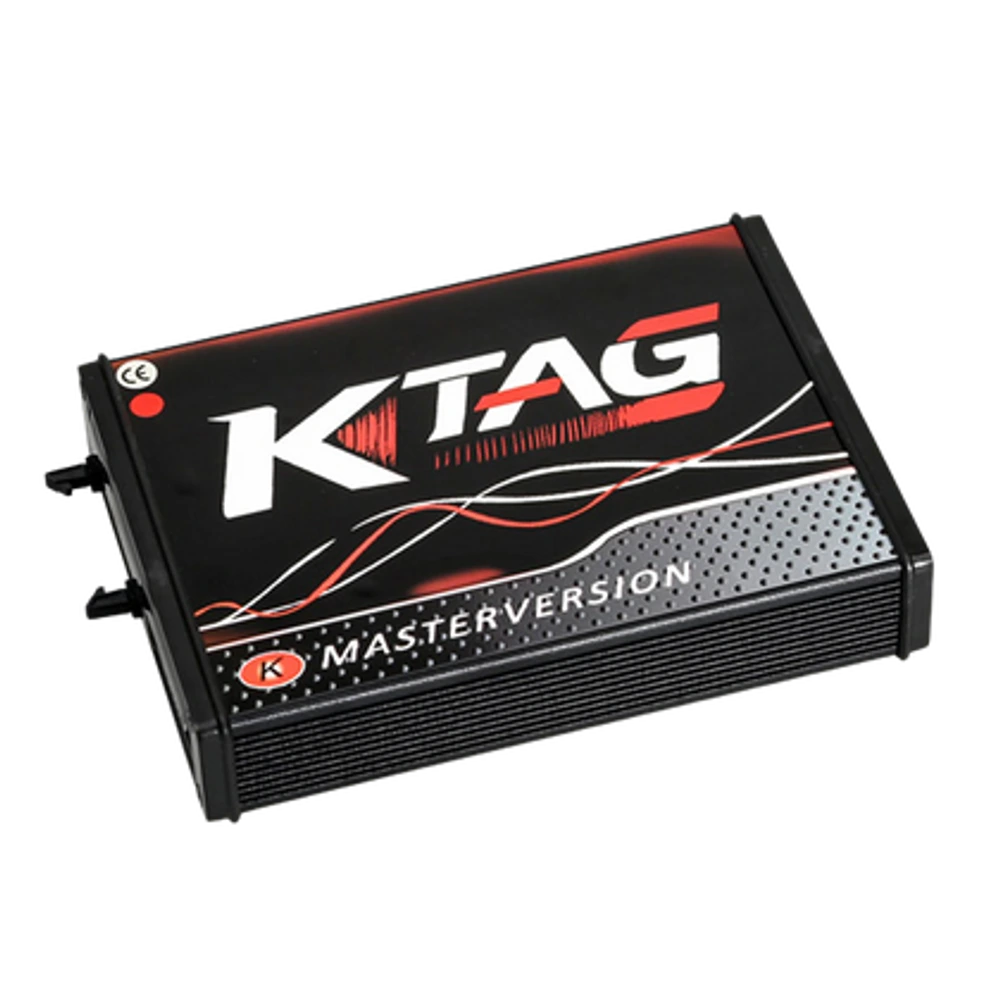
KTAG Master 7.020 is an OEM production Euro Clone, Red Board ECU programming device used for reading and writing via bench connection on supported ECUs. It is not the current official Alientech product.
- Bench connection on supported ECUs
- Protocol-based Bench, Boot, or BDM
- ECU file reading and backup
≈ $2029,990 TL charged · VAT included · import duties excludedIn stock
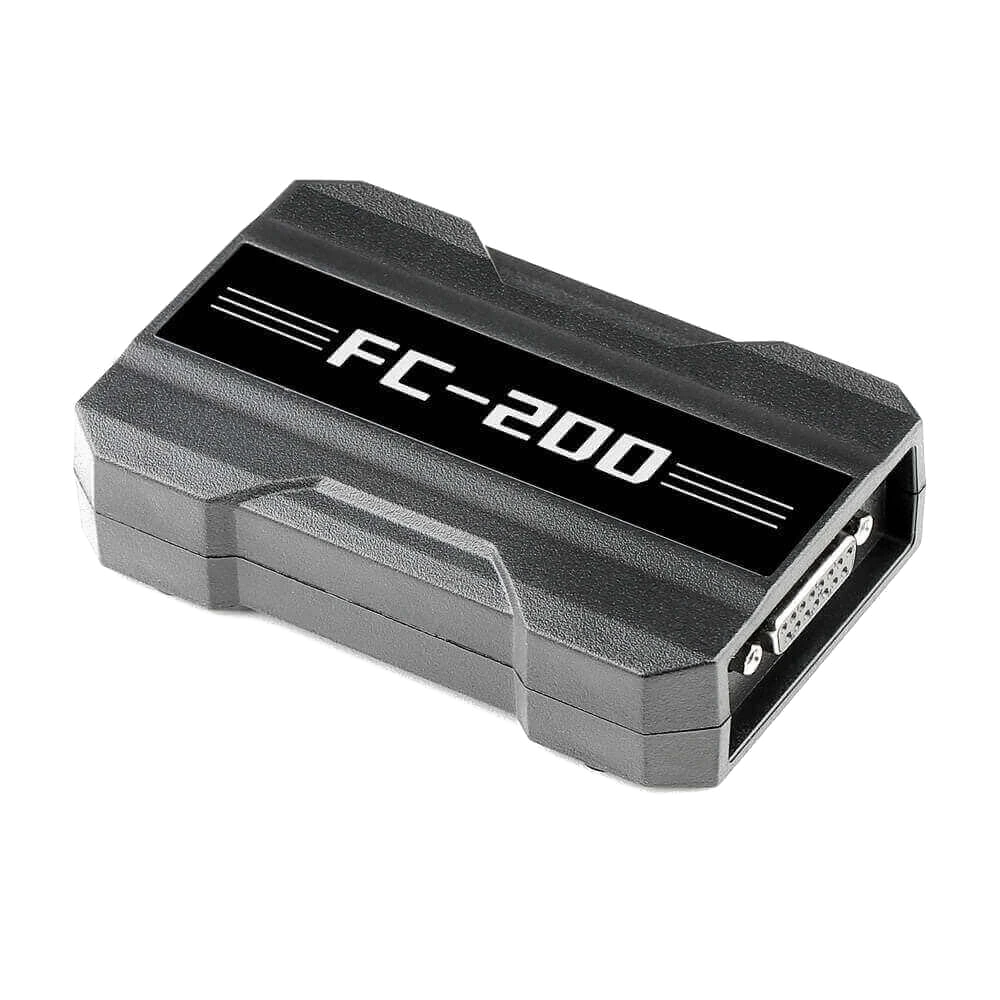
CGDI FC200 ECU Programming and Chip Tuning Device
CGDI FC200 is a professional programming device developed for reading, writing, and cloning via OBD, Bench, and Boot on supported ECU and EGS modules; it also features Bosch ECU search, online checksum, and specific BMW ISN operations.
- ECU and EGS read-write-clone
- OBD, Bench, and Boot connection
- Bosch ECU search and checksum
Out of stockOut of stock
View