Product information
What is the Magicmotorsport FLEX ECU OBD/Bench Master Package used for?
The Magicmotorsport FLEX Master package is for professional businesses that want to retain file authority when working via OBD or Bench on supported car, light commercial vehicle, and motorcycle engine ECUs. The FLS0.1M license works with open text and BIN files; the user can independently open the file in compatible calibration software.
The Master license does not automatically guarantee that the file is calibrated correctly and safely: calibration software, training, checksum, and rollback procedures are also required. The package is for ECU OBD/Bench scope only; TCU, all Boot processor families, and Full Master authorizations are not included.
Vehicle compatibility is determined not by looking at the model name but by verifying the vehicle, engine, ECU, protocol, connection method, and the FLS0.1M package together in the official FLEX vehicle list.
Vehicle Coverage
Which vehicles does the Magicmotorsport FLEX ECU OBD/Bench Master Package support?
The make name alone does not guarantee compatibility. Within the same make, model year, engine, chassis, control unit, communication protocol, and intended operation can yield different support results.
- Vehicle Group
- ECU, TCU, MCU, or EEPROM families found on the manufacturer's current protocol list
- Supported makes
- Multi-brand coverage; the current make list is obtained from the manufacturer's official vehicle or protocol database.
- Supported models
- Verified from the official coverage screen based on make, model, model year, engine or chassis, and control unit.
- Scope of service
- Code reading, live data, active test, service function, coding, and programming may be supported separately.
- Connection conditions
- FLS0.1M ECU OBD/Bench Master scope, Current vehicle and protocol list, Calibration software and expertise, Stable internet and programming power supply
- The make and model examples on the page do not guarantee all production years and all functions.
- Before any definitive operation, the manufacturer's current coverage record must be verified with the VIN or full vehicle information.
Open official sources and coverage connectionsProduct details
What is FLEX Master used for?
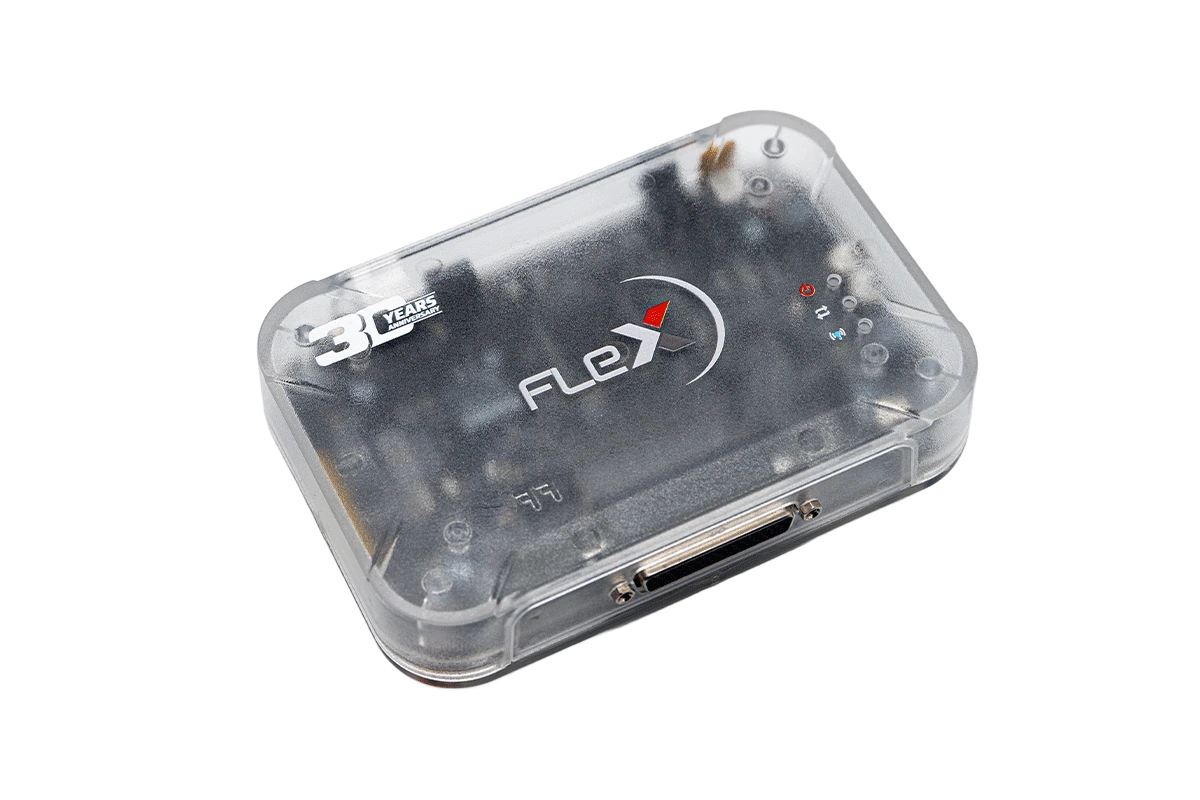
FLEX is a PC-based programming platform that accesses software and memory areas in vehicle electronic control units. The FLS0.1M license in this package opens OBD and Bench protocols for supported car, light commercial vehicle, and motorcycle engine ECUs listed officially.
For OBD operation, the diagnostic socket on the vehicle is used; for Bench operation, the external socket pins of the removed ECU and the FlexBox are used. The distinguishing feature of the Master license is file authority: reading can be obtained in open text or BIN format and processed in compatible editor.
FLEX manages connection, reading, and writing; it is not a calibration software that independently modifies fuel, ignition, torque, or emission maps correctly. For each operation, the correct ECU record, connection method, power condition, and supported memory area must be checked on the official protocol screen.
- OBD reading and writing on supported engine ECUs
- Bench connection without opening the cover on supported units
- Editable plain text and BIN file stream
- Centralized file management with Slave devices connected to a Master account
Product details
FLS0.1M scope and verified limits
Magicmotorsport's official license registration identifies the FLS0.1M package as an OBD + Bench Master for car, light commercial, and motorcycle engine ECUs. The phrase 'all ECU protocols' refers to the current supported records within this license family; it is not a promise of unconditional operation on every vehicle and control unit on the market.
Each protocol line may offer different operations such as read, virtual read, write, checksum, FLASH, or EEPROM. TCU OBD/Bench/Boot Master FLS0.2M, Full Master FLS0.5M, and Boot packages specific to processor families like Motorola, Nexus, and Infineon are separate licenses in the official store.
Therefore, the title 'OBD, Bench, Boot, ECU, and TCU' in another listing does not expand the scope of this product. When making a purchase decision, the package code, the license to be assigned to the device's serial number, and the shipping list should be checked together.
- Package code
- FLS0.1Mis an ECU OBD + Bench Master software package.
- Vehicle Group
- Car, light commercial, and motorcycleOnly engine ECU records supported in the official vehicle list are valid.
- Connection
- OBD and BenchBoot and TCU scope are not included in the standard package.
- File authorization
- Plain text and editable BINCompatible calibration software is required separately.
- Computer
- Windows 10 or newerInternet connection is required for software, activation, and updates.
Product details
Difference between Master and Slave
Master and Slave packages can use the same FLEX and FlexBox hardware; the main distinction is who can open and modify the file. Slave reads remain encrypted and are processed only through the Master it is connected to.
The Master license removes the file format restriction; the opened file can be edited in different compatible software, and the operator can choose their own file provider. This freedom brings higher responsibility. Incorrect map selection, unsuitable torque demand, faulty checksum, or writing a file belonging to a different software number cannot be resolved by purchasing hardware.
The Master package provides value to businesses with file preparation skills and verification processes. For workshops that only make the field connection and send the file to an expert center, the Slave model may be simpler.
The decision between the two packages should be made not only based on device price but also on the daily file quantity, team expertise, revision responsibility, and customer support duration.
- Master: plain file, independent editing, and provider selection
- Slave: encrypted file and processing through a single Master
- Same hardware, different license and work responsibility
- Master license does not replace calibration training
Product details
Plain file workflow via OBD
During on-vehicle OBD operation, the vehicle, engine, and ECU identity are first matched with the current protocol record in the FLEX software. The record may only offer virtual read or write instead of OBD read; this distinction should be seen before starting work. The battery is kept at a stable voltage with a programming support unit according to the manufacturer's procedure.
Computer sleep, automatic update, and restart behaviors are turned off. After reading the identity, the original file obtained is saved in an unalterable archive with the vehicle chassis number, ECU hardware-software number, and transaction date. The Master opens the file in the calibration editor, saves changes as a separate version, and re-checks the ECU identity to be written.
During writing, the ignition, connection, and power are not changed. After the operation, the result is verified through ECU identification, fault record, operating values, and, if necessary, a controlled road test. OBD provides easy access; it does not eliminate the risk of incorrect files or voltage interruptions.
- Separation of real read, virtual read, and write authorization in the protocol
- Unalterable saving of the original file with ECU identity
- Matching the calibrated file with a separate version and work order
- Verification of ECU communication and vehicle operation after writing
Product details
Desktop programming via Bench connection
In Bench operation, the ECU is removed from the vehicle, but it is operated through the external socket pins on supported protocols without opening the casing. The FLEX main device, FlexBox, appropriate wiring harness, and official connection diagram are used together. Power, ground, CAN, and required additional communication lines are verified by pin number; relying solely on wire color is not advised.
An unusual current is observed during initial energization with a current-limited, stable bench power supply. The FLASH, EEPROM, full backup, or map areas offered on the protocol screen are not the same; the phrase 'Bench available' does not mean all memory will be read. The initial read is archived without modification, and the edited file is kept with a separate name and version.
Before writing, the hardware-software identity is compared again. Subsequently, a verification read is taken; communication, error logs, and basic functions are checked when the ECU is installed in the vehicle. Physical connection errors and calibration errors should be evaluated as separate records.
- Matching ECU label with official Bench diagram
- Energizing by measuring pins and monitoring current
- Archiving available memory areas on a protocol basis
- Verification read after writing and on-vehicle check
Product details
Editing, verifying, and reverting files
The ability to open the file in the Master version does not mean that every change made is correct. The workflow should be separated into original read, working copy, customer request, change log, final file to be written, and revert file. The calibration software must correctly recognize the ECU family and software version.
Changed maps, units, axes, and limiter relationships are recorded; simply having the same file size is not sufficient control. If FLEX or the editor used offers checksum correction, how it is applied for the relevant protocol is verified. The file to be written is stored with a naming convention that prevents it from being selected from another vehicle's folder.
If the result does not provide the expected behavior, the original file is not overwritten; the revision becomes a new version. The recovery method to be applied when ECU communication is lost should be determined before starting work. This discipline transforms the independence of the Master license into a measurable and reversible service process.
- Separating original, working, final write, and revert files
- Matching ECU software identity with calibration definition
- Verifying checksum and file integrity according to the protocol
- Saving each revision with a change log
Product details
Setting up and managing a FLEX Slave network
According to Magicmotorsport's official statement, one FLEX Master account can connect up to 99 Slave users when the file encryption-decryption module is enabled. This capacity alone does not constitute a good file service.
For each Slave, the business name, device serial number, authorized person, working hours, pricing, supported calibration types, and emergency revert channel must be defined. The incoming file is recorded with vehicle, ECU hardware-software identity, fuel type, requested operation, and previous intervention information, if any.
The Master matches the file with the correct Slave job; encrypts the edited file and sends it back through the same record. Originals, initial writes, and revisions are not deleted. Response time and revision policy are measured.
Increasing the number of Slaves does not automatically increase quality control; a central operation rule is required for conflicting file names, missing vehicle information, and rushed revisions.
- Up to 99 Slave connections per Master in the official statement
- Recording each job with device, vehicle, and ECU identity
- Keeping encryption, delivery, and revision steps within the same job record
- Measuring response time and technical quality separately
Product details
How is vehicle and ECU compatibility verified?
The FLEX vehicle list can be filtered by vehicle type, manufacturer, model, engine, fuel, power, model year, ECU manufacturer, ECU model, connection method, and software package. For a healthy check, license information alone is not used; the ECU label and, if possible, the FLEX identity read are matched with the same record.
Different ECU manufacturers or hardware revisions may exist for the same engine code. Within the same ECU family, OBD, Bench, virtual read, real read, and writable memory areas may also differ. The FLS0.1M package must be visible for the selected protocol.
A line open only to Full Master, TCU, or separate Boot license will not work with this product. As the vehicle list is updated with new protocols, an old screenshot is not considered permanent proof of compatibility. When accepting a job, the current record is opened, the connection diagram is downloaded, and the FLEX software version used is added to the work order.
- Checking license, ECU label, and software identity together
- Verifying OBD/Bench method with FLS0.1M package
- Verifying read, write, and memory areas on an operation basis
- Revisiting the current vehicle list for each new job
Product details
Hardware, license, subscription, and separate needs
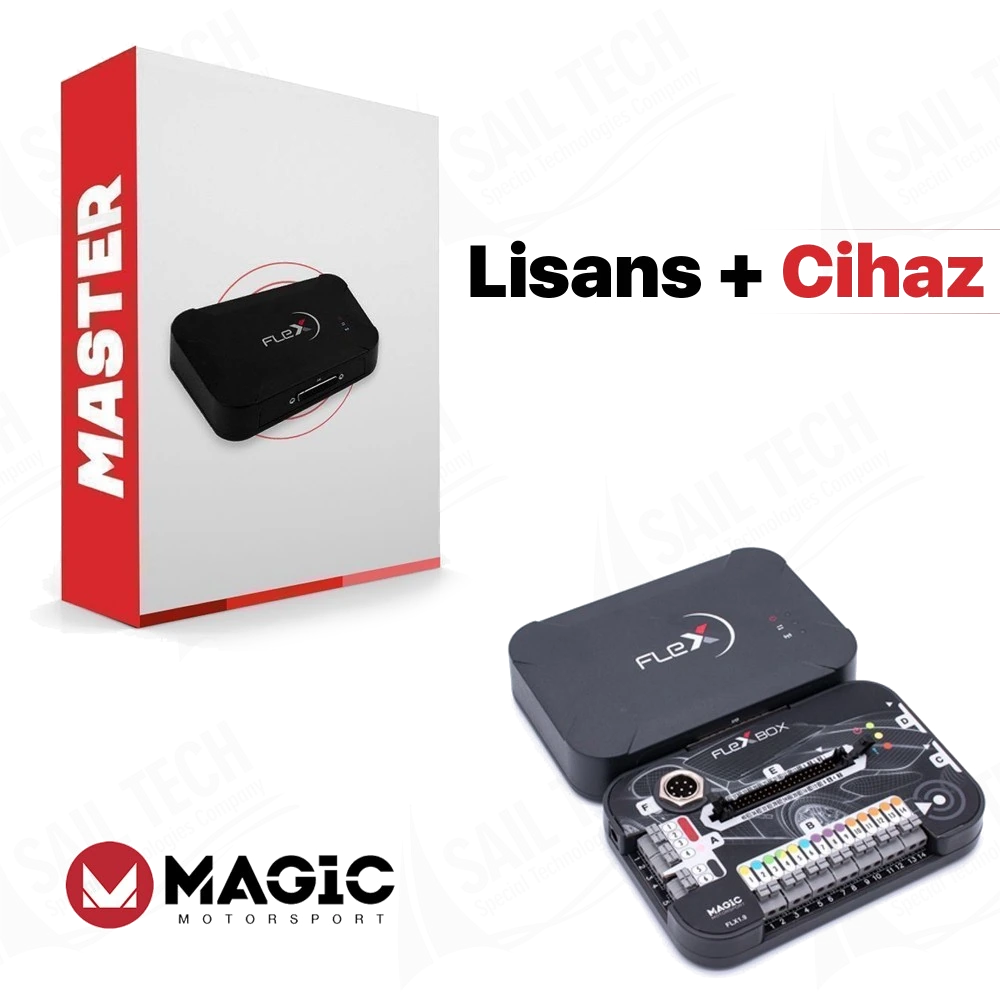
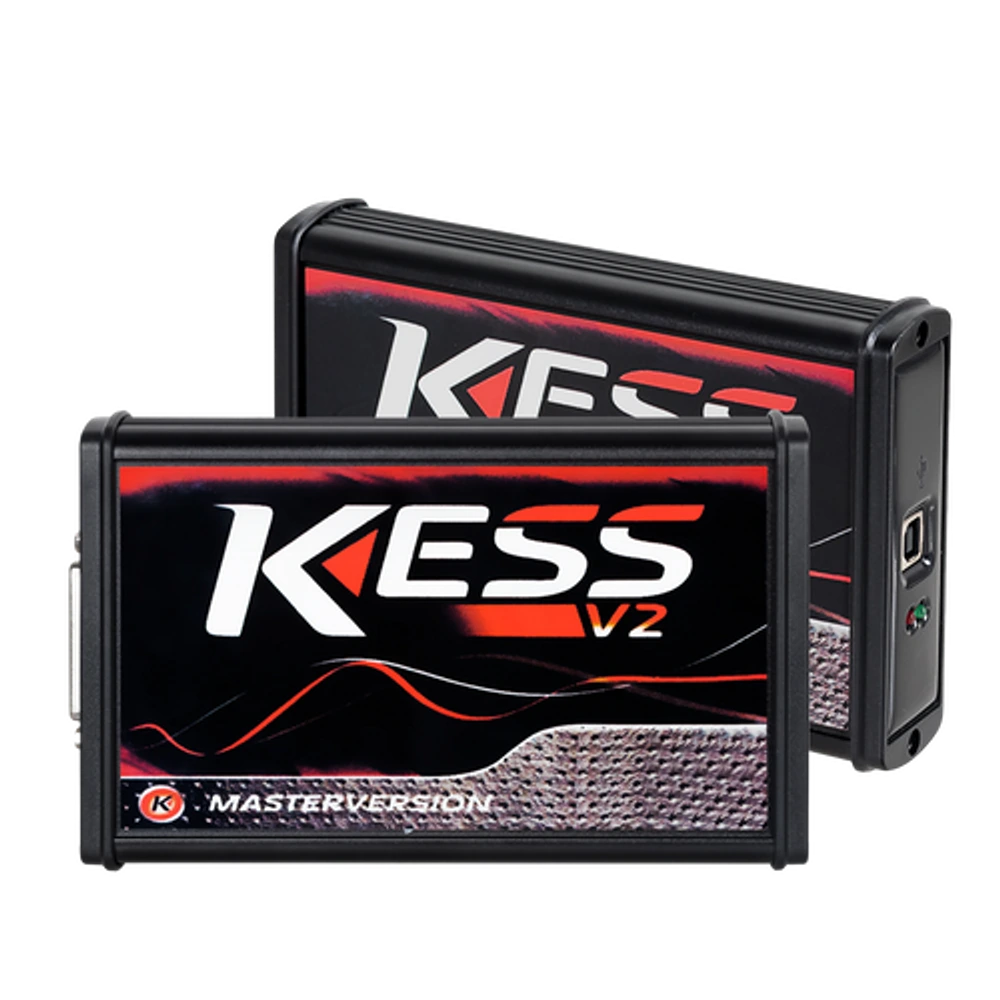
This sales description covers the FLEX main programmer, FlexBox, basic connection equipment, and FLS0.1M activation together. The quantity of shipped parts is verified against the order and invoice list; every special ECU cable, probe, jig, transport cart, Korhex, or programming power supply in the photo is not automatically included in the package.
The official FLEX page explains that a one-year subscription is included when the device and software package are purchased together; new solutions and updates are provided during the active subscription period. Limited lifetime warranty conditions for FLEX and FlexBox are also stated for active subscriptions.
Continuing to work with the existing version when the subscription is not renewed, online services, and access to new protocols are not the same matter; current account conditions apply. For Master users, StageX, WinOLS, or another calibration editor requires a separate license and expertise. Accessory and license requirements should be determined based on the ECU list to be worked on.
- FLEX main device, FlexBox, and basic connection equipment
- FLS0.1M ECU OBD/Bench Master activation
- Calibration editor and programming power supply are separate
- Monitoring subscription, technical support, and warranty conditions separately
Product details
How should the Master package price be compared?
When comparing FLEX prices, look at the package code and included items rather than the product name. One listing may show only the FLK02 hardware kit, another the FLS0.1M software license, and another the device and license together.
Full Master FLS0.5M is a broader license product and is not the same as this ECU OBD/Bench package. The verified supply record at Sail Teknoloji shows the device + FLS0.1M Master package; this commercial source is not used in place of the technical scope. Thus, when the exchange rate changes, there is no contradiction between the text, the product diagram, and the payment amount.
Offer comparison should be made on the same code, same hardware, same tax status, and same activation content.
- Checking FLK02 hardware and FLS0.1M license together
- Distinguishing between Full Master and ECU OBD/Bench Master packages
- Obtaining the current sales amount only from the cart and payment source
Product details
Source of information and editorial method
Technical scope verified through Magicmotorsport's official FLEX product page, FLS0.1M license record, and current vehicle-service list. The official source explains that Master files are open and editable, up to 99 Slaves can be connected to one account, and there are 300 Green Coins per month and full technical support.
As the usage area of Green Coin and service prices may change over time, this right is not presented as a cash discount. Seller pages in Turkey were examined in terms of package name, local search language, and commercial presentation; competitor texts were not copied, and manufacturer sources were not surpassed in technical claims.
The gallery was prepared from actual supplier photos showing the sold FLEX and FlexBox hardware and the Master package description; the product body was not drawn with generative AI. This text is Otobiltek's independent sales and technical information content; it is not a manufacturer or test laboratory statement.
- Package code and scope verified from the official FLS0.1M page
- Master-Slave file difference based on manufacturer's official statement
- Current FLEX vehicle and service list shown for compatibility
- Supplier and competitor data not used as primary technical sources