Quick comparison
Which device class performs which task at a dealership?
The device class is selected by clearly stating which systems were actually scanned in the report.
Decision guide
Why should diagnostic control be a separate acceptance step at a dealership?
In a second-hand vehicle, electronic records affect price, repair risk, and customer trust. If the inspection is reduced solely to the question of whether the warning light is on, past or pending codes, low voltage traces, and incomplete emission monitors may be overlooked. A standardized acceptance form provides a common starting point when the same vehicle returns or is sent to a specialist service.
The scan should be based on a consistent sequence, not the sales representative's personal interpretation. Vehicle identification, photos, mileage, warning lights, code status, and scanned systems are recorded with dates.
The absence of codes on a device does not prove there are no mechanical, bodywork, paint, airbag repairs, or intermittent electrical faults. The diagnostic result is only one part of the acceptance file.
Decision guide
First rule: Record all evidence before deleting codes
Upon vehicle arrival, current, pending, and permanent codes; freeze frame; I/M readiness; and active and historical records in accessible systems are obtained without deletion. Deleting codes is not a repair and puts some monitors in a "not ready" state. If the initial status is lost during purchase negotiations, it becomes more difficult to assess when and under what conditions the fault occurred.
The mention of a part name in a code description does not indicate the part is definitively faulty. Wiring, connectors, power supply, mechanical leaks, or previous low voltage can cause the same record.
Seller permission, test purpose, and data retention period should be clear in the operating procedure. Personal data and VIN records are protected solely for business purposes.
Decision guide
What do readiness and pending codes indicate in a second-hand inspection?
Readiness monitors indicate whether emission-related tests have been completed. The "not ready" status of many monitors may be related to recent code deletion, battery disconnection, or incomplete drive cycles. It is not proof of tampering on its own; it is a finding that should be explained in the sales file.
A pending code may indicate that the condition has not yet triggered a permanent warning. It can be seen if it returns with a test drive and re-scan.
Permanent codes may not be erasable until the relevant system criteria are met. Fault repair, driving conditions, and vehicle manufacturer procedures should be checked with separate records.
Decision guide
When is Reader 7 sufficient for a dealer?
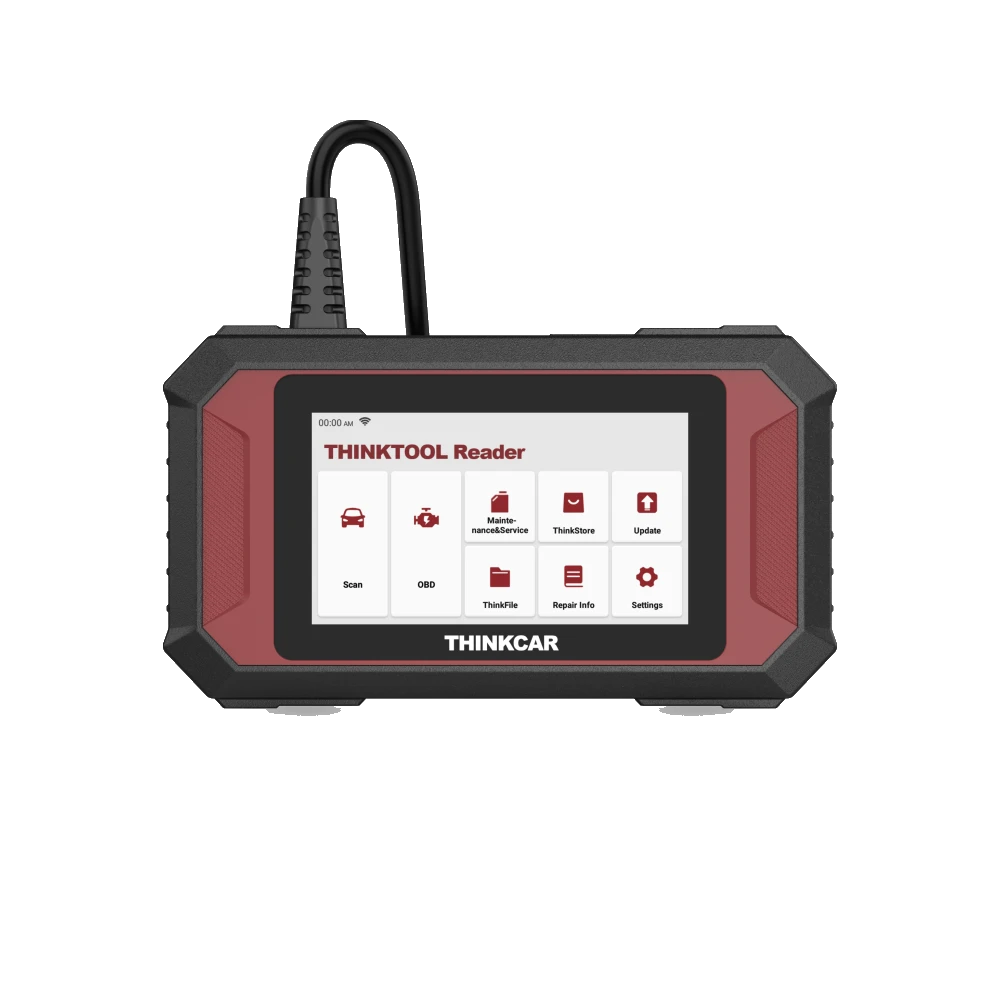
Thinktool Reader 7 targets seven systems: ECM, TCM, ABS, SRS, BCM, climate control, and instrument cluster. It can be useful for quick pre-checks before vehicle acceptance at a small dealership, standard OBD data, and selected maintenance functions. However, as it does not scan all ECUs, it cannot be used to produce a "full inspection" or "no electronic errors on the vehicle" result.
The scanned seven systems and inaccessible modules should be clearly stated in the Reader 7 report.
Parking, steering, driving assistance, door, seat, multimedia, or other control units may fall outside these seven systems depending on the vehicle's equipment. A clean Reader 7 scan is not a conclusive result for these modules.
Decision guide
When should one switch to a full system and active test device?
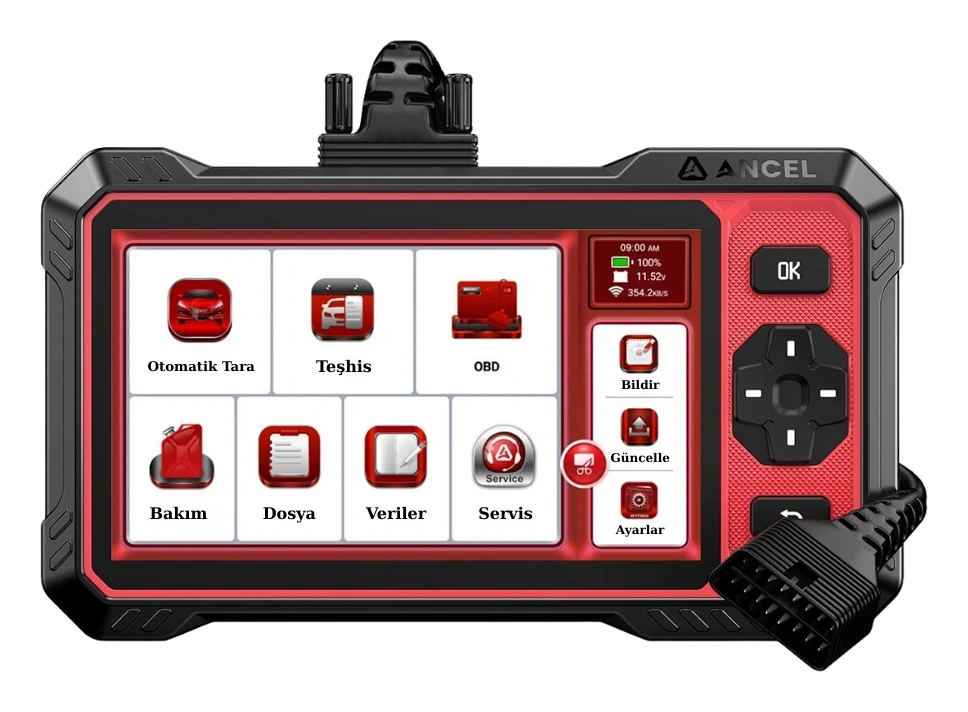
If the vehicle is new and well-equipped, if many modules are to be scanned on different brands, or if commands need to be sent to supported components, a full system and active test class is required. The Ancel DS410 Lite exact-model guide is a wired example that verifies all ECU diagnostics and actuation tests. The actual modules the device accesses on the vehicle must still be verified through a coverage query.
Active testing should only be performed by trained personnel in a safe environment. Fan, pump, lock, lamp, or valve commands are verified by physical response.
Coding or programming is not a routine acceptance step at a dealership. Writing operations requiring owner permission, OEM conditions, stable power, and qualified technical personnel are separate processes.
Decision guide
Match VIN, mileage, and report ID
Each scan file should include VIN, license plate or stock number, make, model, year, engine, odometer reading, date, and device name. If VIN cannot be read automatically, enter the information manually and compare it with the physical record on the chassis. The mileage value in a single ECU does not definitively confirm the vehicle's entire history.
For mileage, read the odometer, inspection records, service invoices, and dated maintenance history together.
The same model name may have different engine, market, and equipment variants. Incorrect vehicle selection may lead to missing or incorrect menus.
Decision guide
Take two separate records before and after the test drive
After the initial scan, a safe and permitted test drive is performed. Observe engine temperature, transmission behavior, warning lights, and customer complaints. After the drive, the same systems are scanned again. Instead of keeping only the second clean report, both the first and second records are kept together; thus, intermittent or recurring codes remain visible.
The screen is not monitored during the drive. If necessary, data recording is started and reviewed after the vehicle has safely stopped.
If there are active records related to safety, brakes, airbags, steering, transmission, or engine, the vehicle is referred to a qualified service before being prepared for sale.
Decision guide
Clearly state the limits of diagnostic scanning and inspection to the customer
OBD scanning provides records seen by electronic control units. Paint, replaced parts, chassis integrity, compression, oil pressure, leaks, tire condition, brake pad thickness, battery capacity, and physical airbag repairs require separate devices and expertise. The reliable language for a dealership should be "the following records were seen in the scanned systems"; the statement "the vehicle is 100% flawless" should not be used.
If the inspection report conflicts with the dealership's acceptance scan, compare the vehicle identification, date, scanned modules, and code status, not the device name.
Systems that cannot be scanned, unsupported operations, and missing physical checks should be clearly listed at the end of the report.
Decision guide
Short vehicle acceptance checklist for dealers
The following sequence is applied to every vehicle, and the results are stored in a dated file. The goal is not to rush the diagnosis but to identify risky vehicles early and send them for expert examination with accurate information.
- VIN, mileage, fuel, and model year record
- Behavior of warning lights upon ignition on
- Current, pending, and permanent codes without deleting
- Freeze frame and readiness status
- Scanned and unscanned systems
- Two records before and after the test drive
- Referral to inspection or qualified service for critical findings
Frequently Asked Questions
Most frequently asked questions by customers
What is the best diagnostic tool for car dealers?
A single model is not best for everyone. The need for engine pre-check only, seven-system scan, or full system active testing requires separate device classes.
Is it correct to clear codes and rescan the vehicle?
It is not correct to delete the initial record without saving it. Codes, freeze frame, and readiness are recorded first; deletion is considered only after the cause and permission are explained.
If readiness is not ready, is there definitely a problem with the vehicle?
No. It may be due to recent code deletion, battery disconnection, or incomplete drive cycle. It should be explained along with the finding.
Is Reader 7 sufficient for a full inspection at a dealership?
No. It targets seven systems; it does not scan all ECUs, and active tests are not verified with exact-model sources. It can be used as a pre-check tool.
Does a full system device also indicate mechanical faults?
Not always. Electronic records guide mechanical, wiring, and physical inspections; they do not replace compression, leak, bodywork, or paint measurements.
Should active tests be performed at a dealership?
Only on supported vehicles, by trained personnel, and under safe conditions. Commands for moving parts or safety systems are not routine sales demonstrations.