Product information
What is the Thinktool Expert 191 Diagnostic Device used for?
The Thinktool Expert 191 is a passenger car diagnostic tablet that is more comprehensive than a basic OBD2 code reader but not developed for heavy-duty vehicles or electric vehicle battery packs.
Its 8-inch screen, 4 GB RAM, and 64 GB storage, along with CAN FD and DoIP support, offer a balanced starting point for daily service reception, full system scanning, live data, active tests, and supported coding tasks.
Vehicle and function support must be verified by brand, model, year, and control unit.
Vehicle Coverage
Which vehicles does the Thinktool Expert 191 Diagnostic Device support?
The make name alone does not guarantee compatibility. Within the same make, model year, engine, chassis, control unit, communication protocol, and intended operation can yield different support results.
- Vehicle Group
- Passenger cars and light commercial vehicles included in the product software
- Supported makes
- Multi-brand coverage; the current make list is obtained from the manufacturer's official vehicle or protocol database.
- Supported models
- Verified from the official coverage screen based on make, model, model year, engine or chassis, and control unit.
- Scope of service
- Code reading, live data, active test, service function, coding, and programming may be supported separately.
- Connection conditions
- Vehicle and function coverage, Passenger car software, 2-year update period, Box and VCI contents
- The make and model examples on the page do not guarantee all production years and all functions.
- Before any definitive operation, the manufacturer's current coverage record must be verified with the VIN or full vehicle information.
Open official sources and coverage connectionsProduct details
What is Thinktool Expert 191 and which service is it suitable for?
The Thinktool Expert 191 is a professional passenger car diagnostic tablet positioned in THINKCAR's 2025 product family. The manufacturer's sheet describes the device as a lightweight and slim service tablet with an 8-inch screen. It connects to compatible automobiles' control units via a separate THINKTOOL 191 vehicle communication interface.
Full system scanning, reading and clearing fault codes, live data, bi-directional active tests, supported coding operations, special functions, and maintenance resets are performed within the same software environment. This structure distinguishes the Expert 191 from basic OBD2 readers that only focus on the engine ECU.
The device's suitable application area is for independent services that accept different brands of passenger cars daily and want to test faults not only with code text but also with live data and actuator commands. The product name or the term "full system" does not mean all functions are available on all vehicles.
For accurate purchasing decisions, the brands, models, and manufacturing years serviced, along with the intended operations, should be verified against the current vehicle coverage.
- Multi-brand diagnostics focused on passenger cars
- Full system scan and live data
- Bi-directional active test
- Supported coding and special functions
Product details
Verified hardware: 8-inch, 4 GB RAM, and 64 GB storage
The reviewed THINKCAR product sheet and technical specifications document provide information for the Expert 191 including TCOS operating system, 8-inch screen, MTK8365 Cortex-A53 quad-core processor, 4 GB RAM, and 64 GB internal storage. The battery value is stated as 4,150 mAh and 3.8 V in the same technical document.
On some sales pages in Turkey, a 10-inch screen, 128 GB storage, and a 12,600 mAh battery are listed; however, these figures do not match the Expert 191 configuration in the reviewed manufacturer's sheet. Therefore, the higher figures seen on the Otobiltek page were not repeated.
The foldable stand on the back of the device facilitates stable operation on a table and positioning the screen at a viewing angle when next to the vehicle. Memory and storage capacity should be evaluated for diagnostic application, report, and update usage; if there are claims of different regions or revisions, the device label and manufacturer part number should be verified before shipment.
- Operating system: TCOS
- Screen: 8-inch
- Processor: MTK8365 Cortex-A53 Quad-Core
- Memory and storage: 4 GB / 64 GB
- Battery: 4,150 mAh / 3.8 V
- Screen
- 8 inchesValue provided in the reviewed manufacturer's technical document.
- RAM / storage
- 4 GB / 64 GBRegional variants are checked separately with the shipping label.
- Processor
- MTK8365 Cortex-A53Quad-core tablet processor.
- Battery
- 4,150 mAh / 3.8 VValue provided in the technical specifications document.
Product details
What does CAN FD and DoIP support provide?
The Expert 191 technical sheet lists CAN FD and DoIP as supported vehicle communication protocols. CAN FD is important for new generation control units using higher data capacity than classic CAN lines; DoIP is important for platforms that transmit diagnostic traffic over the vehicle's Ethernet infrastructure.
The presence of these two protocols in the device expands the necessary infrastructure for communication with new vehicles, but it does not mean all functions will be enabled on every new model by itself.
The software package must have the relevant brand and model year, the vehicle's gateway must allow access, and the relevant control unit must support the intended operation. Vehicles with security gateways may require a manufacturer account, SGW license, or additional authorization.
Communication via DoIP is also not a guarantee of online programming; coding, software installation, and security operations have different authorization, power, and procedure requirements. It is more valuable to check coverage by specifying the vehicle VIN, model year, and desired operation than to make an incorrect device selection.
- CAN FD: new generation high-speed CAN communication
- DoIP: Ethernet-based vehicle diagnostic communication
- Protocol support is not a guarantee of vehicle and function coverage
- SGW and online authorization requirements must be checked separately
Product details
Full system scan, live data, and bi-directional active test
Full system scan queries supported engine, transmission, ABS, airbag, body, and climate control units in a single session. The Expert 191 can read and clear fault codes in these modules and display supported sensor values as live data.
In bi-directional control, the device sends commands to supported actuators such as fans, pumps, relays, or valves. This allows the technician to narrow down the discrepancy between the supply, wiring, mechanical part, and control command. Active tests alone are not a definitive report; commands, feedback, and actual behavior must be examined separately.
A test available on one vehicle may not be available on another model. Critical operations for your service must be verified by brand, model, year, and system.
- Batch scan of control units
- Fault code reading and clearing
- Monitor live data numerically or graphically
- Send bi-directional commands to supported actuators
Product details
Scope of 35 maintenance and service functions
The manufacturer's sheet specifies 35 maintenance functions for the Expert 191.
The technical list includes examples such as oil service reset, electronic parking brake/pad replacement, steering angle sensor calibration, battery matching, ABS bleeding, DPF regeneration, EGR adaptation, electronic throttle body adaptation, injector coding, transmission learning, TPMS reset, air suspension matching, start/stop adjustment, sunroof, and window initialization.
The meaning of this list is that menus for these service types are available in the device software; each menu does not work the same way on all vehicles.
For example, for battery matching, the vehicle's energy management system needs to accept the new battery parameters; for DPF service, the temperature and saturation preconditions must be met; for ABS bleeding, the manufacturer's procedure must be followed. Before starting the service, fault codes, battery voltage, fluid level, and manufacturer safety conditions must be checked.
The appearance of a menu name on an unsupported vehicle should not be interpreted as a guarantee of successful operation.
- Oil, Brake, Battery, and Steering Services
- ABS Bleeding and DPF Regeneration
- Injector Coding and Transmission Learning
- TPMS Reset and Body Calibration
Product details
Coding, adaptation, and programming are not the same thing.
Expert 191 product sheet lists advanced coding as one of the supported diagnostic functions. Coding can mean changing the supported configuration options of an existing control unit in the vehicle, introducing a new part, or adapting certain features to the vehicle's hardware. Adaptation and calibration teach the control unit new reference values.
ECU programming, on the other hand, is a separate process that writes the software file to the control unit and carries a higher risk of connection and power interruption. There is no guarantee of unlimited online programming, ECU software loading for all brands, or enabling every hidden feature for this device.
Services involving programming should separately plan for the supported brand, control unit, required manufacturer account, valid subscription, security access, and a stable power supply.
The primary advantage of the Expert 191 is its daily diagnostic and active test workflow; if online programming is the main reason for purchase, advanced devices and manufacturer-specific solutions should be compared.
- Coding: supported configuration and matching
- Adaptation: learning and calibration
- Programming: writing software to the control unit
- Vehicle, account, license, and stable power conditions are verified separately.
Product details
Two-year update and software coverage limit
The reviewed technical specifications document states a two-year free update period for passenger car software for the Expert 191. The same document marks electric vehicle software and commercial/heavy-duty vehicle HD software as unsupported.
This distinction is important; some commercial pages may show the product as compatible with all passenger cars, light commercial vehicles, heavy-duty vehicles, and electric vehicles with the same coverage. The Otobiltek page does not use this unverified extended claim. The two-year update is linked to the activation appropriate for the device's region of purchase, user account, and manufacturer server.
When the period ends, the condition of the device operating with its current software and subsequent renewal options should be checked from the seller or manufacturer account. SGW access, some manufacturer online accounts, and additional software packages may be separate from the standard update period. The device serial number, activation region, and start date must be recorded upon delivery.
- Passenger car software: 2 years free update
- Electric vehicle specific software: unsupported in the technical sheet
- Commercial/heavy-duty vehicle HD software: unsupported in the technical sheet
- SGW and manufacturer account may be separate from the standard update.
Product details
Parts verified in tablet, VCI, and product images
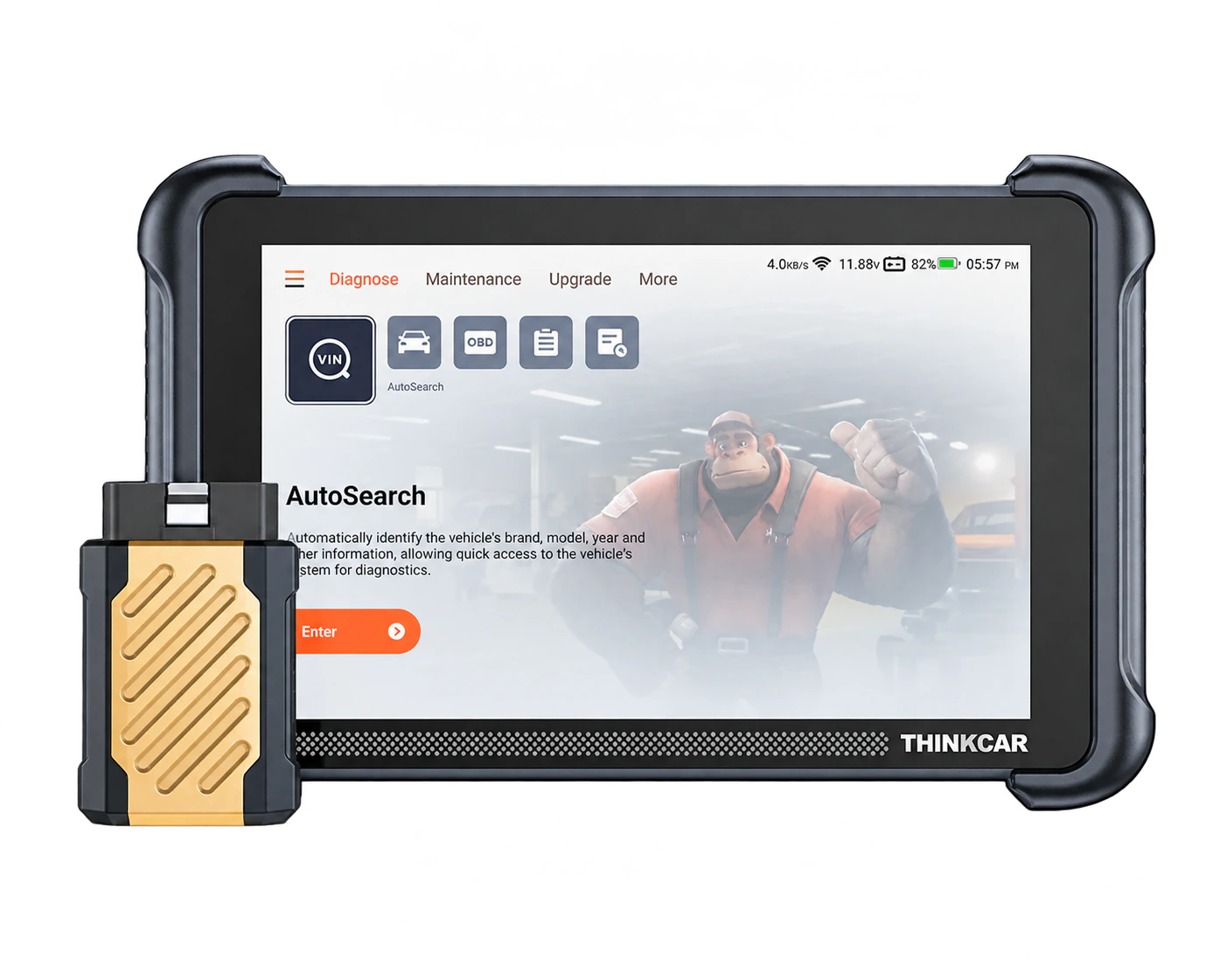
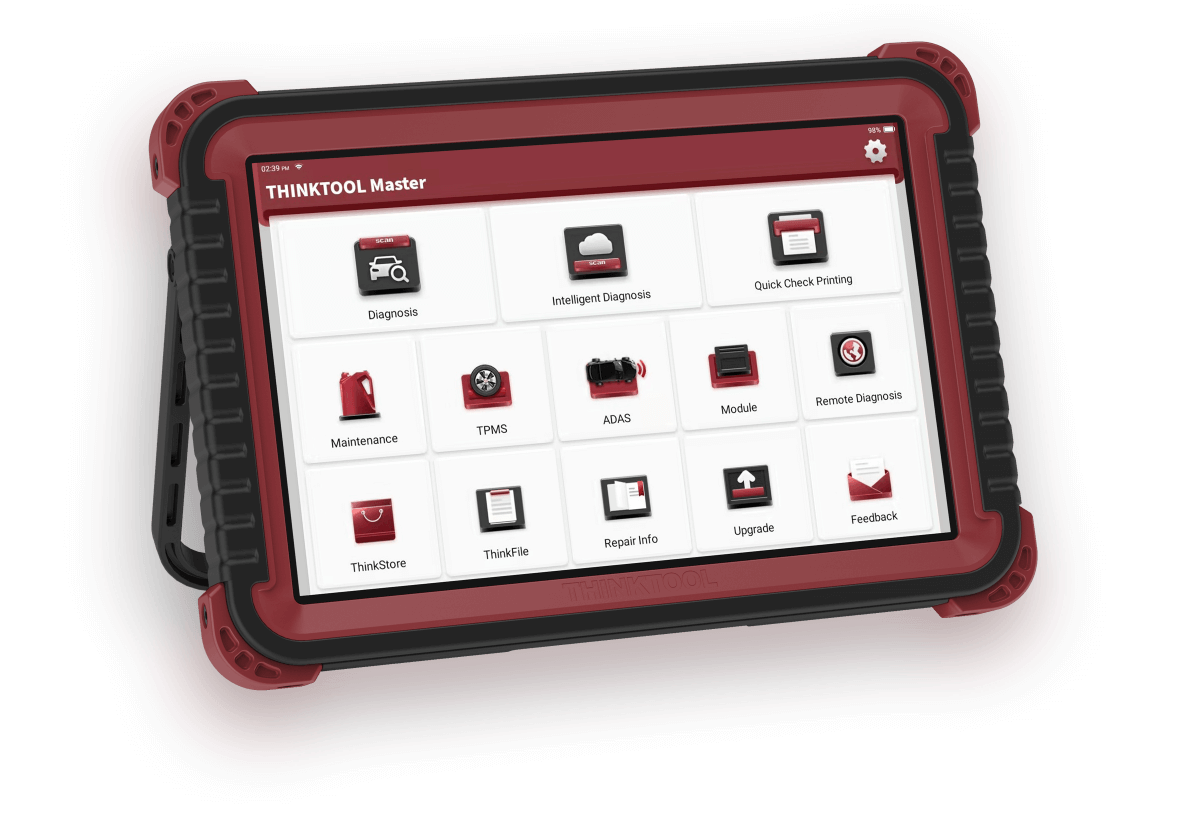
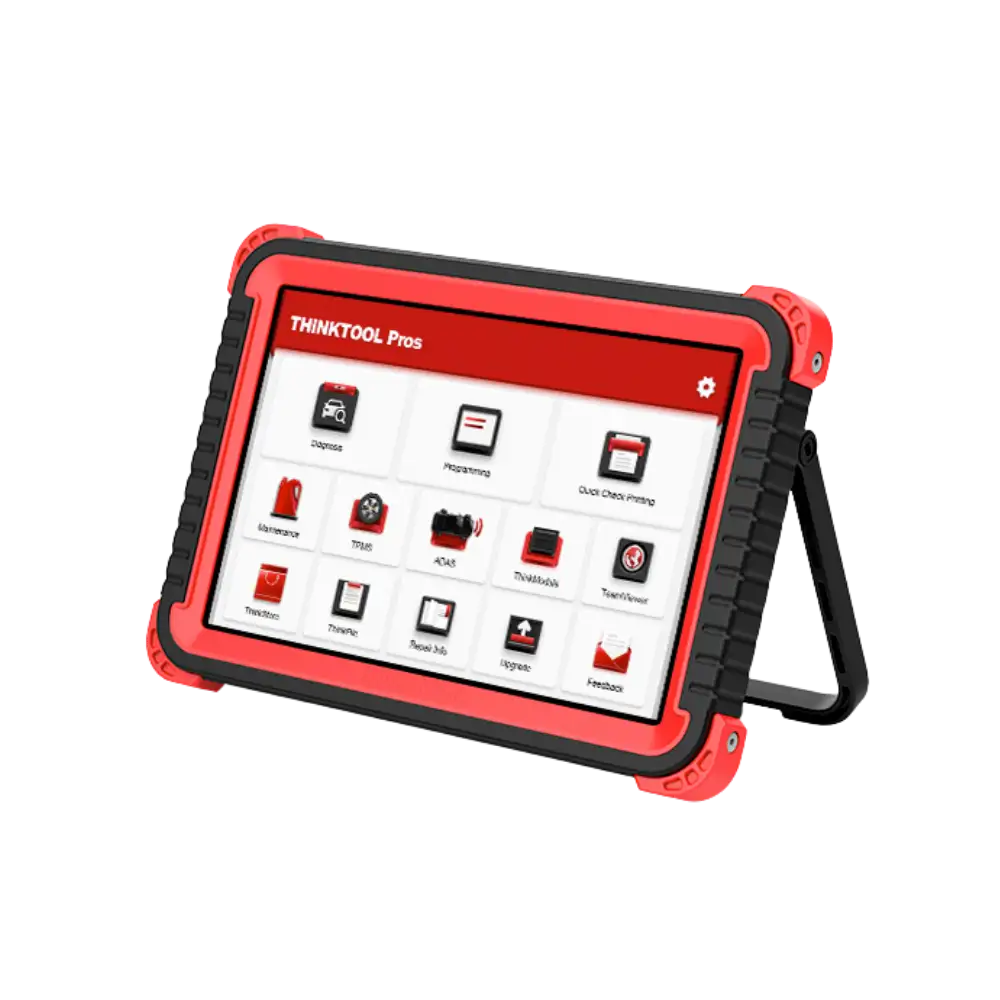
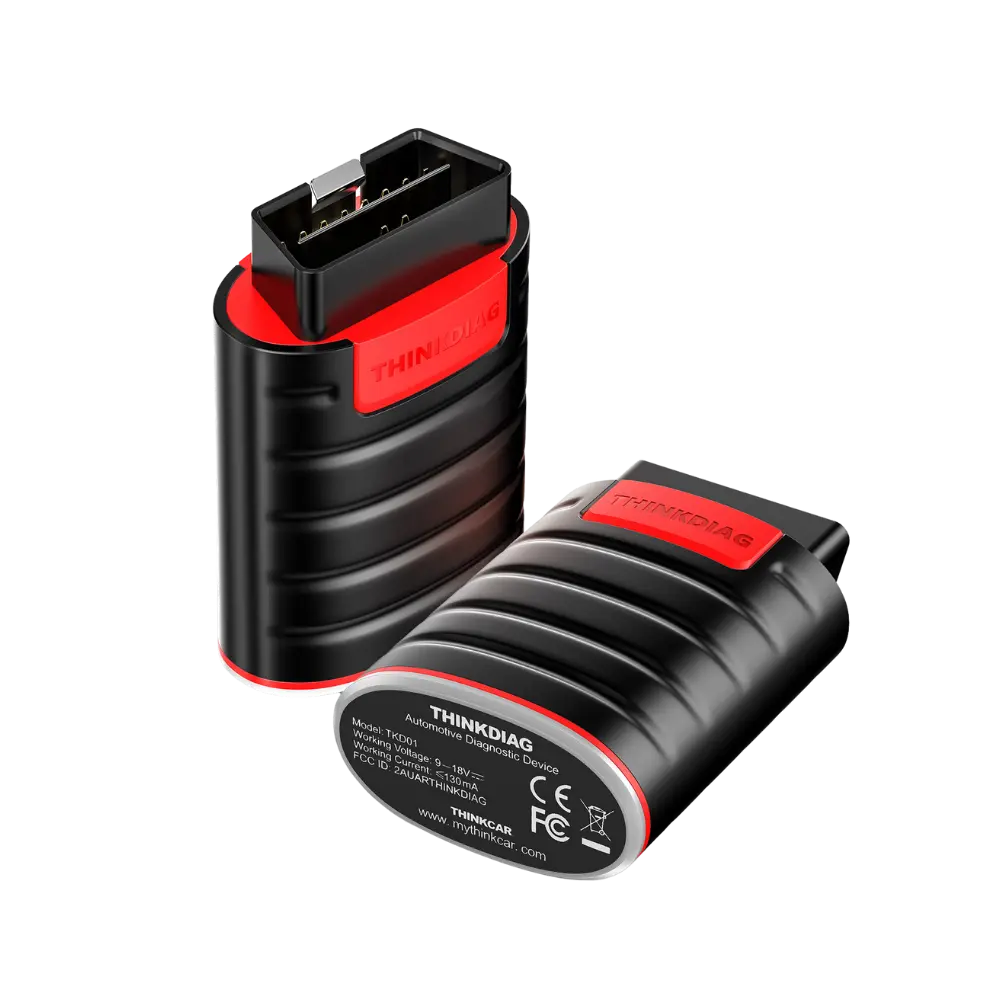
Product images show the Expert 191 tablet with protective corners, a foldable kickstand on the back, and the gold-black THINKTOOL 191 VCI. The VCI enables communication between the vehicle's OBD socket and the tablet software and can be docked in the rear slot of the tablet when not in use.
The four images in the gallery show the front, angled, VCI detached, and front/rear body views of the same product. No tablets of other models, representative device renders, or unrelated workshop photos are used on the page.
Since the charging adapter, connection cable, carrying case, and printed documents are not fully visible in these four photos, they are not listed as definitive package contents. The physical set to be sent during order preparation must be matched with the product label before shipment, including the adapter standard, cables, and activation information.
- 8-inch Expert 191 diagnostic tablet
- THINKTOOL 191 vehicle communication interface
- Foldable rear kickstand
- Accessories not shown in the image must be verified separately.
Product details
Scenario 1: Quick intake scan on a vehicle arriving at the service center
At vehicle intake, battery voltage and OBD connection are checked first, followed by automatic or manual vehicle selection with the Expert 191. Codes are not cleared before the full system scan is completed. Recorded and pending faults in each control unit are included in the report; they are matched with mileage, warning lights, and customer complaints.
A fault code is not a direct decision for part replacement. The code's status, freeze frame data, and related live parameters are examined together. After the initial report is saved, a repair plan is created. At the end of the service, the same vehicle is scanned again and compared with the initial report.
This workflow reinforces service record discipline more than device speed; it clearly shows the customer which faults are current and which are historical records.
Product details
Scenario 2: Bi-directional test for actuator faults
For a vehicle with a non-functional cooling fan, fuses, power supply, relays, wiring, and related fault codes are checked first. If the vehicle supports a fan active test in the Expert 191 software, the technician sends a fan command from the control unit. The command status is compared with the actual fan movement and live feedback.
If the fan operates with the command but does not engage under normal conditions, sensor data or control logic is investigated; if there is a command but no movement, power, relay, wiring, or actuator side is measured. The absence of an active test in the menu is not interpreted as a device malfunction; the relevant vehicle-year-software coverage is checked.
Engine compartment safety is maintained as the test can generate moving and hot parts.
Product details
Scenario 3: Adaptation and verification after maintenance
When a part such as a battery, brake pad, injector, or throttle body is replaced, simply clearing fault codes may not be sufficient. First, it is verified that the installed part is correct for the vehicle and that the mechanical work is completed.
If the relevant maintenance function is available for the vehicle in the Expert 191, the matching, reset, or learning step is performed by following the manufacturer's procedure. Stable voltage is maintained during the service, and on-screen preconditions are not skipped. Subsequently, the control unit is read again, live values are checked, and a short operational test is performed.
The presence of the function in the menu does not correct a physical installation error of the part; in case of failed adaptation, the error text is recorded, and basic conditions are re-examined.
Product details
Scenario 4: Coverage check on CAN FD or DoIP vehicles
When a new generation vehicle arrives at the service center, the statement 'has CAN FD' or 'supports DoIP' is not sufficient on its own. The vehicle VIN, make, model, year of manufacture, engine or powertrain type, and target control unit are recorded.
The relevant vehicle family is selected in the Expert 191 software; before establishing a connection, security gateway and account requirements, if any, are examined. The initial session is started with read-only and reporting only. If coding or writing is desired, function coverage, authorization, internet connection, and power support must be additionally verified.
This method prevents confusing protocol support with actual work support. Especially on new vehicles, even if some read menus work without gateway access, writing and active tests may be limited.
Product details
How to choose between Expert 191, Expert 195, and Expert 391?
The Expert 191 is an accessible service tablet in the Expert family, with its verified 8-inch hardware and two-year software period focused on passenger cars. The Expert 195 has a different product generation and package structure; it should not be assumed to be superior in every job solely because its model number is larger.
The Expert 391, on the other hand, is an advanced option for professional workshops with expectations for broader hardware and online programming. If daily full system scanning, active tests, and maintenance functions are the main needs, the vehicle coverage of the Expert 191 should be checked.
If online programming, a larger screen, intensive multi-technician use, or an expanded module ecosystem is required, the additional cost of other models should be compared against actual workload. The most accurate choice is not to compare device names but to align the vehicles your service center most frequently works on and the tasks you perform.
- Expert 191: 8-inch price/performance tablet focused on passenger cars
- Expert 195: different generation and package; function list to be verified separately
- Expert 391: advanced professional use and programming expectations
- Decision criteria: vehicle fleet, task list, and daily service intensity
Product details
How to verify vehicle coverage for the Expert 191 Diagnostic Tool model?
Definitive compatibility cannot be stated for the Expert 191 Diagnostic Tool model without selecting the vehicle make, model, year, engine, control unit, and the intended service together. The Thinkcar official coverage tool shows which systems, service functions, or protocols are enabled for the selected vehicle and control unit for the Expert 191 Diagnostic Tool.
The appearance of the brand line does not prove that active tests, coding, programming, TPMS relearn, or security gateway access are also enabled on the Expert 191 Diagnostic Tool.
Before ordering, prepare the VIN or full model information, model year, engine/chassis distinction, and the intended service for the Expert 191 Diagnostic Tool; software version, license period, VCI, adapter, and regional package must also be checked.
- Expert 191 Diagnostic Tool model: prepare make, model, model year, and engine/chassis information
- Expert 191 Diagnostic Tool model: select desired system and service separately; read, live data, active test, coding, or programming
- Expert 191 Diagnostic Tool model: verify ECU and function line in the official coverage tool
- Expert 191 Diagnostic Tool model: check VCI, cable, adapter, license, and regional package conditions
- Expert 191 Diagnostic Tool model: perform final check with VIN and manufacturer procedure before definitive service