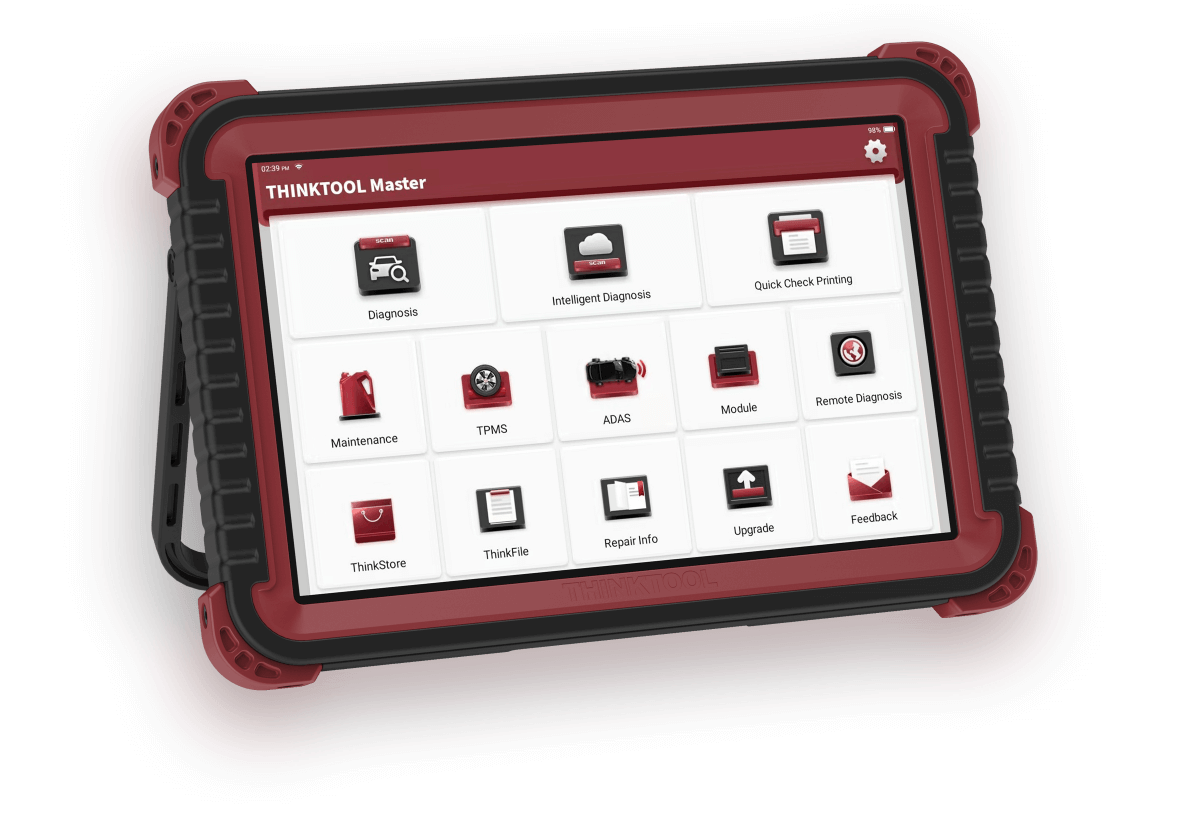
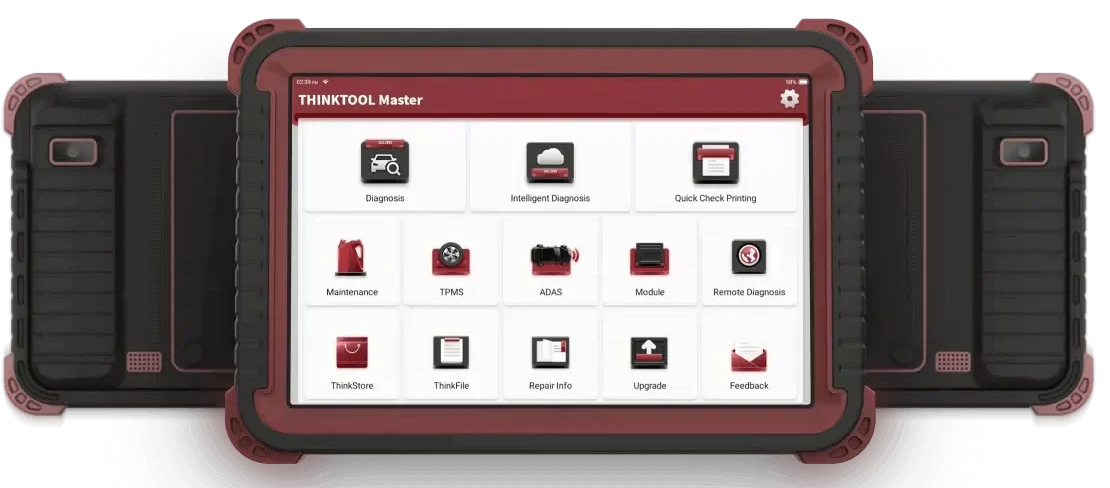
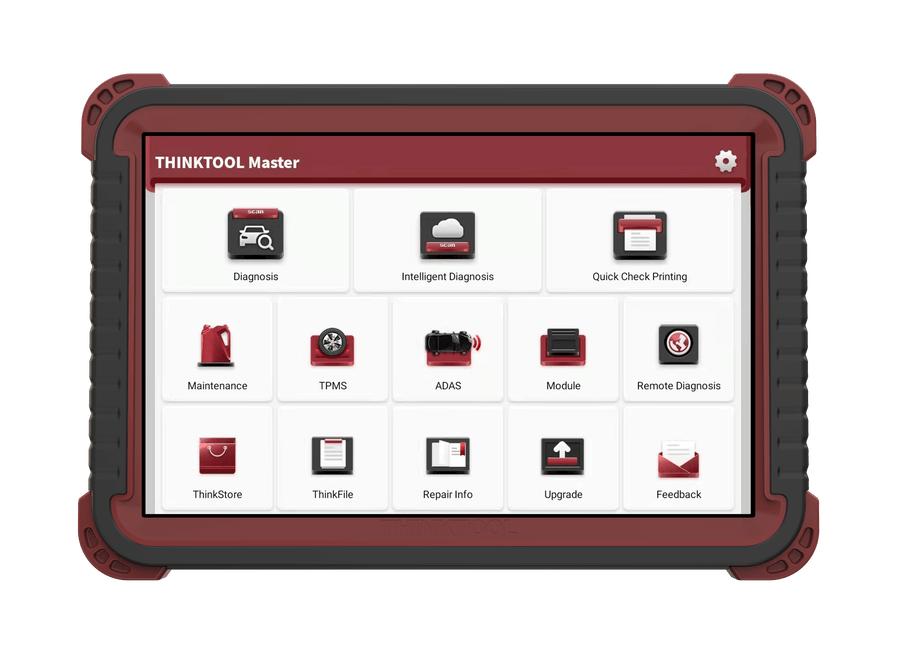
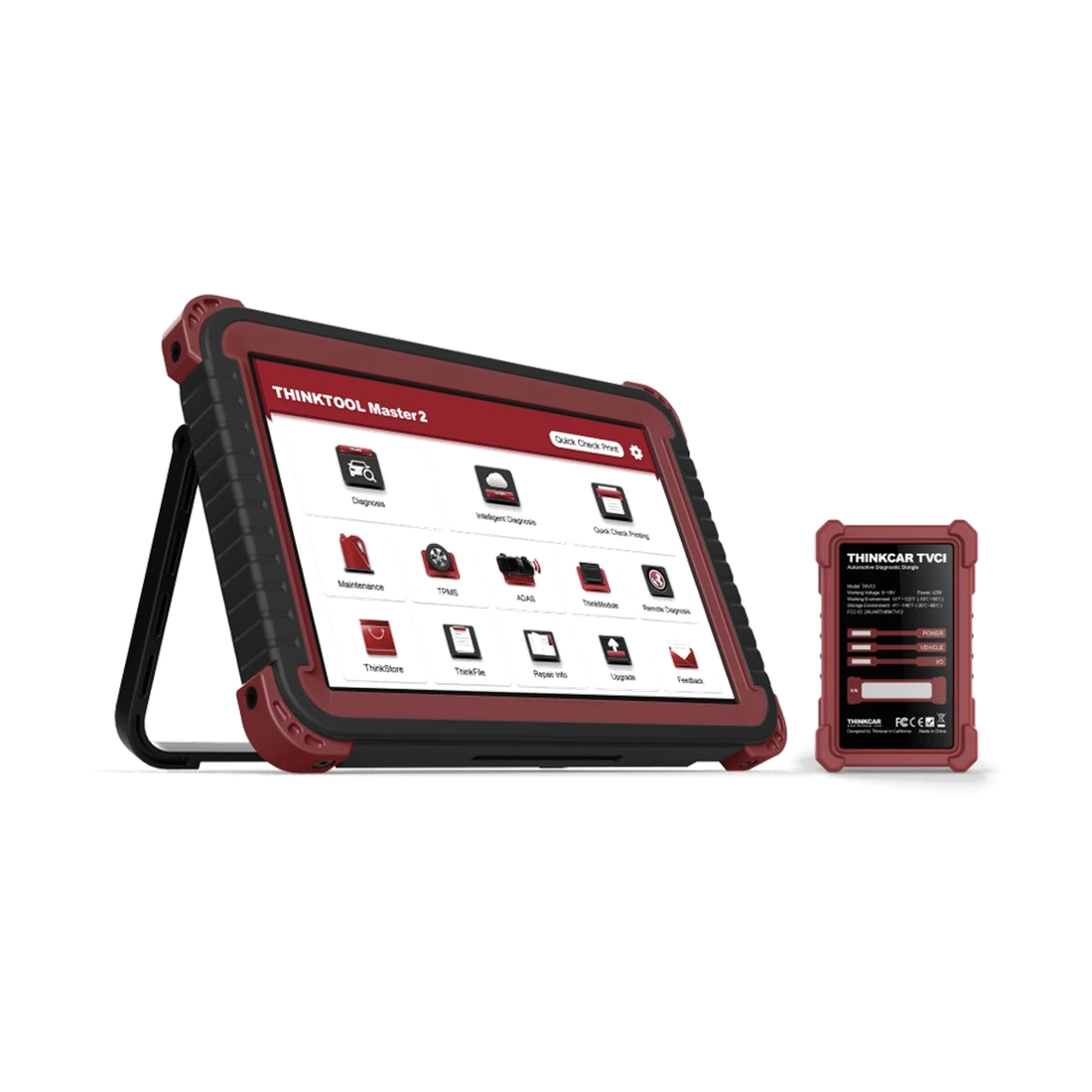
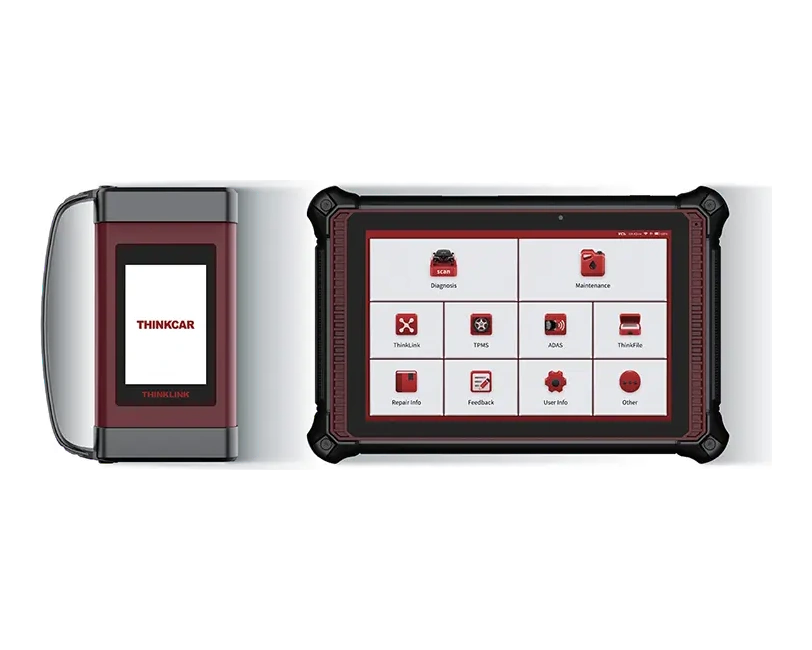
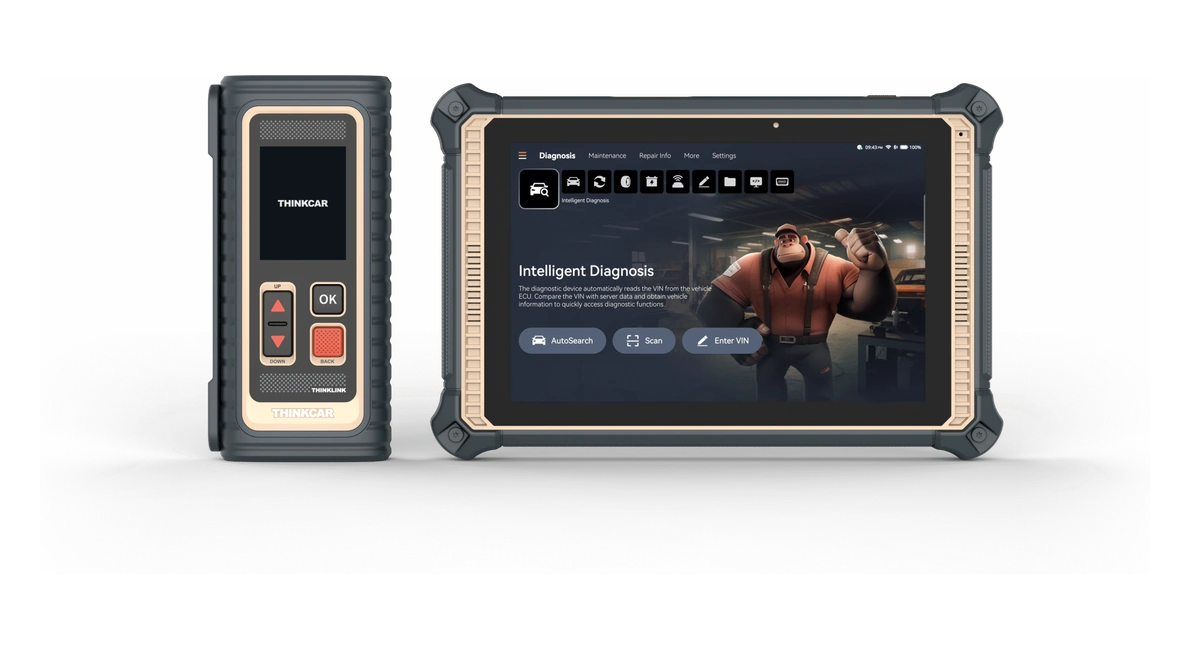
Thinktool Master combines active test, online programming, a 10-inch Android tablet, and compatible Thinkcar module support for professional service use.
Thinktool Master is a Thinkcar tablet used in professional workshops for full system scanning, fault code reading/clearing, live data, active tests, service functions, and online programming for supported brand groups. The tablet, VCI, software update period, optional modules, and official vehicle coverage are separate components of the product package.
What would you buy this for?
Multi-brand professional workshop use
Need for active test and service functions
Workshops wanting a large-screen Thinkcar tablet
Workshops wanting programming and a module ecosystem
Featured diagnostic features
VCI and package
Update period
TPMS module
Vehicle Coverage
Vehicle Coverage
Which vehicles does Thinktool Master support?
The make name alone does not guarantee compatibility. Within the same make, model year, engine, chassis, control unit, communication protocol, and intended operation can yield different support results.
Vehicle Group
Passenger cars and light commercial vehicles included in the product software
Supported makes
Multi-brand coverage; the current make list is obtained from the manufacturer's official vehicle or protocol database.
Supported models
Verified from the official coverage screen based on make, model, model year, engine or chassis, and control unit.
Scope of service
Code reading, live data, active test, service function, coding, and programming may be supported separately.
Connection conditions
VCI and package, Update period, TPMS module, Vehicle coverage
The make and model examples on the page do not guarantee all production years and all functions.
Before any definitive operation, the manufacturer's current coverage record must be verified with the VIN or full vehicle information.
The Master model is a professional service class Thinkcar tablet used for fault code reading and clearing, live data monitoring, full system scanning, active tests, special service functions, and coding/programming tasks on supported vehicles.
The Thinkcar official catalog specifies a 10-inch Android 10 tablet, full vehicle scanning, online programming, and 41 maintenance reset functions. Supported operations are shown on a brand, model, year, and control unit basis in the Thinkcar vehicle coverage database.
Full system scan
Fault code and live data
Active test
Service functions
Device class
Professional tabletFor multi-brand workshop use
Screen and system
10-inch / Android 10Thinkcar official catalog information
Service title
41 maintenance resetsOpened menus vary by vehicle and software coverage
Connection
THINKDIAGManufacturer's Master connection; TVCI is listed under the Master 2 column
Main selection reason
Active test and programmingVaries by vehicle and control unit coverage
Product details
How is vehicle and system coverage verified?
In the manufacturer's coverage query, the device model, vehicle brand, model year, and the intended operation are selected together. Names of passenger cars, light commercial vehicles, and hybrid vehicles alone do not guarantee access to all control units. The numbers of 126 passenger car or 80 heavy-duty vehicle brands in old introductions cannot be used instead of the current compatibility list.
The query starting with VIN is completed with engine and ECU information if necessary. EVAP refers to evaporative emission control, SAS to steering angle sensor, HVAC to climate control, CKP to crankshaft position learning.
Engine, battery, throttle, EPB (electric parking brake), SRS (airbag), immobilizer, TPMS, DPF, and ABS are different systems or operation groups. Their presence in promotional images does not mean reading, active test, reset, or programming can be done on every vehicle.
VIN and Model Year
Engine and control unit
Installed brand software
Manufacturer coverage by operation
Product details
Verified hardware and package limits
The THINKCAR V5 catalog's Master section specifies a 10-inch screen, Android 10, 64 GB storage, 4 GB RAM, 8 MP rear camera, and a 12,600 mAh / 3.7 V battery. The old 6,000 mAh promotional image is not used as the same technical value; battery capacity is verified by voltage and part label.
The THINKDIAG connection in the gallery matches the manufacturer's Master comparison line. Since the current package information does not list adapters by quantity, we cannot include all cables from the old Pros package photo.
Before ordering, check the written package list to see if the tablet, matched VCI, power adapter, OBD connection cable, carrying case, and any old socket adapters are included.
Storage / RAM
64 GB / 4 GBManufacturer's Master catalog values
Rear Camera
8 MPTechnical specifications section of the same model
Battery
12,600 mAh / 3.7 VGeneration and device label checked together
Adapter Set
Depends on the order packageAccessories in the Pros visual are not considered included
Product details
Under what conditions do coding and online programming work?
The Thinkcar official product catalog specifies online programming support for the Master model with brand examples such as Audi, BMW, Land Rover, Mercedes-Benz, Nissan, Porsche, Seat, Skoda, Subaru, and VW. This statement does not mean unlimited programming on all vehicles.
The presence of a brand logo or programming icon in the menu is not proof of support for a specific ECU. Brand, model, year, control unit, device region, account, subscription, manufacturer server accessibility, and the file to be loaded are verified before the operation.
Coding changes existing settings while programming writes software to the control unit; stable power and uninterrupted connection according to the manufacturer's procedure are required.
Coding and programming distinction
Brand and module coverage
Power supply requirement
Account and subscription conditions
Product details
Package, update, and module options
The tablet, VCI, cable set, carrying equipment, software update period, and optional modules for Master model selection must be specified in the same quote. The official catalog separately shows nine functional module headings and support for T-Wand 200 and ADAS calibration kit for the Master model.
Expansions such as TPMS, oscilloscope, videoscope, battery tester, or heavy-duty are not assumed to be standard package contents; included parts in the package are specified by name and quantity.
Tablet and VCI
Cables and accessories
Update period
Nine functional module headings
TPMS operations
Depends on the moduleCompatible module package is checked for the full TPMS workflow
Update
Shown according to the purchased packageIncluded period and renewal conditions are specified on the product page
Battery
12600mAh/3.7VThinkcar catalog technical information
Package comparison
Made with the same partsPrice is not compared only with the tablet title
Product details
Update, license, and total cost
When evaluating the price of the Master model, the device cost alone is not sufficient. Initial software duration, renewal conditions, online functions, account/region information, VCI matching, optional modules, and risk of service interruption determine the total cost.
One-year renewal is a separate digital service; current amount and activation conditions are shown in the purchase area of the update product. The two-year passenger car software update information in the manufacturer's catalog does not solely prove the expiration of the current device's license or the duration included in this sales package.
Remaining period is checked with serial number, account, and activation date.
Initial software duration
Renewal price
Device serial number
Region and account information
Activation
Serial number may be requiredDevice is checked with account and region information
Total cost
Device + license + moduleTasks such as programming and TPMS may incur additional costs
Product details
How is ThinkTool Master installed?
Check the tablet's model and physical condition before starting installation; this does not indicate that the visual cable or module is included.
Upon opening the box, check the model of the tablet and THINKDIAG VCI connection. Charge the device and connect to a Wi-Fi network; open the current account and license screen. If the delivered device's account is active, verify the license status and install software updates without opening a new user registration.
After completing VCI matching, try a general scan and report flow in a secure vehicle. Do not perform active tests or programming as the first operation. If you receive an account or VCI warning, request support with the serial number and the error message on the screen.
Package contents
VCI Matching
Wi-Fi and account
Initial general scan
Product details
When are TPMS, ADAS, and measurement modules needed?
TPMS sensor programming, ADAS calibration equipment, and oscilloscope measurement require compatible additional modules or equipment. T-Wand 200 is offered as a separate product on the TPMS side, and Scope Box on the measurement side. Module name, quantity, compatibility, and price are shown separately in the sales package.
TPMS Sensor Programming
ADAS equipment
Oscilloscope measurement
Module compatibility
Product details
Differences between Master, Pros, and Master 2
In the official V5 catalog comparison, Master is listed with THINKDIAG; Master 2 is listed with CAN FD-supported TVCI. The same tablet form or 'Master' on the screen does not indicate that the connection module is the same. Pros is offered with a separate model name; a box with 'Pros' and a different adapter set are not considered part of this product's delivery content.
Reviewed manufacturer documents do not confirm that the Master and Pros packages are identical. THINKLINK, DoIP, or J2534 features listed for Master X and X2 are also not transferred to this Master package.
Full model name
VCI and Protocols
Module package
Vehicle group coverage
Product details
How was the technical information checked?
As of the check on October 10, 2026, the model name, tablet casing, VCI, and package labels in the user-provided product images were matched with the Master, Master 2, and comparison pages of the THINKCAR V5 catalog. This work is a document and image review; it is not a service test performed on a vehicle with this device.
We do not present an icon visible in the menu as a result of a tested operation. When requesting support for a specific task, send the device serial number, license screen, vehicle VIN information, and the intended operation to the Otobiltek support channel.
Warranty period, service coverage, and included update period must be confirmed on the order document; no unverified duration promises are given in these fields.
Product details
Order, delivery, and support information
The physical device, license, activation, and package scope are handled under the same order record during the return process. Package contents, included license duration, and optional modules are clearly stated in the order summary.
Add to cart or buy
Delivery and return conditions
WhatsApp coverage support
Product details
Active test with Master model
Before performing an active test with the Master model, the correct vehicle and control unit are selected. Master records fault codes, live data, and vehicle voltage as the initial log. For Master, the vehicle, model year, control unit, and active test function are verified on the manufacturer's current support list.
If the command will move a fan, pump, valve, or other actuator, the work area must be secured before using Master. When the test is complete, this device re-reads the same system, showing the result on the screen alongside the observed physical response in the service report.
Select the correct vehicle and system
Record initial codes and live data
Allow safe space for moving parts
Report system response after command
Product details
Online programming with Master model
Before starting online programming with the Master model, the vehicle, control unit, and software package to be used are verified. Master records existing coding or software information as a return log. For Master, the vehicle, model year, control unit, and writing function are verified on the current list published by Thinkcar.
Vehicle voltage is kept stable with a suitable power supply throughout the process; Master is used without disconnecting the internet and VCI connection. The final scan reports the writing result along with the control unit status and error logs.
Verify vehicle and control unit
Save existing software information
Maintain stable connection with voltage
Obtain final scan after programming
Product details
Initial system scan during vehicle acceptance with Master model
When performing an initial system scan during vehicle acceptance with the Master model, the vehicle identity is verified and supported control units are scanned. Master logs communicating systems, fault codes, and accessible event information together in the initial report. The VCI model, software version, and vehicle identity used with Master are added to the vehicle acceptance record.
Codes are not cleared before obtaining the Master initial report; a single error record does not directly lead to a parts replacement decision. The Master acceptance scan is added to the service form, specifying the customer complaint and systems to be followed.
Verify vehicle identity
Save the initial system scan
Check VCI and package information
Re-scan after service operation
Product details
Live data recording in fault condition with Master model
Live data recording in fault condition with the Master model is initiated by defining the secure operating conditions under which the customer complaint occurred. Only data channels related to the fault are selected on the Master screen; unnecessary PIDs are excluded from the recording.
The Master model stores live data with measurement units; operating conditions such as vehicle ID, test time, engine speed, load, and temperature are added to the record. The technician interprets sudden changes on the Master alongside fault codes and event logs; a single value does not directly lead to a parts replacement decision.
After repair, a second data recording is taken under the same conditions with the Master, and the two results are compared side-by-side.
Define test conditions
Select relevant PIDs
Record data with units
Compare under the same conditions after repair
Product details
How is Master model vehicle coverage verified?
Exact compatibility cannot be stated for the Master model without selecting the vehicle make, model, year, engine, control unit, and the intended operation together. The Thinkcar official coverage tool shows which system, service function, or protocol is activated for the selected vehicle and control unit for the Master.
The appearance of the brand line does not prove that active test, coding, programming, TPMS relearn, or gateway access is also enabled on the Master.
Before ordering, prepare the VIN or full model information, model year, engine/chassis distinction, and the intended operation for the Master; software version, license duration, VCI, adapter, and regional package should also be checked.
Master model: prepare make, model, model year, and engine/chassis information
Master model: select the desired system and operation separately; read, live data, active test, coding, or programming
Master model: verify ECU and function line in the official coverage tool
Master model: final check with VIN and manufacturer procedure before definitive operation
Model Selection
How does the ThinkTool Master differ from which device?
The Master offers full system scanning, active tests, and online programming on supported vehicles, beyond a basic OBD reader. Do not consider the connection protocols of newer Master models as belonging to this package.
Compared to a basic OBD reader
Beyond tasks limited to reading engine fault codes, the Master offers broader functionality for services that want to scan control units within manufacturer coverage and perform active tests. Coverage is checked on a per-vehicle basis.
Compared to Master 2 and Master X2
In the official THINKCAR catalog, Master connection is listed as THINKDIAG, and Master 2 connection as TVCI with CAN FD support. The THINKLINK, DoIP, and J2534 features of X2 are not transferred to the Master. Select the relevant model if these protocols are required.
The Upgrade section appears in the Master's actual menu visual. The menu icon is not proof of active license duration or vehicle coverage.
After the initial free update period ends, the license product matching this model can be added to the cart separately. Device serial number and account information may be required for activation.
Thinkcar catalogs include online programming for certain supported brand groups. The activated operation varies by vehicle brand, model, year, control unit, software package, and account conditions.
Are the Master model and Master 2 the same device?
No. Model and VCI differences within the Master family can change protocol, hardware, and package scope. If expectations like CAN FD or DoIP exist, full model and VCI information must be specified in the quote.
Is the Master model sufficient for TPMS operations?
TPMS operations are not assumed as a standard tablet feature. If sensor activation, programming, or relearn is needed, the compatible TPMS module and package scope are checked separately.
Does the Master model enable the same service functions on every vehicle?
No. Service functions vary by vehicle brand, model, year, engine, control unit, and installed software package. The service operation to be performed is checked in the manufacturer's current vehicle and function list.
What parts come out of the Master model box?
Package contents may vary depending on the sales package. Tablet, VCI, cables, adapters, carrying case, and modules should be specified by name and quantity; included software duration should be stated in the quote with start and end conditions.
Is the Master model used for heavy-duty vehicles?
The manufacturer's catalog links heavy-duty vehicle use to the optional Heavy Duty module. Direct connection of the standard THINKDIAG package to a 24 V truck or use instead of Master CV is not assumed. A suitable module, cable, license, and vehicle coverage are required separately.
Does the Master model offer a Turkish menu?
Language support should be checked based on device region, software package, and current version. Even if a menu language exists, some brand packages or technical descriptions may remain in a different language.
What should be done first upon receiving the Master model?
Package contents, device serial number, VCI match, Wi-Fi connection, account/license status, and a general scan report on a safe vehicle should be checked. Programming should not be the first test.
Where can installment and shipping information for the Master model be found?
The installment table can be reviewed on the product page without entering card information. Delivery and payment details appear during the purchase step based on address and payment selection.
Can a second-hand Master model be purchased?
A technically inspected device with verified account ownership, serial number, VCI match, license expiration, region, and module status can be examined. If these records are not verified, it may turn into an unusable device with low price, account, or license issues.
Comparison
Thinktool Master similar models
Compare products in the same class with information on usage level, service tasks, and price.