Product information
What is the XDiag Pro 3 Software Update used for?
XDiag Pro 3 is a 1-year digital software update and activation service that does not involve a physical product or shipping. It is carried out after checking compatible device and VCI information. The serial number is collected during purchase; after payment is completed, the device screen and connection information are requested via WhatsApp.
Device and vehicle coverage
Which devices and vehicles is the XDiag Pro 3 Software Update valid for?
This product alone does not create new vehicle brand or model support. The scope of use is limited by the main device's hardware, existing vehicle software, account status, and license terms as defined.
- Compatible main device
- Device family and hardware version specified in the product name and official source
- Supported makes
- Brands in the main device's current official vehicle coverage
- Supported models
- Vehicles supported by model year and operation on the main device's coverage screen
- Information before ordering
- Device model and serial number, VCI compatibility, 1-year activation scope, Account and license scope
- License or update period and vehicle support are not the same information.
- Activation is not promised without verifying the device serial number and current software status.
Open official sources and coverage connectionsProduct details
XDiag Pro 3 setup and update steps
This service does not include physical product shipment. Once payment is completed, the serial number and device information from the order record will be checked. The XDiag Pro 3 device must be on, connected to the internet, and have the VCI connection ready. Upon confirmation of compatibility, the 1-year digital activation and update steps will be carried out via WhatsApp.
- Payment and order record
- Serial number check starting with 9
- Device and VCI compatibility check
- Installation support via WhatsApp
Product details
Post-payment WhatsApp flow
During the WhatsApp call, the full model, serial number, Android version, and current app screen of the XDiag Pro 3 device are examined. The VCI connection status is also checked to differentiate between setup issues and license or communication problems. Once the screenshot and connection information are received, the support team will provide the next step.
- Order number
- Device serial number
- Application Screen
- VCI connection status
Product details
Vehicle make and operation scope
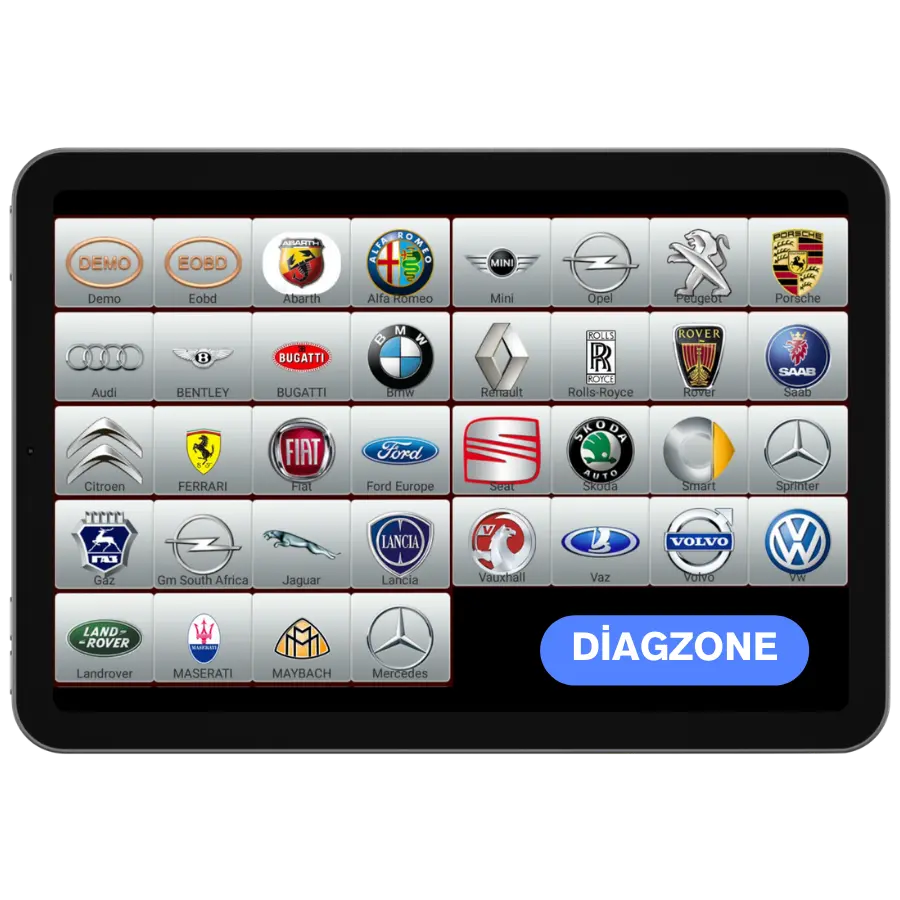
The brand menu displayed in the XDiag Pro app does not solely indicate that all service functions are enabled for every vehicle. The brand, model year, control unit, and the intended operation must be verified individually.
As the scope of fault codes, live data, active tests, service resets, and special functions may vary, the desired service operation must be specified in advance during the WhatsApp discussion.
- Vehicle make and model
- Model year
- System to be checked
- Process to be Performed
Product details
What is the Pro 3 Software Update model used for?
The Pro 3 Software Update model is a time-limited software service that allows a compatible main device to access a specific vehicle group or gateway; it is not a physical diagnostic device. Its main uses and hardware specifications include: XDiag Pro 3 update, 1-year activation, VCI and device matching, and digital delivery.
The Pro 3 Software Update model only provides gateway access for the declared vehicle group; it does not add a physical device or new service functions.
- XDiag Pro 3 update
- 1-year activation
- VCI and device matching
- Digital delivery
- Product Type
- Diagnostic software
- Usage level
- Specialty operation
- Basic functions
- XDiag Pro 3 update and 1-year activation
Product details
What benefits does the Pro 3 Software Update model offer for daily work?
The XDiag Pro 3 update is a digital access license assigned to a compatible LAUNCH device account for the XDiag Pro 3 update. The XDiag Pro 3 update activation records the conditions for 1-year activation, VCI and device matching, and digital delivery.
The XDiag Pro 3 update enables access to the supported vehicle group and compatible LAUNCH device account for XDiag Pro 3 updates. The device model and serial number are checked for the XDiag Pro 3 update to verify that the license was obtained for the correct vehicle group and gateway within the SGW scope.
The XDiag Pro 3 update enables 1-year activation access to the supported vehicle group and compatible LAUNCH device account. VCI compatibility is checked for the XDiag Pro 3 update to verify that the license was obtained for the correct vehicle group and gateway within the SGW scope.
The XDiag Pro 3 update enables VCI and device matching access to the supported vehicle group and compatible LAUNCH device account. The 1-year activation scope is checked for the XDiag Pro 3 update to verify that the license was obtained for the correct vehicle group and gateway within the SGW scope.
The XDiag Pro 3 update enables digital delivery access to the supported vehicle group and compatible LAUNCH device account. The account and license scope are checked for the XDiag Pro 3 update to verify that the license was obtained for the correct vehicle group and gateway within the SGW scope.
Once the SGW access is activated, the license screen, start date, and account and license scope are recorded in the service inventory. The scope of the XDiag Pro 3 update and the main device's vehicle and function list are maintained as two separate records.
- Device model and serial number
- VCI compatibility
- 1-year activation scope
- Account and license scope
Product details
Assigning the license to the device serial number with the Pro 3 Software Update model
Before activating the Pro 3 Software Update model, the device model, serial number, user account, and current license screen are recorded. For the Pro 3 Software Update model, the vehicle group, license duration, and device account are compared with the purchased license record.
The license is only assigned to a supported LAUNCH device account for the XDiag Pro 3 update. Upon completion of the XDiag Pro 3 update activation, the start date, end date, and vehicle group are checked. The XDiag Pro 3 update delivery record is stored in the service inventory along with the invoice and the serial number of the device to which the license was assigned.
- Record device model and serial number
- Match device model and serial number record with license
- Assign access to the correct account
- Record start and end dates
Product details
Using the Pro 3 Software Update model for gateway access on the vehicle
Before using the Pro 3 Software Update model on the vehicle, the device account with the active license is opened. The correct vehicle group and gateway operation for the XDiag Pro 3 update are selected. The Pro 3 Software Update model device serial number, account, and vehicle group are matched with the activation record.
The license provided for the XDiag Pro 3 update does not add a menu to the main device's official vehicle list that is not already present. At the end of the operation, the vehicle used, account, time, and license result are recorded in the service form with the XDiag Pro 3 update information.
- Open active device account
- Select correct vehicle group
- Use SGW access
- Record vehicle and operation result
Product details
How is the vehicle scope of the Pro 3 Software Update model verified?
Definitive compatibility cannot be stated without selecting the vehicle brand, model, year, engine, control unit, and the intended operation together for the Pro 3 Software Update model. The valid scope for the Pro 3 Software Update is checked via the exact ECU ID and connection method in the protocol list of the delivered device.
When evaluating the Pro 3 Software Update model, the mere presence of the vehicle brand or model in the list does not guarantee that reading, writing, cloning, or any other operation is supported.
Before ordering, prepare the VIN or exact model information, model year, engine/chassis distinction, and the intended operation for the Pro 3 Software Update; also check the software version, license duration, VCI, adapter, and regional package.
- Pro 3 Software Update model: prepare brand, model, model year, and engine/chassis information
- Pro 3 Software Update model: select the desired system and operation separately; read, live data, active test, coding, or programming
- Pro 3 Software Update model: verify the ECU and function line on the official scope vehicle
- Pro 3 Software Update model: check VCI, cable, adapter, license, and regional package conditions
- Pro 3 Software Update model: perform final check with VIN and manufacturer procedure before definitive operation
Product details
Pro 3 Software Update model license and device compatibility
The device model and serial number, VCI compatibility, 1-year activation scope, and account and license scope determine which device and vehicle group the license will be used on. The XDiag Pro 3 update license provides digital access for a specific account, serial number, region, or vehicle group; it is not a physical diagnostic device.
The XDiag Pro 3 update activation record must include the license start and end dates and the compatible device model. The access defined for the XDiag Pro 3 update does not create a function that is not present in the main device's hardware or official vehicle list.
The duration, delivery method, and usage conditions of the XDiag Pro 3 update license are specified before ordering.
- Device model and serial number: For the Pro 3 Software Update model, the manufacturer's current list based on brand, model, year, and system is used.
- VCI compatibility: The official technical documentation and product label are used for the Pro 3 Software Update model.
- 1-year activation scope: For the Pro 3 Software Update model, the manufacturer's current list based on brand, model, year, and system is used.
- Account and license scope: The current account and license scope status on the Pro 3 Software Update model device account is used.
Product details
Which similar products is the Pro 3 Software Update model compared with?
The choice between the Pro 3 Software Update model, ANCEL X6 1-Year Software Update, DiagZone Pro Software Update, Thinktool Master – 1 Year Software Update, and ANCEL MT700 1-Year Software Update and Installation Service is made based on differences in supported functions, connectivity, and packages.
The XDiag Pro 3 update is not a physical device but a digital access product assigned to a compatible diagnostic device.
For the XDiag Pro 3 update, the device model and serial number, VCI compatibility, 1-year activation scope, and account and license scope, as well as license duration, vehicle group, account, or serial number conditions are examined.
ANCEL X6 1-Year Software Update, DiagZone Pro Software Update, Thinktool Master – 1 Year Software Update, and ANCEL MT700 1-Year Software Update and Installation Service cannot be used interchangeably if they unlock different vehicle groups or access types.
The XDiag Pro 3 update license does not, by itself, create a function not present in the main device's official vehicle list.
- ANCEL X6 1-Year Software Update: 1-year update and single X6 device
- DiagZone Pro Software Update: DiagZone Pro update and 1-year activation
- Thinktool Master – 1 Year Software Update: Thinktool Master update and 1-year digital license
- ANCEL MT700 1-Year Software Update and Installation Service: MT700 software renewal and compatibility check with serial number
Product details
Pro 3 Software Update model license, activation, and renewal information
The Pro 3 Software Update model is a digital access product; the delivery record includes the license duration, compatible device, serial number or account conditions, and activation method. The device model and serial number, VCI compatibility, and 1-year activation scope are part of the order conditions.
The physical tablet, VCI, or cable are not included in the XDiag Pro 3 update license. The license start and end dates are recorded after activation. The current renewal fee for the Pro 3 Software Update is shown as a separate product; the old price is not used for a new order.
- Pro 3 Software Update model license duration
- Compatible device and serial number condition
- Account or activation method
- Digital delivery record