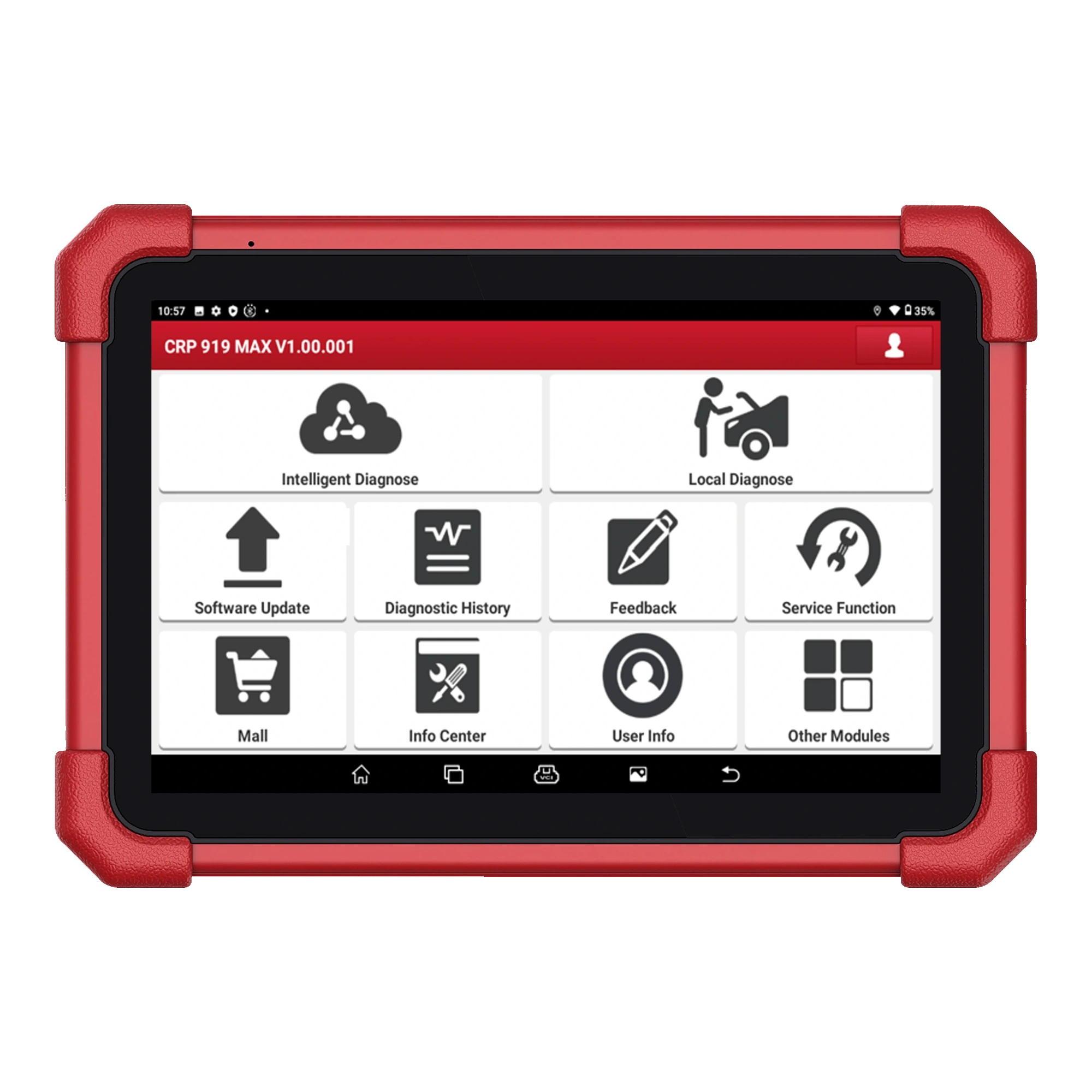
Main recommendationLaunch CRP 919 MAX
A Launch device on a 7-inch tablet combining wireless DBScar VII connection, full system scanning, vehicle-specific active tests, and ECU coding.
27,500 TLView


Launch X431 CRP919E BT highlighted tasks
The first-generation Launch X-431 PRO, sold with a red tablet and DBScar/DS201 interface, is no longer offered as a new product; this archive page explains device identification, account, license, and the decision for current alternatives.
A Launch device on a 7-inch tablet combining wireless DBScar VII connection, full system scanning, vehicle-specific active tests, and ECU coding.

The Launch X431 CRP919E BT offers wireless VCI connection and service functions on the same diagnostic tablet.
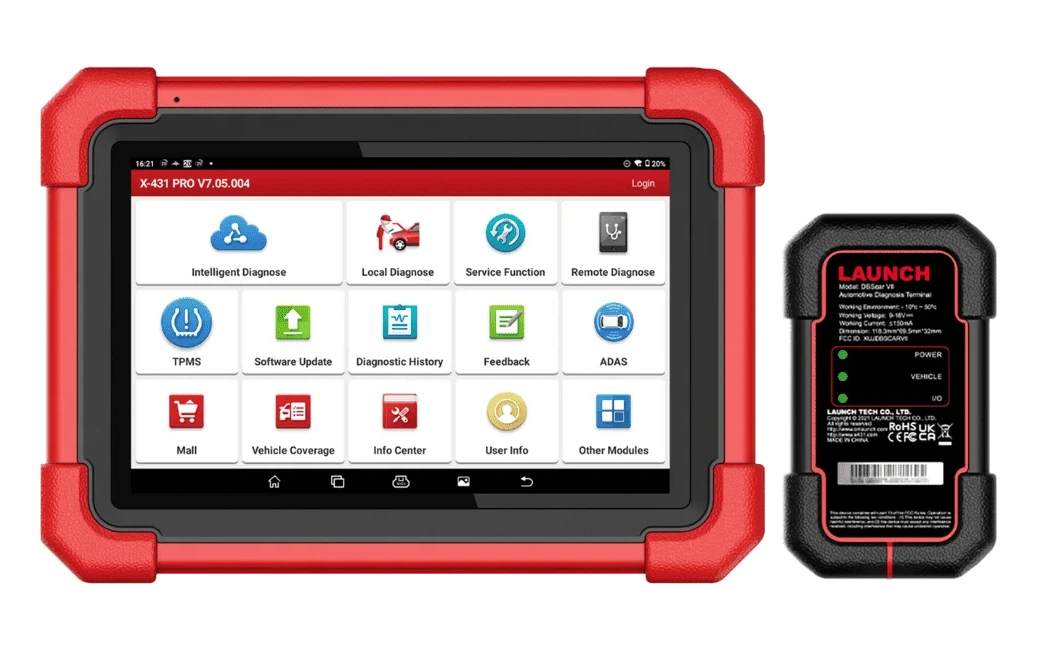
A Launch model for workshops requiring an 8-inch Android tablet with DoIP/CAN FD readiness and the X-431 diagnostic workflow.
Product information
The device on this page is the first-generation Launch X-431 PRO with a red protective case and its DBScar/DS201 family vehicle interface. It is not the X-431 PRO V5.0, PRO3, PRO4, PRO SE, or PRO3 LINK.
As production has ceased, no new product, price, or warranty promises are offered; the page is maintained to verify the existing device and to make a decision to transition to a current model.
Vehicle Coverage
The make name alone does not guarantee compatibility. Within the same make, model year, engine, chassis, control unit, communication protocol, and intended operation can yield different support results.
Product details
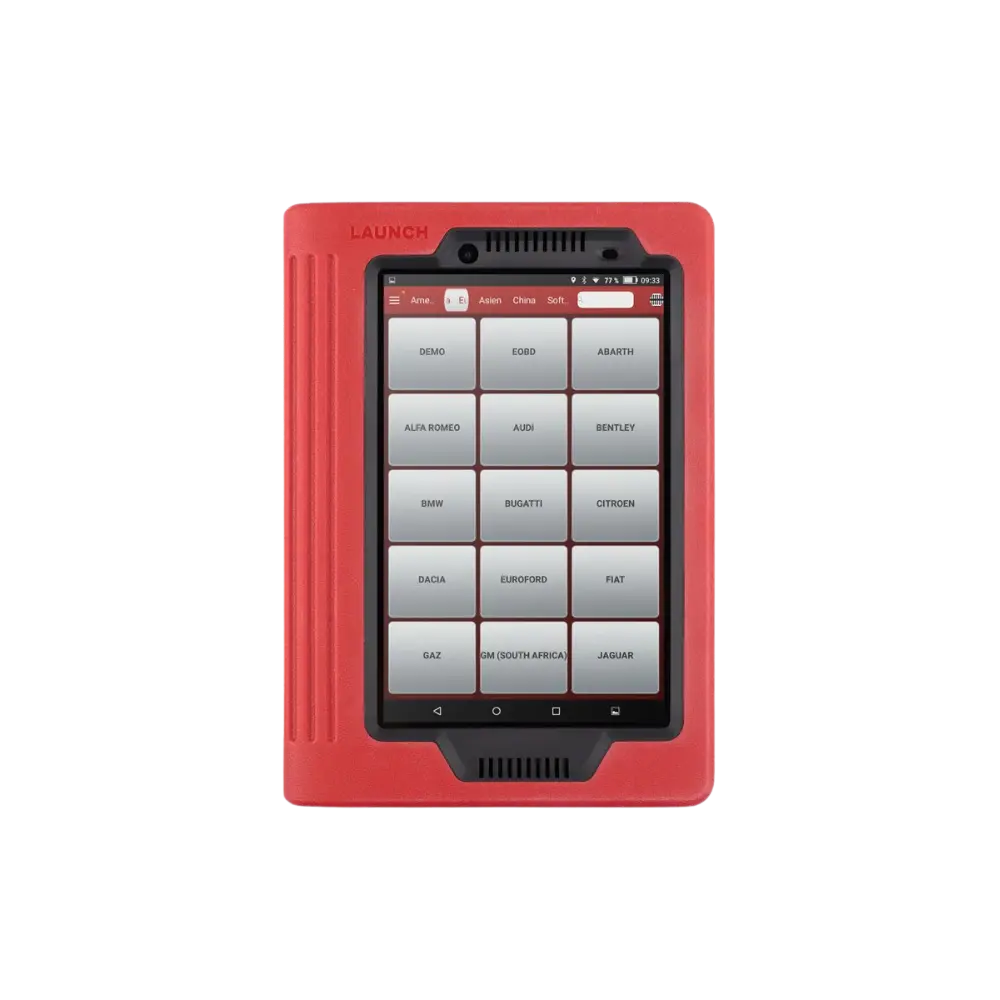
Launch's X-431 PRO manual revised on May 17, 2013; shows the same product layout with the red protective case tablet, the interface slot on the back, and the DBScar diagnostic connector. The source images show X-431 PRO on the tablet's rear label and DS201 on the vehicle interface. These physical markings confirm the old generation.
Later X-431 PRO V5.0 and PRO SE casings, DBScar VII hardware, and new Android versions are not presented as features of this device.
Product details
The 2013 manual lists fault code reading and clearing, data stream viewing, supported special functions, and diagnostic report recording in the device flow. These are historical platform capabilities; they do not prove that the menu will open on any vehicle today. Vehicle make, model year, control unit, software downloaded to the tablet, and license status are determining factors together.
CAN FD, DoIP, current security gateway, or new-generation coding support are not included as default features on this old product.
Product details
For a device that has not been used for a long time, first check the original power equipment, charging indicator, signs of battery swelling or overheating, and the tablet's model label. If the device turns on, do not reset to factory settings without noting the account, serial number, installed vehicle packages, and existing reports.
Installing random APKs on an old Android version can compromise security and license records. For hardware repair or tablet replacement, contact Launch support with the device's full serial number and region information.
Product details
The X-431 PRO manual indicates the use of the serial number and activation information for user and DBScar registration. Therefore, for a used device, simply turning on the tablet is not sufficient. The tablet label, DBScar label, the account seen in the app, and the device registration must match.
Password bypassing, serial number changing, or cracked activation for a device linked to the old owner's account is not permitted. If legal account transfer cannot be obtained from the seller, official confirmation of eligibility should be requested from Launch's regional support channel.
Product details
The 2013 manual describes inserting the DBScar connector into the vehicle's DLC socket with the ignition off and pairing it via Bluetooth with the tablet. In case of a problem, first check the vehicle socket's power supply, fuse, connector LED, interface serial number, and the Bluetooth device selected on the tablet.
The physical similarity of another X-431 family VCI does not prove it will be compatible with this old tablet. When switching to a new tablet or a new Android version, parts should not be purchased without verifying application, account, and VCI compatibility with official support.
Product details
It cannot be guaranteed that a new license or software can be purchased for an old device based solely on the model name. Record the application version on the tablet, the serial number prefix, account region, last update date, and installed brand packages. Then, inquire about renewal options for this serial number through Launch's official account or support channel.
The fact that the existing software opens does not mean new vehicle packages can be downloaded. Unverified APKs, shared accounts, or license bypassing methods put user data, device registration, and operations on the vehicle at risk.
Product details
The bag in the gallery shows a historical package variant containing the old tablet, vehicle interface, cables, and pre-OBD-II socket adapters. The package list in the Launch manual also lists the tablet, DBScar, OBD extension, and power parts; however, the number of adapters and regional sets may vary.
As the product is no longer for sale, this image is not a delivery promise. For a used device, each cable and adapter should be photographed individually and matched with the model label and the intended vehicle operation.
Product details
Launch has used the X-431 PRO name with different tablet, Android, and VCI generations across various years. The PRO V5.0, PRO3, PRO4, PRO SE, or regional package pages seen in search results may not belong to this older device.
For a technical guide to be applicable, the tablet's physical casing, rear model label, serial number range, VCI model, application version, and documentation date must all indicate the same generation. New device RAM, storage, camera, CAN FD, DoIP, or service functions are not carried over to older models.
Similarly, the package from a 2013 manual is not used as the current CRP919 or PRO SE sales content. On this page, visual and date matching takes precedence before the model name.
Product details
Before contacting Launch support, save a front and rear photo of the tablet, a legible serial label, the DS201 interface label, your account email address, the application version, and a screenshot of the update screen.
Describe the issue briefly and observably: whether the tablet powers on, VCI LED status, if it appears in the Bluetooth list, and the date of the last successful use. If it's a second-hand device, include the invoice, transfer document, or record of the previous owner's account transfer.
In the support response, application, license, VCI, or tablet replacement for this serial number will be inquired about separately. This ensures a response based on the correct hardware generation rather than the general 'X-431 PRO' name.
Product details
Users looking for a compact, wireless, and more affordable service tablet can consider the CRP 919 MAX. Users wanting wireless active test and service functions with a larger tablet display via DBScar VII can compare the CRP919E BT.
For services expecting a professional, 8-inch class, and new-generation protocol experience closer to the X-431 PRO name, the X-431 PRO SE is a separate option.
Product details
The device powering on is not sufficient on its own. Account transfer, serial number, interface compatibility, battery condition, touchscreen, Wi-Fi, charging equipment, installed vehicle software, and official update eligibility must all be considered together.
If the vehicles that need support are new models, the repair and license costs for an old Android and old VCI are compared against the price of a current device. Purchasing a device with a non-transferable account, a erased serial label, or a missing interface carries risk.
Product details
A tablet that has been in the service cabinet for a long time is not directly connected to a vehicle. First, check the casing for swelling or cracks, a loose charging port, and signs of overheating; compare the power adapter's label with the device's requirements. If the tablet powers on safely, photograph the model label, serial number, Android version, application version, storage space, and date settings.
Add the account address, registered interface, and downloaded vehicle packages from the Launch application to a list. Before taking this inventory, resetting to factory settings or clearing storage can result in the loss of previously downloaded old software and account history.
Instead of initiating a device update on first boot, record the current status and inquire with the official support channel about compatibility using the serial number.
Product details
The technician separately records the vehicle interface's DS201 and serial labels along with the tablet's rear label. After checking the vehicle's OBD socket, fuse, and battery voltage, connect the connector with the ignition off. If the interface indicator does not respond, the issue is not immediately a Bluetooth connection problem; first, check the socket power supply and pin damage.
Once power is supplied, match the registered Bluetooth device name on the tablet with the interface serial number. If there are multiple Launch VCIs in the same workshop, verify that you are not connecting to the wrong interface. If a connection cannot be established, do not randomly install a new VCI or application; contact Launch support with the hardware information registered to your account.
This allows for separate testing of vehicle power supply, Bluetooth selection, and account registration.
Product details
If the device powers on and the interface connects, start by performing read-only operations on a vehicle known to be supported. Record the vehicle identification, model year, engine, and selected software package in the service form. First, read the general system list and fault codes; save the code number, description, status, and available event data.
Opening a menu does not indicate active support for active tests, adaptations, or coding. Old software may misidentify or not recognize a new control unit at all. Therefore, do not attempt code deletion, writing, calibration, or programming on the first try.
Compare the results with a separate, current device or manufacturer service information; also include inaccessible systems in the report.
Product details
The service lists which vehicles the old device still works for and which menus it has been insufficient in over the last six months. Battery, screen, charging port, VCI, and potential official license costs are itemized separately. If it will only be used for basic scanning and older vehicles, preserving the current software may be economical.
Workshops desiring a larger screen and the professional X-431 class should evaluate the PRO SE separately. The decision should not be based solely on the purchase price; official updates, VCI, protocols, supported vehicles, and daily work loss should be calculated together.
Related pages
Technical Resources
Technical information checked with official sources on October 10, 2026.
FAQ
The tablet label in the images reads X-431 PRO. The correct model name is Launch X-431 PRO; not X430 Pro.
No. The PRO V5.0 is a newer chassis, Android, and VCI generation. The technical specifications of the PRO V5.0 do not apply to this older device with a red tablet.
This depends on the serial number, account region, application version, and official renewal eligibility on the Launch server. A new license cannot be guaranteed based solely on the model name.
Check vehicle socket power supply, interface LED, DBScar serial number, and the Bluetooth device selected on the tablet. Compatibility with this tablet and account should be inquired with Launch support before purchasing a different VCI.
Account password or license bypassing is not recommended without legal account transfer from the previous owner or official support confirmation from Launch. Tablet and VCI serial numbers must match the account registration.
It is not an identical product. The PRO SE is a closer professional alternative for services requiring an 8-inch class and new-generation protocols; the VCI, package, and software coverage are different.
Comparison
Compare products in the same class with information on usage level, service tasks, and price.
| Model | Level | Usage | Price | View |
|---|---|---|---|---|
| Launch X-431 PRO (Old Model)Launch | Professional |
| Not in production | View |
| Launch X431 CRP919E BTLaunch | Service |
| ≈ $45522,500 TL charged · VAT included · import duties excluded | View |
| Launch EasyDiag 3.0 Universal Vehicle Diagnostic ToolLaunch | Getting started |
| Price information | View |
| Launch Golo EasyDiag+ (Old Model)Launch | Getting started |
| Not in production | View |
Similar products
The Launch X431 CRP919E BT offers wireless VCI connection and service functions on the same diagnostic tablet.
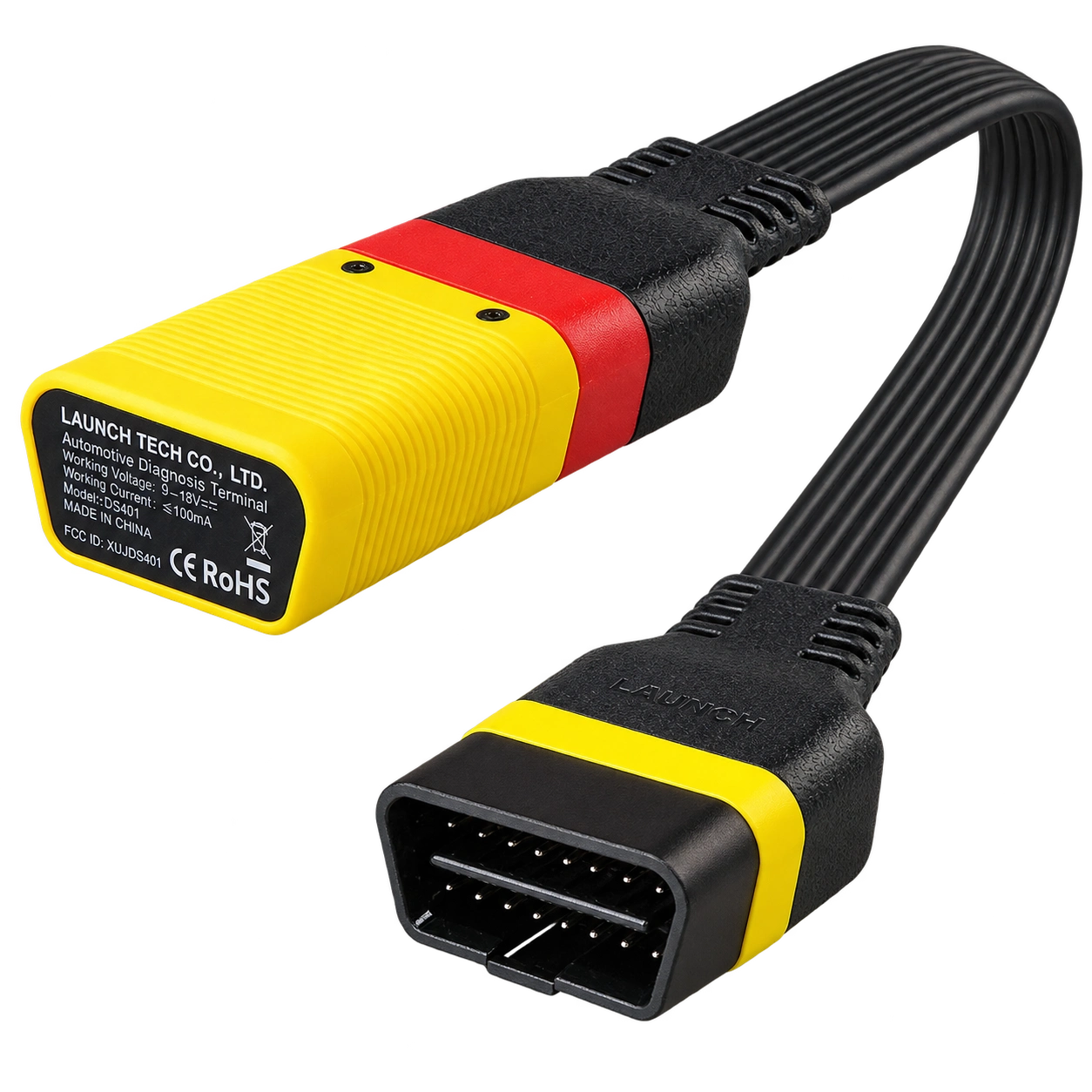
Launch EasyDiag 3.0 is a compact OBD-II diagnostic adapter that works with compatible Android or iOS devices via Bluetooth. Operations such as fault code reading, live data, and reporting on supported vehicles vary according to the scope of the software and brand license.
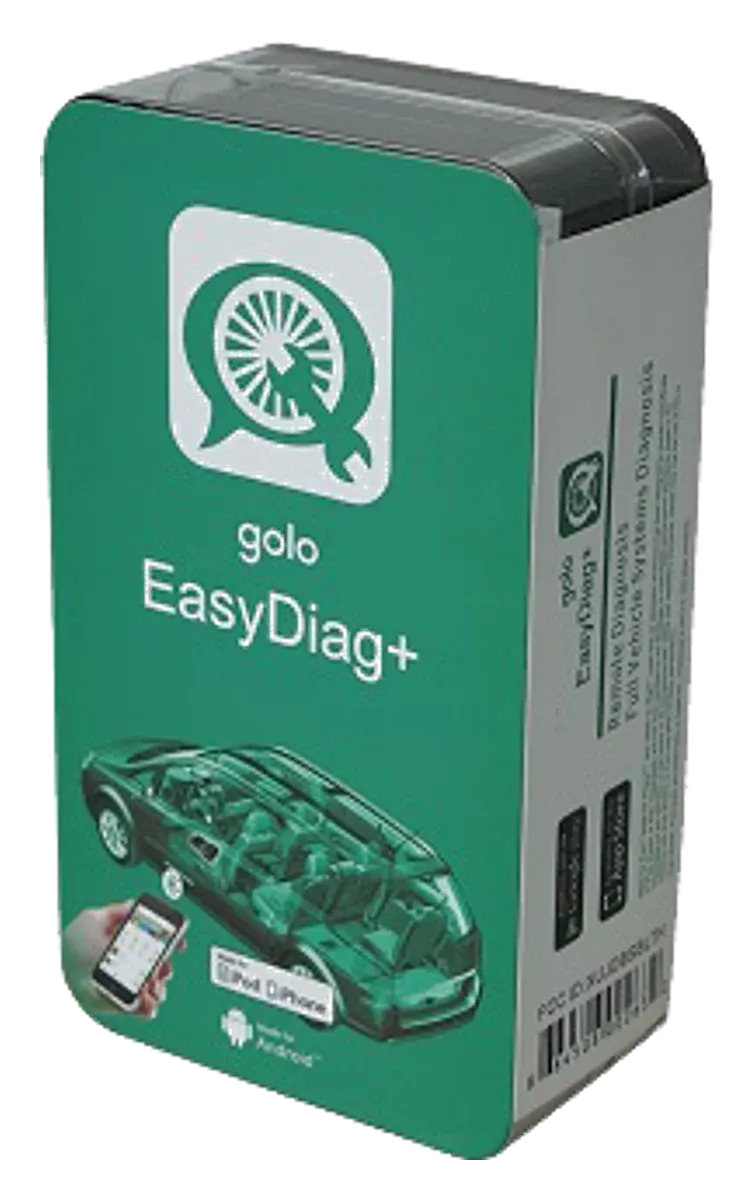
Launch Golo EasyDiag+ is an older generation Bluetooth OBD adapter used with software on a phone or tablet, and it has been discontinued. Golo CarCare II is a separate model; this page is maintained for identification, application, and license verification, not for new sales.
A Launch device on a 7-inch tablet combining wireless DBScar VII connection, full system scanning, vehicle-specific active tests, and ECU coding.