Product view of EasyDiag 3.0 device with transparent background
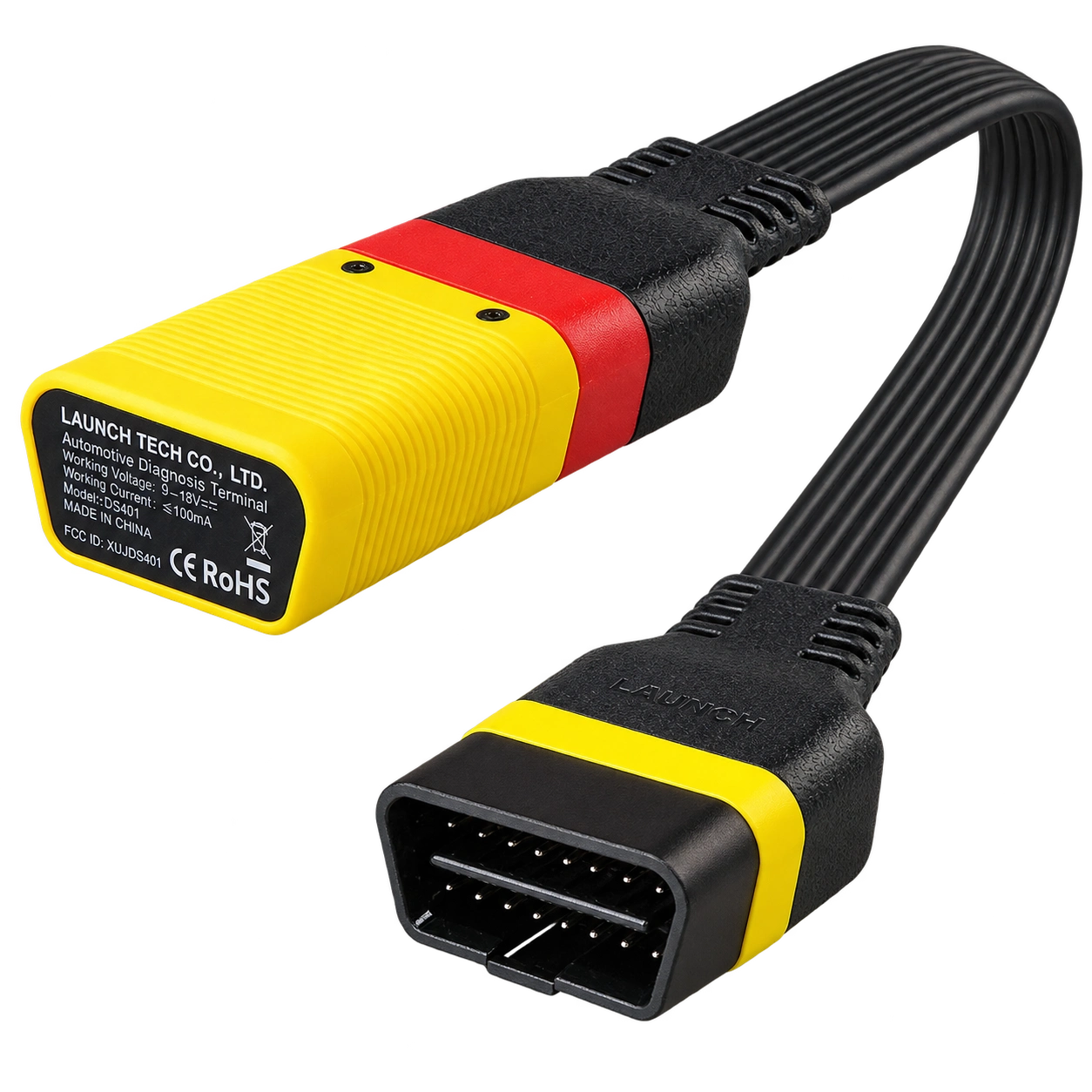
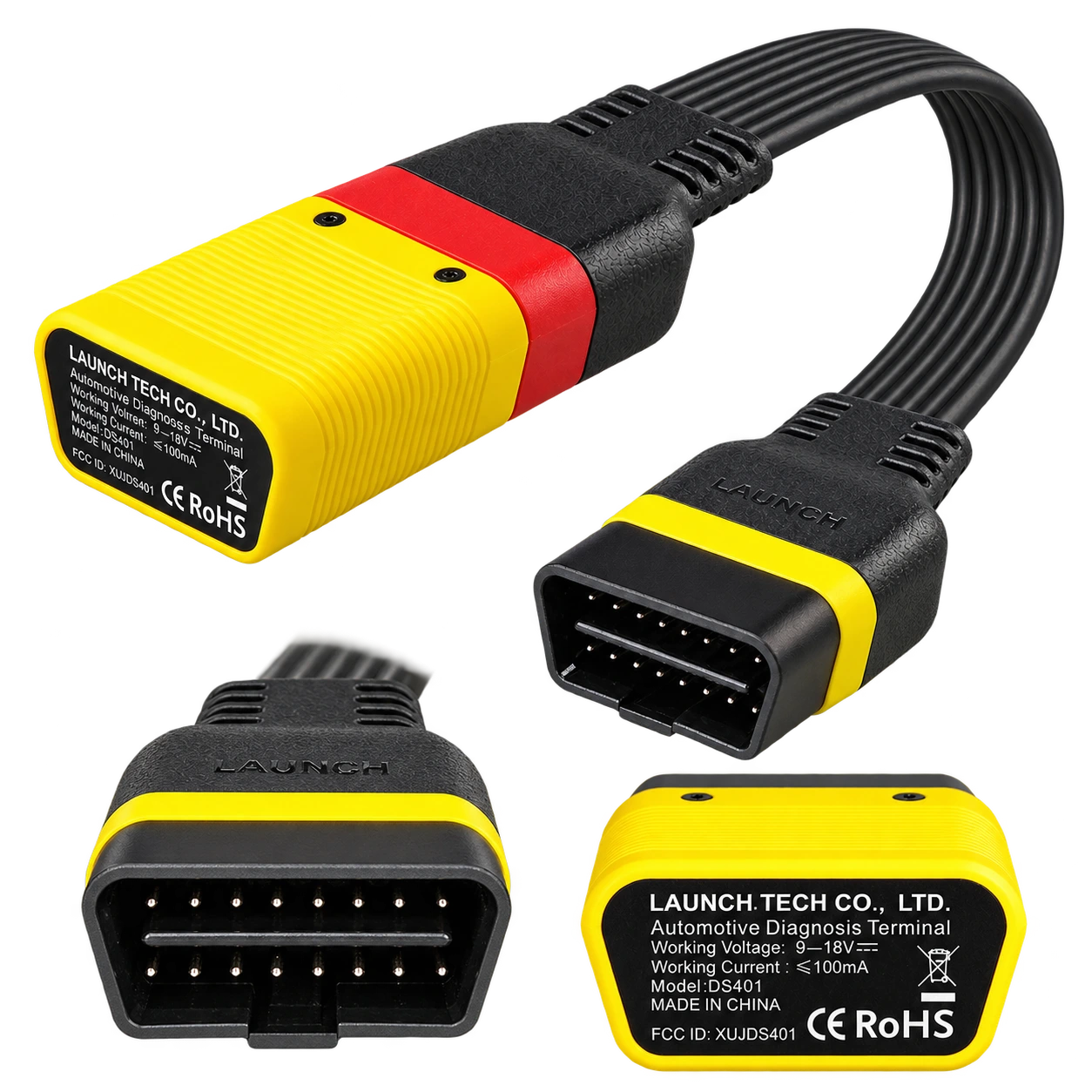
Product view of EasyDiag 3.0 device with transparent backgroundAdapter body and straight OBD-II cableOBD-II connection and device body detailsConnection ends and cable details
Launch EasyDiag 3.0 is a compact OBD-II diagnostic adapter that works with compatible Android or iOS devices via Bluetooth. Operations such as fault code reading, live data, and reporting on supported vehicles vary according to the scope of the software and brand license.
Bluetooth OBD-II connection
Compact yellow Launch DS401 adapter
Fault code and live data stream
Android/iOS application ecosystem
Get price information
In stockYou can get support from the Otobiltek team for price information.
View installment options2–6 installments
Accepted cards
The exact plan and total amount will be shown again at the payment step.
Launch EasyDiag 3.0 is a compact Launch adapter designed for users who do not have a separate diagnostic tablet and want to perform OBD-II connected diagnostics from their phone or tablet. The device itself is not vehicle software: Bluetooth connection, application, activation, and purchased brand software must be checked separately.
In basic use, fault codes can be read from supported vehicles, live data can be monitored, and code clearing or reporting can be done in appropriate menus. It cannot be said that the same systems or service functions will be activated on every vehicle.
What would you buy this for?
Car owners who want a compact Bluetooth OBD-II adapter
Users performing basic diagnostics via phone or tablet
Workshops that want to use brand software on multiple supported vehicles
Users who check codes, live data, and connectivity for their own vehicles
Featured diagnostic features
Phone/tablet and application compatibility
Vehicle make-model-year coverage
Brand software and license package
OBD-II socket and connection conditions
Vehicle Coverage
Which vehicles does Launch EasyDiag 3.0 Universal Vehicle Fault Detection Device support?
The make name alone does not guarantee compatibility. Within the same make, model year, engine, chassis, control unit, communication protocol, and intended operation can yield different support results.
Vehicle Group
Passenger cars and light commercial vehicles included in the product software
Supported makes
Multi-brand coverage; the current make list is obtained from the manufacturer's official vehicle or protocol database.
Supported models
Verified from the official coverage screen based on make, model, model year, engine or chassis, and control unit.
Scope of service
Code reading, live data, active test, service function, coding, and programming may be supported separately.
Connection conditions
Phone/tablet and application compatibility, Vehicle make-model-year coverage, Brand software and license package, OBD-II socket and connection conditions
The make and model examples on the page do not guarantee all production years and all functions.
Before any definitive operation, the manufacturer's current coverage record must be verified with the VIN or full vehicle information.
EasyDiag 3.0 is a compact vehicle diagnostic adapter from the Launch DS401 family, featuring a yellow-black body, OBD-II cable, and Bluetooth communication. The product's function is to establish communication between the vehicle's diagnostic socket and a compatible application on an Android or iOS device.
Therefore, the product is not a handheld diagnostic device with a screen or a standalone tablet. After selecting the application and license, the vehicle is selected via phone or tablet, a connection is established with the control unit, and supported menus are used.
In Launch's EasyDiag documentation, the product is described along with application download, activation, and vehicle software selection. Before purchase, it is necessary to confirm the version of the application to be used and the brand package, as well as the physical availability of the device.
Connection: vehicle OBD-II socket and Bluetooth device communication
Usage: application on a compatible Android or iOS device
Scope: software menus varying by vehicle and license package
Product details
For what operations is it used in daily use?
The most logical use for EasyDiag 3.0 is basic to intermediate level diagnostic workflows requiring quick access to the vehicle's supported control unit. For example, when the engine fault light comes on, the vehicle and system are selected first, fault records are read, the status of existing codes is examined, and a report is generated if deemed necessary.
If the live data menu is supported, sensor values can be monitored while running; a single value appearing normal does not definitively rule out a mechanical fault. Clearing codes does not mean the fault has been repaired, and the re-completion of emission-related monitors may take time.
A second scenario for service users is to perform a quick pre-scan at vehicle acceptance and provide the report to the customer. A third scenario is for small workshops using multiple brand software to use the same Bluetooth interface across different vehicles. In these scenarios, the vehicle, model year, engine, and operation must be checked in advance.
Fault code reading and status check
Live data monitoring in supported menus
Code clearing and reporting on compatible vehicles
Quick pre-diagnostic at vehicle acceptance
Product details
Bluetooth connection and initial setup
For initial use, the adapter is plugged into the vehicle's OBD-II socket, and the vehicle battery and ignition status are prepared according to the manufacturer's procedure. After turning on the phone or tablet's Bluetooth, the VCI device is searched for within the EasyDiag application; the permissions requested by the application and account steps are completed.
If a connection is not established, the problem may not solely be with Bluetooth: lack of power at the socket, ignition position, another application occupying the VCI, selection of the wrong device, or the application version not matching the hardware can also be checked. It is good practice to remove the adapter after the operation is complete rather than leaving it connected to the vehicle for extended periods.
Remove the cable by its body, not by pulling it. If the serial number, activation code, or brand software selection is requested during the initial connection, check the documents inside the box and the scope of the purchased license.
Power and ignition check at the OBD-II socket
VCI pairing via Bluetooth and application
Storage of serial number/activation information
Safe removal of the device at the end of the operation
Product details
Initial setup and 1 year of free updates
For initial setup, connect the EasyDiag 3.0 adapter to the vehicle's OBD-II socket, install the compatible application on your phone or tablet, and complete the activation steps with the device's serial number. This sales package includes a 1-year free software update period starting with the initial setup.
The update period must be checked along with the device account, application version, and the scope of the purchased brand software. If new brand software or updates are required after the period expires, the XDiag Pro 3 software update service will be evaluated by checking the device serial number and current application information.
Complete OBD-II connection and Bluetooth pairing
Check serial number and activation steps within the application
Note the 1-year free update period starting with initial setup
Check renewal needs based on brand software and device serial number at the end of the period
Product details
How are software, activation, and brand license evaluated?
The most frequently confused issue in EasyDiag 3.0 sales is assuming the device and software license are the same thing. The physical adapter coming out of the box does not mean all brand software is active for life. In Launch's dated EasyDiag documents, application installation, activation code, and brand software purchase are described as separate steps.
Some packages may include EOBD/basic access; however, brand-specific full system menus, update periods, and service functions may depend on the purchased software selection. Therefore, unverified statements such as 'all brands included,' 'lifetime updates,' or 'coding on every vehicle' should not be used on the product page.
If the brand, model year, system to be checked, and desired operation are shared before ordering, the compatibility check will be more accurate. Current availability in the app store should also be confirmed; an old application name is not a guarantee of new license coverage.
Separate device cost and software/license scope
Request compatibility based on brand, model year, and system
Save activation code and serial number
Confirm update period in writing before payment
Product details
Why should vehicle compatibility be checked on a model basis?
The term 'universal' or 'multi-brand' does not mean the same depth of diagnostics on every vehicle. Two different model years, engine options, or control units of the same brand may have different communication and service menus.
The physical presence of the OBD-II socket also does not guarantee that ABS, airbag, transmission, body, or special service functions are activated. Newer vehicles may have write operations that require a security gateway or manufacturer account.
The correct check for EasyDiag 3.0 is to specify the make, full model, model year, engine, module to be checked, and the operation to be performed together. Reading fault codes is different from adaptation, coding, programming, or immobilizer operations in terms of authorization levels.
This product page clearly describes basic diagnostic capabilities; we do not guarantee operations that have not been verified on a per-vehicle basis.
Brand, model, and model year
Engine and control unit
System or module to be read
Distinction between code reading, live data, reset, or special operations
Product details
What is included in the box, and what should be checked before ordering?
Stock images shared by users show the EasyDiag 3.0 adapter, OBD-II cable body, product box, and quick start/activation documents. The contents of the package to be shipped to Turkey, the serial number, and the activation document should be checked separately before shipment; different boxes or accessories shown in the visual are not automatically part of every sales package.
As the product is compact, users expecting a tablet, charging adapter, or carrying case should be aware that this model is not a separate device with a screen. During package inspection, compare the device body, OBD-II connection end, any crushing on the cable, the box label, the serial number, and the activation card, if included.
If a license has been purchased, the brand software and the duration included should be noted in the order.
EasyDiag 3.0 physical adapter
OBD-II cable and connection end
Box and product label
Quick start/activation documents verified per package
Product details
Official technical information: connection, operating range, and compatible devices
The Launch EasyDiag 3.0 user manual specifies Android 5.0 and above, iOS 9.0 and above operating systems; Bluetooth 4.2 communication; 9–18 V operating voltage; a maximum operating current of 100 mA, and an operating temperature range of -10 °C to 50 °C.
These values describe the technical operating conditions of the device; they do not guarantee which control units or service functions will be activated on a specific vehicle. Vehicle compatibility and software scope must be verified before purchase by examining the make, model year, engine, control unit, and the intended operation.
Usage with Android 5.0+ and iOS 9.0+ devices
Bluetooth 4.2 communication
9–18 V operating voltage
Operating temperature: -10 °C to 50 °C
Operating current: max 100 mA
Product details
EasyDiag 3.0 or a device with a screen?
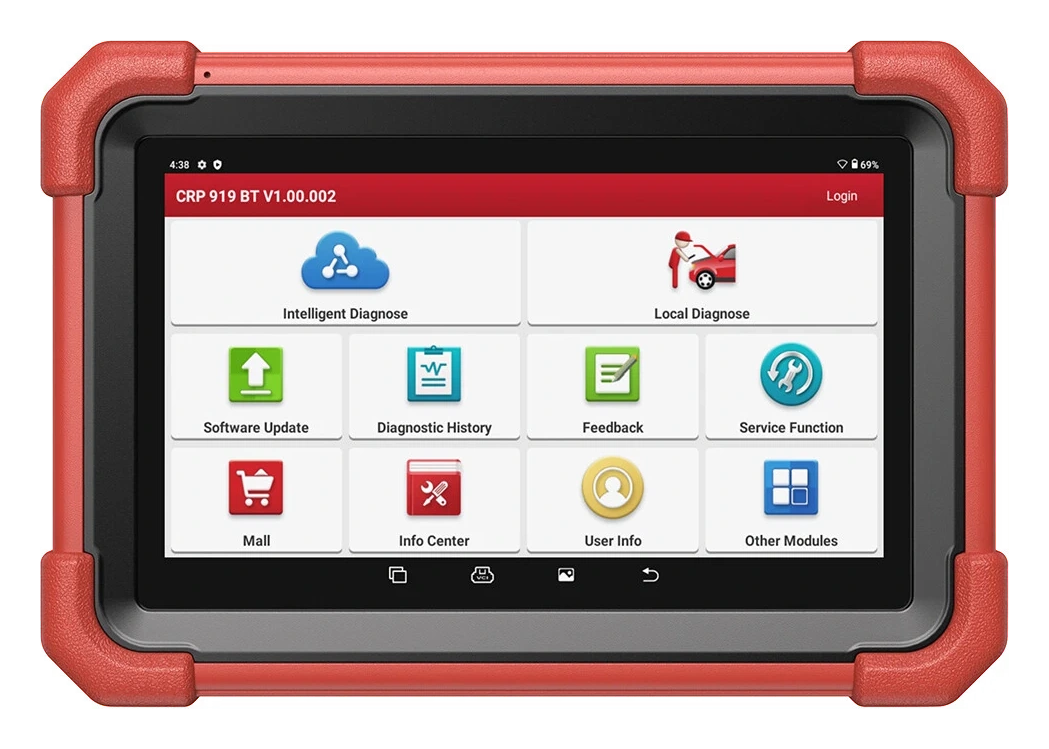
The EasyDiag 3.0 and the Launch CRP919E BT or CRP919 MAX do not have the same usage model. The EasyDiag 3.0 is a more compact Bluetooth adapter that uses your existing phone or tablet as an interface. The CRP919E BT and CRP919 MAX, on the other hand, are service tablets that offer a screen, battery, and diagnostic software together.
The advantage of EasyDiag is its portability, low equipment volume, and flexibility of operation with a phone; its disadvantage is its dependence on application, license, and phone compatibility. A basic reader for just engine fault codes and live data may also suffice.
If full system scanning, regular service functions, active tests, or a larger screen are required, a model with a screen should be considered. Make your selection not just by product price, but also by the weekly operations and license costs.
EasyDiag 3.0: adapter + phone/tablet application
CRP919E BT: diagnostic tool with screen + wireless VCI
CRP919 MAX: comprehensive service and hardware class
Basic OBD reader: for narrower and lower-cost use
Product details
EasyDiag 3.0 Universal Vehicle Diagnostic Tool for reading and clearing fault codes
Actual Launch EasyDiag 3.0 DS401 device: adapter body, OBD-II socket, and rear technical label.
With the EasyDiag 3.0 Universal Vehicle Diagnostic Tool, correct vehicle registration and the relevant control unit are opened when reading fault codes. The EasyDiag 3.0 Universal Vehicle Diagnostic Tool adds the fault code status and available description or event information to the initial report.
The EasyDiag 3.0 Universal Vehicle Diagnostic Tool service record includes vehicle ID, control unit, and software version. The technician does not decide on part replacement without comparing the EasyDiag 3.0 Universal Vehicle Diagnostic Tool finding with live data and physical inspection.
After the process, the same code is read again; current, history, and returning records are shown separately.
Verify vehicle identity
Save the initial system scan
Check phone/tablet and application compatibility information
Re-scan after service operation
Product details
Displaying live data with the EasyDiag 3.0 Universal Vehicle Diagnostic Tool
Displaying live data with the EasyDiag 3.0 Universal Vehicle Diagnostic Tool is initiated by defining the safe operating condition under which the customer's complaint occurred. Only data channels related to the fault are selected on the EasyDiag 3.0 Universal Vehicle Diagnostic Tool screen; unnecessary PIDs are excluded from the recording.
The EasyDiag 3.0 Universal Vehicle Diagnostic Tool stores live data with measurement units; operating conditions such as vehicle ID, test time, engine speed, load, and temperature are added to the record.
The technician interprets sudden changes on the EasyDiag 3.0 Universal Vehicle Diagnostic Tool along with fault code and event logs; a single value does not directly lead to a part replacement decision.
After repair, a second data record is taken under the same conditions with the EasyDiag 3.0 Universal Vehicle Diagnostic Tool, and the two results are compared side-by-side.
Define test conditions
Select relevant PIDs
Record data with units
Compare under the same conditions after repair
Product details
Initial system scan upon vehicle acceptance with the EasyDiag 3.0 Universal Vehicle Diagnostic Tool
When performing the initial system scan upon vehicle acceptance with the EasyDiag 3.0 Universal Vehicle Diagnostic Tool, the vehicle ID is verified, and supported control units are scanned. The EasyDiag 3.0 Universal Vehicle Diagnostic Tool stores communicating systems, fault codes, and available event information together in the initial report.
The VCI model, software version, and vehicle ID used with the EasyDiag 3.0 Universal Vehicle Diagnostic Tool are added to the vehicle acceptance record. Codes are not cleared before obtaining the EasyDiag 3.0 Universal Vehicle Diagnostic Tool initial report; a single error record does not directly lead to a part replacement decision.
The EasyDiag 3.0 Universal Vehicle Diagnostic Tool acceptance scan is added to the service form, specifying the customer complaint and systems to be monitored.
Verify vehicle identity
Save the initial system scan
Check phone/tablet and application compatibility information
Re-scan after service operation
Product details
Reviewing fault code and event log together with the EasyDiag 3.0 Universal Vehicle Diagnostic Tool
During the review of fault code and event log together with the EasyDiag 3.0 Universal Vehicle Diagnostic Tool, the stored and current fault codes of the relevant control unit are read first.
The EasyDiag 3.0 Universal Vehicle Diagnostic Tool stores available event data such as RPM, temperature, voltage, or mileage at the time of the fault in the same report as the code. Vehicle ID, control unit, and software version are added to the EasyDiag 3.0 Universal Vehicle Diagnostic Tool service form.
The technician compares the EasyDiag 3.0 Universal Vehicle Diagnostic Tool data with the customer complaint and physical test results; the event log alone does not identify the faulty part. After the EasyDiag 3.0 Universal Vehicle Diagnostic Tool review is completed, whether the code was cleared and the next check step are recorded.
Verify vehicle identity
Save the initial system scan
Check phone/tablet and application compatibility information
Re-scan after service operation
Product details
How to verify vehicle coverage with the EasyDiag 3.0 Universal Vehicle Diagnostic Tool
Definitive compatibility cannot be stated for the EasyDiag 3.0 Universal Vehicle Diagnostic Tool without selecting the vehicle make, model, year, engine, control unit, and the intended operation together.
The official Launch coverage tool shows which system, service function, or protocol is activated for the selected vehicle and control unit for the EasyDiag 3.0 Universal Vehicle Diagnostic Tool.
The presence of the brand line does not prove that active test, coding, programming, TPMS relearn, or gateway access is also active on the EasyDiag 3.0 Universal Vehicle Diagnostic Tool.
Before ordering, prepare the VIN or full model information, model year, engine/chassis distinction, and intended operation for the EasyDiag 3.0 Universal Vehicle Diagnostic Tool; also check the software version, license duration, VCI, adapter, and regional package.
EasyDiag 3.0 Universal Vehicle Diagnostic Tool: prepare make, model, model year, and engine/chassis information
EasyDiag 3.0 Universal Vehicle Diagnostic Tool: select desired system and operation separately; read, live data, active test, coding, or programming
EasyDiag 3.0 Universal Vehicle Diagnostic Tool: verify ECU and function line in the official coverage vehicle
Launch EasyDiag 3.0 is a compact DS401 diagnostic adapter that connects to the vehicle via OBD-II and communicates with a compatible Android or iOS device via Bluetooth. It does not have its own screen.
Does EasyDiag 3.0 connect to a phone?
Yes, the device is designed to connect to a compatible phone or tablet via Bluetooth. The application version, operating system, account, and license conditions should be checked before purchase.
Does EasyDiag 3.0 work on all vehicles?
No. The physical OBD-II socket alone is not proof of full compatibility. Make, model, model year, engine, control unit, and the intended operation must be verified together.
Does it read and clear fault codes?
Fault code reading can be performed in supported vehicle and software menus; the clear option may also be visible depending on vehicle and license coverage. Clearing codes does not indicate that the fault has been repaired.
Does it display live data?
Live data can be viewed in supported control unit and application menus. Which parameters are displayed varies depending on the vehicle model, engine, and software package.
Are all brand software included in the box?
This information should not be automatically assumed. The physical adapter and brand software/license are evaluated separately; the purchased package and activation scope must be confirmed before ordering.
Is EasyDiag 3.0 a device with a screen?
No. EasyDiag 3.0 is a Bluetooth OBD-II adapter. A compatible phone or tablet is required separately for viewing and operation.
Can coding or programming be done with EasyDiag 3.0?
Special functions may be available in some vehicle and license packages; however, coding, programming, or immobilizer operations are not guaranteed on all vehicles. Compatibility must be checked in advance with the operation name and vehicle information.
Comparison
Similar models to Launch EasyDiag 3.0 Universal Vehicle Diagnostic Tool
Compare products in the same class with information on usage level, service tasks, and price.
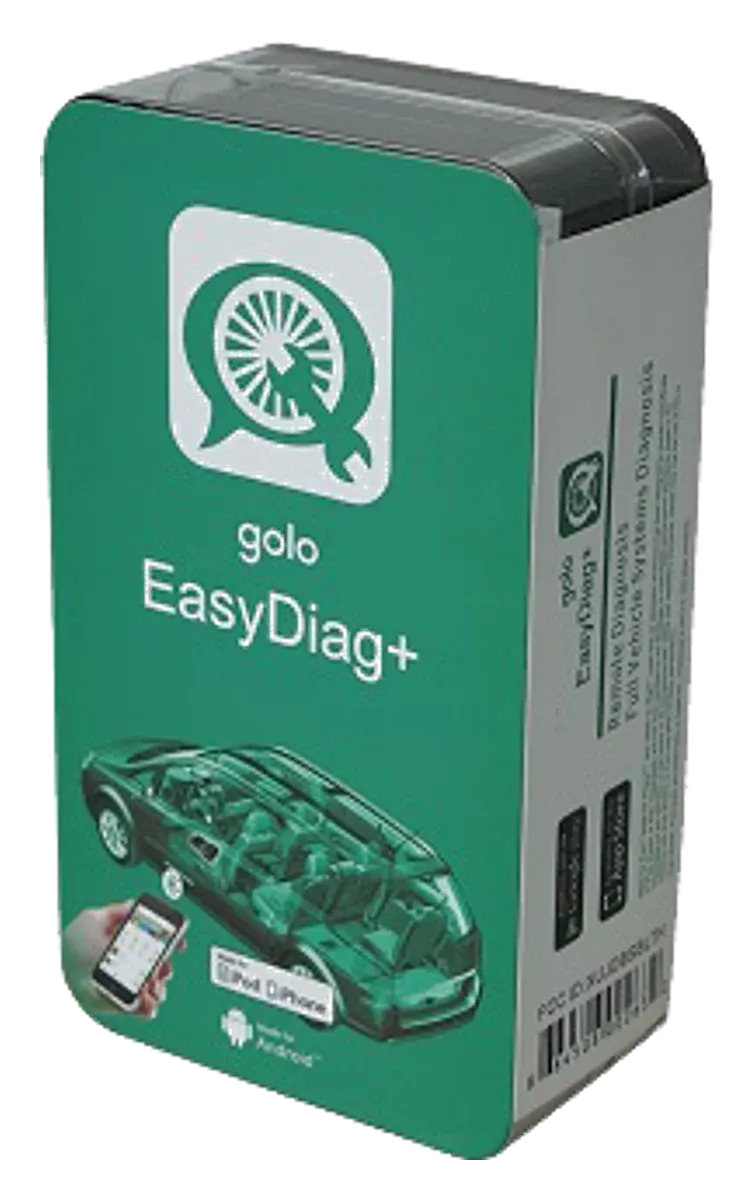
Launch Golo EasyDiag+ is an older generation Bluetooth OBD adapter used with software on a phone or tablet, and it has been discontinued. Golo CarCare II is a separate model; this page is maintained for identification, application, and license verification, not for new sales.
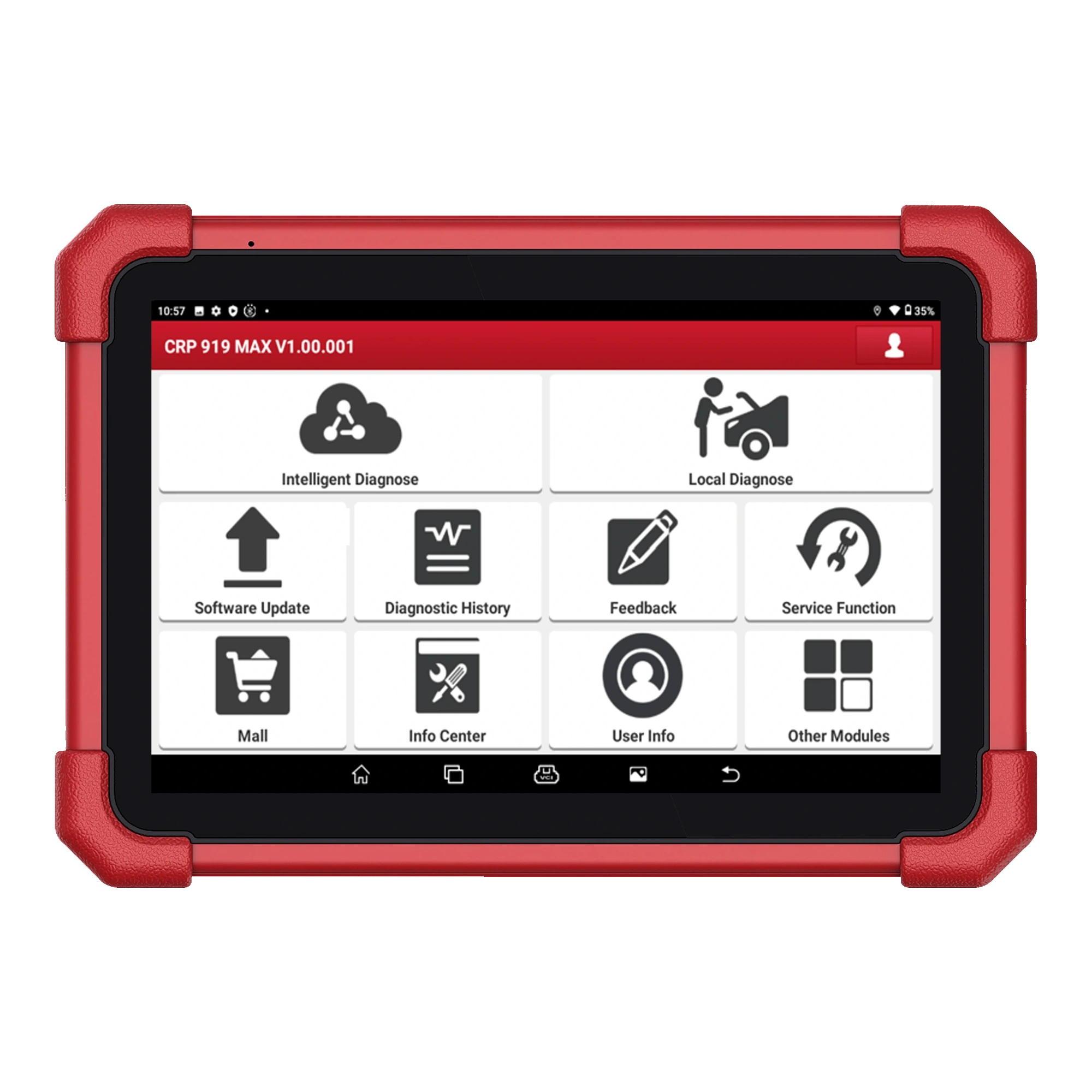
A Launch model on a 7-inch tablet integrating DBScar VII Bluetooth VCI, full system scanning, active tests, ECU coding, CAN FD, and expandable DoIP support.