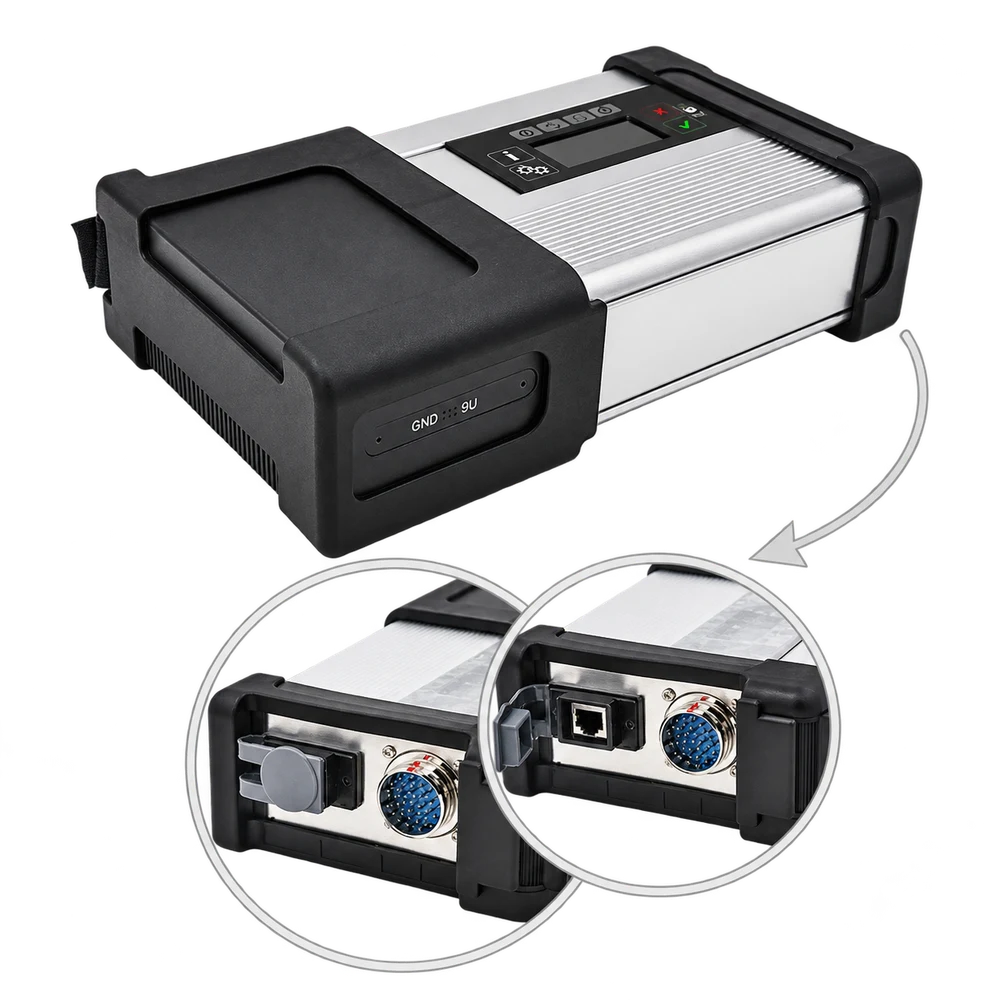
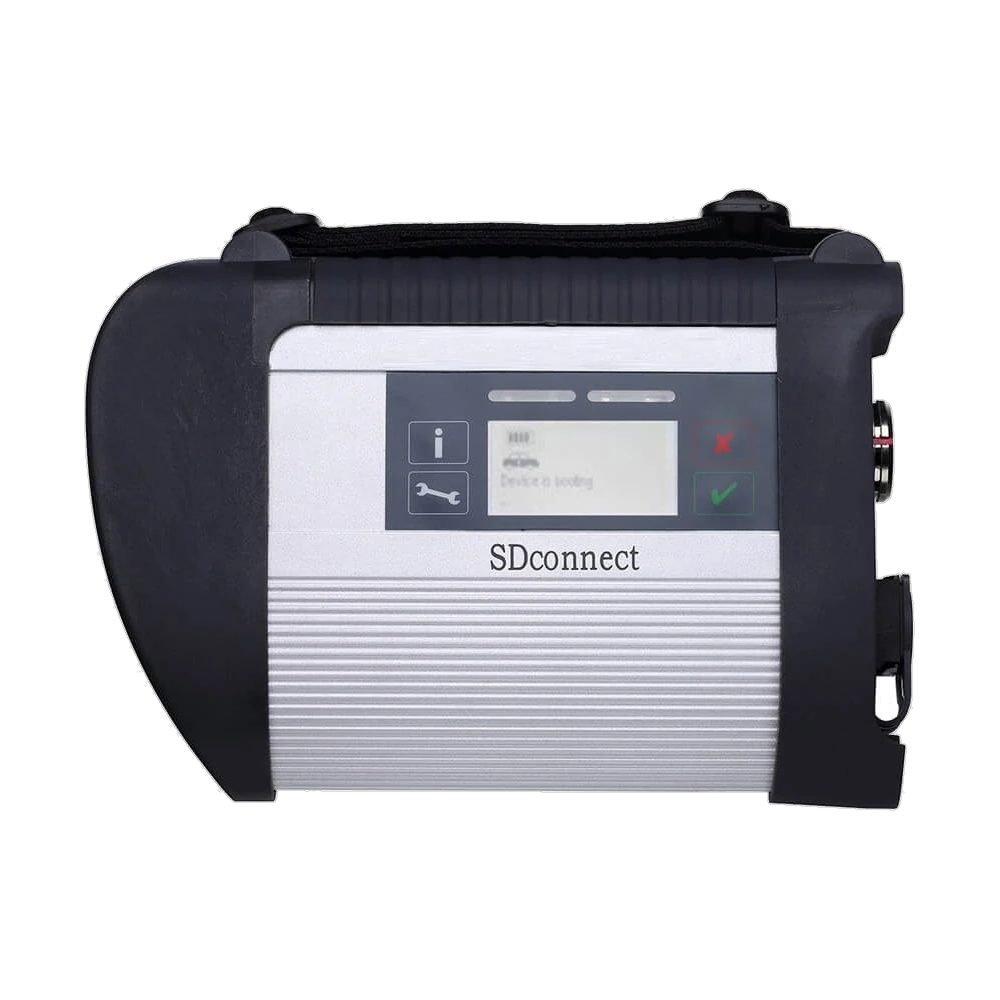
Metal housing, status screen, and connection ports of the C5 / Compact 5 main device.
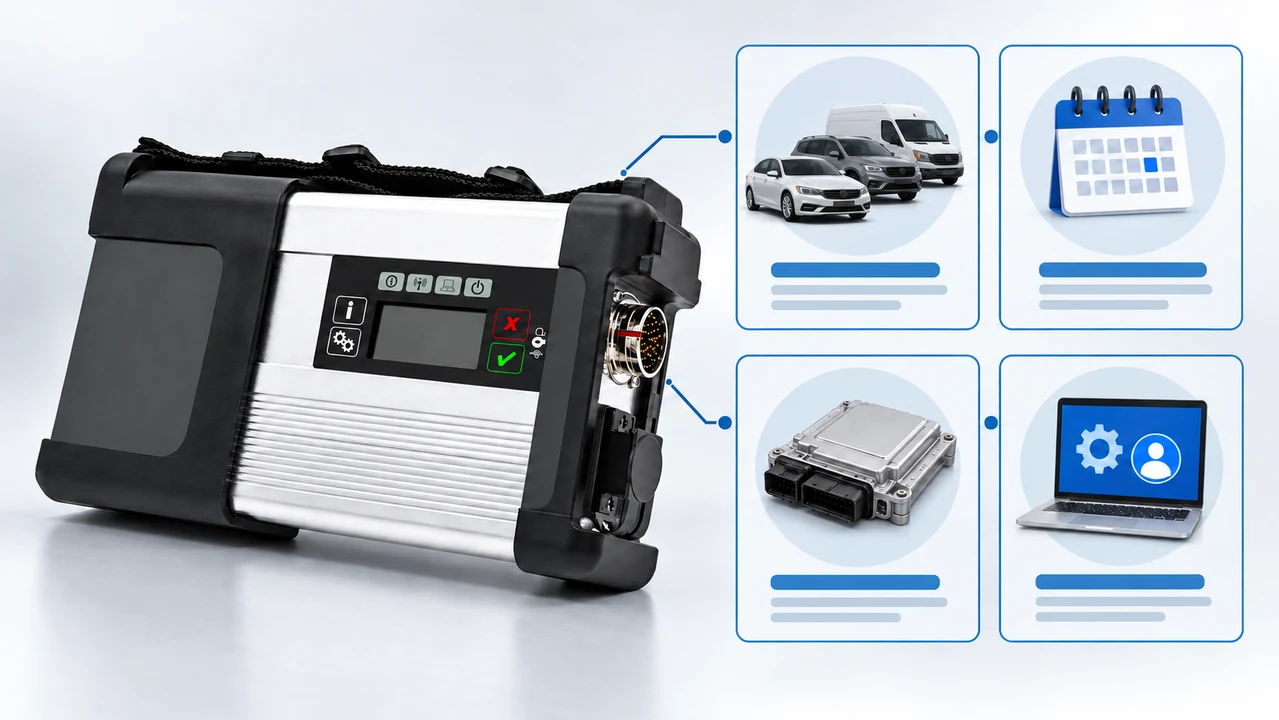
Metal housing, status screen, and connection ports of the C5 / Compact 5 main device.Angled front view of the main device; screen, buttons, and multi-pin connection surface.C5 and cable image in the archive; the exact delivery content must be checked from the order document.Additional product angle to compare the device housing and connection surfaces.
Mercedes compatible · Vehicle diagnostic devices
Mercedes Compatible SD Connect C5 / Compact 5
An aftermarket automotive communication interface of C5 / Compact 5 type with a metal housing, offered for use with a compatible computer and legal diagnostic software on Mercedes vehicles; computer, software, and license are not included.
Interface for PC-based diagnostic connection in Mercedes vehicles
In stockThe TRY price includes Turkish VAT. Import duties and local taxes are not included.
View installment options2–6 installments
Accepted cards
Single paymentSingle payment by card39,900 TL
2 installments21,346.50 TL per installment42,693 TL
3 installments interest-free13,300 TL per installment39,900 TL
4 installments11,271.75 TL per installment45,087 TL
5 installments9,256.80 TL per installment46,284 TL
6 installments7,913.50 TL per installment47,481 TL
The exact plan and total amount will be shown again at the payment step.
✓Invoiced Product
✓Authorized Dealer
✓Guaranteed in Turkey
SD Connect C5 / Compact 5 is a PC-based vehicle communication interface used to work with compatible, legal, and up-to-date diagnostic software in Mercedes vehicles.
Product information
What is the Mercedes Compatible SD Connect C5 / Compact 5 used for?
The product on this page is an SD Connect C5 / Compact 5 type aftermarket diagnostic interface offered for use with Mercedes vehicles. It is not a standalone tablet; it requires a compatible computer, legal software access, and a connection configuration that matches the vehicle to operate.
The product is not offered as original Mercedes-Benz hardware, authorized service equipment, or the current XENTRY Diagnosis Kit. The sales option is opened solely for the interface; computer, software, license, and exact box contents should not be assumed to be included in the package as they are not specified separately.
What would you buy this for?
Independent workshops seeking a PC-based diagnostic connection interface for Mercedes vehicles
Technicians purchasing VCI hardware separately to use with their existing legal diagnostic software and computer setup
Users specifically looking for the C5 / Compact 5 bodied product instead of C4
Professional users who can check vehicle, software, connection, and package contents before ordering
Featured diagnostic features
Vehicle-model matching
Legal software and license
C5 housing verification
Package contents
Vehicle Coverage
Which vehicles does the Mercedes Compatible SD Connect C5 / Compact 5 support?
The make name alone does not guarantee compatibility. Within the same make, model year, engine, chassis, control unit, communication protocol, and intended operation can yield different support results.
Vehicle Group
Passenger cars and light commercial vehicles included in the product software
Supported makes
Mercedes-Benz
Supported models
Vehicle series, model year, diagnostic socket, Xentry/DAS version, and target control unit are verified together.
Scope of service
Code reading, live data, active test, service function, coding, and programming may be supported separately.
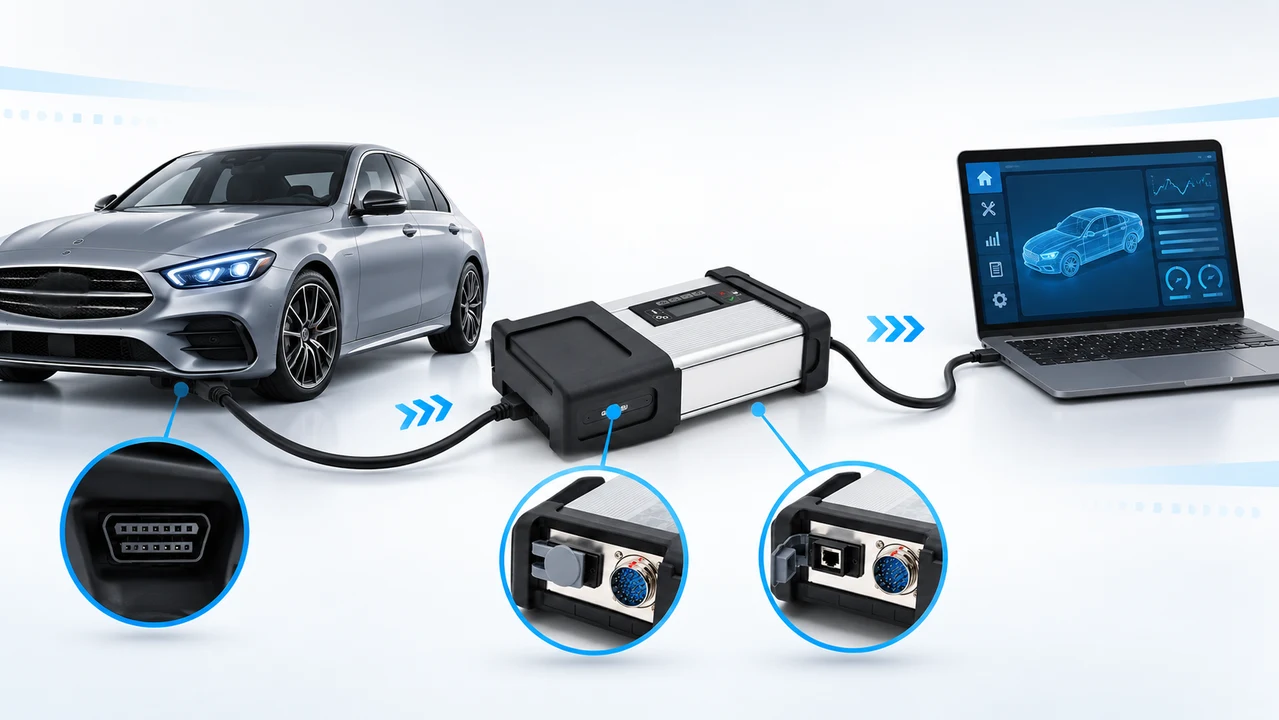
The interface communicates between the vehicle and the compatible diagnostic software running on the computer.
The SD Connect C5 / Compact 5 is a PC-based VCI, or Vehicle Communication Interface, used to establish data communication between the vehicle and the service computer.
The gallery shows the metal-bodied main device, a small status screen and communication indicators on the front, a multi-pin vehicle connection on the side, and a network port. This hardware is not a diagnostic screen or a standalone handheld device on its own.
Menus such as fault scanning, live data, guided test, coding, or programming are enabled based on the software used, the software license, the vehicle's control unit, and the selected connection method.
The product name defines the C5 / Compact 5 housing type; it does not mean it is the same product as the current XENTRY Diagnosis Kit hardware sold by Mercedes-Benz.
Product type: PC-based vehicle communication interface
Housing: C5 / Compact 5 design with metal casing
Not a tablet with a standalone screen
Functions depend on software, license, vehicle, and control unit
Product details
Aftermarket C5 is not the same as current Mercedes-Benz XENTRY hardware
This product is listed as Mercedes-compatible aftermarket hardware. Since original Mercedes-Benz part numbers, OEM production certificates, authorized service approvals, or Mercedes-Benz hardware support are not proven, these attributes are not used on the page.
Mercedes-Benz's current B2B Connect page explains its official solution with the XENTRY Diagnosis Kit family and XENTRY Diagnosis VCI; as of January 2026, it shows Kit 5 as the successor to Kit 4. For independent workshops, XENTRY Diagnosis Lite and, in applicable regions, XENTRY Pass Thru options are also available.
The C5 here is not one of these official packages. This distinction does not mean the device cannot be used at all; the source of the purchased hardware, firmware status, software access, and actual communication on the vehicle to be inspected must be checked separately.
Not an authorized service device or current XENTRY Diagnosis Kit
Official software and hardware options are checked via Mercedes-Benz B2B Connect
Product details
This product is C5 / Compact 5, not C4
The names SD Connect C4 and C5 are often used interchangeably in second-hand listings, old catalogs, and spare cable lists. This page is solely for the metal-bodied device referred to as C5 / Compact 5. Archive images labeled C4 have not been included in the product gallery.
The C5 housing in the images shows a status screen and buttons on the upper section, protective black corners on the front and sides, a multi-pin vehicle cable connection, and a network port. However, the external appearance alone is not proof of the board revision, firmware version, or supported protocol.
The C5 housing, serial label, ports, and accompanying connection parts of the ordered device should be compared with the product photos upon delivery.
This listing is for SD Connect C5 / Compact 5 only
C4 labeled images were not used
External housing does not solely prove internal board and firmware version
Device label, ports, and parts must be checked upon delivery
Product details
Software, license, and computer scope
The standard sales option opened for the product does not specify computer model, operating system, diagnostic software name, XENTRY subscription, license duration, installation service, or online account access. Therefore, none of these are considered included in the price.
Modified software discs, pre-configured disk images, or specific XENTRY versions offered with C5 hardware may be seen on the internet; this page does not promise such a package and does not recommend the use of unlicensed software. Mercedes-Benz software options, access conditions, and supported vehicle groups change over time.
Legal access, system requirements, and regional availability should be checked before purchase from the current product and help pages on Mercedes-Benz B2B Connect.
Laptop or desktop computer not included
XENTRY software, subscription, and account access not included
Installation service is not specified in the sales option
Version number or unlimited license is not promised
Product details
How to check Mercedes vehicle compatibility?
Compatibility is verified not only by brand name, but by individually checking the vehicle, socket, software, and planned operation.
The term 'Mercedes compatible' does not mean that all control units and operations will be unlocked for every model year. For verification, the exact vehicle model, production year, chassis family, engine or transmission option, control unit to be read, and operation to be performed must be specified together. Different electronic architectures or socket layouts may exist within the same chassis.
Reading fault codes, monitoring live data, running guided tests, performing adaptations, and loading software onto a control unit are not operations with the same level of authority and risk. Even if the hardware can establish a connection, the software license or vehicle security layer may keep some menus locked.
Definitive support is verified through the current scope screen of the legally used software and actual vehicle connection.
Vehicle model, production year, and chassis family
Engine, transmission, or control unit to be inspected
Need for reading, testing, adaptation, coding, or programming
Software license, firmware, and physical connection type
Product details
Usage pattern with the service computer
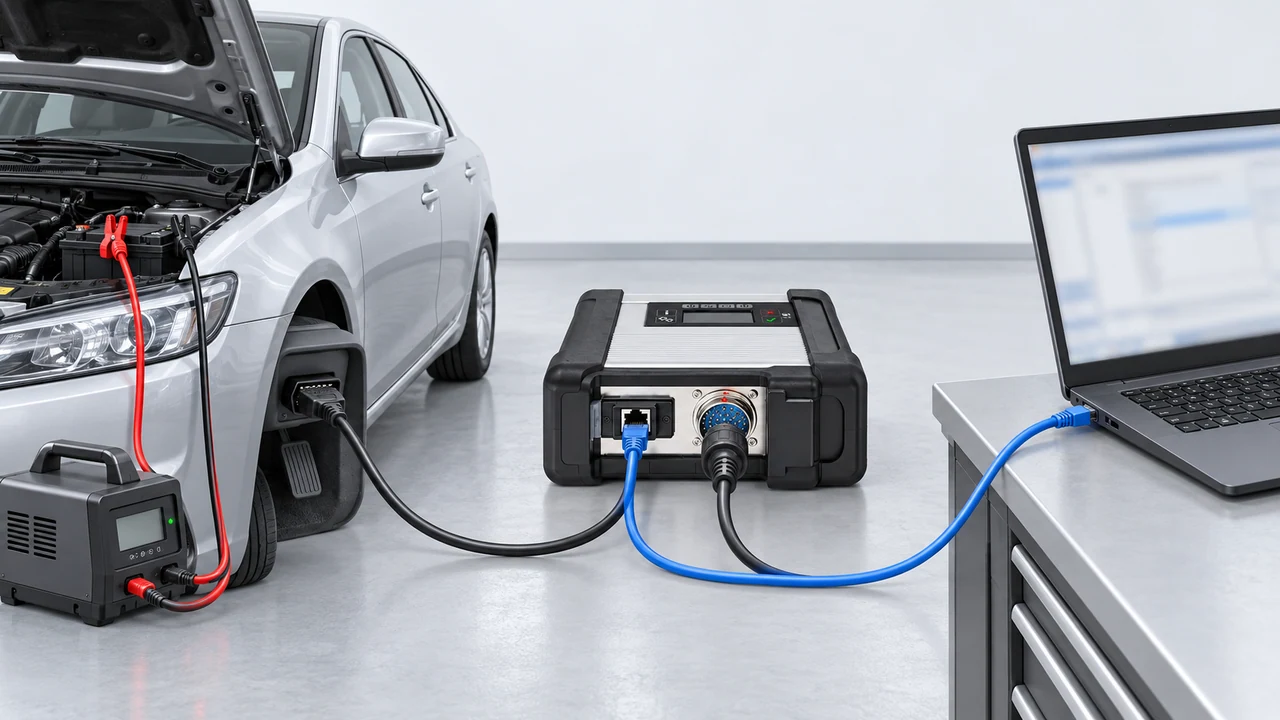
The C5 has two communication lines: the vehicle cable connects to the round multi-pin port, and the Ethernet cable connects to the RJ45 port; voltage support is only from the vehicle battery.
The C5 interface transmits the diagnostic connection on the vehicle side to the compatible software on the computer. The device's network port and vehicle cable connection are clearly visible in the gallery; however, the sales option does not explicitly state whether the Ethernet cable, vehicle cable, adapter, or Wi-Fi feature is included.
In a reliable service session, first, the device and cables are inspected for physical damage, the vehicle battery is measured, and the computer's power saving is turned off. During diagnosis, the ignition position and software guidance are monitored.
For riskier operations where data is written to the control unit, simply establishing a connection is not enough; the vehicle manufacturer's voltage, network, and operational procedures must be followed. Pulling the cable, putting the computer to sleep, or leaving the vehicle at low voltage can lead to incomplete operations and the need for additional repairs.
Device, port, and cable check before use
Stable computer and network connection
Maintaining vehicle voltage throughout the operation
Following manufacturer procedures for coding and programming
Product details
What's in the box?
The live sales option is listed under the name 'Standard'; API data does not provide detailed box contents. One of the archive images shows the C5 device with different connection cables together, while the other two images show only the main device. Assuming every part shown in the photo is included in the delivery would be misleading.
Since a definitive package list is not provided, the purchase decision should be based on the main C5 interface. The vehicle cable, network cable, additional adapter, power cable, carrying case, computer, hard drive, or software are only included in the delivery if explicitly stated in the order document.
When the product arrives, the unboxing should be recorded; the device, cable ends, and any adapters should be compared with the invoice.
Confirmed product: SD Connect C5 / Compact 5 main interface
Sales option: Standard
Cables and adapters must be checked separately in the order document
Computer, disk, software, and license should not be assumed to be included
Product details
Separate seller claims from verified information
Competitor listings may show broad statements like 'original', 'all vehicles', 'latest version', or 'unlimited online use'. These are not considered verified features without serial number, internal card photo, license document, and selected vehicle test.
This page explicitly states the metal housing, screen, ports, and device class visible in the product photos; internal PCB revision, firmware, DoIP, Wi-Fi, and online authorizations are not promised without proof. This approach reduces the risk of surprises after purchase rather than producing a longer feature list.
The label, ports, and accessories of the delivered device must match the order document; advanced functions must be verified with the software to be used and the actual vehicle.
Verified from image
Metal C5 type housing, status screen, and connection faces
To be verified upon delivery
Serial label, internal card revision, firmware, and definitive cable package
To be verified on the vehicle
Control unit communication, DoIP, and targeted service operation
Supplied separately
Computer, legal software access, account, and license
Product details
If the device is not visible on the computer during initial setup
First, simplify the physical connection: check the device, vehicle cable, network cable, and computer network adapter individually. If there are bent pins, loose sockets, damaged cables, or low vehicle voltage, resolve the issue before proceeding to software settings.
Then, record the device's startup status and any on-screen warnings; ensure the correct network adapter is enabled on the computer, the IP configuration matches the interface being used, and the firewall rule is controlled. The 'MUX not found' error seen in forums cannot be attributed to a single cause.
It is safer to request the procedure suitable for the board revision from the hardware vendor rather than immediately loading an unknown firmware file.
Inspect pins, sockets, cables, and device power supply
Check enabled network adapter and IP configuration
Record error screen and device status
Do not start with random firmware updates
Product details
How to tell if the C5 casing contains a C4 board?
The external C5 appearance does not prove the version of the internal electronic board. Therefore, a 'real C5 board' conclusion cannot be drawn solely from the front panel photo or the listing title.
For secure verification, the serial label, hardware information in the device menu, internal board photo, or the seller's written technical statement is required; if the casing is to be opened, warranty conditions should be inquired about beforehand. When the board revision and firmware file do not match, there is a risk of the device not starting or communication failing.
This page does not make any claims about the board version without seeing the internal PCB. When making a purchase decision, the return policy and the possibility of technical verification should be compared just as much as the housing name.
Casing appearance does not prove internal board revision
Serial label and hardware information can be requested in writing
Warranty conditions should be checked before opening the casing
Firmware should not be changed without knowing the board version
Product details
When XENTRY account or StartKey is requested
Purchasing the interface does not grant a Mercedes-Benz software account or license. Username, online authorization, StartKey, subscription, and software installation are separate matters. A shared account, a key with an unverified source, or a modified disk image carries both security and continuity risks; a menu unlocked today may become inaccessible later.
If your need is only for fault reading and live data, the required software scope and online programming need are not the same. First, determine the operation to be performed, then check the regional access and system requirements on official Mercedes-Benz channels.
If the account, license, or software package is not explicitly stated in the product description, do not assume they are included in the device price.
Hardware purchase does not provide a software account
StartKey and online authorization are verified separately
Shared credentials are not considered secure
Operational need determines license selection
Product details
Secure session before coding or programming
Before writing data to a control unit, open a fault code reading session and observe connection stability. The vehicle battery status should be measured, appropriate voltage support connected, and the computer's sleep mode turned off. Secure cable routing so no one can pull them; if wireless connection is not verified, prefer a more predictable wired network.
Follow the instructions recommended by the software for the specific vehicle and control unit; do not arbitrarily change the ignition or power supply during the operation. If the connection is lost, instead of blindly repeating the same operation, save the error log and verify the recovery procedure. These measures are not a guarantee of support but a work discipline that reduces unnecessary risks.
First, test connection stability with read-only access
Prepare voltage support and computer power settings
Secure the cable and prefer an uninterrupted network
Preserve the error log and verify the correct recovery step
Product details
Final checklist before ordering
For products in this class, comparing low-priced listings solely by device name is insufficient. The same term 'C5' can be used with claims of different internal boards, firmware, cable packages, computers, or software.
First, check that the product photo actually shows a C5 housing, not a C4, and whether the unit sold is the main interface or a complete set. Then, identify the target Mercedes vehicle, the operation to be performed, the legal software to be used, and the computer connection.
Finally, match the product code, the name on the invoice, the delivered parts, and the physical device label. This way, you will have compared not only the price but also the actual hardware and the separate items required for its operation.
Distinguish C5 housing from C4 listings
Compare main device and package contents separately
Add legal software and computer requirements to the cost
Match product code, invoice, and delivered device
Related pages
Related content for Mercedes Compatible SD Connect C5 / Compact 5
This page is for the separate SD Connect C5 / Compact 5 product. Archive images labeled C4 have not been used in the gallery.
Is the SD Connect C5 an original Mercedes-Benz device?
No. The product is offered as a Mercedes-compatible aftermarket interface; there is no claim of it being an original Mercedes-Benz, OEM, or authorized service device.
Is XENTRY software and license included in the price?
No. The sales option does not specify XENTRY software, subscription, account access, or license; these are not considered included in the price.
Is a computer or pre-configured disk included in the package?
No. Computer, hard disk, pre-configured software image, and installation service are not specified in the sales option.
Does C5 work on all Mercedes vehicles?
Definitive support cannot be promised for all model years, control units, and operations. Vehicle model, year, chassis, system to be inspected, software license, and connection type must be checked together.
Can coding and programming be done with SD Connect C5?
These operations cannot be solely verified by the hardware name. Support depends on the legal software license used with the relevant vehicle and control unit, its current scope, the device firmware status, and safe operating conditions.
Is there Wi-Fi connectivity?
Wi-Fi capability is not listed as a verified technical feature in the live sales data. Wireless connection is not guaranteed based on visual representation or old listing names.
Can the C5 casing contain a C4 board?
It is possible; the external casing does not prove the internal PCB revision. The statement 'real C5 board' should not be made without verifying the serial label, hardware information, or internal board photo.
Is firmware update safe?
Randomly loading firmware without knowing the board revision and current version is not safe. Updates should not be performed without stable power, the correct file, the seller's compatibility statement, and a recovery procedure.
What to check if XENTRY does not see the device or gives a MUX error?
Device power supply, socket and pins, vehicle and network cables, computer's active network adapter, IP configuration, firewall, and software-to-interface version should be checked together. The error should not be considered solely a firmware issue.
Is there DoIP support?
DoIP is not a verified feature in the live product data. Support is not promised without proof through internal board, firmware, software, and actual connection testing on the selected vehicle.
Does the XENTRY account or StartKey come with the product?
No. Account, StartKey, online authorization, and software license are checked separately from the hardware; common or unverified credentials are not part of the product scope.
Are there three interest-free installments?
Yes. No additional interest is applied for the three-installment option; the installment amount and total are shown on the payment screen before confirming the order.
Which cables are included in the box?
The API does not provide a detailed package list. Even if different cables are seen in an archive image, do not assume every part is included in the delivery; the package list on the order document should be the basis.
What is the warranty and shipping time?
As there is no verified product-based warranty period or fixed shipping time for this product, no time promise is given on the page. Conditions on the order and delivery document apply.
Comparison
Similar models to Mercedes Compatible SD Connect C5 / Compact 5
Compare products in the same class with information on usage level, service tasks, and price.
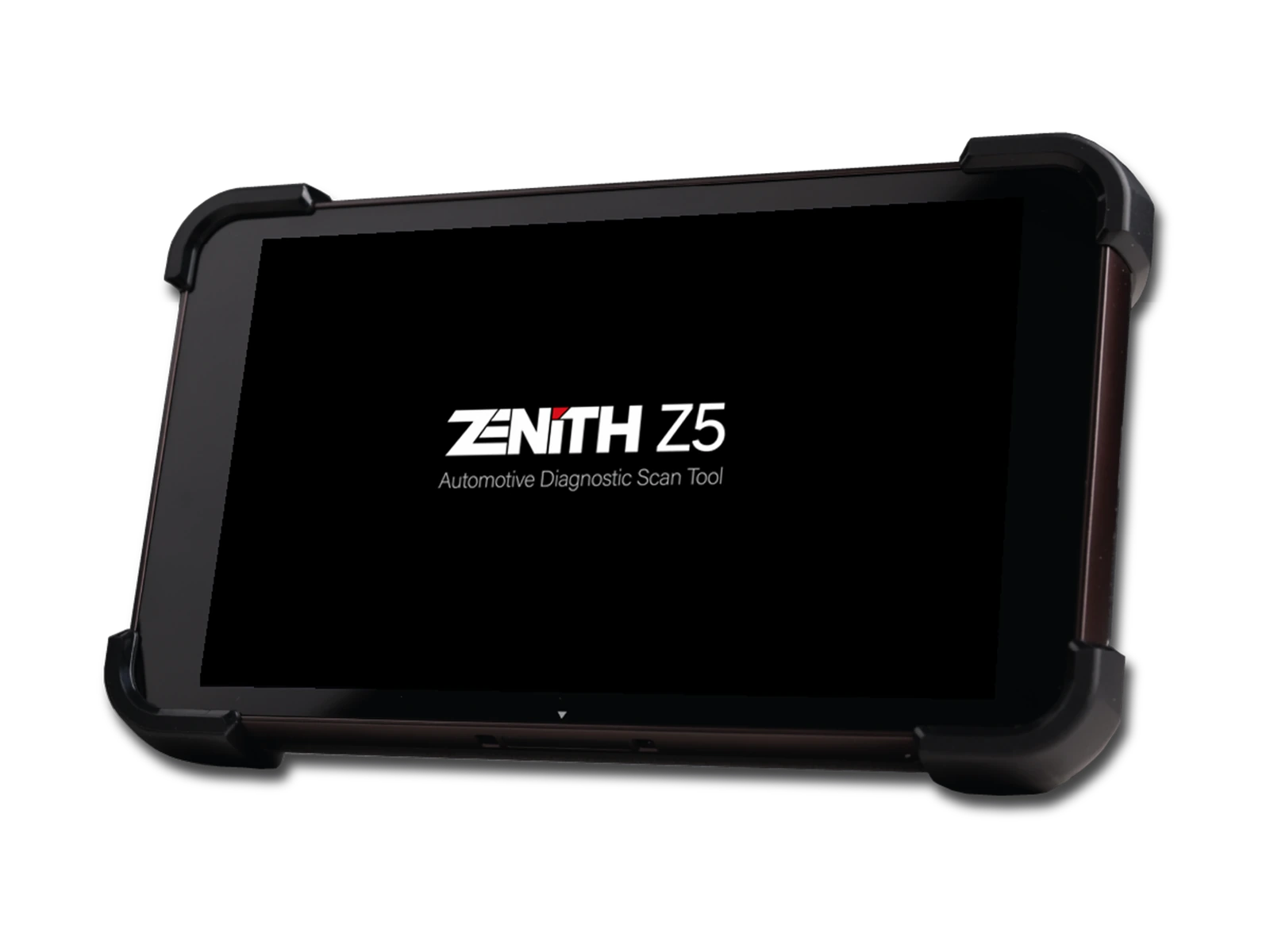
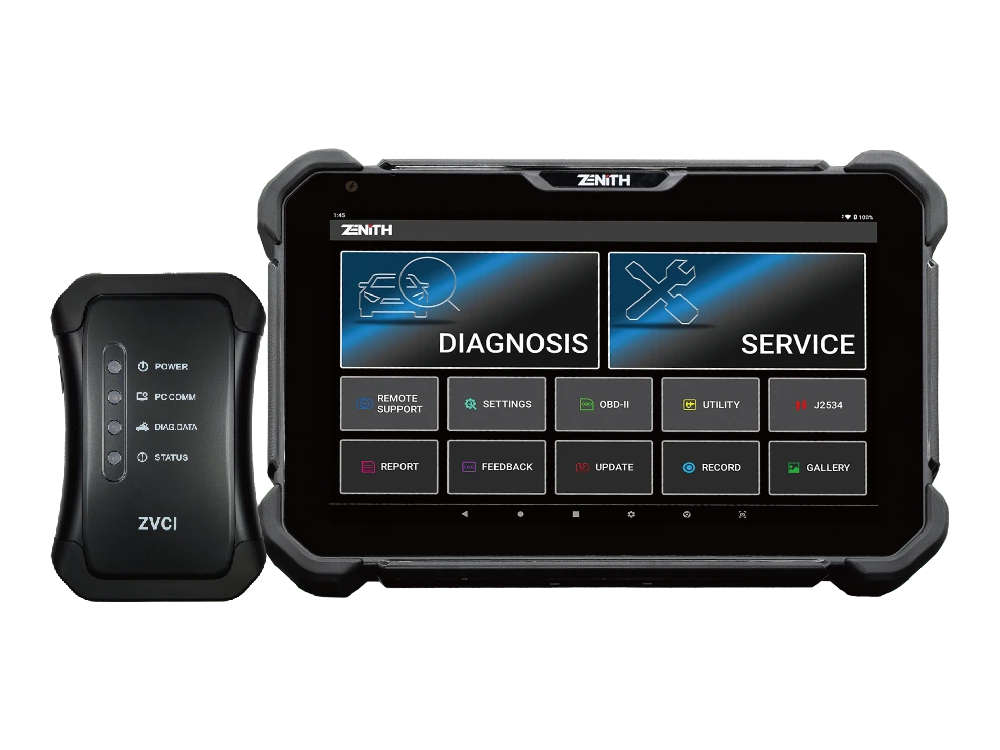
Zenith Z5 combines an 8-inch FHD screen, wired DLC connection, full system scan, bi-directional test, 24V commercial vehicle communication, and J2534 interface in a compact service tablet.
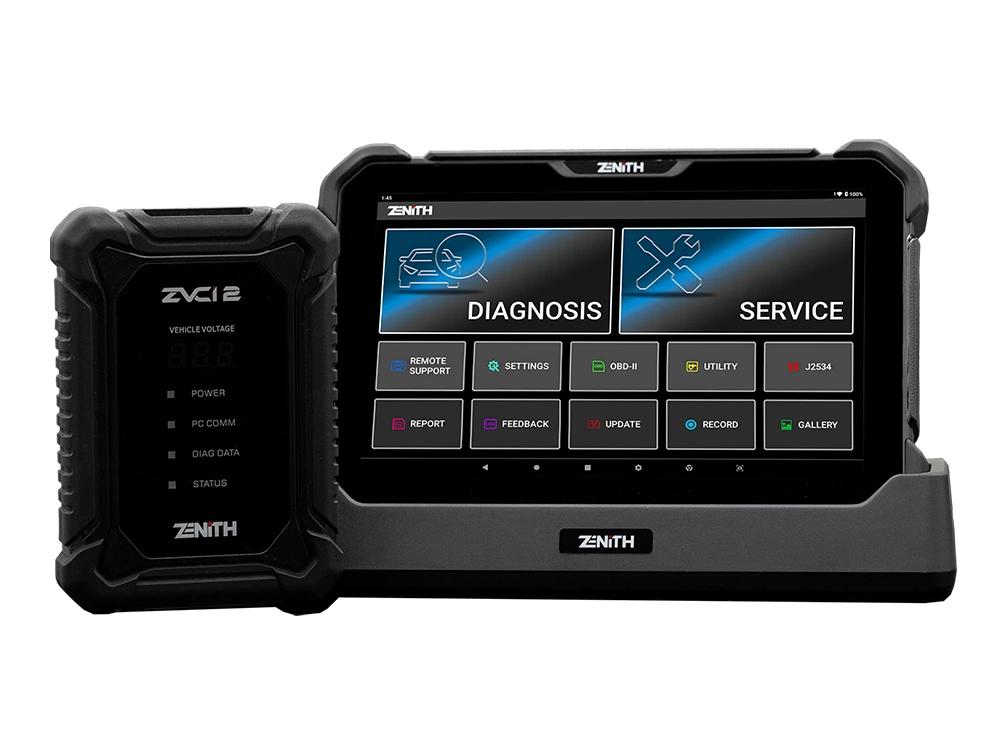
Zenith Z7 Pro offers a 10.1-inch FHD tablet, wireless ZVCI2, CAN FD, DoIP, J2534, topology, bi-directional testing, and Z7 AI tools with a professional service package.