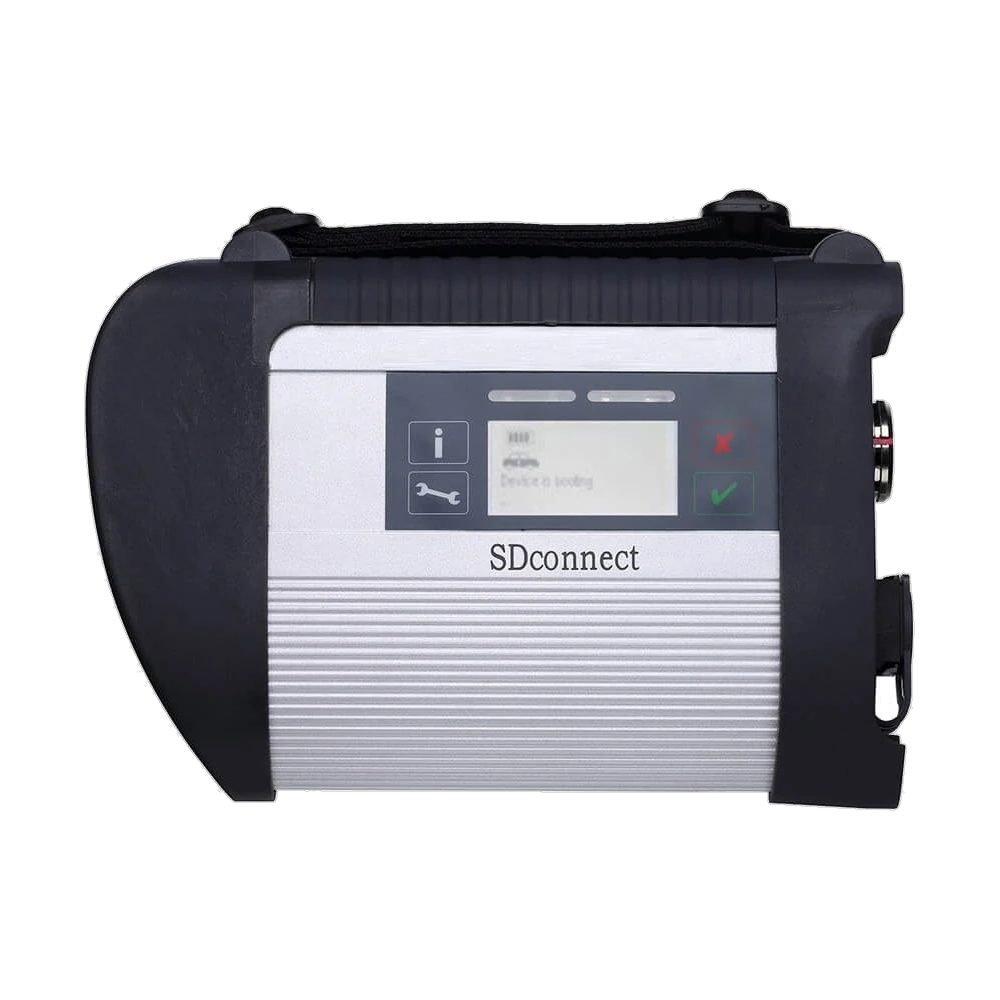
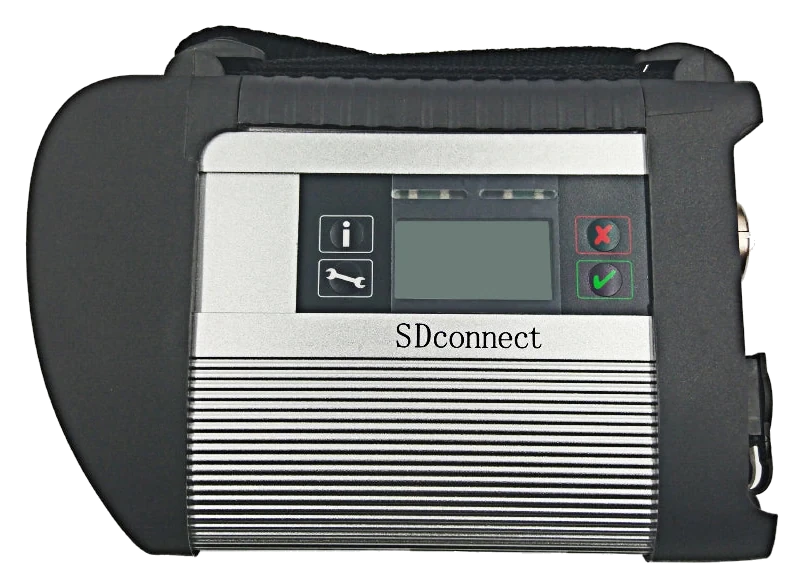
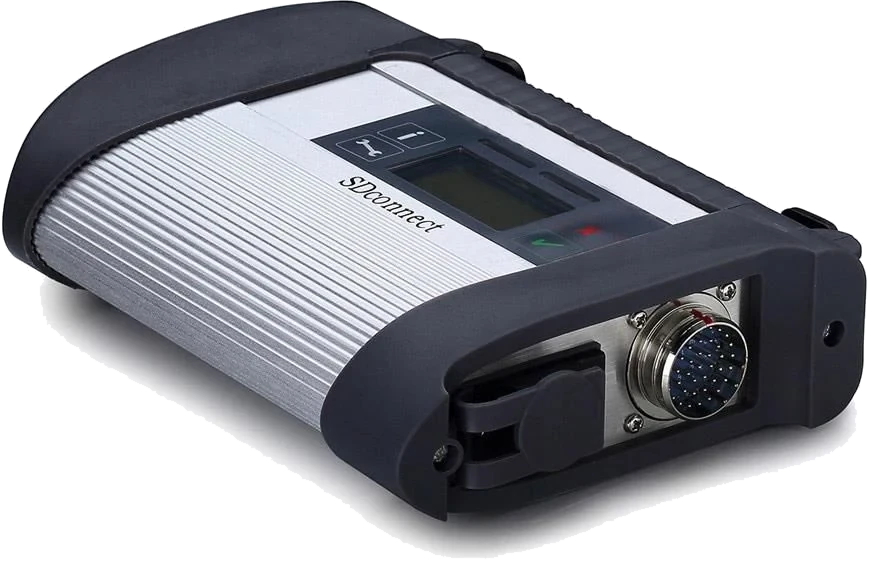
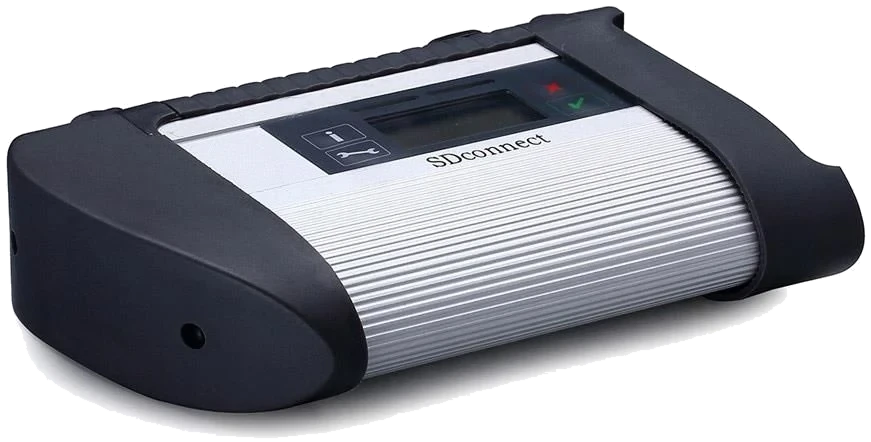
Front view of the C4 type interface; verify the label of the delivered device upon order.
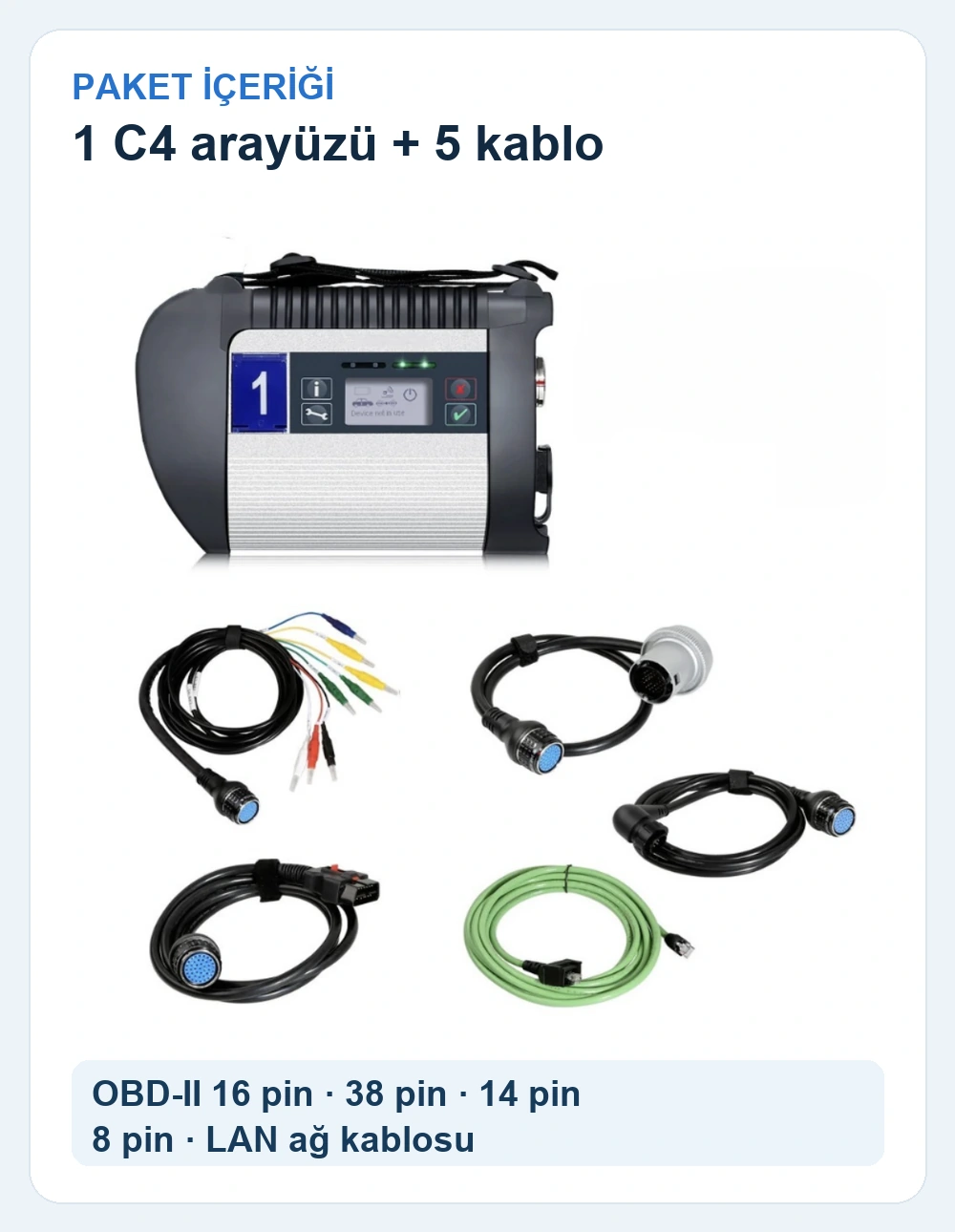
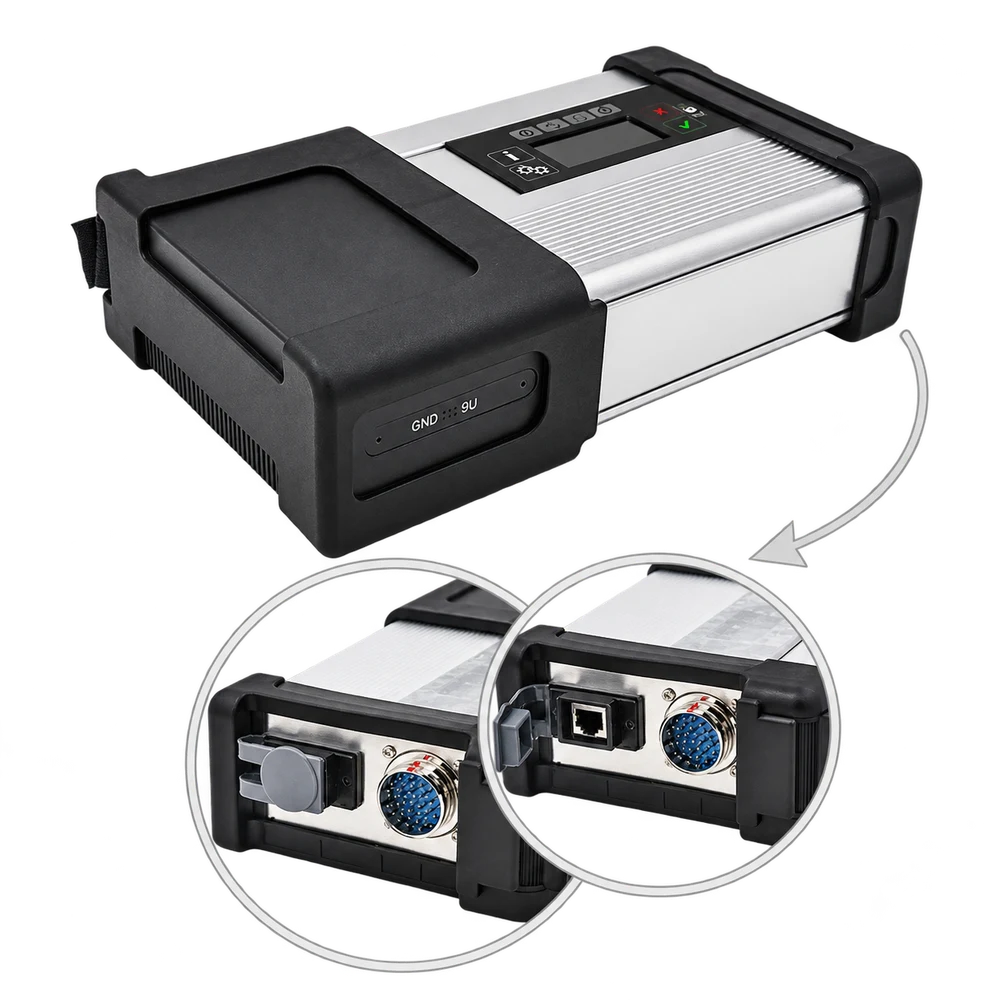
Front view of the C4 type interface; verify the label of the delivered device upon order.View of the connection ports; verify the revision of the delivered device upon order.Close-up view of the connector side of the C4 interface.Rear housing view of the C4 interface; the label of the delivered device may differ.Included cable set: OBD-II 16-pin, 38-pin, 14-pin, 8-pin, and LAN.
It is a C4 type interface for PC-based diagnostics in Mercedes vehicles; vehicle, ECU, connection cable, and software compatibility must be checked separately.
Product information
What is the Mercedes compatible SD Connect C4 diagnostic device used for?
It is an SD Connect C4 class interface used with compatible computers and software in Mercedes vehicles. OBD-II, 38-pin, 14-pin, 8-pin, and LAN cables are included. Computer, software license, and DoIP support are not specified within this sale.
What would you buy this for?
Independent workshops working with Mercedes vehicles
Those seeking a PC-based diagnostic interface
Those who verify connection components before ordering
Featured diagnostic features
Vehicle model year and ECU
Cable set scope
Computer and software compatibility
Vehicle Coverage
Which vehicles does the Mercedes compatible SD Connect C4 diagnostic device support?
The make name alone does not guarantee compatibility. Within the same make, model year, engine, chassis, control unit, communication protocol, and intended operation can yield different support results.
Vehicle Group
Passenger cars and light commercial vehicles included in the product software
Supported makes
Mercedes-Benz
Supported models
Vehicle series, model year, diagnostic socket, Xentry/DAS version, and target control unit are verified together.
Scope of service
Code reading, live data, active test, service function, coding, and programming may be supported separately.
Connection conditions
Vehicle model year and ECU, Cable set scope, Computer and software compatibility
The make and model examples on the page do not guarantee all production years and all functions.
Before any definitive operation, the manufacturer's current coverage record must be verified with the VIN or full vehicle information.
The status screen on the C4 type housing does not replace the diagnostic software on the computer.
The interface establishes a connection between the vehicle's control units and compatible computer software. Reading fault records and live data in supported systems depends on the operations provided by the software, vehicle, and ECU version. This housing is not a standalone tablet; it does not perform fault diagnosis on the screen without a computer.
Connection between PC and vehicle
Reading data in supported ECU systems
Usage dependent on cable and software matching
Product details
Package contents and connections
The package includes one C4 interface and one of each cable.
The package consists of the SD Connect C4 type interface and five connection cables: OBD-II 16-pin, Mercedes 38-pin, 14-pin, 8-pin, and LAN cable for computer connection. The visual shows cable types; the housing label and physical appearance of the cables may vary depending on the production batch.
Computer, diagnostic software, license, activation, and online manufacturer access are not included in this hardware list.
1 x C4 type vehicle connection interface
1 x OBD-II 16-pin cable
1 x 38-pin cable
1 x 14-pin cable
1 x 8-pin cable
1 x LAN cable
Product details
Vehicle and software compatibility
The vehicle socket and the cable to be used must be verified along with this connection end.
The Mercedes name alone does not guarantee functionality for every model and year. The control unit's protocol, vehicle socket, cable to be used, computer operating environment, and diagnostic software version must match. Especially for vehicles requiring DoIP communication, the device revision and protocol support must be verified before ordering.
Model year and ECU check
Socket and cable matching
Software version and license status
Separate check of DoIP requirement
Product details
About Mercedes-Benz and XENTRY
This product is not offered as an original Mercedes-Benz part or authorized service equipment. The Mercedes name only describes the compatible vehicle group. Mercedes-Benz's official XENTRY hardware, software, and access conditions are a separate ecosystem; these are not part of this sale.
It is not claimed that the purchased interface grants access to a specific official software account.
Product details
How is the vehicle scope for C4 checked?
The operational limit for this interface is determined more by the ECU architecture and the computer software used than by the vehicle's brand name. The workshop records the vehicle model, production year, physical socket to be used, and the reading operation to be performed. Then, it is checked whether the delivered C4 revision, cable set, and legal software version can be used together on the same vehicle.
For a system requiring DoIP, the device revision's support is verified separately. The ability to read fault codes on one vehicle does not enable write or programming commands on other control units. If the connection test yields no results, the cable, power, vehicle profile, and software access are examined individually.
Product details
The device's role in the service workflow
The SD Connect C4 class interface is the physical component that communicates between the vehicle and the computer. Its screen does not run a diagnostic menu like a tablet; menus are accessed in separate software on the computer being used.
This distinction directly affects the purchasing decision: if the existing computer's operating environment, connection method, and software access are not ready, simply receiving the interface is not enough to start work at the workshop. Even if a connection is established, the accessible control units and operations depend on the vehicle year, electronic architecture, and software scope.
The device's name does not imply that advanced operations such as coding, programming, or security access are automatically enabled. The technician must first determine the task and vehicle information, then check the support for the relevant combination.
Physical vehicle communication interface
Separate diagnostic software running on a computer
Function scope varies by vehicle and ECU
Product details
Limitation of fault code and live data reading
Fault code reading is performed by requesting records from the vehicle's responsive control unit via compatible software. The readable data channels, unit values, and event information are not the same for every ECU. Establishing a connection with a control unit does not mean it also enables all service commands or write functions.
A value seen in live data is not sole proof of the sensor's physical correct operation; it must be interpreted with the measurement conditions and relevant service procedure. Saving existing records before clearing codes helps in re-checking on the same vehicle after repair.
If the software has a reporting and export function, the report is generated on the computer; the interface should not be assumed to have its own storage or report screen.
Reading supported ECU records with software
Distinguishing current and past fault codes
Interpreting live data with operating conditions
Product details
Protocol, socket, and model year check
The Mercedes brand alone is not decisive for vehicle connection. Within the same brand, different model years, control units, socket structures, and communication protocols may exist. The physical cable between the device housing and the vehicle, the software version on the computer, and the vehicle's ECU architecture form a single working chain.
An incompatible part in the chain can prevent communication even if the device is functional. Since DoIP support is not specified, new architectures requiring DoIP should not be assumed to be compatible. The presence of an OBD socket alone does not indicate that all systems will be readable.
If the vehicle model, production year, engine or chassis information, and the intended operation are clearly specified at the time of order, the interface and cable selection can be more concretely audited.
Vehicle year and ECU architecture
Correct socket and physical cable
Software version and communication support
Separate verification of DoIP requirement
Product details
Separate hardware and software
This product includes the SD Connect C4 type interface and OBD-II 16-pin, 38-pin, 14-pin, 8-pin, and LAN cables. One of each cable is included. The computer, software files, license, activation code, and online manufacturer access are not part of this hardware package.
The mention of XENTRY or DAS in relation to an interface does not mean the right to use these software programs comes with the interface. For installed software to work with the vehicle, the relevant version and access conditions may need to be met separately. The photos in the gallery show cable types; the label and physical appearance may vary depending on the production batch.
If licenses and service access are required, they are obtained separately under the conditions of their respective providers.
C4 type interface and five cables included
OBD-II, 38-pin, 14-pin, 8-pin, and LAN connections
Computer and software license required separately
DoIP support must be verified by device revision
Product details
Daily scenario: initial connection upon vehicle acceptance
For a Mercedes vehicle arriving at the workshop, first, the model, production year, and complaint are recorded. The technician selects the appropriate cable and good connection ends; the vehicle is kept in a safe operating condition. The authorized software is opened on the computer, and communication between the interface and the vehicle is attempted.
If there is no connection, before considering the device faulty, check the power, socket contact, cable, computer connection, and selected vehicle profile. After establishing a connection, only records in responsive control units are read. Initial reading results are saved before clearing fault codes.
If the software has a reporting function, the file is kept on the computer and associated with the vehicle acceptance record. A unit appearing empty on the initial scan does not mean all vehicle systems are trouble-free; the scope of access must be known separately.
Product details
Daily scenario: live data for intermittent faults
For an intermittently occurring fault, first, determine the conditions under which the complaint appears. With the vehicle in a safe operating state, select the relevant data channels accessible by the software. Adding unnecessary channels can complicate record reading; measurement units and timestamps are particularly important.
The same value being different on a cold and warm engine is not sole proof of a fault. The technician compares the values with the expected range in the service procedure and, if necessary, with independent measurements. If a driving test is required, the computer's placement and cables are arranged so as not to impede safety.
The recorded data is limited to what the software provides; the interface should not be assumed to continuously store all sensor streams on its own. When the test is complete, the vehicle and computer connections are disconnected in the correct order.
Product details
Daily scenario: troubleshooting when connection cannot be established
If the computer does not see the device, the problem may not start on the vehicle side. First, check the interface's power supply, cable damage, connector seating, and computer network or driver settings. If the software sees the device but the ECU does not respond, re-check the correct vehicle selection and socket configuration.
A cable that works on another vehicle may not cover all lines on this vehicle. Do not force the adapter; bent pins or loose contact can cause larger electrical problems. Low voltage from the vehicle battery can also affect communication. Note which connection and software settings were used throughout the test.
If communication issues persist, do not randomly issue code clearing, writing, or programming commands; first, isolate the problem at the physical connection and software scope level.
Product details
Daily scenario: re-reading after repair
After a part or connection is repaired, re-establish the connection with the same vehicle profile. Keep the initial reading record and the physical intervention performed. Re-examine the current codes in the relevant control unit and accessible live data under the same or comparable operating conditions.
If fault records are to be cleared, first confirm that the root cause has been resolved, and follow the manufacturer's procedure and the customer's work order. Clearing the code is not proof that the fault has been eliminated; re-scanning may be necessary after completing the appropriate operating cycle. If a new scan report is generated, save it separately on the computer with a different date.
The interface only provides the communication path; the safe execution of tests and technical interpretation of results are the responsibility of the workshop.
Product details
Difference between PC interface, mobile OBD, and service tablet
The SD Connect C4 class interface is used with Mercedes-focused computer software. For mobile adapters like MBito OBD, the workflow depends on a phone application; for service tablets, the screen, software, and vehicle interface are part of the same device family. The ownership cost of these three methods cannot be compared solely by the initial hardware price.
Whether the computer is ready, software access, vehicle year, operation to be performed, and supported control units differ. Having personalization on a mobile adapter does not mean it performs all ECU diagnostic operations. Having a multi-brand menu on a service tablet does not mean all Mercedes-specific operations are open.
Especially if DoIP or online manufacturer access is required, assumptions should not be made based on the product name; the exact variant of each device and the necessary account conditions must be examined.
Product details
From setup to initial test result
During initial use, check the housing, screen, and connection ends.
During initial use, compare the device's housing, labels, ports, and cables with the delivery list. Do not test with damaged power or vehicle cables. Prepare the computer and software environment; check the necessary usage rights through a separate provider. Select the appropriate cable for the vehicle socket and connect the connectors without forcing.
Verify that the connection works with a low-risk read command; do not select coding or programming on the first attempt. Compare the vehicle identity seen by the computer and the list of accessible ECUs with the expected scope. If a system is missing, investigate whether it is due to the device revision, cable, software, or vehicle limitation.
At the end of use, disconnect the interface, cables, and computer in a safe sequence; check for loose sockets and cable pinching.
Product details
Checks to be performed upon delivery and afterwards
Recording the interface's physical revision, serial or model markings, ports, and the five delivered cables facilitates subsequent support discussions. The internal components and connection options of equivalent devices sold under the same C4 name may differ.
Cable types are shown in the gallery; check for OBD-II 16-pin, 38-pin, 14-pin, 8-pin, and LAN cables upon delivery. Protect cables against bending, crushing, and dirt. Store the device in a dry place, without stressing the connectors.
If a connection problem occurs, note the vehicle model, year, cable used, computer operating environment, software version, and the error seen separately. Software licenses are independent of the ownership of this hardware; update and access periods can only be learned from the respective license conditions.
Product details
Electrical and data safety
If there are bent pins, loose ends, or liquid traces in the vehicle socket, do not force the connection. Check power supply and battery status according to manufacturer procedures. Reading for diagnosis and writing or programming to the ECU are risks of different levels; this sale does not include a promise that any write function can be used on all vehicles.
Saving existing records before clearing fault codes prevents the loss of diagnostic history. Installing with inappropriate software, licenses, or random internet files can affect vehicle electronics and computer security. If online service access is required, follow the specific account and authorization terms of the respective provider.
Just because a connection was successful on one vehicle does not mean the same commands apply to another model year; operations must be re-checked on a vehicle and control unit basis.
Product details
Distinguish between device failure and compatibility issues
When a connection error occurs, do not conclude that the device is faulty based on a single symptom. First, check the physical housing, power supply, cable, vehicle socket, and computer connection separately. If the device is recognized by the computer but does not communicate with a specific ECU, check whether the software used supports that ECU and model year.
If a different cable or socket is required on the same vehicle, changing the interface itself may not be the solution. If the error only occurs during a write operation, access permission, vehicle voltage, and process-specific conditions become particularly important.
For technical support, the full error text, device label, and photos of the connection setup used can be provided; customer identification or private data should not be shared unnecessarily.
Related pages
Related content for Mercedes compatible SD Connect C4 diagnostic device
DoIP support is not specified. For vehicles requiring DoIP, verify the device revision and support before ordering.
Is a laptop or computer included?
A computer is not specified in the package; do not assume a computer is included.
Are XENTRY, DAS, or software licenses included?
Software, licenses, activation, and StartKey are not specified; verify their scope before ordering.
Is the cable set included?
Yes. OBD-II 16-pin, 38-pin, 14-pin, 8-pin, and LAN cables are included; one of each.
Does it work on every Mercedes model?
No. Model year, ECU, socket, cable, and software version are checked together.
Is this device an original Mercedes-Benz product?
It is not offered as an original Mercedes-Benz or official authorized service product; the Mercedes name indicates vehicle compatibility.
For what specific functions is the SD Connect C4 diagnostic device model used?
The SD Connect C4 diagnostic device model is a professional-level diagnostic device used for Mercedes ECU connection, fault recording in supported systems, and PC-based service use.
Vehicle model year and ECU, cable set scope, and computer and software compatibility determine the vehicle, connection, and package selection conditions for the SD Connect C4 diagnostic device.
If the operation to be performed with the SD Connect C4 diagnostic device model is not found in the manufacturer's current vehicle and function list, it is not considered a standard feature.
Does the SD Connect C4 diagnostic device model offer the same functions on every vehicle?
No. The vehicle and function scope on the SD Connect C4 diagnostic device model is determined by brand, model, year, control unit, and installed software package. The manufacturer's official vehicle and function list is the basis for the SD Connect C4 diagnostic device.
The list shows the functions of the SD Connect C4 diagnostic device on a vehicle and control unit basis.
Comparison
Similar models to Mercedes compatible SD Connect C4 diagnostic device
Compare products in the same class with information on usage level, service tasks, and price.
An aftermarket automotive communication interface of C5 / Compact 5 type with a metal housing, offered for use with a compatible computer and legal diagnostic software on Mercedes vehicles; computer, software, and license are not included.
PC-based diagnostic connection on Mercedes vehicles
Control unit communication with compatible software
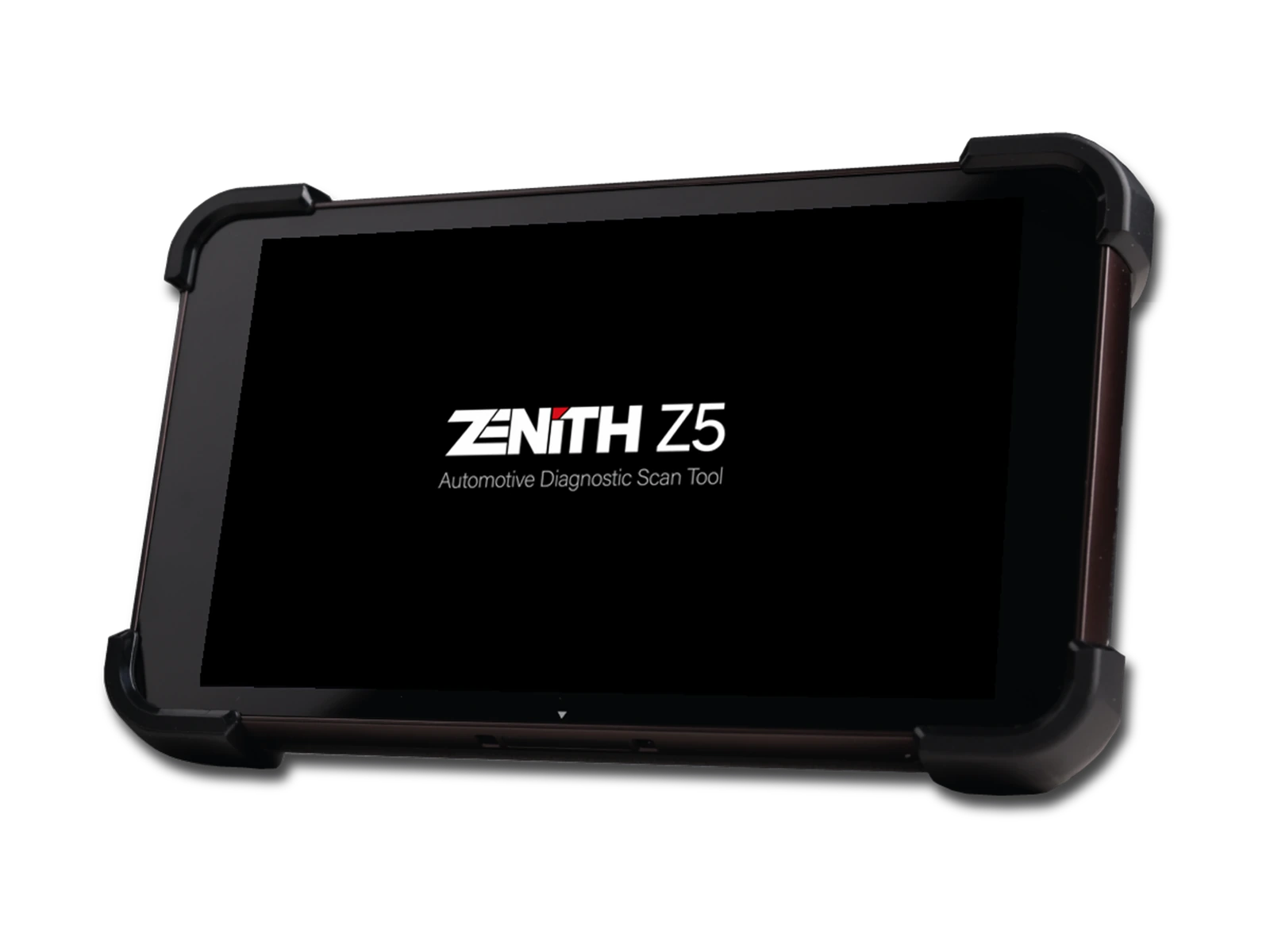
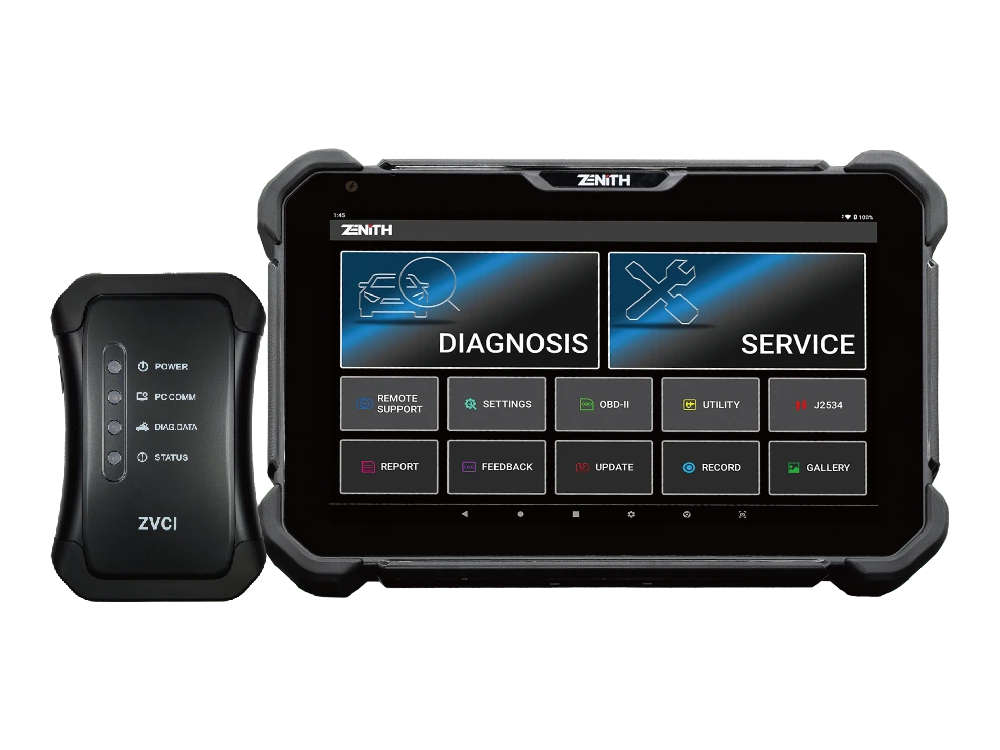
Zenith Z5 combines an 8-inch FHD screen, wired DLC connection, full system scan, bi-directional test, 24V commercial vehicle communication, and J2534 interface in a compact service tablet.
Zenith Z7 Pro offers a 10.1-inch FHD tablet, wireless ZVCI2, CAN FD, DoIP, J2534, topology, bi-directional testing, and Z7 AI tools with a professional service package.