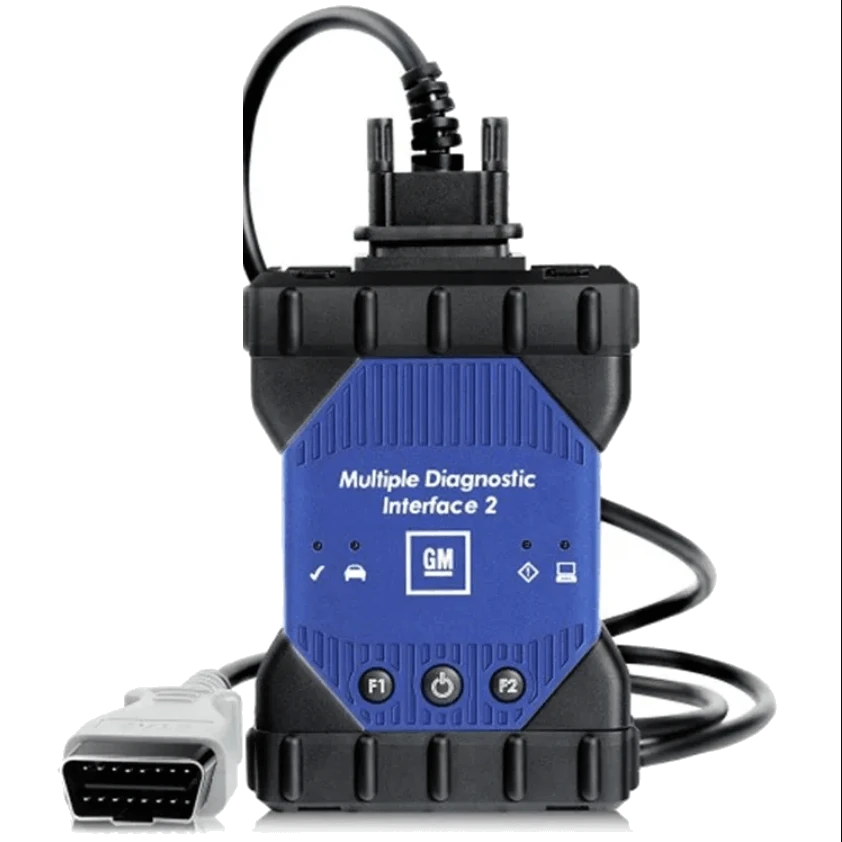
MDI 2 compatible aftermarket VCI and fixed OBD/DLC cable.
MDI 2 compatible aftermarket VCI and fixed OBD/DLC cable.View larger image of VCI, OBD/DLC cable, and USB cable verified in the photo.Connection ports on the housing and detail of the removable cover.
GM / Opel · Vehicle Diagnostic Tools
Opel / GM MDI 2 Compatible Diagnostic Tool
Aftermarket diagnostic tool in MDI 2 format, used for computer-based diagnosis in Opel, Vauxhall, and GM vehicles with appropriate official software and subscription; offered with a one-time initial setup guidance.
Aftermarket Opel / GM compatible VCI in MDI 2 form factor
OBD/DLC and USB connection verified in the photo
One-time initial setup guidance for a computer
Software license and GM subscription not included in the package
In stockThe TRY price includes Turkish VAT. Import duties and local taxes are not included.
View installment options2–6 installments
Accepted cards
Single paymentSingle payment by card19,990 TL
2 installments10,694.65 TL per installment21,389.30 TL
3 installments7,329.66 TL per installment21,989 TL
4 installments5,647.17 TL per installment22,588.70 TL
5 installments4,637.68 TL per installment23,188.40 TL
6 installments3,964.68 TL per installment23,788.10 TL
The exact plan and total amount will be shown again at the payment step.
✓Invoiced Product
✓Authorized Dealer
✓Guaranteed in Turkey
This product is sold as an aftermarket diagnostic tool compatible with MDI 2, not as an original Bosch/GM MDI 2. The initial setup service is a one-time guidance for installing the official MDI Manager and drivers on a compatible Windows computer. It does not include cracked software, licenses, GM accounts, security access, or guaranteed vehicle/task coverage.
What is the Opel / GM MDI 2 Compatible Diagnostic Tool used for?
The product on this page is an aftermarket diagnostic and vehicle communication device using the GM MDI 2 design for its external housing.
Source photos verify the VCI housing, the OBD/DLC cable connecting to the vehicle, and the USB cable for the computer; however, they do not prove the manufacturer of the internal board, exact equivalence with Bosch MTS 6531 hardware, CAN FD/DoIP implementation, or the operation of the wireless module. Therefore, the product is not presented as "original", "OEM", or "authorized service device".
When a compatible vehicle and valid user access are available, it can serve as a VCI in GDS2, Tech2Win, or SPS2 workflows via MDI Manager. The diagnostic, coding, and programming capability is not solely created by the device; the result depends on the vehicle architecture, software version, subscription, computer, and the hardware revision at hand.
What would you buy this for?
Technical users performing PC-based service diagnostics on Opel, Vauxhall, or GM vehicles
Independent workshops who are familiar with GDS2 and Tech2Win roles and manage their software subscriptions themselves
Workshops that will use a fixed service computer with a USB connection
Users who accept the risks of an aftermarket device and pre-verify vehicle and task coverage
Featured diagnostic features
Aftermarket product identity and board revision
Vehicle, model year, ECU, and service task to be performed
Windows computer and local administrator privileges
Customer's valid GM software subscription
Stable vehicle power support during programming
Vehicle Coverage
Which vehicles does the Opel / GM MDI 2 Compatible Diagnostic Tool support?
The make name alone does not guarantee compatibility. Within the same make, model year, engine, chassis, control unit, communication protocol, and intended operation can yield different support results.
Vehicle Group
Passenger cars and light commercial vehicles included in the product software
Supported makes
Opel and related GM brands listed in the official GM software for the product
Supported models
Verified by model year, socket, regional software, MDI/MDI 2 hardware, and control unit.
Scope of service
Code reading, live data, active test, service function, coding, and programming may be supported separately.
Connection conditions
Aftermarket product identity and board revision, Vehicle, model year, ECU, and service task to be performed, Windows computer and local administrator privileges, Customer's valid GM software subscription, Stable vehicle power support during programming
The make and model examples on the page do not guarantee all production years and all functions.
Before any definitive operation, the manufacturer's current coverage record must be verified with the VIN or full vehicle information.
What is this device: an original MDI 2 or an aftermarket compatible device?
Product photos show a "Multiple Diagnostic Interface 2" housing, GM logo, fixed OBD/DLC cable, and ports resembling USB-B and network connections. A separate collage also shows a box labeled MTS 6531 VCI; however, this label alone is not proof of Bosch manufacturing, GM supply chain, or EL-52100-AM identity.
Due to the lack of serial number verification, authorized supply documentation, internal board photos, and Bosch/GM warranty records, the sales identity has been deliberately established as "aftermarket MDI 2 compatible VCI".
GM's warning regarding counterfeit diagnostic interfaces indicates that older or lower-quality boards can be installed in new housings, potentially leading to communication issues, especially with newer vehicle architectures.
The original GM MDI 2 set is described in GM documentation with part number EL-52100-AM, including MDI 2, DLC cable, USB cable, Ethernet cable, and manufacturer warranty. These two identities should not be confused.
Sales identity: aftermarket MDI 2 compatible VCI
Bosch/GM originality and EL-52100-AM identity not verified
Does not solely prove external casing, internal board, and protocol implementation
The actual capability of the product must be tested on the delivered unit
Product Type
PC-based aftermarket diagnostic tool
Target ecosystem
Opel, Vauxhall, and GM service software
Originality
Not verified; not sold as original
Screen
Not applicable; compatible Windows computer required
Product details
GDS2, Tech2Win, SPS2, and MDI Manager are not the same thing
MDI Manager is the interface layer that allows the computer to see the VCI and manage the connection type. GDS2 is the diagnostic application used for control unit information, fault codes, live data, output controls, and some configuration/reset functions in supported GM vehicles. GM's GDS2 manual explicitly states that ECU software programming is not performed within GDS2.
Tech2Win emulates the old Tech 2 handheld device experience on Windows and covers older vehicle groups; the exact vehicle/year list must be checked separately based on country and software package. SPS2 is a separate, online, and authorized workflow for software calibration/programming of supported control units.
Being able to select a vehicle in one application does not mean programming authorization exists in another. The VCI is merely a data bridge; it does not provide GM subscription, security identity, calibration files, or operational authorization.
MDI Manager: VCI connection and device management
GDS2: diagnostics, data, and supported service functions
Tech2Win: PC emulation of old Tech 2 coverage
SPS2: supported ECU programming workflow; separate access required
Product details
How to verify Opel and GM vehicle coverage?
The MDI 2 name alone is not a model-year compatibility table. GM's GDS2 and Tech2Win documentation shows that there are transition years between platforms, that the coverage of the two software packages may overlap in some model years, and that exceptions exist. European Opel/Vauxhall products, North American GM brands, and regional calibrations are not the same package.
Furthermore, newer Opel models transitioning to the PSA/Stellantis architecture cannot be evaluated within the same diagnostic and programming chain as older GM vehicles.
Before purchase, the VIN, model, year of manufacture, engine/transmission, target control unit, and the intended task must be specified together. Requests such as "read fault codes", "perform active tests", "teach keys", and "program ECUs" are four separate coverage checks. No definitive result can be promised without an official support table or actual vehicle testing.
Definitive coverage cannot be provided without VIN and full model year
Diagnostics, active tests, security, and programming must be verified separately
Newer Stellantis Opel models are not automatically included in older GM coverage
The appearance of a vehicle option does not prove access to all ECUs
Product details
Limitations verified for USB, Ethernet, Wi-Fi, CAN FD, and DoIP
The official brochure for the Bosch MTS 6531 product family lists features such as USB 2.0, 10/100 Ethernet, 802.11 b/g/n, J2534, ISO 22900-2, CAN FD, and DoIP. This information is a reference for the original MTS 6531 platform and cannot be automatically transferred to the aftermarket example sold here.
Product images show a USB-B port, a socket resembling a network port, and a module cover. Conversely, a wireless card, antenna, board revision, CAN FD driver, and DoIP communication cannot be proven from the photo. Therefore, direct USB connection is used for initial setup and troubleshooting.
If Ethernet or wireless operation is required, perform an MDI Manager connection test on the delivered device. For operations with high risk of interruption, such as programming, a stable wired connection is preferred unless the application and manufacturer's procedure state otherwise.
USB-B and network port are visually present
Wireless card and its function are not verified
CAN FD/DoIP support requires testing for the aftermarket example
Direct USB is used for initial connection and troubleshooting
Product details
What exactly is in the sales package?
The package contents are defined solely by the parts seen repeatedly with the same product in the source photos: one aftermarket VCI in MDI 2 form factor, one OBD/DLC cable connecting to the vehicle, and one USB computer connection cable.
The hard disk and cardboard box shown in the collage are not included in the package as their capacity, software, operational status, and relevance to this sale cannot be verified. The Ethernet cable mentioned in the original GM set's documentation is also not definitively verified in these product photos, so it is not included.
Laptop, tablet, carrying case, WLAN module, adapter, license key, and GM subscription are not included in the package. The actual product and cable quantity must be matched with the order record before shipment.
1 x aftermarket MDI 2 compatible VCI
1 x OBD/DLC vehicle connection cable
1 x USB computer connection cable
Disk, computer, Ethernet cable, license, and subscription not included
Product details
Scope of the included initial setup guidance
A one-time initial setup guidance for a user's Windows computer is provided with the product.
The scope includes pre-checking the computer's compliance with current GM system requirements, preparing the user with a local administrator account, installing the MDI Manager package published by Bosch/GM, verifying the USB driver, checking that the device is visible in MDI Manager, and explaining the VCI selection in the application if the customer has their own valid subscription.
Operating system repair, BIOS/USB failure, virtual machine, third-party security software interference, license purchase, opening a GM account on behalf of the user, cracked software, calibration files, coding/programming on the vehicle, and transferring to a second computer are excluded from this initial setup.
Remote screen access can only be provided through a legal and secure service procedure mutually agreed upon by the parties; unlimited remote support is not included in the product price.
Single computer and single initial setup session
Official MDI Manager/driver and USB visibility check
Customer's own license and account required
OS repair, cracked software, and vehicle programming service not included
Product details
Discipline required for programming, coding, and security operations
SPS2 or any other writing operation requires the correct VIN, correct control unit, valid subscription, stable internet, and the manufacturer's current procedure. The vehicle battery must be protected with a suitable, regulated support device throughout programming; a regular charger does not substitute for a programming power supply in all cases.
The computer should not enter sleep mode, the USB cable should remain within the workspace, and any other application using the connection should be closed. Incorrect calibration, low voltage, or a interrupted connection can render the control unit unusable. Immobilizer, key, gateway, and anti-theft operations may also require authorized user identity, regional legislation, and vehicle support.
This product does not guarantee any security operations or programming results.
Correct VIN, ECU, and official procedure
Regulated vehicle power support
Stable internet and wired connection
Valid subscription and, if required, security authorization
Product details
Where to start if MDI Manager does not see the device?
First, check that the device is receiving sufficient power from the vehicle or a suitable power source and that the status lights are normal. Connect the USB cable directly to the computer without any multipliers, docks, or extensions; try a different cable and a different port.
If RNDIS/Ethernet Gadget or an unknown USB device is seen in Windows Device Manager, use only the driver from the official MDI Manager package. If MDI Manager sees the device but GDS2 does not, investigate if another application is locking the VCI session, incorrect interface selection, or software/firmware version mismatch. Do not interrupt power or USB during firmware updates.
Forcing official updates on an aftermarket device can render it unusable, so recovery or update should not be initiated without verifying the board revision and seller's procedure.
Start with direct USB and a solid cable
Check the Device Manager driver
Close other applications using the same VCI
Do not initiate firmware updates on aftermarket hardware without verification
Product details
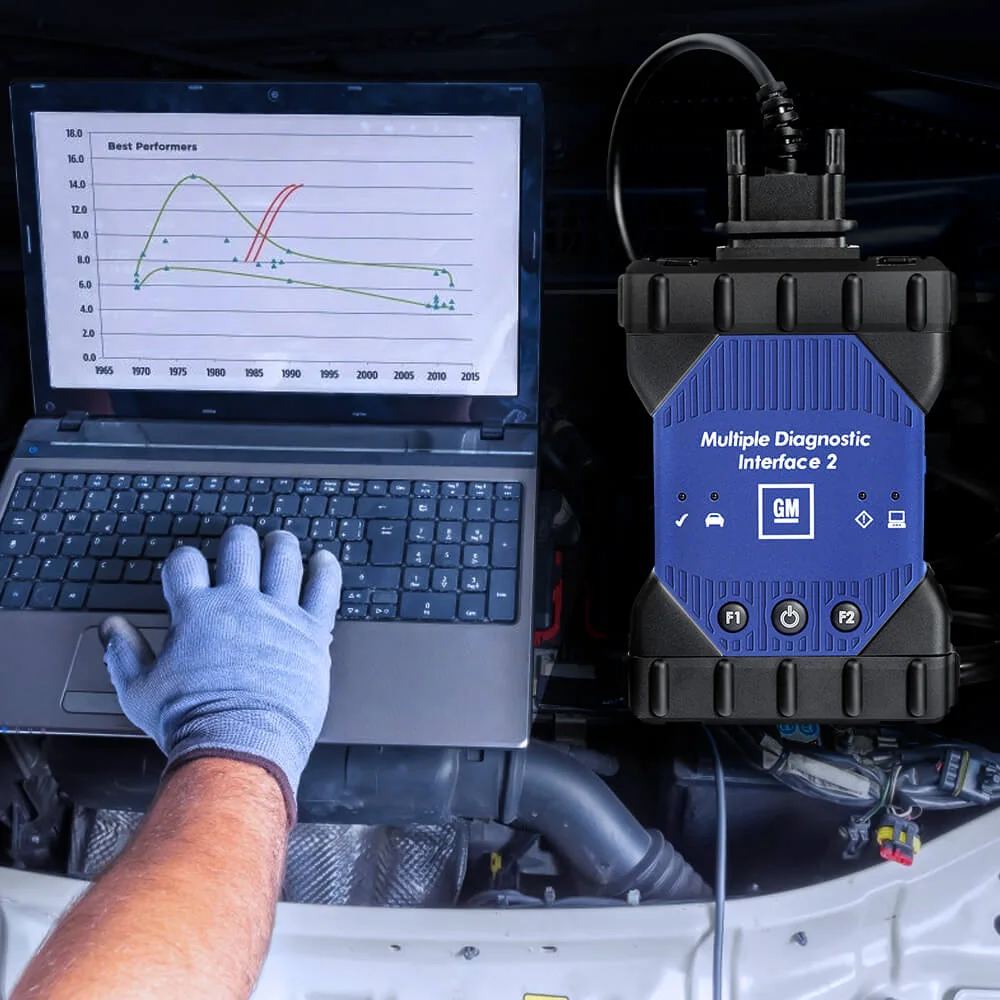
Example workflow in the workshop
Representative usage scene; the laptop is not included in the package, and the graphics on the screen are not actual GM software screens.
At service reception, vehicle identification and customer complaint are recorded, battery voltage is checked, and the VCI is connected to the OBD/DLC socket. On the computer, verify that the device is seen via USB using MDI Manager; then, open the appropriate diagnostic application for the vehicle.
The initial session is tested only with read operations such as vehicle identification, control unit list, fault codes, and live data. Save the current report before clearing codes. If programming is required, close the diagnostic session and prepare the vehicle manufacturer's SPS2 procedure and power support.
At each stage, the application used, version, VCI connection, and result are written to the work order. This separates hardware failure, driver issues, license problems, and vehicle coverage.
Product details
Choice between MDI 2, OP-COM, and a multi-brand service tablet
Interfaces sold under the name OP-COM are often considered a lower-cost option for basic diagnostics, measured values, and some variant-dependent service/coding functions in older Opel vehicles; however, they cannot be treated as a single official hardware standard.
The MDI 2 approach is aimed at users who want to enter GM's PC-based service software ecosystem and can manage the subscription, computer, version, and programming discipline. The original Bosch/GM MDI 2 is the choice for professional businesses requiring documented supply and manufacturer support.
A multi-brand service tablet may be more practical for workshops servicing different brands throughout the day and who do not want the hassle of separate PC/subscription arrangements. Choose not the cheapest device, but the verified intersection of vehicles and tasks in your workshop.
OP-COM: old Opel focused, variant-dependent economical solution
Aftermarket MDI 2: GM PC ecosystem, higher setup and compatibility risk
Original MDI 2: documented identity and manufacturer support
Service tablet: multi-brand and more integrated daily use
Product details
Diagnostics and live data in vehicles supported by GDS2 with the Opel / GM MDI 2 Compatible Diagnostic Tool
Diagnostics and live data in vehicles supported by GDS2 with the Opel / GM MDI 2 Compatible Diagnostic Tool are initiated by defining the safe operating conditions under which the customer's complaint occurred.
Only data channels related to the fault are selected on the Opel / GM MDI 2 Compatible Diagnostic Tool screen; unnecessary PIDs are excluded from the recording.
The Opel / GM MDI 2 Compatible Diagnostic Tool saves live data with measurement units; operating conditions such as vehicle identification, test time, engine speed, load, and temperature are added to the record.
The technician interprets sudden changes on the Opel / GM MDI 2 Compatible Diagnostic Tool along with fault codes and event logs; a single value does not directly lead to a parts replacement decision.
After the repair, a second data recording is taken under the same conditions with the Opel / GM MDI 2 Compatible Diagnostic Tool, and the two results are compared side-by-side.
Define test conditions
Select relevant PIDs
Record data with units
Compare under the same conditions after repair
Product details
Initial system scan at vehicle acceptance with the Opel / GM MDI 2 Compatible Diagnostic Tool
When performing the initial system scan at vehicle acceptance with the Opel / GM MDI 2 Compatible Diagnostic Tool, the vehicle identification is verified, and supported control units are scanned. The Opel / GM MDI 2 Compatible Diagnostic Tool stores communicating systems, fault codes, and accessible event information together in the initial report.
The VCI model, software version, and vehicle identification used with the Opel / GM MDI 2 Compatible Diagnostic Tool are added to the vehicle acceptance record. Codes are not cleared before obtaining the initial report from the Opel / GM MDI 2 Compatible Diagnostic Tool; a single fault record does not directly lead to a parts replacement decision.
The acceptance scan with the Opel / GM MDI 2 Compatible Diagnostic Tool is added to the service form, specifying the customer complaint and the systems to be monitored.
Verify vehicle identity
Save the initial system scan
Check aftermarket product identity and board revision information
Re-scan after service operation
Product details
Reviewing fault code and event log together with the Opel / GM MDI 2 Compatible Diagnostic Tool
When reviewing the fault code and event log together with the Opel / GM MDI 2 Compatible Diagnostic Tool, first read the stored and current fault codes of the relevant control unit.
The Opel / GM MDI 2 Compatible Diagnostic Tool stores accessible event data such as RPM, temperature, voltage, or mileage at the time of the fault in the same report as the code. Vehicle identification, control unit, and software version are added to the service form for the Opel / GM MDI 2 Compatible Diagnostic Tool.
The technician compares the data from the Opel / GM MDI 2 Compatible Diagnostic Tool with the customer complaint and physical test results; the event log alone does not identify the faulty part. After the Opel / GM MDI 2 Compatible Diagnostic Tool review is completed, whether the code was cleared and the next diagnostic step are written to the report.
Verify vehicle identity
Save the initial system scan
Check aftermarket product identity and board revision information
Re-scan after service operation
Product details
Re-checking fault codes after repair with the Opel / GM MDI 2 Compatible Diagnostic Tool
To re-check fault codes after repair with the Opel / GM MDI 2 Compatible Diagnostic Tool, the vehicle and control unit found in the initial service report are reopened.
The Opel / GM MDI 2 Compatible Diagnostic Tool displays the codes found before the repair and related live data measurements as a reference. In the second recording taken with the Opel / GM MDI 2 Compatible Diagnostic Tool, the vehicle identification, software version, and test conditions are compared with the first recording.
After bringing the vehicle to a similar operating state, the Opel / GM MDI 2 Compatible Diagnostic Tool scans the same systems again. The final report from the Opel / GM MDI 2 Compatible Diagnostic Tool explains the deleted, returned, and ongoing fault records along with the performed repair.
Verify vehicle identity
Save the initial system scan
Check aftermarket product identity and board revision information
Re-scan after service operation
Product details
How to verify Opel / GM MDI 2 Compatible Diagnostic Tool vehicle coverage?
Definitive compatibility cannot be stated for the Opel / GM MDI 2 Compatible Diagnostic Tool without selecting the vehicle make, model, year, engine, control unit, and the task to be performed together.
Valid coverage for the Opel / GM MDI 2 Compatible Diagnostic Tool is checked through the exact ECU identification and connection method in the protocol list of the delivered device.
When evaluating the Opel / GM MDI 2 Compatible Diagnostic Tool, the mere appearance of the vehicle make or model in the list does not prove that reading, writing, cloning, or any other operation is supported.
Before ordering, prepare the VIN or full model information, model year, engine/chassis distinction, and the task to be performed for the Opel / GM MDI 2 Compatible Diagnostic Tool; also check the software version, license duration, VCI, adapter, and regional package.
Opel / GM MDI 2 Compatible Diagnostic Tool: prepare make, model, model year, and engine/chassis information
Opel / GM MDI 2 Compatible Diagnostic Tool: select the desired system and task separately; read, live data, active test, coding, or programming
Opel / GM MDI 2 Compatible Diagnostic Tool: verify the ECU and function line in the official coverage vehicle
Opel / GM MDI 2 Compatible Diagnostic Tool: check VCI, cable, adapter, license, and regional package conditions
Opel / GM MDI 2 Compatible Diagnostic Tool: perform final check with VIN and manufacturer procedure before definitive operation
Product details
Which nearby products is the Opel / GM MDI 2 Compatible Diagnostic Tool compared with?
The choice between the Opel / GM MDI 2 Compatible Diagnostic Tool, VAS5054A VAG Diagnostic Tool, Zenith Z5 Diagnostic Tool, and Zenith Z7 Lite Diagnostic Tool is made based on differences in supported functions, connectivity, and packages.
The aftermarket product identity and board revision, vehicle, model year, ECU, and service task to be performed, Windows computer and local administrator privileges, customer's valid GM software subscription, and stable vehicle power support during programming are the basic selection criteria for the Opel / GM MDI 2 Compatible Diagnostic Tool.
The connection method, protocol support, software coverage, and additional modules of the devices compared with the Opel / GM MDI 2 Compatible Diagnostic Tool are not the same.
The vehicle and control unit support required for diagnostics and live data in vehicles supported by GDS2 is read from the manufacturer's current list published for the Opel / GM MDI 2 Compatible Diagnostic Tool.
A device that does not offer the required function or connection for diagnostics and live data in vehicles supported by GDS2 with the Opel / GM MDI 2 Compatible Diagnostic Tool is not suitable for this service task, even if it is more comprehensive in other areas.
VAS5054A VAG Diagnostic Tool: diagnostics in older VAG vehicles and PC connection via USB-A to mini USB cable
Zenith Z5 Diagnostic Tool: full system scan and bi-directional active test
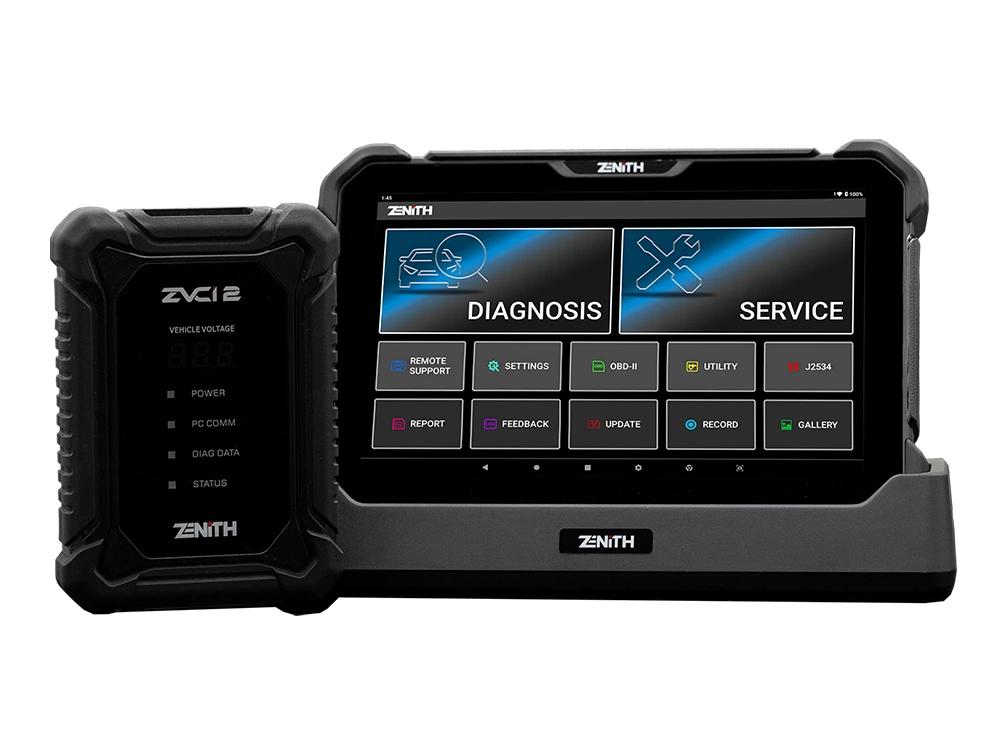
Zenith Z7 Lite Diagnostic Tool: wireless service connection and system topology
Related pages
Related content for Opel / GM MDI 2 Compatible Diagnostic Tool
Frequently asked questions about Opel / GM MDI 2 Compatible Diagnostic Tool
Is this Opel MDI 2 device original?
No. As there is no Bosch/GM supply document and serial number verification, the product is sold as an aftermarket MDI 2 compatible diagnostic tool; no claims of originality or OEM are made.
Do GDS2 and Tech2Win come with the device?
No. Software license, GM subscription, and account access are not included in the package. The customer obtains their valid access through official channels; initial setup only covers connection guidance.
Can ECU programming be done with GDS2?
According to the GM GDS2 manual, ECU programming is not supported within GDS2. Supported programming operations require a separate SPS2 workflow, subscription, and vehicle procedure.
Does the device work on all Opel models?
No. VIN, model year, vehicle architecture, relevant ECU, and the intended task must be verified separately. Notably, newer Stellantis-based Opel models are not considered the same as older GM coverage.
Is there CAN FD and DoIP support?
The original Bosch MTS 6531 family lists these protocols; however, the board revision and protocol implementation of this aftermarket example have not been verified. Definitive support is determined by actual device and vehicle testing.
Is Wi-Fi connectivity guaranteed?
No. Although it has a housing module cover, the wireless card and its operation cannot be verified from the photo. Initial setup and support scope are based directly on USB connection.
What is included in the package?
The package verified by photos consists of an aftermarket VCI, an OBD/DLC vehicle cable, and a USB computer cable. A disk, computer, Ethernet cable, license, and subscription are not included.
Does the initial setup service include a second computer?
No. The included service is a one-time guidance for MDI Manager, drivers, and USB visibility on a compatible Windows computer. A second setup or computer transfer is scoped separately.
Can key programming and immobilizer operations be performed?
The device name does not guarantee these operations. Vehicle support, license, user security authorization, regional legislation, and manufacturer procedures must be verified together.
If the computer sees the device but there is no communication with the vehicle, is the device faulty?
Not necessarily. USB visibility only confirms the computer-VCI layer. Ignition position, DLC power supply, OBD/DLC cable, correct vehicle and VCI selection, target module support, and aftermarket hardware revision must be checked separately.
Comparison
Similar models to Opel / GM MDI 2 Compatible Diagnostic Tool
Compare products in the same class with information on usage level, service tasks, and price.
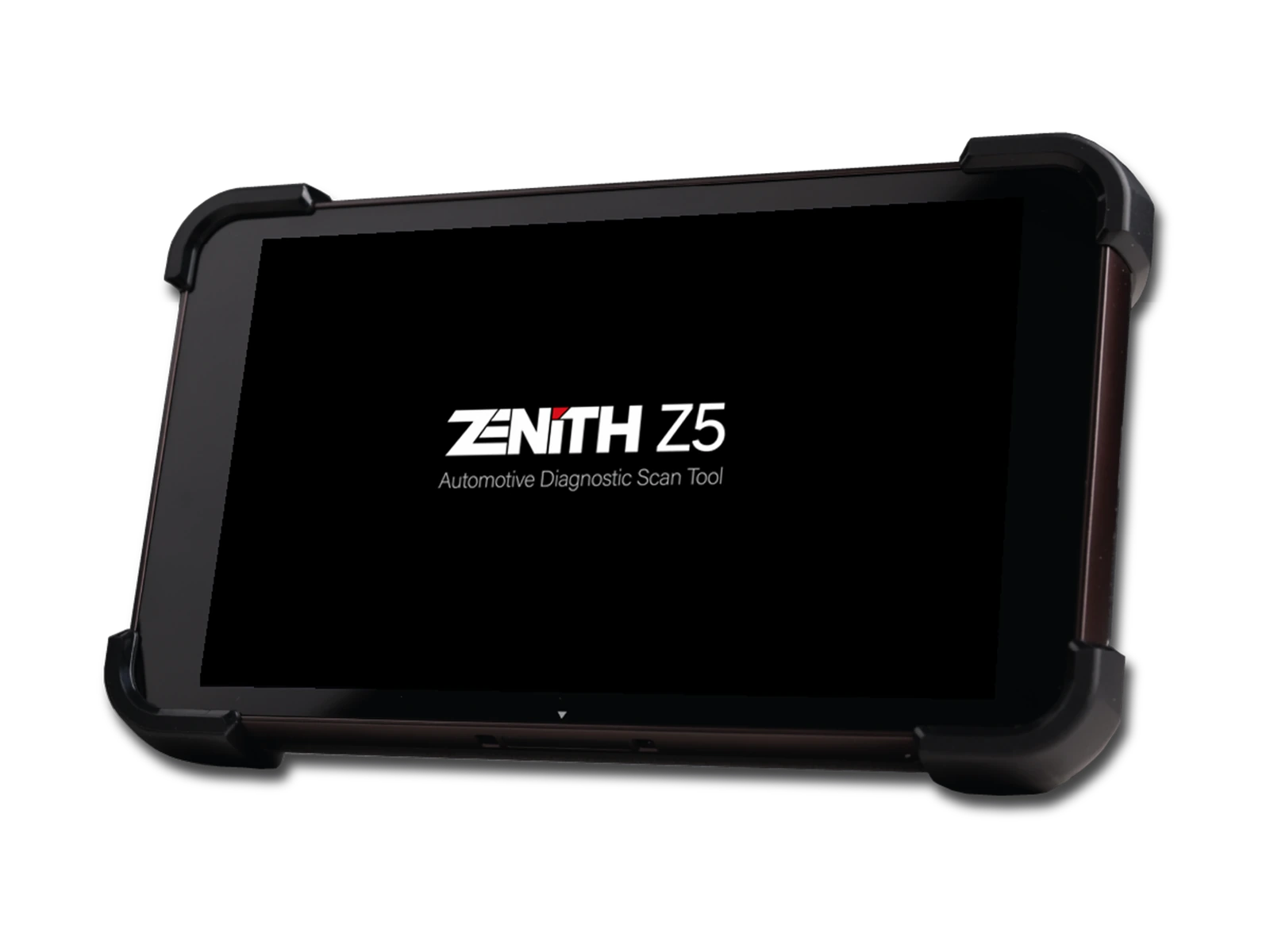
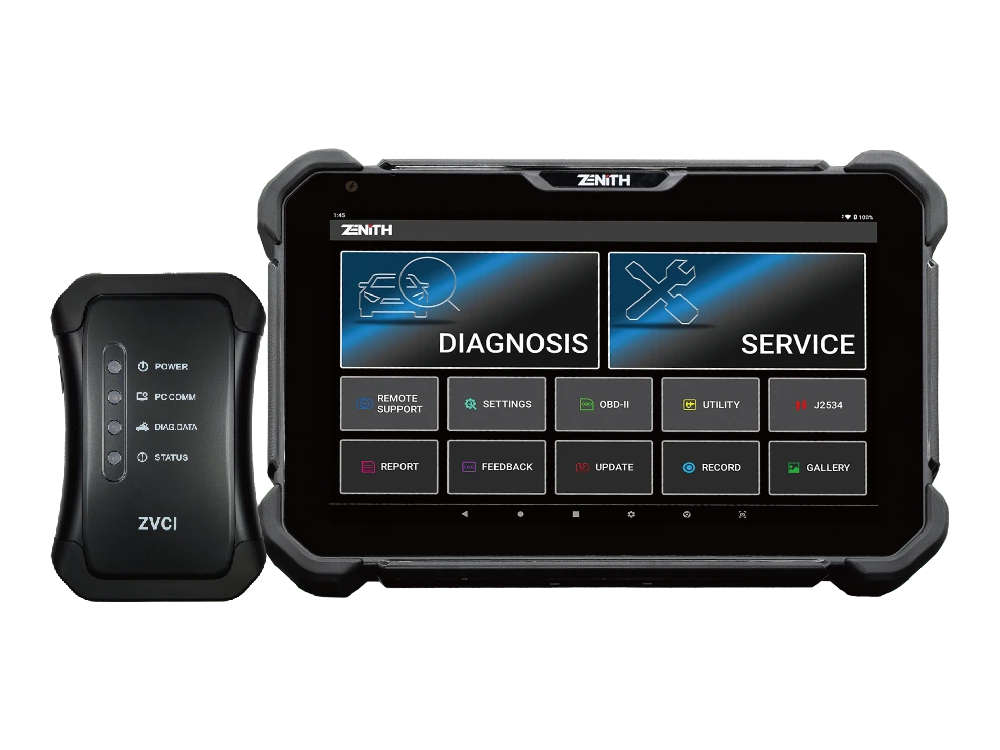
Zenith Z5 combines an 8-inch FHD screen, wired DLC connection, full system scan, bi-directional test, 24V commercial vehicle communication, and J2534 interface in a compact service tablet.
Zenith Z7 Pro offers a 10.1-inch FHD tablet, wireless ZVCI2, CAN FD, DoIP, J2534, topology, bi-directional testing, and Z7 AI tools with a professional service package.
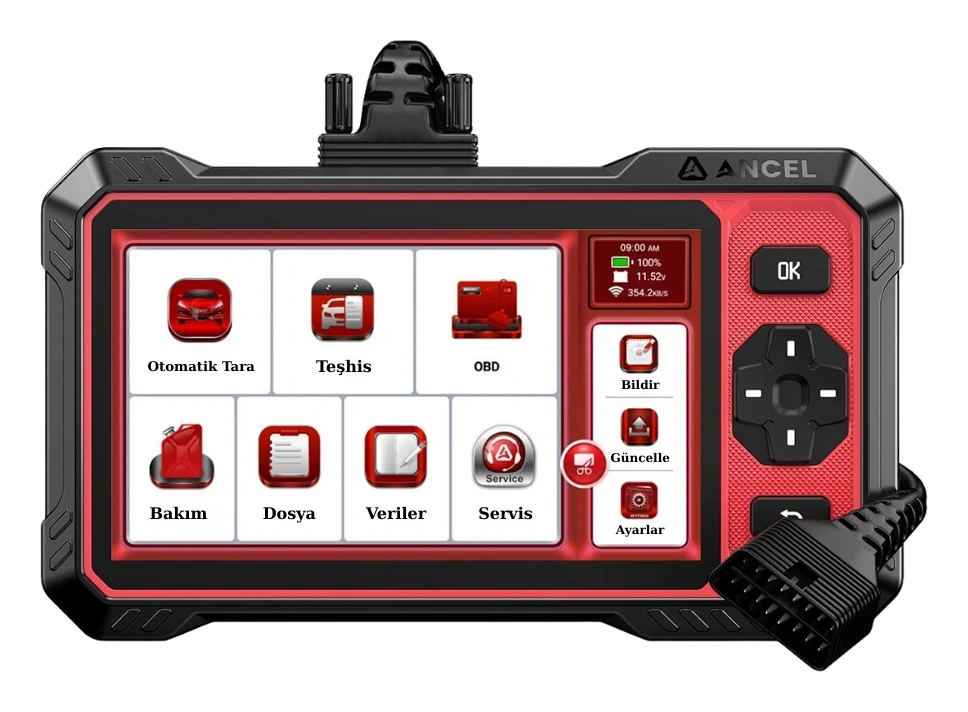
Ancel DS410 Lite is a wired service device with full system diagnostics, active testing, and CAN FD support. The device includes lifetime free updates.